Ryan is a part-time DJ and full-time producer with over 15 years of experience. His interests span genres and includes everything from Classic Rock to EDM and Bollywood. He primarily works in Ableton, though he is also well-versed in Logic.
Buying a DJ controller doesn’t necessarily mean spending thousands of dollars. With our top picks for the best DJ controller under $500, you can start producing pro-level mixes without spending pro-level prices.
Anyone serious enough about DJing needs a DJ controller. Sure, laptops are ubiquitous in the DJ world and virtually everything is done by software. But this software needs a controller to get the most out of it. The hands-on interface of a controller adds a dimension to your DJing that a laptop-only setup simply can’t match.
Performance is one thing. Fun is another. Using a keyboard + mouse is, frankly, boring. You will have far, far more fun if you have a DJ controller to control things. The ability to say, flick a crossfader and switch tracks, or drag a fader to pump up the volume is simply far more fun on a controller.
Then there’s the performative aspect. Using Traktor or Serato on your laptop might be fine for a house party of your friends, but it’s going to look dorky for a club setting. If you ever hope to even moonlight as a DJ, you need a controller.
Which is to say, using a DJ controller makes you a better DJ. And more importantly, it is more fun.
In this guide, we’ll look at the best DJ controller under $500. We’ll look at some budget pieces for absolute beginners, and we’ll also share some of our top picks for intermediate to even pro-level DJs.
But before that, here’s a quick look at our best DJ controllers under $500:
Best overall: Pioneer DJ DDJ-SB3
Best performance: Denon DJ MC4000
Best for beginners: Numark Party Mix
Most portable: Numark DJ2GO2
We use rigorous research, reviews, and real-world performance when recommending products. Our reviewers include producers, performers, and active musicians. You can read more about our review process here. Be advised that MIDINation might earn referral commissions on purchases made through this website. This does not affect your final purchase price.
Note: As an Amazon Associate, MIDINation earns commissions for qualifying purchases made through Amazon links on this page.
About your reviewer Ryan Harrell is the founder of MIDINation and an experienced producer/DJ. His first experience with electronic music production dates back to Cubase 3.0 in the summer of 1997, and he’s been a fan ever since. He prefers Ableton as his primary DAW these days, though he is still partial to Cubase and Pro Tools. He lives in San Diego and freelances as a producer and part-time DJ.
The 4 Best DJ Controllers Under $500
In this section, we’ll do a deep dive into our top picks, why we chose them, and what’s the right option for you.
Brief note on DJ controllers and software
A DJ controller is essentially a physical interface to control DJ software. While there are plenty of controllers on the market that don’t need software (or even to be hooked up to a DJ laptop), you’ll get the most from your gear if you actually do use it with a full-fledged DJ software.
While technically you can use any DJ controller with any software, you’ll get the most from it if you align the controller with the right software.
In other words, when you buy a DJ controller, you’re essentially also buying DJ software. Apart from the physical attributes and features of the controller, you also have to see whether the paired DJ software fits your needs.
The big three in DJ software are:
Rekordbox DJ: This is Pioneer’s own DJ software. It pairs wonderfully with Pioneer’s DJ controllers and turntables.
Serato: The most popular independent DJ software. It pairs well with controllers from a range of manufacturers, including Reloop, Denon, Rane, Pioneer, and Numark.
Traktor: The Traktor DJ software is produced and sold by Native Instruments. Consequently, it works best with NI’s line of Traktor Kontrol DJ controllers, although you can also use controllers from other manufacturers.
There are no hard rules about this of course. You’re perfectly free to use a Pioneer DDJ with Serator or Traktor (most do anyway). It’s all about finding the software you like and pairing it with a controller that fits your needs.
For instance, Pioneer is, by far, the most popular brand in the DJ controller category. At the same time, few pros use Rekordbox DJ, even though it’s free for Pioneer customers.
Take the time to learn about different DJ software and find the one that fits your needs. You can grab trial versions of these tools below:
When you find a software that you like, choose one of the DJ controllers below to build your first DJ setup.
A note about budgets
DJ controllers tend to be expensive. Any gear under $500, by default, is aimed at intermediate and beginner users. Professional grade DJ controllers typically cost close to $1,000 and up.
Because we’re looking primarily at the best DJ controllers under $500, this article is geared towards beginners and intermediates. If you’re an experienced pro, you might find some of the explanations here too rudimentary. Keep this in mind as you read the article.
A lot of DJ controllers under at the low-end of the market tend to treat DJing as a gimmick. Hence you have all these controllers with built-in strobe lights and friendly, non-intimidating designs. This might be good for getting absolute beginners into the world of DJing, but it leaves you ill-equipped to graduate to an actual performance controller.
Not the Pioneer DDJ-SB3.
The DDJ-SB3 looks, feels, and plays like any “grown up” DJ controller. It doesn’t mask the technical complexity of DJing with a facade of friendliness. The interface that you get on the SB3 is exactly the same as you would find on Pioneer’s $1,000+ controllers (albeit scaled down).
In other words, if you build your chops on the DDJ-SB3, you’re halfway there to being a pro DJ. This is also the reason why we placed it right at the top of our budget list in our earlier roundup of DJ controllers.
Coming back to this unit, you get virtually everything you’d want from a beginner-friendly-yet-feature-rich DJ controller. You get:
Large, sensitive 5” jog wheels that feel as good to use as those on Pioneer’s high-end controllers.
Gig-friendly build quality minus the weight (at just 2.1kg)
4 deck controland 8 pads on each deck. Each pad can control FX, use Beat Jump or Pioneer’s innovative Pad Scratch feature
Pad Scratch feature lets you add scratch effects to track without actually, you know, scratching the track
Serato compatible
Built-in sound card
The best of all? You get to boast of a Pioneer controller without spending Pioneer-tier prices.
Another plus is the DDJ-SB3’s enduring popularity. Since this is often the first DJ controller for many aspiring DJs, there are a ton of tutorials for it on YouTube. This is a massive advantage, especially when you’re starting out.
What we don’t like
There are some things that are less than perfect, such as:
The built-in sound card isn’t the best. You’ll hear a lot of internal electronic interference on high-powered speakers
Lightweight faders are good for quick changes but feel cheap.
Small fader travel makes this a poor choice for certain genres with slow buildup (such as House)
Recommended for: Anyone who is serious about DJing and wants a pro-tier experience without paying pro-tier prices.
Pros
Pioneer’s enduring brand name and build quality
Large, sensitive jog wheels
Innovative features such as Pad Scratch and built-in FX
Cons
Built-in sound card is mediocre at best
Limited fader travel is less than ideal for long transitions
The Denon DJ MC4000 is the closest you can get to a pro-grade DJ controller without spending $1,000. Even though Denon itself classifies the MD4000 as an entry-level controller, its features, design, and performance are hardly “entry-level”.
Let’s start with the two decks. Like its elder siblings, the MC7000 and MCX8000, this unit boasts touch-sensitive jog wheels. This really opens up new dimensions in terms of how you interact with your tracks. Skipping, scratching, etc. feels far more intuitive and immediate.
Each deck is paired with 8 illuminated pads. Built-in features such as Hot Cue allow you to jump to a specific point in a track, all with the tap of a button (bear in mind that Hot Cue only works with Serato DJ Pro).
One of our favorite features is the onboard sound effects. The scratch sounds as real as you can get – no one will be able to tell that it’s a built-in effect and not Sir Mix-a-lot in the house. The built-in filters also work great, especially the “ducking” feature that lets you move vocals to the high-end at the tap of a button.
You also get two mic inputs with built-in echo and EQ. Perfect for karaoke or just to talk during a gig. Plus, there are tons of input/output options, all in 24bit quality (output).
Our favorite bit, however, is the build quality. Most entry level DJ controllers skimp on materials and use plenty of plastic. Not the Denon MC4000. You get pro-grade all-steel construction. You can drop this thing on concrete and it will still work as new. If you want something that will last you for years, get this Denon.
On the whole, Denon might not have the brand name of Pioneer and it might be a few notches more expensive, but it is far more feature rich and better built.
What we don’t like
Our chief (minor) complaints are:
It ships with Serato DJ Intro which is severely pared down compared to Serato DJ Pro. Lots of functions (such as Hot Cue) won’t work, forcing you to upgrade.
Twin mic inputs are great, but they don’t feed into the headphones so you can’t really monitor them.
Crossfader build quality could have been slightly better.
Recommended for: Serious beginner DJs who want a feature-rich, pro-grade controller without paying thousands of dollars.
DJ turntable style jog wheels for authentic DJing experience
4 pads on each deck to control cue points
Low weight (1.76 Lbs)
Ships with Virtual DJ
Built-in light show. Flimsy buttons. Tons of plastic everywhere.
You might be wondering: what’s a product like this doing on a MIDINation “best of” list?
The Numark Party Mix has lots of problems (and we’ll get to them later). See it in the prism of a serious beginner DJ unit like the Denon MC4000 and you’ll only be disappointed.
But the truth is that the Party Mix never professes to be anything more than a beginner’s toy. It definitely has all the gimmicks and features of one (the light show – which Numark markets heavily – is the chief one). Think of it as a facsimile of a DJ controller.
It is precisely this lack of features and toy-like performance that make the Numark Party Mix our most recommended beginner’s DJ controller. If you’re new to DJing, a full-featured Pioneer or Denon can be intimidating. Besides the price point, the technical complexity of the hardware can be discouraging.
The Numark Party Mix, by removing all the technical challenges and paring away the features, makes DJing far more accessible. By turning the controller into a toy, it encourages absolute newbies to at least try out DJing.
Some might scoff at this. But for us, this is a massive win – the more people who get into DJing, the better.
So treat this thing as a fun toy that encourages people to take up DJing. If you’re an absolute beginner, it’s the perfect mix of features, price, and performance.
What we don’t like
Before we recommend this whole-heartedly to the budding DJ, there is one big thing you should know about:
The included software – Virtual DJ – isn’t really “free”.
So much of the Numark marketing makes it sound as if you get the complete software with every unit. You don’t. After a month of use, you will have to “upgrade” your account to access all the features. This adds $50 to the purchase price.
While you can theoretically plug this unit into other DJ tools like Serato or Traktor, you’ll find that the pads don’t light up and some of the features don’t work. Numark essentially locks you into Virtual DJ and you will have to pay extra to fully use it.
This is clearly bait-and-switch marketing and we would have really preferred if Numark was honest about it. This is the only reason why we add an “*” to every recommendation for the Party Mix.
Recommended for: Absolute beginners who need an easy to use and affordable controller to get started with DJing.
Pros
Extremely easy to use
Affordably priced
Small footprint and compact design
Cons
Poor build quality
Bait-and-switch marketing – you don’t really get the DJ software for free
Four pad modes to control sync, loops, cue-points, etc.
Ultra-portable design
Ships with Serato Lite, compatible with Serato Pro
The DJ2GO2 is one of the most delightful DJ controllers on the market. It is absolutely tiny and packs in so many little features that you’ll wonder how Numark managed to pack all of it into such a small package.
The first thing you should know, however, is that the DJ2GO2 is not a full-fledged DJ controller (though it has a lot of features of one). Show up to a real gig with it and you won’t be taken seriously.
Instead, it’s meant for house parties, casual performances, and DJs who want to practice on their own without using a big, bulky unit. It is barely wider than a laptop keyboard and can sit comfortably across a Macbook Pro’s trackpad. The weight, at under 12 ounces, is ridiculously low. You can keep it in your backpack and not even feel it.
While portability is the chief reason to buy this unit, it’s not the only one. Between the two tiny jog wheels, 4×2 pads with dedicated pad modes, and built-in audio card, you can get pretty decent performance out of it as well. We’ve seen this used in house parties just as often as we’ve seen pro DJs use it to cue up their tracks.
(Heck, we’ve even seen people pull this out on a plane to work on their tracks on the go.)
Most negative reviews tend to focus on the poor build quality or the lack of features and tiny jogwheels, but they miss the point. This is a “drop it in the bag on your way to a friend’s house party” kind of DJ controller. It’s absolutely tiny and incredibly fun.
Get the DJ2GO2 if you already have a bigger, better DJ controller and need something to use on the go. Or get it if you’re just starting out and want something that will fulfil your curiosity without draining your wallet.
Recommended for: DJs who want a cheap, affordable and extremely portable DJ unit to use on the go. Beginners who want something non-intimidating to start practicing will also love it.
Pros
Tiny size and narrow footprint
Low weight – under 0.75 lbs!
Packed with basic features
Cons
Little in the way of performance-oriented features
Tiny jog wheels are tough to use
Some units have a humming issue from the built-in sound card
Finding a great DJ controller under $500 isn’t easy. This entire product category, as a rule, tends to be filled with expensive options.
However, as you saw above, there are a few great controllers within this price range. Pick any one of the four units above and you won’t be disappointed.
The best DJ controller under $100? What might have been a fantasy a few years ago is now a reality in amateur DJ desks around the world. Cheap controllers that play like their grown-up counterparts are revolutionizing DJing. Here’s our pick of the best DJ controller under $100 right now.
It’s a good time to be a DJ. What used to be a niche hobby even until a decade ago has turned into the biggest development in music in years. DJs used to crowd clubs; now they’re everywhere.
This also means that it’s a good time for companies that make DJ equipment.
These developments mean two things:
People are moving into DJing younger than ever
DJ equipment makers have more money than ever into building cheaper units
This is the reason why there has been a surfeit of DJ controllers under $100. This isn’t an expensive hobby anymore; 16 year olds armed with a free version of VirtualDJ are now getting into it.
In other words, if you’re a beginner DJ looking to buy a cheap DJ controller, now is just the right time. As our list of the best DJ controllers under $100 shows, you can get some surprisingly competent equipment for astonishingly cheap.
On that note, let’s look at our pick of the best DJ controller under $100 you can buy right now.
We use rigorous research, reviews, and real-world performance when recommending products. Our reviewers include producers, performers, and active musicians. You can read more about our review process here. Be advised that MIDINation might earn referral commissions on purchases made through this website. This does not affect your final purchase price.
Note: As an Amazon Associate, MIDINation earns commissions for qualifying purchases made through Amazon links on this page.
About your reviewer Ryan Harrell is the founder of MIDINation and an experienced producer/DJ. His first experience with electronic music production dates back to Cubase 3.0 in the summer of 1997, and he’s been a fan ever since. He prefers Ableton as his primary DAW these days, though he is still partial to Cubase and Pro Tools. He lives in San Diego and freelances as a producer and part-time DJ.
Most DJ controllers in the $100 price range tend to be small and gimmicky. They might suffice as a portable second controller for an experienced DJ, but they’re often too immature and poorly built to replace a full-fledged DJ unit.
Not so with the Hercules Impulse 200. Although its not strictly inside the $100 price range, discounts usually bring it below that mark. And for this money, you get a DJ controller and looks and acts like a grown-up DJ unit. You get two decks, several buttons, a robust crossfader, and all the compatibility you’d want in a mature controller.
Given the price, this is easily our favorite DJ controller under $100. Great for beginners. Also great if you want an abuse-friendly second controller.
This DJ Controller is an entry-level DJ controller perfect for DJs that are just learning the trade. It is compact and has touch-sensitive jogs. It comes with 4 performance pads. These pads have 4 different modes you can use: Hot Cue, Roll, FX, and Sampler.
The layout of the buttons, knobs, and sliders on this DJ controller are just like those found on a professional controller; thus, any beginner who can master this DJ controller will feel right at home using a professional DJ controller.
Although at first glance, with the colors and size, you will be forgiven for thinking it is a toy, it is surprisingly compact and well made. The small package is durable and can take rough use and bruises.
Performance
Despite the compact appearance, this DJ Controller offers quite a lot of useful features. It might be for kids or people who are just setting out to learn music mixing, but the features can also appeal to all music lover and enthusiasts around the world.
This compact board has a plethora of options when it comes to transitioning and mixing music.
It comes with the Beatmatch Guide feature. This feature is meant to serve as a tutor to those learning how to manually beat mix. It has built-in songs that you can use to practice your skills. If you like, you can upload your own songs onto the Controller and play around with it.
We observed that the DJUCED software on the Controller is quite easy to use. It processes the songs you upload and shows you where the beats are and what the speed is. With this feature, we found it very easy to beat match.
We must reiterate how great this DJ Controller is for beginners. The build, software and overall performance are targeted at helping you learn.
What we don’t like: Although the overall design is great, the USB cord is permanently attached to the controller. If it breaks, you are in a lot of trouble.
Recommended for: This DJ Controller is recommended for anyone just starting out and learning how to DJ..
Pros
Easy to use
The software is intuitive and helpful
Compact and durable design
Cons
The USB cord is permanently attached to the controller
This compact DJ Controller is so tiny you can seat it on your laptop. It is easy to stash in a backpack and take on the go.
Unlike previous versions, the Numark DJ2GO2 has dispensed with the cartoony and toy-like buttons in favor of buttons that look more solid and professional. The new layout of the controller looks sleek and serious. It is lightweight and can be carried about with ease.
It has 2 channels with each one having a jog wheel volume control, pitch fader, 4 performance pads that have 4 modes; cue, sampler, auto, and manual loop. Aside from these, it also has a crossfader, master knob and a load of other buttons commonly found on DJ Controllers.
Away from the surface, the board features output jacks by the side: master output, headphone jack, and mini-USB.
The overall design is pleasing and serious, although it will never be mistaken for a professional DJ Controller
Performance
The Controller is nice to use. Right off the bat, we observe that the jog wheels do not have a vinyl or scratch mode. While this is a bummer (we love to scratch), the jog wheels are quite responsive and are great for manual beat mixing.
It comes with Serato DJ Intro which offers a lot of useful features. For casual users and beginners, this Controller is a great choice. It has almost every feature that is required for successful “DJing’.
It comes with 4 performance pads on each side of the deck, with each one letting you fiddle with different modes. They work really well and feel solid, unlike the cheap ones on many budget DJ Controllers.
For beginners learning the basic of manual beat matching, the short-throw pitch faders make this controller an ideal one
What we don’t like
As highlighted earlier, the inability to “scratch” the jog wheels is a bummer. Another problem we have with this Controller is the acute lack of EQ controls.
Recommended for: Ideal for beginners and can also be used as a backup controller for pros on the go.
This is a compact DJ Controller. We like how, despite the small size and the array of knobs and buttons, the board does not feel cramped.
If you are a backpacking DJ or want to go camping and still take your board along, this controller board is just for you. It comes with the functionality common to most DJ Controllers. It has 4 pads that can be used in different modes like sampling, looping, FX, and cue.
It has all the buttons backlit, so it is great to use in low light conditions. The scratch button is textured and gives a simulated feel of a vinyl platter just as the professional DJ Controller.
One design feature that makes this stand out, aside from the obviously diminutive size, are the flashing lights. These lights give a party vibe to the Controller and simulate a club experience. If you do not like the lights, you have the option of turning them off. However, if you leave them on, you will be delighted to know that these lights flash in time to whatever music you are playing on the Controller.
Performance
The Controller is very easy to use. You don’t need any special knowledge or devices to start using it. Simply plug into your laptop and play via the Virtual DJ LE.
Unlike other controllers, once you have a computer with Virtual DJ installed, you are good to go. The knobs and controls are easy to identify and use accordingly. The audio outputs of the controller are pre-installed in the system. Thus you do not need any special adapters to have a party going.
The jogs on this controller work almost perfectly and feel great under your fingers. At this price point, this is a surprise.
Nevertheless, the performance has some issues which we will shortly highlight. Overall, we found the performance of this controller to be acceptable, considering factors such as the size and the price.
What we don’t like
The jogs feel good, but during use, when you release the jog wheel, it takes some time before the Virtual DJ resumes playing. This causes a gap in play that we are not comfortable with.
Recommended for: It is great for those looking for a fun option and beginner DJs who want something super-compact and light that can be carried around.
Like most of the other controllers on this list, it a portable device that is aimed at beginners. It is lightweight since it is mainly made of plastic. While not as durable or strong as the more expensive controllers, it still holds up well against punishment. Veteran DJs can use it as a backup controller.
It has mini-jacks on the outer edges. The built-in 4-channel audio interface works with 44.1 kHz and 24 bit.
It features the regular buttons and knobs on most controllers: a jog wheel, transport buttons, pads for FX, samplers, loops, and hot cues.
The volume knob is resistant, albeit a tad sluggish. It has the pitch next to the jog wheel. It also has a cross fader that can be adjusted in the software and measures around 40mm.
Performance
In real testing, the sounds from the controller and the overall performance are quite satisfactory.
While the music plays, the Controller starts to flash. The lights can be adjusted. There are 7 different modes, and these are:
Beat flash
Beat Fade
Master Volume
Waveform color
Cue point
On
Off
You can choose whichever setting catches your fancy and helps you mix better. The placement of the buttons makes it easy to mix tracks.
The sounds are respectable, especially considering the price. We like that the Controller works with Serato DJ Lite without any need to fiddle with the controller. We also observe that it is compatible with other DJ software like Virtual DJ.
What we don’t like
It lacks compatibility with Hercules DJUCED. We also are annoyed with the way the jog wheels feels. They are too small for comfort.
Recommended for: We recommend this DJ controller for every music lover. Whether an upcoming DJ or a veteran, you will find this Controller quite pleasant and easy to use. Also works great as a portable second unit for experienced DJs.
This unit is a deck that gives control of up to 4 decks. The touch-sensitive platter that serves the functions of cueing, scratching, and nudging measures 4”. It looks pretty great.
The build looks more expensive than it actually is. It is made of an aluminum top panel while the base is made of plastic. All of this combines to give a controller that looks quite stunning.
The lower part of the controller has a 4” touch-sensitive platter. This is paired with a 14bit pitch fader. It also has a set of other controls like one to scroll back or forward and tempo adjustment knobs.
As for the upper part, it has 8 cue buttons, LED position indicators, and the lock and load buttons are at the top right corner.
The back of the controller features a singular USB cord for connection to your selected device.
It has the same buttons as the rest of the DJ Controllers on this list. However, it doesn’t have a dedicated crossfader. It features MIDI-reactive controls that the manufacturer claims are a substitute for the computer monitor.
Performance
The controller works quite satisfactorily. One major thing you will notice immediately you try mixing or making music is the lack of a crossfader. Aside from the problem that arises when trying to switch to a different track, it controls transport and cue points well.
During use, it is quite easy to know the function of each button. The controller comes with Deckdance LE software, which is easy to access and is a great help in getting your first sounds from the controller.
What we don’t like
The device does not have a dedicated crossfader. We are baffled by this considering the manufacturer lists the controller as a full-featured controller.
Recommended for: DJs who want to tune up their main controller and want to do so cheaply.
Buying a DJ controller for cheap isn’t just a pipe dream anymore. As you can see above, you can get some ferociously competent DJ controllers for less than $100.
Use this list to find the best DJ controller under $100. For more recommendations and advice, don’t hesitate to reach out to me here.
In this post, we’ll take a closer look at the much-loved MPC line and share our pick for the best Akai MPC you can buy right now.
Our Top Picks
Best standalone MPC: Akai Professional Force “A Tour de Force (pun intended) of features, power, and performance.”
Best pads: Akai Professional MPC Studio
“The MPC Studio might lack features, but it still boasts some of the best pads Akai has ever created”
Most portable: Akai Professional MPC Live II
“It’s by no means tiny, but it’s small and light enough to carry around to live gigs”
Best drum machine: Akai Professional MPC One
“Great sounds, great pads, and MPC programming make this one of the best drum machines from Akai”
Best vintage MPC: Akai Professional MPC Renaissance
“Outside of buying an actual vintage MPC off of eBay, this is the best old-school MPC on the market.”
Only a few instruments have had a transformative impact on music.
The Les Paul electric guitar was one, ushering in the rock and roll era. The Minimoog was another, creating the entire electronic music/synth genre.
And then there was Akai MPC. While there were drum machines before it – notably the Roland TR-808 – the Akai MPC was the first that could reliably create complex, natural-sounding rhythms. The result was music that could be driven primarily by drums. Aka, hip hop.
The Akai MPC liberated producers and performers from the band. Before the MPC, if you wanted realistic drum patterns, you had to get access to a drummer – always a rare commodity. But with the MPC, anyone could create great beats on their own. The massive surge in hip hop production after the MPC was released wasn’t accidental.
Today, every DAW ships with built-in drum machines. But if you want to liberate your production and performance, you need a hardware instrument to complement it. This is why Akai continues to produce a huge variety of MPCs, and producers keep buying them.
The question now is: what’s the best Akai MPC on the market currently? Which one is right for your needs?
I’ll share some answers below.
We use rigorous research, reviews, and real-world performance when recommending products. Our reviewers include producers, performers, and active musicians. You can read more about our review process here. Be advised that MIDINation might earn referral commissions on purchases made through this website. This does not affect your final purchase price.
Note: As an Amazon Associate, MIDINation earns commissions for qualifying purchases made through Amazon links on this page.
The Best Akai MPC
Here’s a closer look at the best Akai MPC for different needs in 2020:
Akai Professional Force
Although it’s not strictly an ‘MPC’, the Akai Force still tops our charts for its sheer versatility and raw power. Rather than just a drum machine, the Force is a full-fledged production center in a single, tightly wound package. It’s as great for jamming out drum loops as it is for performing in a club. Truly a force to be reckoned with.
From song-sketching to software control, the Akai Professional Force is the best standalone production center on the market today. The question isn’t what can the Akai Professional Force do; instead, it is what can it not do?
The Akai Professional Force bridges the gap between software and hardware. It comes as an inbetweener of both worlds. It offers plenty of what the software gives you without feeling too much like a computer. As a standalone kit, you’ll be hard-pressed to find a device as impressive as this bad boy.
It comes as a sampler, sequencer, and effects processor. As a result, it comes with a wide plethora of features. You get a bright display, plenty of tactile feedback, and connections to many other devices. Due to the technology, you can connect it to your computer and use it as a controller for software like Ableton Live. Therefore, it is unique on the market because it does almost anything you’d want as a producer.
The Akai Professional Force comes with in-built content, your power supply, a manual, adapters, and an Ethernet cable. Design-wise, it is one of the biggest of the lot, weighing up to 3.8kg. Thus, it isn’t as lightweight as you might have liked.
Nevertheless, we love the design. It looks better in person. Some of the things that really caught our eye include the 6.9″ touch display, the eight knobs, and the 64 backlit RGB pads. With all these features combined into one product, you can see three data sets simultaneously. You also get other buttons, including a crossfade and data entry dial.
These are all in the box and included in the package. On the software side, we found that the Akai Professional Force ships Ableton Live.
Using the Akai Professional Force is a delight. It benefits from the fast assembly and is one of the quickest options to set up and start using. When connected to your WIFI network, it allows you to sync it with several other software and hardware.
Underneath the Akai Professional Force lies the hatch for HDD or SSD storage. Therefore, you can easily expand on the 16GB of storage and 2GB RAM.
It can handle up to 128 tracks and eight plug-in instruments.
What I don’t like
Well, there are two things that might cause some issues. First is the price. It also is not backpack friendly, so if you are looking for a portable option, you might have to look elsewhere.
Recommended for: If you are looking for a single box solution, then this is something that you should certainly consider buying. It’s the best Akai MPC for casual performers, DJs, and producers looking for an all-in-one production/performance tool.
If the first model we reviewed is too big for you, then you’ll be pleased that AKAI has made the АKAI Professional MPC Live II. This model comes with plenty of similar features to our top pick but comes in a smaller size. It comes with a revamped layout that will certainly please most users. Among the new features include mixer, mute, timing correction, and other selections.
While the previous models had a master volume knob, this wasn’t optimally placed. Thankfully, АKAI Professional MPC Live II has the knob in a more accessible location. There are up to eight outputs, four inputs, four MIDI in/out, and more ports than we can count. On the software front, it sports the 2.8 updates and a whopping 10GB of samples.
While all these additions are great, what really attracts us to the АKAI Professional MPC Live II is the speaker addition. Now, these speakers are convenient and simply irresistible. They offer far more functionality than expected because you do not need any cables or headphones to use the АKAI Professional MPC Live II. They dominate in quiet environments and can hold their own when included in a tabletop rig. When you consider the size of the speakers, the sound produced is truly remarkable.
Another notable feature here is the note mapping editing. You can use this function to customize MIDI notes to each pad in a program. As an excellent device, this offers solid sync options.
The link is very reliable, and since there isn’t a Master, anyone can link or leave whenever they like.
What I don’t like
While we had a splendid time testing this model, it comes with certain drawbacks. For one, the speakers make it slightly heavy for something marketed as a portable unit.
Recommended for: If your aim is to get a sequencer or beat machine to be the heart of your hardware rig, then you will love using this model. It integrates easily with audio and MIDI, has built-in sound, and comes with enough samples to be the best Akai MPC for production on the go.
The Akai Professional MPC One is one of the latest standalone music production centers from Akai. It takes much of the good found in several other devices by the manufacturer and applies it to itself to give you a compact model to produce music while being affordable.
As a standalone unit, it has plenty of things that you need to create music without much peripherals or fuss. You can make beats, program beats, mix samples, edit, and more with this unit. The design is simple, but it is easy to use and understand. Although it has some of the most impressive technology at this level, it comes in a portable size that can easily fit into a backpack.
There are pads and several dedicated knobs that allow you to immerse yourself into doing what you love – making beats. The Akai Professional MPC One also offers the use of hand gestures to improve functionality. All of these features are topped off with a bright 7″ touchscreen that makes it easier to splice, chop, and customize songs with just a touch. The velocity and pressure-sensitive RGB pads are expressive and easy to use. There are dedicated keys for almost anything, and these improve your working experience.
While it is a standalone unit, it comes with impressive connectivity. Therefore, you can connect your computer, keyboard, instruments, and controllers. The Akai Professional MPC One is fuelled by the MPC 2 software and offers several benefits.
What I don’t like
While this is nearly perfect, it doesn’t come with a rechargeable battery. Furthermore, if you have large hands, you might find the pads to be too small.
Recommended for: This model is recommended for anyone looking for a low-cost drum machine that gets the job done with minimal fuss. It’s great as a production tool as well as a standalone drum machine, and easily ranks among the best Akai MPCs on the market right now.
Looking for an ultra-portable MPC with the best pads on the market? Then look no further than the Akai Professional MPC Studio. Although there are some downsides to the hardware (more on that later), the portable nature, cost, and ever-improving software ensures that it is one of the best Akai MPC you can buy.
The Akai Professional MPC Studio is very similar on some fronts to the Renaissance reviewed above. It uses similar software. However, the Akai Professional MPC Studio comes at a lower price and is far more compact and portable.
The Akai Professional MPC Studio has a thickness of around 1 ½”. Therefore, it is so slim that it can fit into your bag without any fuss. Despite the slim appearance, it is sturdy. The brushed plastic case looks beautiful and sturdy, and the best feature, the pads, feels very responsive and great. They are slightly firmer than what you’d find on the market, but that is what makes them so good. There are up to eight pad banks with 64-note polyphony, with each pad lighting up to show you note events and several other functionalities.
Akai has done a phenomenal job with the hardware, and it combines functionality and compactness near-perfectly.
Connections are good on the Akai Professional MPC Studio. It comes with a power button, USB, the MIDI ins, and outs. Operating modes are very similar to what is found in the Renaissance reviewed above. Interestingly, there is very negligible latency in general when using the model.
What I don’t like
There is no built-in interface, which can be a problem if you are used to having dedicated ports for sampling and splitting. While the jog wheel and Q-link dials are great, they are slippery and hard to hold, which can be inconvenient.
Recommended for: If you want a portable and ultra-lightweight MPC, then the Akai Professional MPC Studio is an excellent recommendation.
The MPC is a legendary beat making machine and AKAI has waded into the hardware and software combination with the Akai Professional MPC Renaissance.
First of all, on the hardware aspect, the Akai Professional MPC Renaissance is really impressive. Right out of the box, it is clear that this isn’t your regular fickle MPC. It feels solid and weighty. It is also built to be a durable model. For instance, there are ends made of rubber and a chassis made out of solid metal. The pads on the Akai Professional MPC Renaissance are very firm and respond with just a touch. Although it features just a 64-note polyphony, it comes with eight useful pad banks.
The pads show different colors to indicate the velocity level and functionality. Additionally, we observed that the jog wheel feels solid and sturdy. As for the screen, it does an excellent job.
On the software front, you will find this to be one of the easiest to use. It runs a powerful software relatively easily. Installation is pretty straightforward, as you can do it using a DVD.
After setting up the software, we must say that everything looks perfect, especially in the standalone mode. Despite heavy use, it did not, at any point, crash down.
If you have been using MPC for some time, be ready to be impressed by the performance of the Akai Professional MPC Renaissance. It simply gives you a lot of control and seamlessly integrates software and legacy data. It is a good audio interface that will give you impressive value for money.
What I don’t like
Akai Professional MPC Renaissance is excellent, but there are some chinks in the armor. For one, if there are plenty of things running in the DAW, you will suffer from some latency. We also observed some bugs when using some plug-ins.
Recommended for: If you have been a long-time MPC user, we recommend this model to you. It’s also great if you want a taste of vintage era MPCs. The pads are still great and the classic MPC workflow makes it a worthwhile competitor to the best Akai MPCs out there currently.
The remarkably powerful Akai Professional MPC X has all it takes to replace your DAW, whether live or in the studio. It is the latest flagship from the Akai brand, and as such, comes with features that are not found in many other options on the market.
Unlike other iterations that acted as controllers for DAW software running on your system, this Akai Professional MPC X model is a hybrid, standalone unit. Therefore, it runs its OS via the multi-core processor. It comes with all the power and computing power required since it has a 2GB RAM and 16GB ROM. Therefore, you can run the software natively.
Design-wise, it imposes itself on your desk with its sturdy appearance and solid build. It has a metal build with red plastic sides and a padded armrest to ensure plenty of comforts. Other parts, like the switches, jog wheel, Q-links, feel tough and easy to use. There is an OLED display showing things like functionality.
The pads are made of rubber and continue Akai’s tradition of making top-quality pads. They are arguably the best out on the market and give you incredible sensitivity and accurate expression. As a self-contained unit, it allows you to record audio straight to the hard drive or an SD card. If you like, you can install your SSD drive in the SATA bay below the device.
The 10″ touchscreen is smooth and responsive. It feels like a smartphone and helps you to quickly understand how to use the model.
In use, the Akai Professional MPC X is excellent, with sampling and chopping a walk in the park. The quality of the audio interface is amazing too.
What I don’t like
Well, there is no way to connect a mouse to the Akai Professional MPC X. The 2GB RAM is barely sufficient when you are loading WAV format files into the Akai Professional MPC X. We also did not like that the internal drive cannot be read by the computer.
Recommended for: If you are looking for a standalone and controller to replace the DAW you use, then we recommend the Akai Professional MPC X. It’s the most powerful unit on this list. While it is pricey, for performance-hungry pros, the MPC X is easily the best Akai MPC on the market.
Even though this article is about the best Akai MPCs, what if you don’t want an MPC?
Here’s your answer: the Native Instruments Maschine MK2.
The Native Instruments Maschine MK2 model comprises of a self-contained production environment and comes with plenty of features to rival some of the best models from Akai.
A notable reason why this model is so highly rated is that the controller and software are tightly integrated. Therefore, almost all the functions of the software can be run straight from the hardware. With this design, you can perform live or create an entire album without looking at the screen.
As a new model, it comes with some changes. Perhaps the most notable physical change lies in the pads. These are now backlit and multi-colored. It looks beautiful and is functional in actual use. Using the Maschine software, you can set sounds and groups without much fuss.
There is added functionality from the encoder, which makes everything work smoother than before. The previous model had pads that felt good, but the Native Instruments Maschine MK2 takes it up a notch and feels more so. As they are velocity-sensitive, the lightest touch will trigger a response and allow you to play beautifully.
The Maschine 1.8 software is another selling point of the Native Instruments Maschine MK2. It comes with new features that improve the playability and overall functionality of the device. Some of the best features include saturator tape, transient master sustain, time-stretching, and pitch-shifting functions.
What I don’t like
While the new processes in the software are welcome developments, we didn’t like that they are offline processes.
Recommended for: If you have the cash to spare and want to see an uptick in your playing performance, the combination of features and performance offered by the Native Instruments Maschine MK3 is excellent. It might not be the best Akai MPC alternative on features alone, but if you’re price conscious and want something that can replicate the MPC functionality to a reasonable degree, choose the MK2.
The legendary MPC has a new lease of life thanks to the massive growth of EDM and hip-hop. Consequently, there are more Akai MPCs on the market than ever.
Hopefully, this guide will help you zero-in on the best Akai MPC for your needs.
A budget of $1,000 gives you tons of options if you want to buy a DJ controller. This surfeit of options also means that you’ll have a hard time selecting the right controller for your needs. To help you out, we created this guide to help you pick the best DJ controller under $1000.
Being a DJ is tough work. If the late nights and keeping up with changing music tastes wasn’t enough, you also have to invest hundreds, even thousands of dollars in the right gear. Pick the wrong DJ controller (and accompanying software) and you might find your fledgling DJ career nipped in the bud.
To help you out, we put together this detailed guide to buying the best DJ controller under $1000.
At this budget, you can choose from virtually all but the most elite DJ controllers (the kind used by David Guetta and Calvin Harris). Highly capable, professional-grade instruments become available to you in this range. From Pioneers that set the industry standards to NI’s phenomenal line of Traktor controllers, you can choose from dozens of highly capable options.
Of course, you don’t need to spend $1,000. Reduce your budget and you might find that you can buy perfectly capable DJ controllers for under $500 or even below $300. If you’re a beginner or don’t really know if DJing is for you, we recommend buying one of these cheaper controllers.
We’ll cover a whole range of DJ controllers in the section below. Some of these are perfect for seasoned pros. Others will fit the needs of beginners better. Jump to the second below to find our list of the best DJ controllers under $1000.
We use rigorous research, reviews, and real-world performance when recommending products. Our reviewers include producers, performers, and active musicians. You can read more about our review process here. Be advised that MIDINation might earn referral commissions on purchases made through this website. This does not affect your final purchase price.
Note: As an Amazon Associate, MIDINation earns commissions for qualifying purchases made through Amazon links on this page.
About your reviewer Ryan Harrell is the founder of MIDINation and an experienced producer/DJ. His first experience with electronic music production dates back to Cubase 3.0 in the summer of 1997, and he’s been a fan ever since. He prefers Ableton as his primary DAW these days, though he is still partial to Cubase and Pro Tools. He lives in San Diego and freelances as a producer and part-time DJ.
The 10 Best DJ Controllers Under $1000
Below, we’ve shared our top picks for the best DJ controllers you can buy under $1000.
Pioneer’s DJ equipment turns out to be a frequently used gear in the world of DJ. Being one of the best DJ under $1,000 controllers, the Pioneer DDJ-SR2 offers great features while being compact enough to move around easily.
It features a series of dedicated buttons created to trigger the key-related functions such as, the Key Shift, Key Sync and Key Reset and making it easy to switch between them without changing tempo which I think it’s impressive.
Just like the Roland DJ-202 controller, it has large jog wheels that are really solid and responsive.
What we don’t like: The jogs although scratch responsive are a bit too light weighted which might turn out too loose for scratch DJ’s.
Recommended for: Professional DJs and very serious beginners
Pros
It’s compact and durable
Easy to use
Versatile with good audio performance
Cons
Has small pitch sliders
The two-channel deck controls might restrict advanced use
Extremely light-weight making it feel cheaply constructed
A full 3-band EQ to control low, mid and high frequencies
2-channel controller with the capacity to control up to 4 channels
Well-built quality
Pad scratch mode
The DDJ-SB3 DJ controller weighs about 4.63 pounds and has a pad scratch and low-latency aluminum jog-wheel. With this controller, you’re sure to enjoy the seamless mixing as a result of the fantastic FX fade feature.
It has a durable solid build with the aluminum jog-wheels being an icing on the cake. This controller is quite portable so you can easily take it to and from gigs. You can use Serato without stress and enjoy the professional feel of DJing with this controller.
What we don’t like: The pad scratch can be perceived as gimmicky.
Recommended for: Beginner and professional DJs.
Pros
8 performance pads with separated cue/play button
Original performance functions like the Pad Scratch
16 performance pads with hot cue, pad FX, beat jump, Sampler, Keyboard Mode, and more
Advanced super-fast search
Key shift and Key sync function keys
Sound beat and color FX
Pioneer DJ’s recent entry into its current line of DJ controllers for Rekordbox DJ adopting a club-style layout is the DDJ-800. Being one of the best DJ controllers under $1,000, we can see that with this DDJ-800, Pioneer DJ seeks to make movement between a club set-up and a home/bar set-up easier.
The performance pads on this controller are made of chunky rubber, not plastic as found on others which I prefer as they’ve got a faster response time for lightning-fast finger drumming.
The DDJ-800 does everything a modern mid-range controller should do without a need to sacrifice its build and functionality.
We can refer to it as the spiritual successor to the DDJ-SR2 and if you’re in search for a new DJ controller within the Pioneer family, look no further.
What we don’t like:
None of the effects on the DDJ 800 works without plugging in Rekordbox thereby rendering the standalone feature of this controller, extremely basic.
DVS might not work properly on this controller.
Recommended for: Someone who needs a reliable and easily transportable console
Pros
Compact and durable
Great jog display
Microphone feedback reducer
Cons
Crossfader can’t be disabled in stand-alone
Beat FX can’t be assigned to the microphone inputs
EQ preset switch for Filter/3-Band EQ; harmonic mixing
Color-coded Hot Cue and Sampler mode, Auto-Loop/Bounce Loop, Touch FX/Jog FX, and Slicer/Slice Loop modes
The Reloop Beatpad 2, which is an update of the original Beatpad, is a professional two-deck controller that can be used for iOS, Android, macOS, and Windows.
I like the professional build and premium feel of this controller. It looks good and feels durable with its high-quality knobs, buttons, and components, as well as the metal construction.
This controller can be compared with higher-end controllers, is club-worthy and won’t make you feel like you’re compromising while DJing with a mobile device.
Not into IOS or Android DJing? Well, the controller is quite versatile and supports Virtual DJ and Traktor Pro too.
What we don’t like
The area for the jog wheels and mobile device stand deducts from dedicated effects controls and filter knobs.
Not compatible with other iOS DJ apps.
Recommended for: A DJ who wants a physical controller that’s reasonably sized to pair with his/her mobile device running the DJay 2 app.
Pros
Solid professional build
Large jog wheels
Flexible support for Algoriddim djay on Mac, IOS and Android
Cons
No dedicated HP/LP filter
No FX knobs on the decks
Lightshow around jog wheels reducing professional feel
Large motorized jog wheels surrounded by RGB LED Ring
Pro Mixer Layout with long-life Carbon Protect faders
Mixer FX for instant one-knob effects and filters
16 RGB pads
First hand, I found the Kontrol S4 Mk3 fun to use. It comes with lots of new stuff that would keep you engaged. I think it’s a well thought out controller in the sense that it doesn’t have absolutely imaginable on it but the motorized jogs are awesome fun and its haptic feedback is curious but promising with welcoming screens.
It’s small enough to throw in a bag, but still big enough to have all the features you need, it is the best DJ controller under $1,000 out there for Traktor Pro 3.
What we don’t like: Lacks a dual sound card with dual USBs for easy DJ switchovers, and the current lack of true standalone is not ideal.
Hi-res LCD multi-function displays on each jog wheel
Dual 5-inch metal platters w/Numark-exclusive touch-capacitance response
Numark sets the pace as the world’s leading innovator of DJ equipment and technologies by presenting the Mixtrack Platinum DJ controller as one of the best DJ controllers under $1,000.
Drawing inspiration from its predecessors, I feel this controller offers many exciting features including multiple FX manipulation and LCD function screens on each jog wheel that gives easy access to information such as BPM, key and time remaining.
What we don’t like: Might notice constant humming in speakers and headphones when connected with DJ software.
Recommended for: Aspiring DJs and starting professionals.
Smooth 60mm long Pitch Slider with high 14-bit resolution
High-resolution 105mm Touch-Sensitive Jog Wheel
3 EFX adjustment Knobs with on/off buttons and Beats Knob selector
I find the Denon DJ MC6000 MK2 to be a nice update to the original version. It’s filled with professional level inputs & outputs, even for the professional mobile DJ, as it has everything from microphone inputs with EQ, duck and echo function to small but high-quality jog wheels and a rigid feel.
This controller is Serato DJ compatible and comes with a hardware mixer to make it easy to plug in your media players and/or turntables and use them with Serato DVS.
What we don’t like: There are no backlit velocity-sensitive performance pads on this controller and so, the advanced performance features in Serato DJ can’t be used them with it
Recommended for: Professional DJs and someone who wants a solid, reliable, durable and portable controller.
Smooth, fast, slot-loading drives with large, touch-sensitive platters
Dual-channel audio mixer
2-deck computer controller with screens and Serato DJ Intro software included
3-channel mixer with EQ/rotary kills, replaceable crossfader and external inputs
Jog wheels for searching and scratching
As one of the best DJ controllers under $1,000, the Numark Mixdeck Express is a three-channel all-in-one with CD/MP3/USB capability that can also be set-up as a Midi controller for any DJ software of your choice.
I feel this controller has a couple of mic input for good measure and really like how, though being a simple unit, still covers all the essentials.
What we don’t like: Scrolling through your music library using USB can prove a bit difficult since the unit only has a single knob for navigation.
Recommended for: Hobbyists looking to upgrade or seasoned DJs looking for something easy to carry around.
16 velocity-sensitive trigger pads with backlit RGB feedback
10 pad modes for hot cues, loop slicing, and sample triggering
Two 4.3-inch full-color screen for real-time feedback of Serato DJ
Gridlines on the screen that enable perfect beat matching
Numark is a brand that’s well-known for producing equipment with pro features available only on platforms that are very costly. You would agree with me that it’s quite rare to find a DJ controller with two high-resolution display screens and jog-wheels and still be worth the price as the Numark NVII.
I feel it’s great that the Numark NVII has 4 decks of Serato DJ software control, works with Virtual DJ and can still be manually mapped with any other popular DJ software.
This controller surely stands out with its two 4.3-inch full-color screen for real-time feedback for viewing as well as track waveforms and gridlines to make beat matching your tracks so easy.
Plus, if you’re like me who would like to focus on the deck rather than my laptop screen, then you’ll find the NVII quite satisfying.
What we don’t like: Unless you don’t mind leaving it in a permanent position, you’d need to get a protective casing for it.
Recommended for: I recommend them to everyone who wants something with nice performance and a decent price.
Two-channel, four-deck controller for Serato DJ Lite
8 sounds in each TR kit: Bass Drum, Snare Drum, Closed Hat, Open Hat, Tom, Rim, Clap, and Ride
8 dedicated pads for controlling Serato DJ Lite or Serato DJ Pro software
USB enabled for simple connectivity
The release of the Roland DJ 202 in late 2017 is an exciting product for DJ beginners. Just like most of its competitors, the 202 is used with Serato DJ Lite. I like how this controller uniquely manages to pack a full Roland drum machine inside.
The jog wheels are small sized when compared with the Pioneer DJ DDJ SR2 but don’t be put off just yet, you’d likely find these wheels to be great.
For a drum machine performing live remixes on the go, this controller remains a great package that covers all basics quite well.
What we don’t like: It’s complicated accessing majority of this controller’s main selling points from its extensive hardware settings to the drum sequencer unless you’re willing to sit down with the owner’s manual for long.
Recommended for: Beginners or if you’re into sampling and sequencing
Buying DJ controllers isn’t easy, especially when you have hundreds of products to choose from. Hopefully, this guide would have made your selection process a little easier.
Software compressor plugins might be great, but if you want authentic, rich analog sound, you need an external vocal compressor. While you can never go wrong with some of the classics, there are also a ton of exciting new compressors to choose from. In this guide, we’ll help you zero-in on the best vocal compressor on the market right now – and what to look for when buying one.
Vocal compressors: every serious producer needs one.
Sure, you can use stock plugins and VSTs to emulate quality compressors, but they can never deliver the warmth and richness of a hardware compressor.
I would even say that the single biggest difference between a professionally produced track vs an amateur one is the quality of the compression. Professional studios usually have access to a range of hardware compressors – something home studios rarely have.
Vocal compressors can be a little tricky to buy. Although there have been a range of new releases over the last decade that, on paper, perform better, most producers tend to go back to the old classics, simply for the warmth and familiarity.
In this guide, I’ll help you make sense of vocal compressors. I’ll also share my picks for the best vocal compressor to buy in 2020 depending on your budget and needs.
We use rigorous research, reviews, and real-world performance when recommending products. Our reviewers include producers, performers, and active musicians. You can read more about our review process here. Be advised that MIDINation might earn referral commissions on purchases made through this website. This does not affect your final purchase price.
Note: As an Amazon Associate, MIDINation earns commissions for qualifying purchases made through Amazon links on this page.
About your reviewer Ryan Harrell is the founder of MIDINation and an experienced producer/DJ. His first experience with electronic music production dates back to Cubase 3.0 in the summer of 1997, and he’s been a fan ever since. He prefers Ableton as his primary DAW these days, though he is still partial to Cubase and Pro Tools. He lives in San Diego and freelances as a producer and part-time DJ.
The Best Vocal Compressor
Opinion is usually divided among producers when it comes to vocal compressors. There are some who believe you should stick to the classics like the LA-2A compressor. There are others who believe you should be willing to experiment with newer compressors, including some of the increasingly popular “all-in-one” units.
I fall somewhere between the two camps. While I acknowledge that classic compressors have an analog warmth that newer digital and software compressors can’t match, I also understand that these classics are extraordinarily expensive.
We cater mostly to home producers on this blog, and my pick of the best vocal compressor shows that. While I appreciate the classics, my top options are cheaper, more versatile units that can fit a serious home producers needs.
Let’s take a closer look:
Universal Audio Teletronix LA-2A
What can I say about the LA-2A that hasn’t already been said before? There is hardly a recording that wasn’t touched by this compressor in some way in the last several decades. As Jim Scott, Tom Petty and Foo Fighters’ recording engineer, once said, “The LA-2A just warms things up”. And while it’s definitely expensive, it’s still one of the best vocal compressors you can buy.
Leave if on your bucketlist – it will truly make your home studio come alive.
Vintage vocal compressors are slowly making their way back to studios around the world, and the LA-2A is Universal Audio’s response to this trend. The company, with the LA-610, already has a vocal compressor on this list of the best vocal compressors on the market right now. This isn’t very surprising considering that the company is known for the high quality of its products. The LA-2A is an analogue classic plug-in that delivers some truly excellent overall performance.
The original plug-ins from Universal Audio are over a decade old and have started to show their age. Therefore, it is great to have a new set of plug-ins to rejuvenate the line. This unit takes advantage of the improved technology of recent years to deliver impressive vocal compression for a relatively low price.
Design-wise, this is a pure-vintage unit. It looks great though, and Universal Audio have made it in different optical versions so that you don’t have to choose that which of the classics; you can have them all! It combines three different versions: Silver, Gray version, and a ‘Legacy’ version.
With this product, Universal Audio has taken three of the most popular LA-2A versions and mixed them together to birth this new version. It takes giant strides in performance over predecessors as it utilizes the UAD-2 systems and their truly incredible processing capabilities.
Interestingly, all three versions come with similar controls. They are known for their ease of use, and fortunately, this latest iteration is no different. It comes with several knobs and buttons that are clearly labelled and easy to reach. For instance, you have the Peak Reduction knob, which serves to reduce the threshold and help you set compression levels. You also get a Gain knob that, as the name implies, makes up the output gain. I also observed that there is an Emphasis feature that helps in rolling off low frequencies.
What I don’t like:
There is much to love about this unit. However, I did not appreciate the default gain differences. It also comes with default 4dB gain boost.
Recommended for: Well, if you are on a budget and want the overall best on this roundup, then you will likely love this particular model.
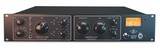
Despite the improvements in vocal compressors over the years, many folks are still interested in vintage compressors and audio preamps. The reason for this is unknown (although you will find many professionals arguing that the vintage units offer better overall performance). Universal Audio is a renowned name in the audio product industry, and the LA-610 is one of the best products from the manufacturer.
This particular unit is an amalgamation of two of the most popular products from this maker; the Teletronic LA2A compressor and the Putnam 610 preamp. This alone is enough to make any audiophile heavily interested in this particular product.
The design of this unit is vintage yet impressive. All the parts are mounted in a rack mounting case. The panels of the unit are covered in vintage knobs and buttons. You will also find that it has some really impressive audio transformers.
At the rear panel of the unit, you will find a trio of XLR connectors. There is also a fuse holder which can actually be inverted so that you can use the unit with 115V or 230V current. The main action, though, lies on the front panel. Here you will find preamp controls, compressor controls, a VU meter, a power switch and a power indicator. In all, it looks really impressive, and it is arguably the best looking product on this roundup.
Performance is where this unit truly shines. The preamp section, for example, comes with big rotary level control. This control works excellently. Setup is really easy. I imagine that most folks will not have any major issues setting it up.
During use, I observed that it delivers a really large and open sound of impressive quality. Using the right accessories, you will likely absolutely love the character of this vocal compressor. During testing, I coupled it with a complete mix, and I was blown away by the results. I noticed that this unit retains a clear sound and a presence; even without resorting to tweaking EQ on the console.
When I opted to test the compressor with an electric guitar, I noticed that it gives life to an otherwise dull sound. It adds character, and I believe that this is where you will really appreciate the equalizer feature on the vocal compressor. It produces a better sound than what I expected and works extremely well to control the bass sounds.
What I don’t like
There is almost nothing to dislike here. However, if I have to nitpick, two things do come to mind. First, I observed that it can be somewhat hard to see where the toggle switches are. I was also bummed by the lack of side-chain linking capabilities.
Recommended for: This unit is recommended for all who are interested in a vintage-like vocal compressor. It might be slightly expensive, but the overall performance definitely justifies the relatively high price. If you’re a serious producer and want the best vocal compressor for a home studio, this is the perfect option for you.
This unit is a vintage style vocal compressor or leveller from Golden Age. It is a single channel option that offers really impressive performance; especially when you consider the relatively low cost. It comes with several features that make it higher rated than many other options on the market right now. Let’s consider some of them.
First, it comes as a single channel/ single path option that utilize only discrete components. Some of these components utilized include capacitors, transistors and resistors. Due to the technology it uses, I discovered that it comes with transformer balanced input and output. Interesting, each of these (input and output) is powered using separate transformers. This separation surely improves the efficiency of the unit. Hence, the output and input is fully optimized for performance.
The separate transformers powering the input and output might sound familiar, especially if you used vocal compressors before the creation of integrated circuits. This separation used to be the standard way of creating audio components, and the technology makes a comeback in this vintage unit.
Performance-wise, there is almost no beating this unit, especially when compared with similarly priced options. Suffice it to say that the sound is incredible. A high point for me is that it doesn’t take plenty of work to get the desired sound.
Design-wise, it looks great. The front panel is not cluttered and comes with only the essential controls. It comes with the ratio switch on the front panel, which is honestly great.
While new technology is often better than older versions, it seems to be the reverse in this case. Integrated circuits are nice because of their size and the ease of incorporating it into designs. The problem with them is that they don’t deliver optimal sound quality. They tend to lose the “character” of the sound.
For most folks, the sound quality from older components is just right to the ears. This interesting situation is made even more pronounced, considering that the sound quality when the sounds are recorded by digital audio equipment is markedly different.
It is definitely because of this that you have many manufacturers dusting the shelves to reproduce some of the iconic vintage vocal compressors. It is also the main reason why vintage vocal compressors are more expensive than their modern counterparts.
In this product, the circuit is built using a vintage design. It is controlled via an electro-luminescent panel and a photoelectric cell. This combination gives the unit some of the best sounds that you will hear via a vocal compressor at this price. Personally, I very much enjoyed the character and punch the new sound has.
Another reason why I love this budget option is that it is truly easy to set up and use. It comes with a pair of controls which control everything to give you the sound that you want.
What I don’t like
It comes with an in-line wart PSU which I did not like.
Recommended for: I highly recommend this unit to engineers and musicians that are looking for a very affordable product. It’s a good and affordable implementation of a classic compressor – easily one of the best vocal compressors for budget users.
DBX is an industry leader in vocal compression and generally compression technology. The company first made waves back in the 70’ with their top-of-the-line VCA compressor. Today, you can find DBX equipment in almost every studio of producers and vocalists worth their salt. The company is known for relatively expensive options. Hence I was slightly sceptical about their 266xs line.
However, I am happy to say the performance it delivered far exceeded my expectations. It is a powerful compressor that delivers incredible performance that rivals even more expensive options on the market today. It comes with several features that make it a truly excellent option to have in the studio. Let’s consider some of these features.
The unit, according to the manufacturer, is a live sound compressor; and its performance proves this claim to be true. When using OverEasy technology from dbx, you do not have to worry about coloration or sound squashing. What this feature does is that it converts your compressor into a unit that will deliver some of the best transitions from uncompressed to compressed sound.
Due to its ‘gating’, it keeps out any non-essential sounds.
When testing this product in the studio, I must say I was impressed by its performance; especially when using it for guitar and bass. Bass guitars notoriously have some wild dynamics, and you need something to rein these sounds in. Adding this unit to your existing setup will help to remove any noises that you do not want completely.
In terms of value, there is almost no other option that does as well as this unit. It offers more than decent performance for a relatively low price. Even if you somehow can’t find a use for it in your stacked studio, adding it to your live gig will improve the performance of your set up.
What I don’t like
In the course of my testing, I observed that I experienced some loss of warmth, particularly when I used a tube preamp. Furthermore, it is an entry-level unit; hence you can expect some issues with coloration.
Recommended for: If you are a musician or producer looking for a unit that can be used in real-time, then I highly recommend this product. It works really well in this capacity and costs far less than most of the dedicated limiters on the market right now. For entry level producers, this is one of the best vocal compressors on the market in 2020.
The penultimate product on our roundup is this excellent product from Tascam. It is one of the most versatile options on the market, and we rate it as the best all-in-one processor that you can find right now. It comes imbued with so many features that instead of asking “what can this unit do?’, we are left asking “what can it not do?’.
Despite the plethora of features and functions at its disposal, this unit comes with an easy to use interface. This interface allows users gain quick access and easily learn how to use the unit. It comes in a design that gives each module its own controls and meters. These are maneuverer via a data knob, and Page or Save controls. With these knobs, you can do plenty of stuff on the unit without plenty of hassle.
To further assist you in setting it up, it comes with an easy to read manual. The first time you use it, you will notice that the presets are directed mainly towards bass, drums, and different other instruments.
Dynamics control on this product is a breeze. I found the gate to deliver really smooth vocals and it helps to eliminate any errant noises. It comes with a variable knee and controls that help to control the dynamics that result from varying singing levels. With a de-essing function, you can even control sibilance and not have to eliminate any highs in the process.
One other feature I found impressive here is the EQ. This 2-band EQ allows you to play around with the compressor.
What I don’t like
Although the 2-band EQ is really useful, it could have been better as a 3-band option. I find it difficult to process instruments or manage tonal shaping using just 2 bands.
Recommended for: If you are a live performer but need a unit that you can use in the studio, this unit is one of the best options. It is one of the most versatile options on the market right now. It might not pack in the best vocal compressor, but given all the other capabilities, it’s a worthwhile addition to a home studio/live performance setup.
This unit is the top option for home studios. It is designed to be like the 160X and XT models from DBX. Therefore, it comes with features that you will not find on cheap compressors.
For example, this unit gives the option of switching the knee from the OverEasy to Hard Knee curves.
At first glance, the 160A looks quite different from its contemporaries, as it comes with a modern look. This is further highlighted by the modern-looking switches on the front panel.
Performance-wise, it is a breeze to use. It helps to deliver truly dynamic control during use. I tested it using electric bass, and I must say that it delivers a punchy, yet warm sound.
What I don’t like
Well, I observed that it might be too modern for my tastes. The minimalist look means that it lacks a power button, which I just couldn’t get past. Also lacks much needed attack and release controls – can’t really do complete justice to the compression without it.
Recommended for: The lack of a power button aside, anyone looking for a unit for their home studio will feel just right using this compressor. It has its flaws, but it is still one of the best vocal compressors around for budget users.
Buying the best vocal compressor can be tough. There is almost no middle ground – compressors are either thousands of dollars, or you can buy them for a few hundred bucks. And while I’m still partial to the classics, newer units may have more to offer for home studios – as my list shows.
The humble USB audio interface revolutionized music production when it was first introduced in the market. Instead of expensive mixers, this simple piece of equipment made it possible for anyone to hook up microphones, guitars, and gear to their computers. This guide will help you buy the best USB audio interface for your home studio.
If you’re producing music, your biggest enemy is that three syllable word: latency.
Latency is the time lag between sending and receiving a signal. The higher this number, the bigger the lag between pressing a key and hearing it play on your computer.
Your latency is affected by a lot of things, but the biggest culprit is always the same: a poor quality soundcard. Built-in soundcards have come a long way from the early days of computing, but they still lack the speed and power needed for music production. Worse, if you’re operating on a laptop or Mac, it’s not always possible to pop open the cabinet and install a brand new soundcard in the PCI port.
This is where USB audio interfaces come in handy. An “audio interface” is essentially a fancier name for an external soundcard. This soundcard connects to the computer via a USB port and brings the low-latency and power you need to produce music.
As far as music production gear goes, an audio interface is an absolute must. As I’ve often advised in these pages, the audio interface should be the third item on your to-buy list (after a DAW and studio headphones). A quality interface will give you that instant playback you need to play and produce music. You can make music without it, but it won’t have nearly the same spontaneity and responsiveness.
And USB, being a universally supported and easy to use format, is ideal for audio interfaces.
So in this guide, I’ll show you what are the best USB audio interfaces on the market right now. Although the focus is mostly on bedroom producers, I’ll also cover mid-range and pro quality picks for the best USB audio interface. And I’ll follow it up with a detailed buying guide to help you make better decisions.
We use rigorous research, reviews, and real-world performance when recommending products. Our reviewers include producers, performers, and active musicians. You can read more about our review process here. Be advised that MIDINation might earn referral commissions on purchases made through this website. This does not affect your final purchase price.
Note: As an Amazon Associate, MIDINation earns commissions for qualifying purchases made through Amazon links on this page.
About your reviewer Ryan Harrell is the founder of MIDINation and an experienced producer/DJ. His first experience with electronic music production dates back to Cubase 3.0 in the summer of 1997, and he’s been a fan ever since. He prefers Ableton as his primary DAW these days, though he is still partial to Cubase and Pro Tools. He lives in San Diego and freelances as a producer and part-time DJ.
The 6 Best USB Audio Interfaces: In-Depth Analysis
A USB audio interface is an essential part of any studio setup. It doesn’t matter whether you’re starting out with just a DAW or already have a full-fledged home studio setup, the interface will be one of the most important elements of your studio.
Having said that, no two home studios are the same, nor should they use the same kind of setups. A solo producer who needs to plug in a single microphone has very different requirements from a producer looking to record an entire band in real time. Everything from the number of inputs to the DAW compatibility will factor in your decision.
To ease your doubts and answer your questions, we’ll share a detailed USB audio interface buying guide in the next section.
For now, let’s look at our top picks for the best USB audio interface you can buy in 2020:
Best Overall: Focusrite Scarlett 2i2
Key features:
Two instrument inputs
Two Scarlett mic preamps with 48V phantom power
Supports up to 192kHz/24-bit sample rates
Low latency (under 13ms)
Strong usability with a single giant volume knob
Comes with plenty of freebies, including Addictive Keys
Pop into any home studio and 7 times out of 10 you’ll find a little red box sitting next to the computer.
Focusrite absolutely dominates the audio interface market for home studios. And for good reason. Their audio interfaces are easy to use, perform well, and are priced well within the range of most home users.
The Focusrite Scarlett 2i2 is arguably the best among Focusrite’s budget offerings. Boasting two MIDI inputs and two mic preamps, this audio interface has everything you need to start recording at home. Plug in two microphones or two MIDI instruments and you’re ready to go.
The mic preamps offer 48V of phantom power in case you’re using a condenser mic that needs it. the big volume button also makes it easier to control the volume without fiddling with software volume sliders/buttons.
This interface supports sample rates up to 192kHz/24-bit and has an extremely low latency (input latency is below 7ms on my computer).
If you think that two instrument inputs are overkill, you can also opt for the cheaper Focusrite Scarlett Solo. This option ditches the dual inputs for one MIDI-in and one line input. The latter is particularly useful if you want to record, say, an electric guitar along with a microphone.
Installation and setup is easy as well. Plug in the unit and Windows 10 will automatically recognize it. Else, you can easily download the drivers from Focusrite’s website. You also get a few goodies, including XLN Audio’s Addictive Keys, Ableton Live Lite, and 2GB of Loopmasters’ libraries.
On the whole, a great pick for any bedroom producer. Affordable, well-built, and easy to use with low latency and quality audio.
Pros
Affordably priced
Supports higher sample rates than competitors
Easy to use; durable build-quality
Cons
No RCA output
Some driver issues reported on older Windows versions
On an absolute budget and need to start recording audio?
Then look no further than the Behringer UM2 audio interface.
As one of the cheapest audio interfaces around, the Behringer UM2 doesn’t offer a whole lot. You get one mic input and one line input. You can feed it 48V of phantom power, but that’s about it.
What you do get, however, is an absurdly low price. This thing costs less than a movie date night – with change left over for popcorn. For people on a budget, this alone is a serious reason to buy the UM2 interface.
Another plus is the small size – the UM2 weighs next to nothing and is tiny enough to fit on the most cramped desktops (as a bedroom producer, I know how crowded desks can get).
As a downside, you are limited to 48kHz sampling rates. This is decent enough for most producers, but if you want to bump it up to higher quality, you’re out of options.
Another negative is the preamp. While Behringer’s higher priced variants (such as the U-Phoria UMC202HD) gets MIDAS preamps, the UM2 only gets XENYX preamps.
There are also no freebies like Focusrite’s offerings.
Given its price tag, however, I can’t really complain. The Behringer UM2 works well for most starting producers and is reliable enough to be dragged to live sessions without risk of breakdown.
The small form factor and ease of use are added bonuses.
Pros
Extremely cheap – costs less than dinner for two
Two inputs
Small form factor
Cons
Limited to 48kHz sampling rate
XENYX preamp isn’t as good as MIDAS preamps
Behringer’s UMC202HD is better and priced marginally higher
Running a small studio and need more power and finesse than what Focusrite Scarlett offers?
Then the Audient iD4 is for you.
The iD4 is the smallest of Audient’s range of audio interfaces. It is designed specifically for solo musicians looking to record a single instrument at a time. The form factor is tiny, but the build quality is superlative.
In terms of inputs, you get a single mic/line input (using a XLR/jack combo plug). You can divert 48V of phantom power for powered microphones.
In addition, you get a rich JFET D.I. input for plugging in guitars or bass instruments. This input is designed to replicate the warmth of a classic valve amplifier.
The output has mini and quarter-inch TRS ports for connecting headphones or studio monitors.
A standout feature is the ample control options. You can uset he Monitor Mix control to blend input and DAW return signals. You can also use it to control panning. Press the ‘iD’ button and the volume encoder turns into a mouse scroll wheel to automate volume on the fly.
The sound quality on the iD4 is excellent, and arguably better than Focusrite Scarlett’s series (even though it supports a lower sample rate at 96kHz). There is less noise and a distinctive lack of a hum at high volumes. The wider dynamic range – 114dB – also helps.
I particularly like the JFET D.I. input, which creates a warmer sound than the Focusrite Scarlett.
On the whole, solo musicians who need a dependable audio interface will love this offering from Audient. It doesn’t have a whole load of inputs, but the innovative volume control knob, and warmer sound make it worth the price tag.
Pros
Great automation features courtesy of virtual scroll wheel
Faster and richer sound with a low latency
JFET D.I. input offers richer sound for guitars/bass
Best Performance (Home Studio): Arturia AudioFuse 14 x 14
Key features:
3 x USB ports, 4 x phono ports
2 x XLR ports
Dedicated S/PDIF and ADAT ports
Supports 2 sets of monitors/speakers
Supports talkback feature with built-in microphone
Can add up to two inserts
If you’ve gone through this site, you would know that I’m a big fan of Arturia’s products. Among modern manufacturers, I believe that they’re at the top of the pile when it comes to design and functionality. I frequently recommend Arturia KeyStep as a beginner MIDI keyboard even over industry stalwarts like Akai.
Which is why I was particularly excited when I learned that Arturia was making a full-fledged USB audio interface for small studios.
And the Arturia AudioFuse did not disappoint.
This is one of the best USB audio interfaces around if you have a ton of equipment to use and limited desk space. You get more inputs than you can possibly use. And you get enough room to attach external compressors and multiple monitors, all in a form factor barely larger than a couple of cigarette boxes.
Here’s a partial list of the inputs on the Arturia AudioFuse 14 x 14:
3 x USB ports
2 x inserts to connect external compressors/preamps
MIDI in/out port (needs the included MIDI adapter cable)
S/PDIF input
ADAT input
4 x Phono/line inputs
2 x speaker outputs
2 x XLR/balanced 1/4″ inputs
Sure, you can find rack mounted interfaces with more input options, but in terms of sheer versatility, the AudioFuse performs admirably. Plus, it doesn’t take up a ton of space – an overlooked feature in home studios.
Alongside the usual ports (XLR/line-in), it also supports “modern” inputs such as USB, ADAT, etc. Plus, you can plug in two separate sets of monitors – a must for any intermediate or advanced level studio.
But it’s not just the plentiful input options; the AudioFuse also performs admirably in live settings. The latency is much lower than most beginner-level gear. On my i7 laptop with 8GB of RAM, Ableton clocks in a 2.1ms of latency – good enough for all but the most high-end of studios.
This interface also has 75dB of gain which is more than enough for even the most power hungry of passive microphones.
Best of all, the sound through the AudioFuse is richer, more dynamic, and detailed than any $200 beginner-level gear you’ll ever use. It’s something you have to hear to believe it.
For a mid-range audio interface, the Arturia AudioFuse offers some of the best bang-for-the-buck performance and features.
Hardware switch to control pre/post-device monitoring
Compatible with most iPhone/iPad/Android apps
Record your music on the go? Use Garageband on your iPad and need a better microphone than the built-in one? Experimenting with some music apps on your iPhone?
Then this is the perfect audio interface for you.
IK Multimedia’s iRig fulfills a very specific function: to help you record input from a microphone on a mobile device. While you can certainly hook it up to a PC or Mac, it is primarily meant for use on tablets and smartphones.
The features, consequently, are limited. You get just one mic input and a 1/8″ headphone out. Connectivity is via either a lightning cable (included) or standard USB. There are no giant volume control knobs, multiple inputs, or automation features.
The performance is also not comparable to full-fledged computer USB audio interfaces. You get 48V of phantom power for passive mics, but the preamp is rated only to 40dB of gain. You’ll also have to carry around 2 AA batteries to keep the unit powered.
Despite all these negatives, the iRig Pre HD fulfills its purpose wonderfully well. The 40dB of mic gain is more than adequate and is matched by the 96kHz of sampling rate. The unit itself is tiny and easy to carry around. Plus, since its powered by AA batteries, you don’t have to worry about keeping it charged.
If you record primarily on a PC or Mac, there are far better options on the market.
But if you intend to record on the go on your tablet or smartphone, this is one of the few viable options on the market.
(Note: you can get the analog version of this unit for less than half the price).
Pros
Lightweight and tiny in size for easy portability
Decent preamp for recording on the go
Powered by AA batteries means no recharging hassles
Best Rackmounted Interface: Focusrite Scarlett 18i20
Key features:
8 x microphone inputs
10 x line outputs
Dedicated S/PDIF, Optical and MIDI in/out ports
USB 2.0 connectivity
Latency as low as 2.74ms
Supports up to 192kHz/24-bit audio
Rackmounted interfaces aren’t for everyone. For one, you need an audio rack to use them. And two, the number of inputs/outputs (18 in this model) are plain overkill for most home studios. Unless you’re recording multiple instruments at the same time, you’ll hardly use more than a handful of inputs.
However, in case you do need over a dozen inputs, the Focusrite Scarlett 18i20 should be your top pick.
The first thing you notice about the Scarlett 18i20 is the sheer number input options. You get two XLR/line inputs up front. Turn the unit around and you’ll find six more XLR/line combo inputs at the back. Besides these, you also get MIDI, Optical and S/PDIF in/out ports.
For output, you get 10 balanced line outputs at the back (including a dedicated stereo pair) and two headphone outs at the front.
The front of the unit gets dedicated gain controls for the eight XLR/line combo inputs. These use Scarlett’s mic preamps and offer up to +50dB of gain with a 109dB dynamic range.
The 18i20’s latency is significantly lower than Scarlett Solo or Scarlett 2i2. I tested latency as low as 3.2ms. Focusrite itself claims latency as low as 2.74ms.
Installation is dead simple as well since Windows, Mac, and even Linux recognizes the device and doesn’t need any drivers.
Finally, as with other Focusrite audio interfaces, you get a bunch of freebies, including 2GB of Loopmasters samples, 1x XLN Addictive Keys instrument, 3 Audio Thing plug-ins, etc.
There are better rackmounted interfaces out there, but for intermediate level home studio owners, the Focusrite 18i20 does the job remarkably well.
So that covers our picks for the best USB audio interfaces on the market right now.
That still leaves us with a big question: what exactly should you look for in your audio interface? And based on the answers, which of the above would be the right pick for you?
In the next section, I’ll share a detailed buying guide that will help you make sense of these questions.
Buying the best USB audio interface can quickly get overwhelming, especially if you’re new to music production.
At the same time, this isn’t a purchase you can put off too long if you’re even remotely serious about making music. Some of the other products we’ve reviewed – studio monitors, MIDI keyboards, digital pianos – an audio interface is almost as important for music production as your DAW.
In fact, I recommend most beginners to buy one right alongside their DAW.
Given the importance of this piece of equipment, it’s important to get your choice right. The wrong interface won’t ruin your music, but it can slow you down considerably.
On that note, let’s dig into the whats and whys of buying music interfaces.
What is an audio interface (and why do you need one)?
As I noted in an earlier article, the human ear cannot hear digital signals. In fact, a digital signal is nothing but a series of 1s and 0s (i.e. binary numbers).
Human beings can hear analog signals (which look like sound waves). But to record these signals to a computer, you have to first convert them into a digital format.
This conversion process takes place via a sound card.
Virtually every one of you reading this has a sound card built into his/her computer or mobile device. This is what enables you to listen to music (i.e. digital files) and record your own voice (via the in-built microphone).
But if you’re looking to make music, these built-in sound cards are simply not enough. They have three crucial problems:
They don’t have enough input or output ports
They can’t record or play music at a high-enough volume or quality
They are underpowered, which leads to latency issues
If you have a MIDI keyboard, try plugging it into your computer directly. You’ll find that there is a noticeable lag between pressing a key and hearing a sound. This completely ruins the playing experience.
Which is why you need an audio interface.
An audio interface is essentially a souped-up, external sound card. There are internal audio interfaces that connect to the computer via PCI ports. But most modern ones use USB and sit outside the computer in an external housing.
An example of a soundcard
The audio interface is essentially the hardware that connects all your devices to your computer. Without it, you can’t record sound from a microphone, guitar, or MIDI instrument. Even if you bypass the interface and connect your MIDI instrument to the computer directly via USB, your latency will suffer.
Think of it as the “hub” of your music production.
Like a sound card, an audio interface also performs the critical function of converting analog signals to digital signals, and vice-versa. But it does so faster, better, and with more clarity.
Further, an audio interface has far more input and output options than a built-in sound card. You can connect external microphones, MIDI instruments, guitars, etc. to your computer through it.
Beyond this, most audio interfaces also have built in amplifiers. This boosts the signals and makes for more clear and louder recording and playback.
But perhaps the biggest advantage of an audio interface is the lower latency it offers. Most professional USB audio interfaces will clock in a latency of under 10ms. Studio grade units will go as low as 2.5ms.
At this latency, you get instant playback. Press a button on your keyboard and the DAW will respond immeidately. Record vocals and they will be in sync with the music.
I consider a good audio interface as an absolute must for anyone who isn’t just fiddling around.
What kind of input/output options do you need?
At its heart, an audio interface is a hardware interface for connecting your devices (MIDI keyboards, guitars, microphones) to your output tools (headphones, studio monitors).
Consequently, the most important factor in your decision should be the audio interface’s input/output options.
Your two biggest considerations are:
1. Number of I/O ports
Audio interfaces are usually sold based on the number of input/output options they offer. For instance, Focusrite sells the follow variants of its Scarlett interface:
Focusrite Solo (1 x combo XLR input)
Focusrite 2i2 (2 x combo XLR inputs)
Focusrite 18i20 (8 x combo XLR inputs)
The underlying chassis for all these interfaces remains mostly the same; the only difference is in number of ports.
Now how many ports you choose will depend on what you want to do with the interface and the kind of music you want to record.
If you’re a singer-songwriter who plays the guitar, for instance, you’ll want at least two inputs:
1 x XLR input to connect your microphone
1 x line input to connect your electric/electro-acoustic guitar
If you’re an electronic musician who only needs to record his vocals, you’ll want an interface that has a MIDI port instead of a line level input.
The more inputs you have, the higher number of instruments you can record at once. If you’re recording a band, for instance, you’ll want at 4+ inputs. Otherwise you’ll have to record each band member separately.
Most studios have large rackmounted interfaces that can accommodate several instruments simultaneously. While this works in a professional studio setting, you’ll find that it’s plain overkill for most home studios.
At the same time, you also need to consider the kind of output options on offer.
Most interfaces will at least offer connectivity options for 1 x studio monitor and 1 x headphones. As you get to the mid-range of interfaces, you’ll find options to connect two sets of studio monitors simultaneously.
Again, pick the number of options based on your needs. If you use multiple studio monitors (common among professional musicians), pick an interface that can support it.
I recommend that most beginners should start by buying the bare minimum number of ports they need. As you realize your own requirements, you can upgrade to an interface with the right number of ports.
Something like Scarlett Solo or Scarlett 2i2 is perfect for the vast majority of beginners.
2. Type of ports
The other consideration is the type of ports the audio interface supports.
The most common port-type is the “combo” XLR+line input, like this:
This versatile input can accommodate a microphone’s XLR cable, a MIDI instrument, or a line input (like an electric guitar).
In addition to this combo input, audio interfaces also offer the following port-types:
MIDI in/out for connecting MIDI instruments
S/PDIF in/out, sometimes used in high-end monitors
ADAT in/out, sometimes used in high-end gear like digital mic preamps
RCA, for connecting studio monitors
Line inputs/outputs, for connecting guitars (input) and monitors (line output)
Some modern USB audio interfaces also offer USB ports for connecting USB instruments/preamps.
What type of ports you choose will again depend on the kind of instruments and output devices you expect to use. If you have a home theater system that uses S/PDIF ports, that should be your top pick. If your monitors use RCA, make it a priority in your interface pick.
As a general rule of thumb, get an audio interface that supports as wide a variety of ports as possible in your budget. You never know what you’ll want to hook-up to your computer in the future.
For most beginners, I recommend getting something with at least two combo XLR ports. This will enable you to connect a mic + guitar or a mic + MIDI keyboard simultaneously. This is why the Scarlett 2i2 is our top choice.
What kind of connectivity option should you choose?
Another factor in your purchase is the interface’s connectivity options, i.e. the way you hook it up to the computer.
This seems like a moot point since this article is literally titled “USB audio interfaces”. However, there are a few more connectivity options you should be aware of:
Thunderbolt: Thunderbolt is an interface developed by Intel and Apple together. Thunderbolt 3 uses the same Type-C connector as USB, but offers nearly 8x the speed of USB 3.0.
Thunderbolt is often called the “reference” standard in music production. You’ll find a lot of high-end audio interfaces using it as their go-to connectivity option.
The Thunderbolt port is proprietary to Apple devices but offers better performance than USB
The problem is that Thunderbolt is only supported by Mac. Additionally, since it is a reference standard, Thunderbolt audio interfaces tend to be expensive. You’ll be hard-pressed to find a decent Thunderbolt interface in the under-$500 range.
FireWire:FireWire is another interface developed by Apple. As such, support was largely limited to Mac initially. Even today, PCs supporting FireWire out of the box are rare.
FireWire offers the same performance as USB but with slightly more consistent data transfer rates. This offers extremely marginal improvements in data recording.
FireWire is an older protocol that’s slowly falling out of use
However, FireWire is a dying protocol that has been superseded by Thunderbolt on the Mac. USB 3.0 is also faster than FireWire, which kills any compeititve advantage the protocol had over USB.
Because of this, new FireWire audio interfaces are rarely being manufactured. Anything you can buy today is at least one generation old.
For these reasons, I don’t recommend FireWire as the connectivity option for anyone.
USB: USB or Universal Serial Bus is the protocol we’re all familiar with. This is the protocol you use to connect your hard disks, phones, cameras, and keyboards to your computer.
USB has a lot of issues ranging from speed (at least until USB 2.0) to data transfer rate consistency, but it is also extremely versatile, cheap, and omnipresent. USB 3.0 has also solved most speed issues and can compete easily with at least Thunderbolt 2 in data transfer rates.
But the biggest benefit of USB is its sheer ubiquity. It’s next to impossible to find a modern computer that does not have USB ports. You can take your interface from one computer and one studio to another without worrying about port availability.
This ubiquity also means that you have a huge range of audio interfaces to choose from. From $100 units to $2,000 pro-range gear, there is a USB audio interface to fit virtually every budget and need.
In addition to the above, there are also internal audio interfaces that use the PCIe (PCI Express) protocol. These are installed inside the computer on the PCIe slot.
PCIe audio interfaces connect directly to the motherboard. This reduces latency and offers higher bandwidth. But as a downside, you get fewer I/O ports and you can only use them on compatiable desktops. This limits where and how you can use the audio interface.
Using the PCIe protocol means inserting a sound interface right onto the motherboard via the PCIe slot (Image source)
Bottomline, for 90% of you reading this, USB should be the go-to connectivity option. If you’re on a Mac and have a $500+ budget, consider going for a Thunderbolt interface. Avoid FireWire and PCIe unless they fit your specific requirements.
What about latency?
Latency is the time it takes for a signal to move from an input device to the computer and vice-versa. It is measured in milliseconds (ms).
You have separate input and output latencies. Their combined total gives you your real latency.
Thus, if your input latency is 5ms, it means that it takes 5ms for a signal from a microphone or MIDI keyboard to travel to the computer. If your output latency is 5ms, it takes 5ms to transfer a signal from the computer to your speakers.
In this case, your real latency would be 10ms. That is, it takes 10ms for you to press a key and hear it played back on the computer speakers.
Latency is one, if not the most important reasons for using an audio interface. A high latency will create a noticeable lag in your recording or playback.
Latency is affected by a lot of things – your motherboard, computer processor speed, RAM, connection-type (Thunderbolt is faster than USB), and even the kind of DAW you use. But the biggest influence is your audio interface.
Most modern USB audio interfaces offer sub 15ms latencies. This is good enough for amateur use. As you move up the value ladder to more expensive studio-grade gear, you’ll find audio interfaces that offer sub 5ms total latency.
Top of the line studio gear offer latency as low as 2ms. At this point, playback is nearly instantaneous.
As a beginner, strive to get an audio interface with the lowest latency you can afford. But don’t hang up too much on it. Any interface in the $100 range and up will have low enough latency to make music production not just feasible, but enjoyable.
Strive for the 3-4ms of latency range only if you’re an intermediate or pro-level producer.
What other technical specifications should you consider?
Besides latency, there are a few other things you should consider when buying a USB audio interface:
Sampling rates: If you’ve read our list above, you might have noticed me mention the “sampling rate” supported by each interface.
Think of this as a measure of the number of times the audio interface takes a digital “picture” of the incoming audio every second. An interface with a rate of 96,000kHz takes 96,000 pictures of the audio every second.
CD standard audio is 44.1kHz. Anything beyond this is extremely high-quality.
Most audio interfaces support at least 48kHz of sampling rate. Anything in the $100+ range usually supports a minimum of 96kHz. Pro-quality gear can go up to 192kHz.
As a general rule, the higher the sampling rate, the better. But don’t make this the only consideration when buying. An interface that has the features you need and supports 48kHz is better than one that has limited ports but samples at 192kHz.
Bit depth: You might have seen another number mentioned next to sampling rate – 16-bit, 24-bit, etc.
This number is called the “bit depth”.
Bit depth essentially tells you the total audio range (in decibels) supported by the audio interface. An easy way to calculate this is to assume that 1 bit = 6dB of range.
Thus, a bit depth of 16 bits means that the interfaces supports a 16×6 = 96dB of range. This means that audio that falls outside a 96dB range, say extremely low bass or extremely high frequencies, will fall off.
Now 16 bits is more than enough for most commercial music streamed online. But since you’re a producer, you want a…bit more (you see what I did there?).
Most better quality audio interfaces will support at least 24-bit depth. This gives you a 24 x 6 = 144dB of range. This is more than enough for virtually any audible sound.
As a general rule, stay away from audio interfaces that support only 16-bit audio. You want 24-bit minimum. Even better if it supports at least 96kHz of sampling rates.
Preamp: The analog signal from a microphone is usually too weak to be captured directly by an audio interface. It needs to be pushed up before you can record it.
This is why most audio interfaces have mic preamps built into the units. These preamps are connected to the XLR port and amplify the signal before recording.
The preamp can range a great deal in quality. Behrginer, for instance, offers MIDAS preamps in its $100+ interfaces. Its cheaper interfaces, however, use the XENYX preamp. The latter isn’t nearly as clear as the former.
Once again, try to get an audio interface with the best possible built-in preamp. But don’t obsess over it too much. By the time you get to pro-level gear (anything over $500), you’ll ideally want a standalone, dedicated mic preamp anyway, undercutting any advantage the built-in pre offers.
The ART tube preamp is a popular low-end preamp used for boosting microphone signals before recording
Besides the above, you should also consider whether your interface supports phantom power. You need this to power-up passive condenser microphones. Most units will usually offer 48V of phantom power.
What are some other things to consider?
In addition to the above technical specifications, also consider the following:
Form factor: Smaller audio interfaces are better in case you have limited desk space. They also make it easier to carry the interface from gig to gig and studio to studio.
In case you have an audio rack mount, you’ll want a rackmounted interface.
Usability: A large volume knob and carefully placed ports greatly enhance usability. Ideally, the audio interface should have at least 1-2 easily accessible ports placed up front. This will allow you to connect microphones/guitars/MIDI instruments without fiddling with cables at the back.
Studio monitor outputs should be at the back of the interface, but you should get a 1/4″ or 1/8″ headphone out in the front.
Dedicated gain knobs for individual inputs are also a nice touch and enhance usability.
Compatibility: Consider whether the audio interface is compatible with a) your operating system, and b) your DAW.
While most audio interfaces will work with the latest versions of Windows and Mac OS, some might not work with Windows XP/7/8. If you’re using these operating systems, make sure that your choice of interface supports them.
Similarly, most interfaces will also work with newer versions of popular DAWs. You do have to look out for compatibility issues if you’re using an obscure DAW or a very old version of a popular DAW.
Final Words
With that, we come to a close in this extended guide to buying the best USB audio interface. We’ve covered everything from the factors that should impact your purchase decision to a comprehensive list of the best interfaces on the market right now.
Just to recap, here is our list of the best USB audio interfaces, sorted by category:
Few things are as essential for any music producer as a pair of quality monitors. The problem? Good monitors cost an arm and at least a leg. Which is why we put together this guide to the best studio monitors under $200 you can buy right now.
Studio monitors…for under $200?
This isn’t just fantasy. Prices for studio monitors have come down sharply in the last few years, so much so that you can buy a pair (yes, a pair) of studio monitors for not just under $200, but even under $100.
And these aren’t just bookshelf speakers masquerading as studio monitors either. Plenty of the top models boast nearly flat frequency response and enough ‘comfort’ to be your studio workhorse for years.
But buying studio monitors is always tricky. Like a good pair of shoes, so much of the buying experience is subjective. Some monitors will just “click” for you (and your room).
I’ll help you out by sharing a detailed buying guide for studio monitors. You’ll learn what to look for, what kind of tracks to use for testing, and even how to treat your room.
Before we can get to that, here’s a quick overview of my picks for the best studio monitors under $200 right now:
Keep in mind that for under $200, I’m only looking at pairs of studio monitors, not single speakers. You can get a lot of quality single monitors for $200, but for pairs, your options are more limited.
In the sections to follow, I’ll share my insights on buying studio monitors. Unless you are an experienced musician, I urge you to read it thoroughly. It will help you understand how and why I picked my top options.
At a glance, these are the best studio monitors under $200 right now:
Best overall: PreSonus Eris 4.5
Best for beginners: PreSonus Eris 3.5
Best for DJs: Pioneer DJ DM-40
Best for mixed-use: Mackie CR3
To quickly jump to the right section, use the navigation below:
We use rigorous research, reviews, and real-world performance when recommending products. Our reviewers include producers, performers, and active musicians. You can read more about our review process here. Be advised that MIDINation might earn referral commissions on purchases made through this website. This does not affect your final purchase price.
Note: As an Amazon Associate, MIDINation earns commissions for qualifying purchases made through Amazon links on this page.
About your reviewer Ryan Harrell is the founder of MIDINation and an experienced producer/DJ. His first experience with electronic music production dates back to Cubase 3.0 in the summer of 1997, and he’s been a fan ever since. He prefers Ableton as his primary DAW these days, though he is still partial to Cubase and Pro Tools. He lives in San Diego and freelances as a producer and part-time DJ.
The 7 Best Studio Monitors Under $200
What are the best studio monitors you can buy for less than $200?
This is no objective answer to this question, of course. Music is inherently subjective. What sounds good to one ear will be grating to another.
Environmental factors also make a huge difference in monitor performance. A cheap monitor in an acoustically treated room will deliver better results than an expensive one in an echo-filled room.
Which is to say: there is no “best” studio monitor. There are “good” and “better” monitors. The “best” one is simply a “better” monitor that sounds good in your studio.
For “good” and “better” studio monitors under $200, check out my roundup below:
A note about prices: When considering options, I only looked at monitors that were available for under $200 in pairs. There are plenty of great monitors you can buy for $200 individually, but a single monitor isn’t going to be of much help in building a studio. Thus, I only looked at pairs available for $200 or below.
Best Overall
PreSonus Eris E4.5
4″-5″ is usually the ideal monitor size (more on this below) for most bedroom producers. The PreSonus Eris 4.5″ sits snugly in between. And just like its size, its price and performance are right in the middle: good enough in every aspect. While it doesn’t have the punch and clarity of a $500 Yamaha monitor, it is clear and loud enough for most musicians. More importantly, it is priced perfectly, which is why I’ve ranked it as the best studio monitors under $200.
The PreSonus Eris 4.5 were the first “grown-up” studio monitors I ever bought. I might be a bit biased, but the extensive time I’ve spent with these speakers has convinced me that these are among the best studio monitors under $200 right now, especially for value customers.
In terms of design, these aren’t anything to write about. The gray speaker cone set against the black enclosure don’t exactly scream “look at me”. The only hint of color is the blue PreSonus logo. If looks are a criteria (I don’t think they should be), pick Audioengine A2+ (see below).
The left speaker is the master, the right one is slave. You get an aux and headphone port up front. The back is nearly the same as its younger sibling, the Eris 3.5 but for one big difference: you get acoustic space controls. That is, you can cut off lower frequencies by -4 to 0db to fit your setup. If you’re working in a smaller space (true for most beginners), this can help reduce unnecessary bass echoes.
The audio profile is mostly the same as Eris 3.5 but louder and fuller. The 4.5″ drivers do a good job of filling up a decent-sized room. The bass is thicker than the 3.5 monitors, and the highs are clearer. The mid performance is adequate, if not spectacular. Overall frequency response is flat save a small dip in low-mids.
Recommended for: For the price, PreSonus Eris 4.5 are some of the best studio monitors money can buy. They are affordable, accurate, and work well with nearly every genre of music. Additional features such as acoustic space control and manual tuning make it ideal for any beginner buying his first pair of “serious” monitors.
Pros
Feature packed: acoustic tuning, acoustic space settings
Great overall performance; accurate
Value for money
Cons
Eris 5″ is priced only slightly higher but boasts better performance
Don’t like the PreSonus Eris 4.5 for some reason? Need something with 5″ drivers? Then look no further than the Alesis M1 Active MK3.
Alesis is a strong brand name in monitors, particularly for their combination of quality and affordability. The MK3 lives up to that reputation. There are few 5″ monitors in this price range, let alone one from a brand like Alesis.
In terms of sound, the Alesis MK3 tilts slightly to the higher side. Frequencies up from low-mid to mid-highs are clear and bright. You might detect some shrillness on extremely high notes, especially on tracks with sharp snares.
The low-end is tight, but the bass does sound fuller and rounder than it should. You can chalk this one up to Alesis tinkering with the stereo imaging to replicate a ported monitor (which this one is not). You will want to undercut the low-end slightly to make up for this effect.
Another plus point is the design. These look much better than the PreSonus, especially when the Alesis logo in the front glows blue.
A big negative is the lack of ports. You get just one XLR port. No TRS, no RCA. I know XLR is better than RCA and TRS for quality purposes, but plenty of people don’t have an audio interface that can accommodate it – or at least accommodate a spare one.
Another negative is the lack of acoustic tuning/spacing features like the Eris 4.5. Alesis says it has a “precision-designed waveguide” built-in to help with stereo imaging, but that’s not a replacement for manual tuning controls.
Nevertheless, for its price, the Alesis MK3 remains one of the better deals on the market right now.
Recommended for: Pick the Alesis M1 Active MK3 if you want 5″ speakers under $200. The audio performance is rock solid, but the lack of ports and tuning features make it a second choice to PreSonus Eris 4.5
It’s incredible how much ‘juice’ PreSonus was able to extract from what amounts to an absurdly affordable pair of monitors. Sure, they’re tiny and don’t have the power to fill even a small room. But when you look at the price : performance ratio, this is clearly one of the best offerings on the market.
For starters, these are true studio monitors. They aren’t “bookshelf speakers” offering “studio-like” performance. Rather, they use the same internals as PreSonus’ more popular 4.5″ and 5″ offerings. The only difference is that these are smaller at 3.5″.
This means that you can actually use the PreSonus Eris 3.5″ to produce music – something that can’t be said for a lot of sub $100 offerings.
Each of the two monitors are rated at 25W. The monitors are uni-amped which does lead to some signal muddiness. They use 3.5″ kevlar drivers, though as a beginner, the driver material should be immaterial to you. The monitors are powered and you get two TRS and RCA ports. There is no XLR port unfortunately.
Sound quality isn’t loud but it is fairly accurate – at least enough for beginners starting to make music. The frequency response is flat, especially in the mids and highs. The low end suffers some muddiness owing to the driver size.
Another “first-ever” feature in this range is acoustic tuning. You can manually increase/decrease the highs and lows by +/-6Db to match your room’s acoustic conditions.
If you’re in a large room, I encourage you to upgrade to a larger monitor. But for most small rooms under 60-70sqft, these monitors would make a great first buy.
Recommended for: The Eris 3.5″ is an affordable, entry-level monitor that works well enough to give amateur musicians a taste of music production. Get these if you’re new to music production and want something that “just works” without burning a hole in your pocket.
Pros
Beginner-friendly price with studio-level performance
At 4", the drivers are only slightly larger than the Eris 3.5". The wattage is slightly lower at 21W for each speaker. The frequency response is wider than the Eris 3.5", going all the way down to 55Hz. The speakers also look great compared to other offerings on the market.
You don't get a TRS input. Rather, you get coaxial, optical, and RCA ports. There is no XLR input either.
The lack of XLR and TRS ports should be your first indicator that these are designed to be used for casual listening, not music production. This impacts the sound quality as well. Though the performance is fairly flat, it has a tendency to shimmer at higher frequencies.
Bass response is disappointingly flat, especially in the sub-bass bass. The bookshelf design also creates a low echo in the bass range.
On the plus side, you get Bluetooth connectivity. I can't imagine any serious musician relying on wireless to produce music, but if you're in the target market - serious listener, casual musician - Bluetooth + remote is a great feature.
Recommended for: On the whole, I would recommend it to people who only plan to make music casually. For any sort of accuracy and studio-like peformance, look elsewhere.
Pioneer's position as, well, a pioneer in the DJ controllers market means that it has a captive audience of first-time producers. It makes perfect sense for it to offer an affordable entry-level monitor set to complement its DJ equipment.
What you get is a compact (but not tiny) set of monitors that surprise with their heft and clarity. The speakers are made of wood - a rarity in the plastic-filled low end of the market.
Unlike most of the other speakers on this list, Pioneer DJ DM-40 are front ported. This allows the air to move around and create a thicker bass. Refer to the section above to learn more about ported vs unported speakers.
For a pair, you get a master and a slave speaker. The master speaker (on the left) has all the ports and controls. The right speaker acts as the slave. The ports are limited; you get RCA and aux, but there is no 1/4" TRS or XLR. The power input is located on the master speaker as well.
The performance is decidedly bass-heavy. The front ports create a fuller sound that often drowns out low-mid frequencies. This isn't ideal for mixing music with a lot of nuance, but if you're primarily producing bass-heavy tracks, or working as a DJ, you'll enjoy the bass-heavy nature.
Recommended for: Overall, I would recommend the Pioneer DJ DM-40 for DJs and producers focused on bass-heavy music. For anyone looking for more nuance and clarity in the mid and high ranges, there are better options on the market.
"Mixed use" means speakers that you can use both for monitoring and for casual listening.
Essentially, this means that these speakers have all the features you'd expect from traditional monitors - TRS + RCA ports, "flat" frequency response in theory, etc. But in practice, they are a little top-heavy with an unbalanced output that sounds great, but isn't ideal for mixing.
Mackie's CR3 fits this description perfectly. The company calls these "multimedia monitors", not "studio monitors", hinting at their mixed-use heritage. These speakers are tiny and light-weight with 3" drivers. Total power is 50 watts distributed across both speakers.
The right speaker is powered and the left one is passive. Volume controls and aux/headphone ports are on the right.
The tiny driver size means that these speakers struggle to perform in large rooms. I recommend going for Mackie's 4" and 5" monitors in the same range for rooms > 60sqft.
The small size also impacts bass performance. Low and low-mid bass performance suffers especially, while the top end of the treble is muted. The mids perform admirably, however, even though it is hardly balanced. These speakers DO sound good, especially on most pop tracks.
Recommended for: Bottomline, the Mackie CR3 is a good choice if you plan to mostly use them for listening to music, and only casually for mixing. I wouldn’t recommend these as your primary mixing device, but they work great for gaming, watching movies, etc.
The Klipsch R15m is one of the best all-around speakers you can buy in this price range. It is loud, clear, and almost neutral in performance. The Klipsch brand is widely respected and these speakers even look good in any room.
I would place them near the top of my list if it wasn't for one reason:
They're not studio monitors.
Klipsch R15m are "reference" bookshelf speakers. That is, they are meant to be used as conventional bookshelf speakers, but they have a neutral response and thus, yield a "reference" grade output.
In practice, this means the sound you get from them is accurate and clear and without any built-in equalization. This works wonderfully well for movies, gaming, and listening to music.
But they're not studio monitors, and that impacts their performance in studio settings. "Studio-like" still means that some equalization artefacts creep in. You would love to use them for casual listening, but mixing requires as flat a frequency response as possible.
Having said that, there are some things that stand out about the Klipsch R15m:
These are LOUD. In comparison to my Polk satellite speakers, the Klipsh R15m sounds significantly louder at the same volume.
Better trebles: Unlike Klipsch Icon KB-15 speakers, the trebles in the R15m don't have that characteristic Klipsch brightness. This makes them more suitable for mixed use.
Mids performance is admirable. The frequency response is nearly flat in the upper bass to high mids range (100-4khz range).
On the downside, they don't perform quite as well in the bass range. There is a slight dip in sub-bass frequencies and jump in mid-bass.
On the whole, the Klipsch R15m is a great speaker by itself. It's just not the perfect replacement for a full-fledged studio monitor.
Recommended for: Buy the Klipsch R15m if you want speakers for conventional use that can be sometimes used for mixing. If your usage pattern is 80% casual use, 20% production, they’ll do more than fine. As it is, you can’t get a Klipsch-quality speakers for this price.
If you're looking at the best studio monitors under $200, it is fair to assume that this is your first pair of monitors.
In that case, it is also fair to assume that you are (relatively) new to music production.
Keeping this in mind, you have to first understand the role studio monitors play in music. It's not unusual for people to read this guide and realize that they don't need monitors in the first place - at least not initially.
Here's what we'll cover in this brief guide:
Studio monitor brands, prices and workflows
Frequency ranges, accuracy, and other technical specifications
Monitor types, sizes, and configurations
Studio setups and acoustic treatment
Understand Studio Monitors and Their Role in Music Production
Here's a picture of Kygo in his recording studio from his Instagram (@kygomusic):
Kygo, like most serious producers, uses multiple studio monitors
Did you notice the two sets of speakers next to his computer monitor?
Those are Kygo's studio monitors.
Kygo uses two sets of studio monitors for a reason. He wants to test how something will sound on different speakers. If it sounds good on multiple monitors, chances are, it will sound good on everything from your $10 earphones to a $10,000 Bang and Olfusen system.
This is precisely the role studio monitors play in music production. They aren't meant to sound good. Rather, they're meant to perform two functions:
Give you an accurate idea of what something sounds like
Make it possible to listen to a sound on-repeat comfortably
Music production is so much about repetition. You will listen to the same loop on repeat for hours to fine tune it. You'll browse through hundreds of kick samples to find the right one for a track. You'll spend hours in Serum tweaking a synth to sound exactly like it's in your head.
A studio monitor that isn't comfortable and accurate will make all this difficult. If the bass is too muddy, it will be a pain to sit through the 120th loop of the bass track. If the highs are too sharp, you'll abandon tweaking your trebles after a while.
If you're testing out a pair of monitors, play tracks you know intimately. See what new sounds and frequencies you can hear. Compare how the same song performs on different monitors.
As a friend once said, "studio monitors are like a pair of shoes. If they're not comfortable, they're useless".
Keep this in mind when you look for the best studio monitors under $200.
Monitors, Mixing, and Workflows
Every producer has his own workflow. It all depends on your preferences, equipment, and even current living situation.
In my case, I live with my wife. Although I have a separate studio, I don't want to force my wife (and neighbors) to listen to 2 hour loops of the same bass line.
So in my workflow, I use my Audio Technica ATH-M50x headphones to listen to samples and arrange the track. Once I've finalized a sample, I turn on my studio monitors to make sure that it sounds okay. I find that listening to samples through headphones brings me "closer" to the sound.
But when the time comes to mix the track, I turn to my studio monitors.
Mixing requires a sense of space. If you mix with your studio headphones, you'll be too close to the sound. You won't get any idea of what the final mix will sound like when it is spread apart.
Studio monitors fill this important role. They give you a much needed sense of space. You get an idea of what the track sounds like when it fills the room. You'll often find that a mix that sounds good on headphones will be muddy and inaccurate on studio monitors.
Further, headphones separate the left and right channels completely. You don't get a clear idea of what sits in the center of the mix - when two sounds merge together. For this, you need studio monitors.
Since space is such an important question in using studio monitors, it begs the question:
Should You Use Studio Monitors in an Untreated Room?
An "untreated" room is essentially a room without any acoustic dampening or soundproofing.
Some experts say that you should never use studio monitors in an untreated room. Their argument is that the lack of treatment makes the sound frequencies bounce off the walls, giving you an even less accurate idea of the final sound. They say that you're better off just using your headphones in this case.
I tend to disagree. While acoustic treatment is great to have (and you should get it as soon as you can afford to), studio monitors still give you a better sense of space than just using the headphones.
In my experience, any mix that I've made in an untreated room with studio monitors sounds 10x better than anything I've made using just headphones.
So don't let the lack of acoustic treatment discourage you. Studio monitors are worth the investment.
How should you place your studio monitors?
Placing your studio monitors is more complicated than you think. You can't just plop them on your desk, at least not if you care about accuracy.
There are two crucial tips you should know when deciding your studio monitor placement:
1. Place monitors at ear level
Place your monitors at a slight angle such that they form an equilateral triangle with your head.
Your monitors should also be at ear level. Lower or higher and you risk missing some frequencies.
Ideally, you should place your monitors on stands. This will prevent sound from bouncing off the desk and creating a slight echo.
2. Keep monitors away from walls
Keep a distance of at least a foot between walls and the back of the monitors. Closer than this and low frequencies will bounce off the wall, creating a slight echo.
You can try adding some sound absorption behind the monitors to reduce echo, but you risk losing some bass frequencies as well.
Whatever you do, never place monitors at corners. This will create all sorts of echoes. If possible, add a bass dampener in the corner instead.
What should be your monitor size?
One of the first things you'll notice when searching for monitors is the size that's usually mentioned next to the name:
This is actually the size of the cone, and it affects the sound production a great deal.
How large the monitor's cone is will affect how well it fits the room. Monitors need to fit the room they're going to be used in. A larger cone isn't necessarily better. In fact, if the monitor is too large, it will create unnecessary resonances.
Studio monitors are typically available in sizes ranging from 3.5" to 8". The most common sizes are 5" to 6" which are a good fit for a standard 8' x 10' room (also, did you know that square rooms are bad for acoustics?).
At the lowest end of the spectrum, you'll see 3.5" monitors. I don't recommend them since they're too small to accurately render lower frequencies. Unless you're producing in your wardrobe, look for at least a 4.5" monitor.
Here's my take on monitor sizes:
3-3.5": Only buy them for very small rooms under 30sq ft.
4-4.5": These work for most smaller roomers (typically under 40-50 sq ft)
5"-6": Pick this size for any standard room.
7"-8": Choose this size for larger rooms (>80 sq ft)
The larger the monitor size, the higher the price. For best results, stick to the 4.5-6" range.
How much wattage should you get?
Understanding wattage is tricky business. There is a perception that "bigger wattage = better" but that isn't necessarily true.
What a speaker's watts rating essentially equates to is "headroom". When you have more watts, you have more "space" to accommodate transient frequencies.
Think of it this way: a track covers a range of frequencies and sounds. Some instruments will play at a consistent frequency throughout (such a rhythm guitar). Others will have a sharp impact (i.e. a transient) at regular intervals - such as a kick drum (low frequencies) or snare drum (high frequencies).
To render these sudden, sharp frequencies, a speaker requires substantially more power. If the rest of the track runs at 10 watts, a kick drum might require 100 watts.
Speakers that don't have sufficient wattage can't render these transients effectively. The sharp peaks run out headroom and are clipped, or merged with the rest of the frequencies. This can cause you to miss frequencies or lead to a muddy mix.
Higher wattage also means that you have more room for precise control. Low watt monitors might give you a +10db increase in volume for 1 point increase in gain. But higher watt monitors might increase volume by just +2db. This helps you fine-tune the mix.
On the downside, too much power when paired with the wrong hardware can sound spacey. Your amplifier needs to have the same power rating as your speakers. Else you're just wasting money on extra power that you can't utilize.
To sum it up: Higher wattage is better, but only when the rest of your equipment can handle it. Else, a lower watt monitor is fine - and cheaper.
Should you get active or passive monitors?
Studio monitors can be broadly divided into two categories: active and passive.
Active studio monitors
Active studio monitors have built in power and amplifier (though you should still plug in your own amp/audio interface). They are also called “powered” speakers.
Most monitors of the best studio monitors under $200 are active. Since they have built-in power, you can simply plug them in and start playing. You don’t have to worry about matching the speakers to the right amp.
I recommend most beginners to get active studio monitors. It will save you money and requires less technical know-how to use.
Passive studio monitors
Passive studio monitors require external power. The studios, by themselves, can’t produce any sound unless plugged into an amplifier.
For a passive monitor to work, it has to be paired to an amplifier with a compatible power rating. This requires some technical knowledge. This is why you’ll rarely find passive monitors in the budget range. Plus, you have to shell out extra for the amp, increasing costs.
I recommend most beginners to stay away from passive studio monitors.
Should you buy ported or closed studio monitors?
Another frequent question that crops up when buying the best studio monitors under $200 is: ported vs closed studio monitors.
Ported monitors have a small vent or "port" cut into the speaker cabinet. This allows sound to escape the cabinet, creating a resonance that allows the speakers to "breathe". The resonance frequency depends on the size and shape of the port, and it is usually rated lower than the bass range of the speakers. This can create a stronger, thicker bass sound.
Unported or sealed monitors are, as you expect, completely sealed. There is no hole or duct to allow air to enter/escape the speaker cabinet. This removes unnecessary resonances and produces a thinner, but more accurate sound.
Ported studio monitors are rare and not really recommended, unless you plan on doing some extremely bass-heavy work (usually when producing for movies). Although they technically perform better in the lower frequencies, most home studios are simply not designed to handle this bass sound. You end up creating unnecessary resonances that lead to inaccuracy.
Plus, ported monitors are more expensive.
For 99.9% of beginners, I would recommend buying unported or sealed monitors.
Should you buy a subwoofer?
My answer to 99% of people who ask this question is the same: nope.
Subwoofers are meant to augment low frequencies, typically in the 20-200Hz range. A subwoofer can thicken bass sounds and give you a greater sense of bass "presence".
You need subwoofers if you're producing music for a medium that can actually render these bass frequencies clearly. Mostly, this is in the case of movies. Home theater systems and movie halls have the equipment necessary to produce low bass frequencies, so it might be worthwhile to invest in a subwoofer.
But most of you reading this aren't producing tracks for movies. Your audience is going to listen to your tracks through cheap earphones and Bluetooth speakers. No matter how well you mix your track in the subwoofer range, they aren't going to hear much of it.
Besides being practically unnecessary, there is also the fact that most home studios are just not designed to use subwoofers effectively. Bass frequencies need "space" to flow and develop. A tiny bedroom studio with inadequate acoustic treatment is just going to let the bass frequencies bounce around, creating undesirable resonances.
So here's my take: don't spend money on a subwoofer unless you're producing for a movie. Instead, take that extra cash and buy the best studio monitors under $200 that you can afford.
What other features should you look for?
As far as musical equipment goes, studio monitors are remarkably "feature shy". You won't see manufacturers boast about their new, incredible "3d space scanning" technology or other marketing mumbo-jumbo that plagues the industry.
It helps that the market is mostly dominated by a handful of major brands (Yamaha, KRK, Alesis, etc.), and that they all tend to compete on precision and build quality. Features, if any, are mostly wasted since any educated buyer will pick studio monitors for their accuracy, not their marketing.
With that said, you might see some features advertised on manufacturers' websites. Here's how to evaluate them when considering the best studio monitors under $200:
Acoustic space controls: Some studio monitors will have toggle buttons to cut off frequencies below a certain threshold by a certain amount.
For example, the PreSonus Eris 5 monitors let you choose a cutoff frequency, and the amount of the cutoff (-4db, -2db, 0db):
You'll use this feature if your studio space isn't large enough to accommodate the monitors. As I said earlier, bass frequencies need room to develop. If the space is too small, you will find that bass frequencies sound too loud on the monitors, but feel thin or absent on normal speakers.
You can control this by cutting off low-end frequencies by a fixed amount.
This is a good feature to have, though it isn't necessary.
Acoustic tuning: Plenty of studio monitors will have basic acoustic tuning features to reduce/increase the high and low-end.
Think of it as rudimentary equalization. You can use them in case your room has poor acoustics and the high/low end is too weak or strong. If the mix sounds too tinny, you can reduce the highs, for instance. If the low end is too thick, you can reduce its volume.
Ideally, you'll want to keep acoustic tuning controls in the neutral position. The more you need to tinker with these controls, the less accurate the sound.
Digital signal processing (DSP): DSP is a relatively recent feature that is meant to compensate for poor room acoustics. This feature digitally processes the signal to create a flatter frequency response, keeping in the room's acoustics in mind.
That's at least the way it is supposed to work on paper. But personal experience shows that DSP is mostly just marketing hype. You want to avoid it for two reasons:
DSP can require slightly additional processing power, which can reduce latency.
Every room's acoustics are unique and it is next to impossible to create a "perfect" equalization for it out of the box
If your room's acoustics are so bad that you need DSP, I recommend forking up some extra cash for basic acoustic treatment. You'll be surprised what a couple of foam panels and bass traps can do to improve a room's sound.
A brief note about studio monitor connections
Before we leave, I wanted to make sure you understand all the ports you'll usually find on the back of any studio monitors.
Below, you'll see the back of the PreSonus Eris 5 studio monitors. The Eris 5, like most studio monitors, has 3 input pots. Two of these are unbalanced - RCA and TRS. One is balanced - an XLR port.
Balanced connections have three wires - two signal wires and a ground wire. The signal wires have the opposite polarity which is reversed by the receiving unit (in this case, the monitors). This reduces noise, especially in long cable runs. XLR connections - used in microphones - are an example.
Unbalanced connections have only two wires - a ground wire and a signal wire. This increases the noise but it isn't a big factor since cable runs for unbalanced connections are usually short. RCA and TRS cables (used to connect electric guitars) are examples of unbalanced connections.
The best studio monitors under $200 that you buy should have a minimum of these three input ports - RCA, TRS, and XLR.
To sum it up
If you're read through this mini guide, you can conclude a few things:
Active monitors are better than passive ones, at least for beginners
Choose sealed monitors over ported ones
Get as many watts as you can afford - provided your room can handle it and you don't sacrifice on the accuracy
Avoid any complex features such as DSP. Stick to basic ones like acoustic tuning
95% of you don't need subwoofers
Lastly, never mix on consumer speakers. They're simply not designed to be flat and will give you wildly inaccurate results.
From finger drumming to controlling the DAW, the best MIDI pad controller will help you do more with your music.
Our Top Picks
Best for beginners: Akai MPD218 “The affordable MPD218 combines acceptable pads with excellent DAW integration in a beginner-friendly package”
Best overall: Akai MPD226
“Bigger and better than the MPD218, the 226 has some of the best pads around at an acceptable price tag”
Most versatile: PreSonus ATOM
“Great pads and plenty of solid integrations make this one of the most versatile offerings”
Best DAW controller: AKAI APC40MKII
“The huge assortment of rotary knobs, faders, and buttons make this an excellent DAW controller”
Most portable: Korg NanoPAD2
“Though the pads are not the best around, the tiny size makes this a portable champion.”
As you probably know, MIDI controllers can be largely divided into two categories:
Keyboard controllers: These controllers are built around standard piano keybeds. Though most will have a few pads, faders and knobs, the primary function is to enter notes via the keyboard.
Pad controllers: In these controllers, the pads are the stars of the show. Most don’t include any piano keybeds at all. Some pad controllers might include faders, knobs and buttons, but the main attraction remains the (usually) large and responsive pads.
We’re not talking about keyboard controllers in this guide, of course. This one is all about the PADS.
A pad is nothing but a responsive “button”. You can use it for anything – launching a clip, toggling a setting, finger drumming, etc.
Since the pad is the star of the show in pad controllers, you want something that’s responsive, sensitive (but not too sensitive), well-built, and well-integrated with your favorite DAWs.
Our selection criteria also emphasized configurability. While we love a controller you can just plug in and start playing, we like to be able to change default control settings if needed.
Based on these criteria, let’s take a closer look at our top picks for the best MIDI pad controllers you can buy right now.
We use rigorous research, reviews, and real-world performance when recommending products. Our reviewers include producers, performers, and active musicians. You can read more about our review process here. Be advised that MIDINation might earn referral commissions on purchases made through this website. This does not affect your final purchase price.
Note: As an Amazon Associate, MIDINation earns commissions for qualifying purchases made through Amazon links on this page.
The Best MIDI Pad Controller in 2020: Eight Top Options
Here are my picks for the best MIDI pad controllers for every budget and need:
Akai Professional MPD226
Akai’s best-selling pad controller, the MPD226 does everything you’d want and more. The pads are large and responsive, the integration butter smooth, and it even has a portable form factor. A built-in screen and a bunch of smooth faders and knobs round it out. For most people, this will easily be the best MIDI pad controller they can buy.
Akai made three models in the MPD line, and this is the middle option. It is also one of the best MIDI pad controllers on the market, featuring a complete overhaul of its features. Therefore, it looks super modern and offers several advantages over the older models from the manufacturer. If you are an advanced user and the MD218 doesn’t cut it for you, then you’ll likely be relieved to use this model.
The pad is arguably the most essential part of a pad controller; therefore, much of the focus should be on it. Well, from our testing, these are excellent. Akai listened to the views of users, and instead of trying to improve the pad section of previous models, have decided on a complete overhaul. Therefore, this unit’s pad section features never before seen parts. The sensitivity is astounding, and the pressure-sensitivity is as good as we have ever tried. With these pads, it is possible to customize after-touch information and control different parameters of devices that are connected to the Akai Professional MPD226.
Among the several features of the Akai Professional MPD226 are the back-lit feature and the ability to change the color. Additionally, this can be customized to whatever set-up you want. This ability makes playing more fun and allows you to play even in the dark.
While the sensitivity is excellent, it can be altered. This is something that isn’t usually found on all pad controllers.
The control section of the Akai Professional MPD226 is excellent. The knobs, buttons, and faders are easy to assign. One important feature here is that these controls are set far from the pad section. Therefore, they will not get in the way of your playing.
The software package is another excellent feature of this model. It contains Ableton Live Lite, MPC Essentials, and several other software.
Lastly, the editor software is impeccable. It allows you so many customization options.
What I don’t like
As with the 218 models, the pads are dust sensitive. They are dust magnets which detract from the appearance.
Recommended for: This is recommended for advanced users that want an excellent MIDI pad controller with as few flaws as possible. The pads feel great and the robust integrations with most DAWs make this the best MIDI pad controller you can buy right now.
There are several MIDI pad controllers on the market today, and one problem that many users have with them is the ease of use. The Akai mpd218 addresses this issue and is the best for beginners. It is an entry-level model and the smallest of the MPD2-series of the brand. While it is the smallest and the best for beginners, that doesn’t mean that it is not worthwhile. It is an excellent model, and we will discuss why.
First of all, the design of this model is quite impressive. It comes with all the parts solidly constructed. Hence, the pads are thick and solid. They are also velocity and pressure-sensitive for the best effect. Unlike previous layouts, the layout of this model is impressive and designed for easy use.
Some of the new design features include up to six knobs and 16 preset slots.
The pad section is amazing. They feel really great when hit and offer some of the best sensitivity of pads that I have tested. Even without making any adjustments, you can feel the greatness of the pas sensitivity on this model.
Another notable feature of this unit is the free software package. Akai has included the ‘MPC Essentials’ suite to the package. This is incredibly helpful when you are making beats and music. There is also Ableton Live Lite that comes with it. This software is particularly useful for beginners. There is also other useful software that serves as excellent starting points for anyone interested in finger drumming.
The library in the Akai mpd218 contains a large collection of samples. From our research, it holds approximately up to 27GB of samples across different music genres.
Another reason why we like this unit is the software editor. Unlike that found in previous versions from Akai, the software editor of the Akai mpd218 is so easy to use and understand. It lets you do plenty of things, including changing parameters for different knobs and pads simultaneously.
Overall, the Akai mpd218 is an excellent model for everyone, whether you are a beginner or not.
What I don’t like
The pad surfaces attract dust like moths to a flame. After playing for some hours, you can see where your hands have been. Another downside is the inability to change velocity sensitivity from within the software or hardware.
Recommended for: I recommend the Akai mpd218 for any beginner just learning the ropes. It is also recommended for anyone looking for a budget option because I did not find any other MIDI pad controller as good as the Akai mpd218 at this price range. While it has its flaws, you can’t really beat the value on offer.
Korg’s nanoSeries pioneered the concept of super-compact MIDI controllers before other brands adopted it and incorporated it into their products. With the Korg NanoPAD2, Korg shows that while they might be old, they are still in touch with their audience and customer base. The Korg NanoPAD2 is part of the nanoSeries 2. All three models in the line up are USB-powered MIDI devices. Hence, they are literally plug-and-play devices.
Korg has taken several good things found in older models and modified them to give a slightly better device. Some of the buttons have been replaced, while others have been added. Using the X-Y pad, you can send notes and control note length. Therefore, it allows you to play different patterns. Using other keys, you can easily access notes and scales.
The pads on the Korg NanoPAD2 are impressive. During our testing, we observed that the 16 velocity-sensitive pads give an impressive response as your fingers glide over them. Thus, you enjoy a device that almost feels alive in your hands. By changing between the scenes, you can customize it up to 64 sections.
A notable feature is the USB power. With a USB cable connected to a computer, you have a fast music production system ready to follow you wherever you go.
With decent new functionality and the addition of features, you have a model that will provide loads of fun for you.
What I don’t like
While Korg has done a good job bringing plenty of useful features, we are disappointed that several other features have been jettisoned. It would have been better if Korg expanded on the already great features instead of overhauling the whole thing.
Recommended for: If you are looking for a super-compact MIDI pad controller, you will certainly enjoy the small size of this decent controller. It’s not the best MIDI pad controller around, but it is certainly one of the most compact options on the market.
Best for Controlling DAWs (Beginners): AKAI APC Mini
First impressions matter, and we are impressed with what we see with the AKAI Professional APC Mini. It comes with several interesting features that we believe many will love, especially beginners to DAW controllers.
It comes with an 8 by 8 grid with three color pads. It also comes with several control buttons and a well-located shift key. You also have up to nine low profile faders.
The placement of the Shift key is significant because it allows you to use several of the secondary functions one-handed. You, therefore, enjoy using the device even more. We observed that the nine faders are short, for some too short. However, I still liked them because they offer the opportunity for rapid changes.
As a USB powered model, you can plug and play without having to download or install complicated drivers. There is Ableton Live that gives you several customization options. The Hybrid 3 software has proved to be fantastic, and there is a selection of samples from the Toolroom record. When you consider the relatively low price of the device, this is a good value buy.
In use, I found this to be remarkably comfortable. The software worked seamlessly, and the lights are bright enough, even in low-light conditions.
What I don’t like
Although the software is decent on the AKAI Professional APC Mini, there is no Twist synth included in the software bundle. It is rather disappointing, and we hope future iterations of the AKAI Professional APC Mini come with this.
Recommended for: If you want to launch tons of clips with minimal extra control, then the AKAI Professional APC Mini would be perfect for you. It’s not the best built controller around, but the small size, ease of use, and affordable price tag make one of the best MIDI pad controller on the market.
Akai has been on the scene for a long time, and the APC40 model was a revolutionary model. However, it can’t keep up with some of the new features required, and Akai has addressed this with the AKAI Professional APC40MKII. It comes as an update to an already excellent DAW controller, and the features are simply stunning.
At first glance, it is easy to conclude that the changes made by Akai are purely aesthetic. However, upon closer consideration of the features, it is clear that a lot of things have also changed under the hood.
First, it comes with a low profile and stealthy design that looks really classy. The all-black casing forms a classy contrast to the lights.
Importantly, the control surface has been rearranged in important places. For instance, while the device control knobs are still where they used to be, the other buttons like the send knobs are now above the track faders.
The AKAI Professional APC40MKII has also added USB power, so you don’t need to plug this into mains any longer.
Inside the package, you’ll find useful accessories like a USB cord and registration for the software bundle. The body now includes a foot pedal jack and Kensington lock slot.
The main changes, though, lie with the pads. Instead of the dull members found in the old version, the AKAI Professional APC40MKII now comes with a colorful pad with beautiful rectangles. It greatly improves usability.
What I don’t like
If you are thinking of tapping in drum beats, then think again. The pads are not velocity or pressure responsive.
Recommended for: If you are an advanced user-focused on control and clip launching, then this AKAI Professional APC40MKII will serve you well. It is better built than the APC Mini and has more control options.
This is the latest pad controller from PreSonus. It comes in a sturdy, compact design that will allow you to use loads of applications. It is the most versatile option that we tested in the course of creating this list.
This model is very compact and will sit on your desktop without falling or sliding off because of the rubber feet at the bottom. Powered by USB, it is a very versatile option.
Among the features include ten buttons on both sides. These allow you to select from several options.
In use, you will likely love using this device with your different applications. You can put the PreSonus ATOM in different modes. Whether in the MIDI drum mode, MIDI keyboard mode, or the Mardi Gras mode, you can use the controller to create and produce effectively.
Overall, the integration with DAW is one of the best done on the market.
What I don’t like
While it will work with other DAWS, the instructions are poor.
Recommended for: This is good for anyone on a budget that wants more control over their DAW. It works great for finger drumming, launching clips, and getting more control over their performance. While it works best with Studio One, the integrations with other DAWs are tight as well, making it one of the best MIDI pad controllers on the market right now.
The penultimate item in this roundup is a super-compact, entry-level controller with a relatively large number of pads.
It comes with USB connectivity and an impressive collection of pads. This model now has RGB color matching pads that offer you a correct representation of your Live Sessions. You also get a trio of Custom layouts.
Due to the compact form, it feels really lightweight; however, at no point does it feel flimsy. It offers a USB port and Kensington security slot to provide security. The MIDI output port comes in very handy and is a good addition.
That said, something that really caught our attention with this model is the compatibility with Ableton Live. The knobs and pads allow for plenty of customization options and transform the Novation Launchpad Mini MK3 into one of the best MIDI pad controllers on the market.
What I don’t like
We like the overall design but were sorely disappointed that it doesn’t have a TRS MIDI adapter.
Recommended for: Musicians who want tons of pads to launch tons of clips. Works best with Ableton and FL Studio in a performance environment. Choose this if you want to a small, portable unit that works well in live performances or for jamming out beats.
If you use FL Studio, you might be rightly surprised that there are no dedicated MIDI controllers for the software. This is probably due to the plethora of plug-in tools, among other features. FL Studio is great, but it admittedly is not the easiest DAW to pair with your controls. That is why it is refreshing to find a MIDI controller that can handle the software better than anything preceding it. And that is what Akai Professional Fire offers you.
Akai Professional Fire comes with a design that is lightweight and designed with a small budget in mind. Nevertheless, it still manages to feel solid and well-constructed.
It comes with a 16 x 4 pad that connects to your computer via USB. The pads are specifically made to look like the step sequencer in FL Studio. Using this pad, you can control up to four channels simultaneously.
Apart from that, you get four rotary encoders, grid navigation buttons, and an OLED display, among others.
In use, we had so much fun with this unit. The aforementioned pads are a breeze to use and are responsive. It allows for mixing and adjusting levels as well. With the different pad modes, this is one of the best options in terms of functionality.
What I don’t like
Well, if you are new to FL Studio, you might find it hard to learn how to use the device and the software. And it goes without saying that integrations with other DAWs are sketchy at best.
Recommended for: If you prefer FL Studio, then the Akai Professional Fire is tailor-made for you. Other best MIDI pad controllers might have more features or better pads, but none have the custom-built layout for FL Studio as Akai Fire.
The best MIDI pad controller can give you a great deal of intuitive control over your performance and production. From launching clips to tapping out drum patters, everything becomes easier with a good pad controller.
Hopefully, this guide will help you zero-in on the best option for your needs.
From top-tier Roland to tiny portable Korg pads, we’ll take a closer look at the best MIDI drum pad in this guide.
Our Top Picks
Best overall: Akai Professional MPD226 “Boasting some of Akai’s best ever pads, the MPD226 is one of the best MIDI controllers you can buy currently”
Best for use with drumsticks: Roland SPD-30
“The SPD-30’s large and responsive pads are perfect if you prefer playing with drumsticks instead of fingers”
Best mini MIDI pads: Korg nanoPAD2
“The tiny Korg might not have the best pads but its size and affordability makes it a good studio addition”
Best for DJs: NI Maschine Mk3
“As a standalone unit, the Maschine is ideal in performance settings – including for DJs”
I remember when I started my first band way back in the 90s when I was still in middle school. We had not two, not three, but five guitarists, two guys on the keyboard, one vocalist (who also played guitar), and…zero drummers.
If you ever tried to start a band “back in the day” before modern electronic music, you know what I’m talking about. Drummers were worth their weight in gold. And equally rare.
You can partly blame this on the logistical nightmare of learning drums. I grew up in a big city where basements were not a thing. If you were living in an apartment, you best ensure that your neighbors love you if you want to practice drums.
That’s changed so much today.
Modern DAWs, MIDI controllers and sound libraries make it dead easy to create surprisingly complex rhythm patterns. While you still can’t get the same natural sound and rhythms as a real drummer, you can get awfully close.
One way to make the process of creating realistic drums easier is to use a good MIDI drum pad. Drawing in drum patterns with your mouse in the MIDI browser gets very old very quickly. You’ll get much more natural rhythms (including that crucial marginally off-timing that’s necessary for natural sounding drums) if you actually tap out the patterns.
The one ingredient to make this possible, of course, is your MIDI drum pad controller.
Below, I’ll do a deep dive into the world of MIDI drum pads. I’ll look at six of the top options on the market currently and tell you which is the best MIDI drum pad for different budgets and needs.
We use rigorous research, reviews, and real-world performance when recommending products. Our reviewers include producers, performers, and active musicians. You can read more about our review process here. Be advised that MIDINation might earn referral commissions on purchases made through this website. This does not affect your final purchase price.
Note: As an Amazon Associate, MIDINation earns commissions for qualifying purchases made through Amazon links on this page.
The 6 Best MIDI Drum Pads
Let’s take a closer look at our favorite drum pads for different needs:
Akai Professional MPD226
Akai has an envious pedigree when it comes to drum pads and machines. The MPD226, the more “pro” version of the popular MPD218 (which I reviewed earlier), has large, responsive pads and deep integration with most DAWs. If you want to tap out a drum pattern, the MPD226 is the best MIDI drum pad for most people currently.
There are many drum pads on the market, but not all of them are made equal. Some are simply better than others. The Akai Professional MPD226 is the best overall MIDI drum pad that I have used. If you are a beatmaker looking for the absolute best option, then the blend of controls and technology features on the Akai Professional MPD226 will serve you admirably.
First, it comes with a large number of controls and knobs. The pads number 64 and each one is assignable. You can access these via the intuitive interface. The banks on the Akai Professional MPD226 are easy to use and make for excellent tools for switching during live performances or studio sessions. Other controls include 36 assignable areas, four vertical faders, 16 MPC pads, and four Q-link knobs. All of these combine to give one of the best pads and buttons I have ever used.
Due to the ports included, you can connect the Akai Professional MPD226 to other gear and even use it as a MIDI controller. This makes it very versatile. As if that wasn’t cool enough, the Akai Professional MPD226 is compatible with your iPad.
One notable feature of this unit is the included software bundle. These include Akai Pro, Big bang, Ableton Live Lite, and so on. This is certainly not found in just any type of controller.
The MPC pads deserve special mention. While all the parts of the Akai Professional MPD226 are excellent, the pad area is one of the best across categories. I observed that the pads are made of rubber and thick enough for comfortable use despite long hours of operation. Aside from feeling great under the fingers, the pads are pressure sensitive as well. Due to the design, Akai Professional MPD226 allows you to configure the pads to your touch. Therefore, you can get the best performance.
The controller has knobs and buttons that are well spaced to ensure that you hit the right buttons all the time. Although the controls are somewhat smaller than what is found in the older models, it still feels well-spaced and contributes to the compact form factor.
Compared with other products, the Akai Professional MPD226 is simply just better. It is easy to adjust and use, comes with plenty of useful software, and comfortable to handle.
What I don’t like
There isn’t much to complain about the Akai Professional MPD226. To nitpick, I’d say the controls are relatively smaller than those of other models which can make them hard to master if you have large hands.
Recommended for: Anyone who has the budget for it and needs a competent, well-built MIDI controller/drum pad. It integrates fantastically well with most DAWs (though like most Akais, it’s partial to Ableton) and boasts some of the best MIDI drum pads outside of the $500+ full-fledged drum machines.
While all the options that we will consider in this review have excellent pads, the pads on the Akai Professional MPD 24 are the best available. The Akai brand makes MIDI controllers, drum pads, and plenty of other musical equipment. All of the products from the brand come with excellent quality, and we are glad that the Akai Professional MPD 24 offers a similar level of performance.
This MIDI controller form Akai comes with functions and controls that put several other models in the same price range to shame. It comes with 16 pads, which we have to repeat are simply world-class. Apart from that, you also get six faders and eight knobs.
The layout is simple and quite intuitive, as well. Therefore, whether you are an expert or a beginner, you will certainly enjoy using it. The build quality is also great. Although it is not as durable as some more expensive options, it still offers decent durability.
When removed from the box, we noticed that it feels heavier and sturdier than plenty of MIDI controllers that come at this price. It comes with smart functionality features like rubber feet to improve stability.
During use, we thoroughly enjoyed how the pads felt. They feel really good and are some of the most responsive options that you will come across. Some of the things that these pads offer include velocity sensitivity and aftertouch. These are MPC pads, so it isn’t too surprising that it offers some pretty dope pads.
The pad banks come with transport controls. Even though it comes in a small, compact form, it does not feel cramped. Aside from these, there are the slider and endless rotary encoders. We observed that these can be customized to carry out different functions.
Installation and use are straightforward. You can make things easier and smoother by using the software editor downloadable from the official website.
The overall performance is satisfactory. It does not come with the bells and whistles that you would find on some other drum pads, but it does its job without any cause for complaint.
What I don’t like
On seeing 16 level buttons, I thought that this would be a more versatile unit. However, in use, I discovered that it only works with note velocities. Additionally, it isn’t equipped to work with pitch-bend data or NRPN.
Recommended for: The Akai Pro MPD 24 is a throwback to Akai’s original drum machines, and thus, boasts some of the top-tier MPC-style pads. If you are looking for a robust USB drum pad that edges out most of the competition in key areas, then the Akai Professional MPD 24 is excellent for you.
In simple terms, the Korg nanoPAD2 is the most compact MIDI drum pad that still manages to give you plenty of quality performance. This model comes with impressive hardware construction, sensitive pads, and highly reliable functions.
The Korg brand makes some of the best compact musical equipment, and the Korg nanoPAD2 is the best compact option in this category. The nanoSeries of the Korg brand are super-compact MIDI controllers, and it is pleasantly surprising that there is now an option for a drum pad.
There are three options in this line of products from Korg, and all of them come with USB compatible ports. Therefore, they are some of the easiest units to use. The USB-power means that all you need is to plug them and start using them.
The original model in this lineup comes with high quality and sensitive drum pads. The Korg nanoPAD2 follows that as well and comes with some of the best pads. Instead of the dozen pads on the previous version, the Korg nanoPAD2 comes with 16 pads and separates these into banks of eight.
There are several functions among these pads, ranging from the Tap to Ranger, Gate Arp, and Touch Scale buttons. These buttons contribute to the excellence of this MIDI drum pad and work together with the impressive X-Y pad on the model.
In this unit, you get more functionality than what the previous models provided. For example, each of the pads here can send four notes or program changes.
One of the best things about the previous versions from Korg was the compatibility with the iPad, and that is still a feature of the Korg nanoPAD2. During testing, we observed that the Korg nanoPAD2 works seamlessly with apps that support MIDI controllers.
What I don’t like
During our testing, we discovered that some of the favorite features from the earlier models in the series have been scrapped. It would have been cool if these were expanded upon; instead, Korg has decided to do away with these features completely.
Recommended for: Two kinds of people will love this Korg: producers who want to make music/perform on the go. Or producers working in tiny home studios. It’s small enough to fit on any desk and offers decent enough pads that you’ll have fun using them.
If you prefer playing with drum sticks instead of tapping out drum patterns with your fingers, then this Roland is for you.
The build and design are excellent. From drops to water spills, the Roland SPD-30 remains solid and will give you great performance.
Through this review, you will see why it is quite highly rated and whether it would be a good fit for you. The manufacturer refers to this as a percussion pad, which is an accurate description since it comes with a wide plethora of customizable sounds. It comes with a large number of onboard kits as well. Some of the sounds that you will get from it include electronic hits, bass synths, and drum kits. This wide variety means that you can use the Roland SPD-30 across several music genres.
Due to the connections, you can use the Roland SPD-30 as a mini drum kit. Therefore, you can add a kick, a controller, and even more pads. If you are looking for a drum pad to use sticks on, then the Roland SPD-30 is just for you.
In real-time use, this model offers one of the best sensitivities that we have used. The pads are super sensitive and will pick up even the minute changes as you strike it. It also means that you will be hard-pressed to find a drum pad, especially at the relatively low price of the Roland SPD-30 that will give you this type of performance. Aside from the pad sensitivity, it is also a loud device. Thus, if you want a model with loud output, this will fit the bill.
One of the notable features of the Roland SPD-30 is the ability to enter the phrase looping mode. This mode allows you to play your sequences with up to three kits simultaneously.
It also allows you to connect a footswitch and use this to begin the phrase looping.
As a MIDI device, the Roland SPD-30 can be used as a controller.
What I don’t like
Since this is fairly expensive, it is quite disappointing that it doesn’t offer custom sampling.
Recommended for: If you are looking for the best MIDI drum pad for sticks, then you cannot go wrong with the Roland SPD-30. It is durable, versatile, and is great for any drummer who wants to expand their sound repertoire.
For people that are not just learning or those looking to enjoy music production and beat making as more than a hobby, the Native Instruments Maschine Mk3 is the tool that you need.
This model boasts of one of the most visually pleasing interfaces on a drum pad. The overall design is excellent and makes it highly comfortable to use. For instance, the pads are super-sized to help you hit better; the buttons and knobs come with touch sensitivity. You also get a huge 8GB library of samples to fiddle with. Easy to set up, the Native Instruments Maschine Mk3 allows you to get down to making music as smoothly and quickly as possible.
The sound is a high-resolution sound that will help you to get the nuances from every beat that you make. Therefore, there is almost no limit to the sounds that you can produce.
With the Komplete software included, you have access to different sonic characteristics that can make your sound even better.
As mentioned earlier, there are large pads on the Native Instruments Maschine Mk3. This means that you can treat it like an actual drum, hitting with both hands, the pads come with touch sensitivity too which will add more dynamism to your music.
Power is supplied via a USB or an electric outlet. You can connect the Native Instruments Maschine Mk3 to your Windows computer or MAC and have the party continue from there.
Although it is primarily designed for experts and professionals, the interface is intuitive enough to be used by a budding enthusiast.
Overall, the Native Instruments Maschine Mk3 comes with all you need. From slicing to sequencing and recording, there seems to be no barrier to the sounds you can create via this model.
What I don’t like
Apart from being more expensive than almost all other drum pads, the Native Instruments Maschine Mk3 has a steep learning curve, especially for newbies.
Recommended for: If you want a standalone unit that can complement your performance (or even be the star of the show), you’ll love the Maschine. The MK3 has been upgraded to be even better and flexible – easily the best MIDI drum pad for performers and DJs.
The Arturia brand is a popular brand that has spent several years creating classic synth emulations. The company often made large musical equipment, but with products like the Arturia BeatStep, it is now veered into the compact musical equipment industry. You can use it to trigger in the software, and it doubles as a unit for hardware MIDI triggering too.
The Arturia BeatStep comes in a compact form but has some impressive features that would be ideal for the music producer on the go. First, this compact unit feels sturdier than it looks. This weight improves its stability during use. Unlike some other options, it can be used in standalone mode. Furthermore, you don’t need to install any drivers before you can enjoy using it.
The design is pleasing and makes it a joy to use. The pads and knobs are backlit, which lets you use it in low light conditions. It also boasts of a data dial to control different parameters. Asides that, you have several buttons for MIDI channels, syncing, and changing the mode. All of these can seem overwhelming, but the Arturia BeatStep manages to fit this without making it appear confusing.
While there is no display on the unit, you can control the settings through the MIDI Control Center software. Therefore, you can choose parameters and store the assigned parameters as presets. As there are also knobs on the model, it comes as one of the best MIDI controllers on the market.
Also see: Our review of the BeatStep’s sibling, the Arturia KeyStep
What I don’t like
During use, I observed that there is no accent in the sequencer. Also, some of the functions can only be used via the software.
Recommended for: This is an excellent DAW companion that will offer great performance to any music producer. The affordable price tag also makes it one of the best MIDI drum pads for budget buyers.
The best MIDI drum pad can blend the boundaries between acoustic and electronic drums. Hopefully, this guide will help you zero-in on the right drum pad for your needs.
Using your guitar as a MIDI instrument might not be the most obvious of use cases, but can open up new possibilities and sounds. We look at the best MIDI converter for guitar on the market right now.
Regular readers of this site might know this: I started off my music career as a guitarist. Before there was Cubase, Pro Tools, and later, Ableton, there was a used Cort, a used Ibanez, and finally, my own Stratocaster. This shaped a great deal of how I think of music. I still call myself a guitarist first and foremost, producer second.
Now the guitar has always been an analog instrument. You plug it into a computer and you can only record audio files with it.
That’s changing now. A new breed of instruments are turning the humble guitar into a MIDI instrument. This means that you can strum your guitar and have it recorded in your recording software as a MIDI note.
As you can imagine, this opens up a world of options in terms of sound and performance. Once a note is recorded, you can add all the effects and instruments you would normally add to your MIDI tracks. Want your guitar to sound like a synth or a pluck? Just drop a synth instrument on top of the MIDI track.
The real possibilities, however, emerge when you take the MIDI converter live. A low latency MIDI-to-guitar converter can help you bring entirely new sounds to your playing experience. If you’re looking for new sounds that go beyond the guitar, you’ll find this to be quite a revelation.
But before you can start using MIDI converters in your performance, you have to first buy the right gear. I’ll help you find the best MIDI converter for guitar in this article.
We use rigorous research, reviews, and real-world performance when recommending products. Our reviewers include producers, performers, and active musicians. You can read more about our review process here. Be advised that MIDINation might earn referral commissions on purchases made through this website. This does not affect your final purchase price.
Note: As an Amazon Associate, MIDINation earns commissions for qualifying purchases made through Amazon links on this page.
About your reviewer Ryan Harrell is the founder of MIDINation and an experienced producer/DJ. His first experience with electronic music production dates back to Cubase 3.0 in the summer of 1997, and he’s been a fan ever since. He prefers Ableton as his primary DAW these days, though he is still partial to Cubase and Pro Tools. He lives in San Diego and freelances as a producer and part-time DJ.
Our 5 Best MIDI Converters for Guitar
Here’s our pick of the best MIDI converters for guitar you can buy right now, divided by category:
Efficient selector switch to choose different settings
Sold with different accessories for attachments
Large and smooth knob for easier control
1/4 –inch headphone jack for the guitar
Sends separate string signals to devices that are GK-3 compatible
The Roland GK-3 Divided Pickup is one of the best Pickups for mounting on almost all standard guitars. When it is mounted, it picks up all the vibrations of the different strings. It will then send them to the GK-compatible devices where the sound is amplified and enriched with effects.
You will notice the deep thought that went into its creation. They have not left anything out. It is even shipped with tape for attaching it to the guitar.
It has a very efficient selector switch, which you can use to change from normal guitar tone to synth and vice versa. The select switch works hand in hand with the big knob that is used for controlling moves fast and accurately.
For the standard guitar, the ¼-inch input is enough. For easier mounting, the pickup has been designed with an adjustable curvature. You can adjust it to what suits the curve of the strings of your guitar. It is mostly used with the GR-55 synthesizer.
Performance
The Roland GK-3 divided pickup performs by sending separate signals from every string to any device that it is compatible with. As long as your guitar is electric or acoustic with steel chords, you can fit this pickup ever so easily. Remember, you don’t need to do any drilling on your lovely music instrument. There is zero latency; tracking is fast enough for all of your MIDI needs.
What we don’t like
Although it is installed on the guitar top without drilling, it can still be a hard nut to crack. Thus, we find the need to hire a professional, or watch videos and stuff to install it right.
Recommended for: The GK-3 is the best midi converter for guitar, for people that love packing a punch in their guitar performance. If you are looking for a MIDI experience even with an acoustic guitar, you can mount this pickup on yours if it steel chords.
Tuned settings to use with 4/5-string bass or guitar
Able to detect and keep wrong notes to the minimum
Plug-and-play, drivers install and configure themselves fast
Fastest tracking and Minimal latency
Small, quite compact and easy to carry along
Needs no power supply to work
The Sonuus i2M Musicport combines hardware and software with incredible features. It delivers the MIDI quality that the manufacturer says it can give you.
If you are a nerd for good-looking hardware, you have found your match in this audio-to-MIDI converter hardware. It is small, just about the same size with the guitar jack that has a diameter of an eighth of an inch. When plugged in, a beautiful LED glow lights up the logo in orange and green.
Performance
You will enjoy user-friendliness and simplicity. Audio to MIDI devices do not come any easier to use than the Sonuus i2M Musicport. You just need to plug in the guitar on one side and MIDI comes out of the other side. However, for this stunning simplicity, there is a small price to pay. You can only play monophonically, which means that you can only play one note at a time.
When you buy the best MIDI converter for guitar, you have to tune it to match your playing style. The i2M is not any different. You will look forward to CD quality kind of pitch conversion from a guitar or bass signal, in an assortment of different modes. Single note tracking has never been better than you get with this little box of music.
What we don’t like
It cannot chart out the cords for the user so if one wants that, they will have to get a divided MIDI pickup for their guitar to divide all notes in a chord.
Recommended for: I would recommend the i2M Musicport for any guitarist who is looking for the simplest audio to MIDI converter. If you need a keyring carry-along for all of your playing moments, order this device.
Pros
Affordable option for audio to MIDI guitar enthusiasts
The Roland GR-55 is a feature-rich guitar synth to help you take your music mixing needs to a higher level. It is the best MIDI converter for guitar. Considering its features, it is easy to see why.
This synthesizer has been designed with metal casing and build. Compared to other synths that are made of plastic, it can withstand more abuse.
With three PCM synthesizer engines, be ready to be blown away. This machine delivers all the basses, the guitars, synth voices and amps that are synonymous with the GR series of products.
Performance
You have over 900 sounds to choose from. Another important factor of performance is the super fast tracking. The synthesizer responds as soon as you start to play. You get high quality pitch detection. The synth also detects changes in the pitch, behavior and speed of playing to respond in the best way.
What we don’t like
COSM could be better and while while the synth sounds are many, some of them are outdated
Recommended for: I would recommend the Roland GR-55 for a guitarist who is looking for a powerful guitar modeling time. If you love to experiment with different tunings, buy the GR-55. Roland is excellent at meeting guitarists’ MIDI needs.
Note detection feature – able to minimize the wrong notes
Has an inbuilt tuner for tuning the guitar
It can be used with wind instruments, voice, bass and guitar
Uses 5-pin MIDI connection
Uses a battery for power
The Soonus G2M is a single note (monophonic) converter for guitar to MIDI. Something that makes it the best midi converter for guitar is that you don’t need to do any guitar modifications. Any electric guitar can also be used as a MIDI guitar.
Features
I consider this a universal converter because I do not require any special pickup to mount it on my guitar. I can go right into the jam, so to speak. Designed to be used with a monophonic MIDI guitar, the Sonuus G2M is mostly used with bass lines and solo guitars. It feels good not to have to mount things on your favorite guitar. There is no need to modify your guitar at all!
You will enjoy using the G2M with music notation software. If you have such software, do not worry too much about how you will have to play a certain part to get the best effect. Just plug the G2M and start playing right away.
What I love about this device is that it is more advanced than the Sonuus i2M Musicport or the Aurorax Cable In-Out.
Performance
The G2M can produce a synthesizer sound, which you can mix with your live guitar to give your live performance an extra edge. You will achieve so many layers of sound when you plug your guitar into the G2M.
What we don’t like
That this device does not have polyphonic tracking is a big miss, especially considering the other advanced features that it comes with.
Recommended for: The Sonuus G2M is a good device for a person that loves to add an extra edge to their live performance. It is made for the creative performer that likes to try their hand on different instruments.
Pros
Good for people with many analog sound devices
A nice investment for people that love to make experimental music
Battery shows you when it is low
No latency to worry about
Cons
MIDI cable is no included
Only one note at a time, so if you need a polyphonic tracker, this is not for you
The Fishman TriplePlay is a pickup that encompasses everything that you need to get the very best performance out of your guitar. It not only has great hardware, but it also has a full suite of software. It is wireless so you do not have to worry about the entanglement of cables.
It has a rechargeable lithium polymer battery that lasts a full 20 hours. You can jam until you drop, quite literary! The battery is integrated with a mini USB access panel in the back, so recharging is quite simple.
The hardware is easy to mount and unmount. The most common hardware parts include the TriplePlay controller, which you will mount on your guitar top. The second one is the TriplePlay Pickup that goes near the bridge of the guitar. The third most important hardware is the wireless receiver. You will plug it in one of your computer’s USB ports.
The software is fully comprehensive. You will enjoy the full benefit of recording and editing your music. It can also playback your recording. This software has Native Instruments like GuitarRig LE and KOMPLETE Elements. It also has Notion Music PROGRESSION 2, IK Multimedia and PreSonus.
Performance
The guitar controller and the pickup operate wirelessly. However, the range is quite big at 70 feet, give or take a little depending on your guitar model. The wireless USB receiver comes with 16-bit processor and is made of long-lasting composite material.
What we don’t like
This is a good product and so we do not have any big concerns. The only thing we can say we do not like is the long download time for software and updates.
The battery time could be longer so that you do not have to worry about charging, when you have set a couple of days aside for making music.
Recommended for: The Fishman TriplePlay is a comprehensive Pickup tool with advanced hardware and software for serious music mixers. It is recommended for advanced guitar enthusiasts. Beginners would do much better with a simpler tool.
MIDI converters for guitars are still a work-in-progress technology. Even the best converters on the market are not 100% accurate, nor have they all sorted out their latency issues. I encourage you to pick an option from this list, but be prepared to be slightly underwhelmed by the results. Not a lot. Not a little. Just slightly.