Ryan Harrell

Ryan is a part-time DJ and full-time producer with over 15 years of experience. His interests span genres and includes everything from Classic Rock to EDM and Bollywood. He primarily works in Ableton, though he is also well-versed in Logic.

FiiO A3 Review 2026 – Is This Classic Still Worth It?

The FiiO A3 is one of the best-selling portable headphone amplifiers of all time. It wouldn’t be wrong to say that it even created the smartphone amp category. But after years on the market, is the FiiO A3 still worth the money? We’ll share the answer in this detailed FiiO A3 review.

FiiO A3 Review

The FiiO A3 does exactly what it promises – deliver robust, distortion-free amplification at a great price

Build Quality: 4/5
Performance: 4/5
Value for Money: 4.5/5
Overall Score: 4/5

FiiO is a Guangzhou, China based manufacturer of portable amplifiers and digital-to-analog converters (DACs). The company was founded in 2007 and has set itself apart as one of the few Chinese audio brands to find mainstream popularity in the west, even among discerning audiophiles. It won’t be wrong to say that FiiO practically created the portable amp/DAC category from scratch and remains, by some margin, the largest player in this segment.

The A3 is FiiO’s mid-range portable amplifier offering. Aimed largely at smartphone and portable audio player users, it boasts a substantial 1400mAh battery in a package barely the size of a large wallet.

In this FiiO A3 review, I’ll do a deep dive into the build quality, design, and audio performance of this portable amplifier. You’ll learn whether the A3 delivers on its promise of improved audio quality, and how it stacks up against the competition.

Note: The FiiO A3 is a portable amplifier, not a DAC. It only amplifies the signal; it doesn’t clean it up like a DAC would. The amplified signal sounds much better, especially on headphones, but if you’re looking for sharper, clearer sound, go with a DAC instead of a portable amp. See our recommendations for the best budget DACs here.

Quick summary:

  • All-around performer that works well with most headphones
  • Solid amplification without distortion on most headphones
  • Promising battery life (nearly 16 hours of playtime)
We use rigorous research, reviews, and real-world performance when recommending products. Our reviewers include producers, performers, and active musicians. You can read more about our review process here. Be advised that MIDINation might earn referral commissions on purchases made through this website. This does not affect your final purchase price.
Note: As an Amazon Associate, MIDINation earns commissions for qualifying purchases made through Amazon links on this page.

About your reviewer
Ryan Harrell is the founder of MIDINation and an experienced producer/DJ. His first experience with electronic music production dates back to Cubase 3.0 in the summer of 1997, and he’s been a fan ever since. He prefers Ableton as his primary DAW these days, though he is still partial to Cubase and Pro Tools. He lives in San Diego and freelances as a producer and part-time DJ.

FiiO A3 Review: At a Glance

If you’re in a hurry, here’s a quick summary of our FiiO A3 review. See the good, the bad, and our recommendation at a glance. You’ll also see the results of a short poll of our readers where we asked them if they would recommend the FiiO A3:

For a more detailed review, read on.


FiiO A3 Review: Build Quality & Design: 4/5

Overall design: The A3 is meant to be used alongside a smartphone. Consequently, it has roughly the same dimensions as a smartphone, such that you can tie it to the back of your phone for easier portability.

The build quality is solid with a brushed aluminum alloy case and a robust rotary knob. The ports are snug and the switches have a nice tactile feel to them.

If I have any complaints, its about the shape of the unit. The top and bottom of the FiiO A3 are both slightly rounded. This makes it difficult to easily stack them on top of the phone. If you have your phone sitting on top of the A3, it will keep swaying from side-to-side.

Not a dealbreaker, but an annoyance nonetheless.

Let’s dive deeper into the build quality and design in this FiiO A3 review.

Portability: The FiiO A3 is roughly the size of a wallet. It’s around 3.5″ long and 2.2″ wide. It looks like an early smartphone or a chunky early 2000s era Nokia smartphone. The weight is under 100gm (3.25 oz). To give you a comparison, the iPhone 11 is nearly 6″ long, 2.98″ wide, and weighs around 194 grams (6.84 oz). Which is to say, the FiiO A3 is roughly half the size and weight of an iPhone 11.

FiiO A3 review - product dimensions
The FiiO A3 is the size of an old-school phone

Build quality: The FiiO A3’s build quality is fantastic. The aluminum casing is tough but lightweight. The brushed sheen looks great. And all the buttons, knobs, and ports are snug and tight. I have to make a special mention of the volume control knob in the center of the device. You’ll use this knob a lot; fortunately, it’s well built and has enough resistance that you won’t accidentally turn the volume up/down.

The aluminum casing is tough yet lightweight

Controls: The FiiO A3 is veritably minimalist in its controls selection. There’s just one large knob and two toggle switches on either side of it. The left switch controls gain on/off, the right one controls bass boost. It’s easy to figure out how to use the A3 given this lack of controls. I can also happily say that the switches as well as the main volume control knob are made from high quality materials and feel good to use.

You only have to worry about three controls: volume, high/low gain, and bass boost

Conclusion

The FiiO A3 checks all the boxes in terms of build quality and design. All the controls are well-crafted, and the device itself feels rock solid.

Where it does miss out on is portability. It’s roughly half the size of a smartphone. This might not seem like much, but when you have to lug around 1.5 smartphones all day, it can get tiring very quickly. Together, an iPhone 11 + FiiO A3 combo would weigh nearly 300g – not unnoticeable by any means.

I also don’t like the thickness of the FiiO A3. It’s roughly half an inch thick – nearly twice as much as the iPhone 11. While this might have been okay half a decade ago, I feel the A3 is a little too thick for the current crop of smartphones.

Sound Quality & Performance: 4/5

Overview: Good design and build quality are important, but the reason you buy any audio gear is the performance.

Since the purpose of the A3 – or any portable amp – is to boost the signal, I’m not evaluating it on the metrics I use to judge DACs, i.e. clarity and accuracy.

My testing rig is as follows:

  • Phones: iPhone 11 and OnePlus 7
  • Headphones: Sennheiser HD 280 Pro, Audio Technica ATH-M50x, Beats EP, Bose QuietComfort 25, and an assortment of cheap earphones (see some of our picks here)

I also used a range of tracks to test out the A3, such as:

  • “Beat It” by Michael Jackson
  • “Echoes” by Pink Floyd
  • “Contact” by Daft Punk
  • “Windowlicker” by Aphex Twin
  • “Make It Nasty” by Tyga

Here are my results based on these tests:

I/O Options: The FiiO A3 has three ports at the back of the unit: a) An AUX line-in port, b) a Micro-USB charging port, and c) a 3.5mm headphone out port – in that order. Plug the phone output into the AUX port and use the headphone out to listen to the finished track.

I don’t have any complaints about the quality of the ports, but I do wish it could have used a USB-C cable instead of Micro-USB.

There are three ports on the back of the device

Battery Life: The FiiO A3 boasts a 1400mAh battery. For most buyers, this is honestly the biggest reason to buy this device. And it doesn’t disappoint – you get almost the advertised 16 hours.

Charging takes about 4 hours, though you can get 6-8 hours of playtime in half an hour of juicing.

A small negative is that the FiiO A3 uses a blue LED to indicate when the amp is charging AND when it’s switched on. Though the LED flashes during charging, simply using different color LEDs would have worked better.

Advertised vs actual battery life

Features: The A3 is about as no-frills as they come – except for two features: a high/low gain toggle, and a bass boost function.

The high/low gain toggle lets you switch the amount of power delivered to the audio source. The high gain function works best when dealing with high impedance headphones (anything north of 75 Ohms). I mostly like to keep this switched off since it adds too much volume to the mix. For majority of users, the low gain setting will work perfectly.

You also get a ‘bass boost’ toggle. As you can imagine, switching this on boosts bass frequencies. On bass-heavy headphones, this ends up creating a lot of distortion. However, on more neutral headphones, like the ATH-M50x, it makes the soundstage wider and brings the sound together. Recommended if you use more neutral headphones.

Power: The A3 uses the OPA1642 preamp and the AD8397 amp – both proven to work well with low impedance headphones. Officially, the FiiO A3 is rated to work with headphones between 16 and 150 Ohms. Few of you reading this would have headphones rated above this (the Sennheiser HD800 have 300 Ohm impedance but also cost $1,500+).

In actual use, the A3 performs best with mid-range impedance headphones such as the AKG K712.

In terms of power delivery, you get about 15dB of extra volume when everything is maxed out, capping up to 105dB. This is obviously way too loud for headphones and I never advise bringing it all the way up.

The Audio Technica ATH-M50x works fantastically well with the FiiO A3

Sound quality: The purpose of a headphone amplifier is to, well, amplify an audio signal. The better an amplifier is, the more it will increase the strength of the signal while keeping distortion to a minimum.

The A3 does well on this count – distortion is minimal and the sound coming out of the device is noticeably louder and more energetic. It also doesn’t distort the original sound stage of the headphones – when you switch from a neutral pair like the ATH-M50x to a bass-heavy pair like the Beats Solo, you can instantly feel the difference.

The A3 ships with a two sided 3.5mm cable to attach to your smartphone

Sound quality (cont.): You can say that the output from the A3 is largely neutral (as long as long bass boost and high gain are switched off). There is clear separation of mids and highs. The lows are punchy without distortion, though at lower volumes, it tends to crowd too much.

If after reading this FiiO A3 review, you decide to buy it, you’ll see best results with mid-impedance headphones and with both high gain and bass boost switched off.

There’s also a hard-to-find powdered steel finish variant that looks great

Conclusion

The FiiO A3 does its job – amplifying the sound signal and increasing its energy and vibrance – perfectly well. It does not add any color to the sound and lets the original source material shine through. It also works well enough with most headphones. The battery life is rock solid, and the limited features make it dead easy to use for anyone.

On the whole, this amp scores an impressive 4/5 stars in the performance section of this FiiO A3 review.

FiiO A3 Review: Overall Score: 4

Good design, good performance, and solid battery life.

Throw in a value for money pricing and you have the perfect first amplifier for a budding audiophile.

If you want more from your standard smartphone audio and want an introduction to the world of high-end audio, the FiiO A3 is one of our most recommended options. It is competent without being flashy, robust without being expensive. You’ll get markedly better audio and you won’t even have to break the bank to get it.

To round it up, here’s where we think the FiiO A3 shines – and where it falls behind.

What’s good: The FiiO A3 is a great entry-level headphone amplifier that will substantially improve your listening experience. Here’s what you’ll love about it:

  • Tough build quality
  • Quality components – everything from the volume gain knob to toggle switches feel well-made
  • The battery life is just-as-advertised – nearly 16 hours of playtime
  • Pocket-sized dimensions – perfect for using with your smartphone
  • Neutral amplification with minimal distortion
  • Adds substantial volume and energy to any track

What’s not good: Although it does a lot of things right, the FiiO A3 also misses a few tricks:

  • Round-ish top/bottom make it unstable when kept on the desk
  • At nearly 0.5″, it is thicker than most smartphones and feels clumsy in the pocket
  • A clearer charging/playing LED indicator would have been welcome
  • The high-gain function adds too much volume on most headphones – not recommended
  • Bass boost feature can distort the bass on bass-heavy headphones
  • Since it’s a wired unit, you can’t use it with wireless headphones – but you probably knew that already

Who it is for: Any music lover looking to improve their listening experience.

The FiiO A3 is perfect if you:

  • Want a portable amplifier that works well with wired headphones
  • Have decent mid-range headphones to get the most out of your audio
  • Are okay carrying around an accessory that’s nearly half the weight of your phone

Also read:

References:

Changelog
  • July 25, 2020: Article first published

FiiO A3 Review 2026 – Is This Classic Still Worth It? Read More »

Best Turntables Under $1000 2026 – 7 Audiophile-Friendly Options

With the surging popularity of vinyl, we take a look at the best turntables under $1000 that you can buy right now. Pro-Ject’s offerings top our lists, though Audio Technica also offers a number of competent offerings for budget-focused buyers. 

The most improbable thing has happened: vinyl has made a comeback, and how!

A format long thought as “dead” has recorded growing sales over the last few years, even hitting an all-time high of 733,000 album sales in April 2018. That it has made this comeback at the peak of the streaming boom is all the more remarkable.

You, of course, know this already. Which is why you’re reading this article on the best turntables under $1000.

Picking a turntable in this price range can be incredibly tricky. There is a massive range of options to choose from, from cheap Audio Technica turntables to high-end offerings from Marantz that will put a serious hole in your pocket.

There is a lot of nuance to buying a turntable. In the next few sections sections, I’ll share a brief buying guide to buying turntables, my review methodology, and a deep dive into the 10 best turntables under $1000 on the market right now

To quickly jump to the right section, use the navigation below.

If you want a sneak peak, here are the best turntables under $1000 right now:

  • Best overall: Pro-Ject Debut Carbon DC
  • Best budget: Audio Technica AT-LP60
  • Best performance: Pro-Ject Debut Carbon Esprit SB
We use rigorous research, reviews, and real-world performance when recommending products. Our reviewers include producers, performers, and active musicians. You can read more about our review process here. Be advised that MIDINation might earn referral commissions on purchases made through this website. This does not affect your final purchase price.
Note: As an Amazon Associate, MIDINation earns commissions for qualifying purchases made through Amazon links on this page.

About your reviewer
Ryan Harrell is the founder of MIDINation and an experienced producer/DJ. His first experience with electronic music production dates back to Cubase 3.0 in the summer of 1997, and he’s been a fan ever since. He prefers Ableton as his primary DAW these days, though he is still partial to Cubase and Pro Tools. He lives in San Diego and freelances as a producer and part-time DJ.

The Best Turntables Under $1000: Detailed Reviews

With all the basics out of the way, let’s answer the question you originally came here for: what’s the best turntable under $1000 on the market right now?

From the cheapest AudioTechnica to the most expensive Pro-Ject, I’ll share my list of the 7 best turntables under $1000 you can buy:

Best Overall: Pro-Ject Debut Carbon DC

Pro-Ject Debut Carbon - The best turntables under $1000 graphic

Price: $$$

Drive type: Belt drive

Key features:

  • Ortofom 2M red cartridge
  • 8.6″ carbon fiber tonearm for reduced vibrations

This is the price range where you start getting the good stuff.

And as far as good stuff goes, you can’t really get better than the Pro-Ject Debut Carbon DC turntable.

Pro-Ject is one of, if not the most respected names among turntable manufacturers. The Carbon DC turntable is an entry-level model aimed at newbies who want to get a taste of the audiophile life.

As you’ll notice, the Debut Carbon DC is a far cry from the flashier, modern looking AudioTechnicas and Pioneers. It is as minimalist as they come. You don’t see anything but a plinth, a platter, and a tonearm.

The tonearm is the standout feature of this turntable. Made from carbon fiber, it has a heft that belies its low weight. Place it into position (this is a manual turntable) and you’ll get a smooth, satisfying motion.

At the end of the tonearm is an Ortofon 2M red cartridge – one of the best moving magnet cartridges you can get.

There is a lot of damping and everything about it feels solid and well-built. This is a serious turntable for serious listeners.

Recommended for: If you’re new to the world of audiophiles and have the budget to spare, get the Pro-Ject Debut Carbon DC. It is the best turntable under $1000 you can buy in this category from a respected brand. And for its price, it’s a steal.

Pros

  • Extremely well-built and looks beautiful
  • Has a satisfying heft and sturdiness
  • High-quality Ortofon 2M cartridge

Cons

  • You have to change speed manually
  • Nothing else!

Best Budget Turntable: Audio Technica AT-LP60BK

Audio Technica AT-LP60 - The best turntables under $1000 graphic

Price: $

Drive type: Belt drive

Key features:

  • Fully automatic
  • 2 speeds (33 1/3 and 45RPM)
  • Switchable phono amplifier
  • Moving magnet cartridge

The AudioTechnica deserves a spot on this list because of its sheer popularity: it is one of the largest selling turntables ever with thousands of units sold each year.

Normally, I’d frown on relying on ‘popularity’ as a metric for audiophile gear, but the LP60BK is often the first point of contact for beginners to the world of turntables (as it was for me). A poor experience at the beginning can very well kill any enthusiasm you might have had for turntables and audiophile gear in general.

I’m pleased to say that the AudioTechnica LP60BK makes for a fine start. It doesn’t have the finesse or stability of a high-end Pro-ject, but it is an extremely capable performer with dependable, consistent output. For a beginner turntable, you can’t really ask for more, particularly in this price range.

The entire turntable is designed for no fuss operation. It’s automatic, so you don’t have to manually place the tonearm on the record. It has a built-in phono amp so you don’t have to worry about external amplification. It’s got a cover, an integrated cartridge, and an easy to use design.

In other words: it just works.

Recommended for: The AudioTechnica LP60BK is a capable entry-level turntable with dependable, no-fuss performance. Beginners looking to enter the world of turntables and audiophile listening will particularly appreciate the LP60BK’s excellent price-to-performance ratio.

Pros

  • Beginner-friendly with automatic operation
  • Feature-packed
  • Replaceable stylus and switchable phono amp

Cons

  • Can’t change cartridge since it’s integrated

Best Performance Turntable: Pro-Ject – Debut Carbon Esprit SB

Pro-Ject Debut Carbon Esprit SB - the best turntables under $1000 graphic

Price: $$$$

Drive type: Belt drive

Key features:

  • Built in Pro-Ject speed box
  • Supports 78RPM records
  • Acrylic platter

The elder sibling of Pro-Ject’s Debut Carbon turntable, the Debut Esprit has the same guts with a few additional features for smoother performance.

The first of these is the SB or “speed box”. The speed box solves the biggest problem in Debut Carbon: you had to change speeds manually. With the built-in Pro-Ject speed box, you can now do it automatically with a push button on the left of the base.

The other big difference is the platter. Instead of aluminium, the Carbon Esprit uses a heavy, non-resonant acrylic platter. This further reduces vibrations and leads to a slight improvement in sound quality when compared to the Debut Carbon (though you’ll be hard pressed to spot it).

The rest of the turntable is largely the same with the same attention to detail and build quality.

Recommended for: The Pro-Ject Debut Carbon Esprit SB solves the biggest problem in cheaper Pro-Ject turntables – manual speed changes. It also uses a heavier platter for reduced vibrations. If you’re getting serious about turntables, this is a great buy at its price

Pros

  • Automatic speed changes
  • Can accommodate 78RPM records (with adapter)
  • Heavy acrylic platter reduces vibrations

Cons

  • Price

Best Mid-Range: Fluance RT80

Fluance RT80 turntable - the best turntables under $1000

Price: $$

Drive type: Belt drive

Key features:

  • Engineered wood plinth
  • Built-in preamp
  • AudioTechnica cartridge

Rounding up the top three in the low-mid range is the Fluance RT80. The cheaper of Fluance’s two leading turntables – RT80 and RT81 – it uses AudioTechnica’s AT91 cartridge and uses a belt-drive system.

There is a built-in preamp that offers a good enough performance for most beginners (the target market), though I recommend getting an external preamp once you’re willing to graduate to a higher tier of performance.

Other features include an ‘Auto Stop’ function that, as you guessed it, automatically stops playing once the record reaches the end of the last track. The base is engineered wood instead of plastic. You get a dust cover as well as a 45 adapter and a felt slipmat.

Recommended for: The Fluance RT80 isn’t the best turntable under $1000 on the market, but it is easy to use and won’t break the bank. For beginners looking for something slightly more refined than the LP60BK, this is a good – and affordable – alternative.

Pros

  • Good quality S-shaped tonearm and AT91 cartridge
  • Solid build quality for the price

Cons

  • Speed issues; turntable can slow down below 33RPM mark

Best Overall (Alternative): Rega Planar 1

Rega Planar 1 turntable

Price: $$$

Drive type: Belt drive

Key features:

  • Rega carbon cartridge
  • RB110 tonearm

As they say: if there is a Pro-Ject turntable around, a Rega can’t be far behind.

The legendary British manufacturer is known for its exceptional attention to detail and build quality. Despite being the cheapest entry into the Rega world, the Planar 1 meets all those expectations, and more.

For starters, you get a Rega carbon cartridge. This is a modified version of AudioTechnica’s poular AT91 cartridge. The cartridge is attached to a RB110 tonearm which is borrowed from the earlier iteration of this turntable, the RP1.

Playback is smooth and luxuriously consistent thanks to a new 24v synchronous motor. There is generous damping and a good amount of heft to individual components, especially the platter.

And of course, it looks gorgeous as well with the glossy white MDF base and black platter.

Do keep in mind that like a lot of other turntables in this range, this one isn’t “plug and play”. It doesn’t have a built-in phono amplifier. You will have to connect it to a phono input – either on your amplifier, or via an external phono preamp.

Recommended for: The Rega Planar 1 is one of the best turntables under $1000 on the market. Exceptional build quality, smooth performance, and consistent speed makes it a great buy for anyone looking to get serious about turntables.

Pros

  • Balanced, consistent performance
  • Exceptional build quality

Cons

  • Nothing that I can think of!

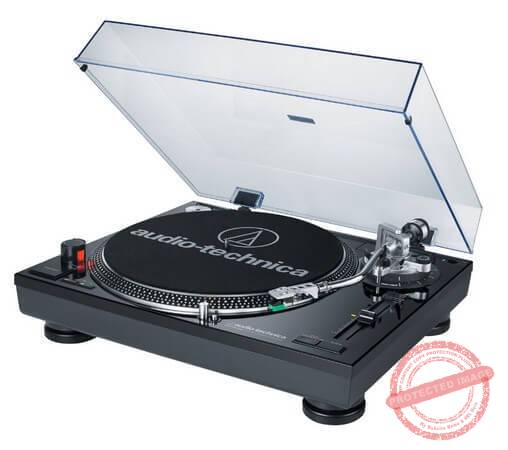
Best Budget (Alternative): Audio Technica AT-LP120BK

ATH-LP120 turntable

Price: $$

Drive type: Direct drive

Key features:

  • Three speeds (including 78RPM)
  • Adjustable pitch and pitch lock
  • Built-in phono amp

What? Another AudioTechnica turntable?

At the risk of being partial, it’s impossible for me to ignore the AT LP120BK.

The LP120BK is one of the rare direct drive turntables that routinely shows up on these “best of” lists. Since it has a direct drive and adjustable pitch, it is targeted more towards DJs than audiophiles. In actual use, however, I’ve found that it fulfills an audiophile role as well.

In other words, the LP120BK is an “all-rounder” that works well in both DJ and audiophile settings.

Like other AudioTechnica turntables, this one too is packed with features. You get a built-in phono amp, three speed settings, adjustable pitch with pitch lock, and the biggest one of them all – USB out. This makes it possible to digitize your old records.

(If you’re going to digitize your records, I highly recommend the VinylStudio software for recording and removing pops and clicks)

This turntable is manual, which usually results in better performance (fewer moving parts = better durability and lesser vibrations).

Recommended for: The AudioTechnica LP120BK is one of the better – and affordable direct drive turntables on the market with robust performance. Great for beginners who want no-fuss operation. Also great for anyone looking to digitize their records.

Pros

  • Lots of features
  • USB output is great for digitizing records
  • Consistent performance

Cons

  • Some vibrations courtesy of direct drive, plastic base
  • Hard-wired RCA cables are difficult to replace

Best for Audiophiles: Rega RP3 Turntable

Rega RP3 turntable

Price: $$$$

Drive type: Belt drive

Key features:

  • Elys2 cartridge
  • RB303 tonearm

The Rega Planar 3 is, with little doubt in my mind, one of the best turntables under $1000. It has all the finesse and exceptional build quality you’d expect in a turntable in this range. It also has luxuriously splendid sound quality thanks to a handful of innovations.

The first of these is the plinth. Conventional wisdom says that the heavier the base, the more vibrations it will absorb and thus, the better the sound quality.

Rega has turned that philosophy on its head. Instead of a heavy plinth, Rega has used a lightweight plinth core with a rigid resin skin on top. This results in very low weight but with exceptional rigidity which, Rega says, improves sound output (notice the thinness of the plinth above).

Another new feature is the RB303 tonearm. This is based off the RB300 tonearm that Rega used in previous avatars of the Planar 3. There aren’t a lot of design changes between the two, but structurally, the RB303 is stiffer and feels more robust.

The Planar 3 also uses Rega’s own hand-built Elys 2 cartridge. Like the Planar 1, it also has a 24v synchronous motor.

If there is any complaint I have with this turntable, it is the bland design. For a turntable in this price range, you’d expect something more premium looking.

Although I haven’t experienced it, some users also complain of a slight humming sound from the motor.

Recommended for: A premium, audiophile grade turntable that will please most serious listeners. The Planar 3 is one of Rega’s best offerings and the perfect turntable to buy for a thousand dollars or less.

Pros

  • Innovative plinth design keeps weight low
  • RB303 tonearm and Elys2 cartridge work great together

Cons

  • Bland looks
  • Some complaints of humming sounds

Section II: How to Buy Turntables

Turntables are tricky purchases. There is a finesse to them that’s often hard to describe. You can’t always go by objective metrics alone; you have to turn to subjective opinions – the way a turntable makes you feel.

But while subjective opinions are important, there are objective considerations in any turntable buying decision. What kind of drive system does it use? What type of cartridge does it employ? What is the plinth made from? You need answers to all these questions, and more.

For a beginner, this can be an intimidating world. Turntables – and vinyl records – are far removed from the “press-button” simplicity of digital music. Minute differences in equipment can lead to major differences in listening experience.

If you’re going to spend money to buy the best turntables under $1000, you need to understand all these minute differences.

I’ll help you make sense of all these issues below.

Understand the Anatomy of a Turntable

If you’re going to spend money to buy the best turntable under $1,000, you first need to understand all its different parts.

For such an expensive device, turntables are surprisingly simple in their construction. There are only about half a dozen parts – a tonearm, cartridge, stylus, platter, motor, and plinth.

The anatomy of a turntable - the best turntables under $1000 graphic

Let’s look at each of these parts and their role in the turntable’s operation in more detail:

  • Tonearm: The tonearm is an elongated “arm” that holds the stylus and cartridge in place as the record rotates beneath it. Tonearms can either be “automatic”, i.e. the turntable automatically places them on the record when switched on. Or they can be “manual”, i.e. you have to place the tonearm manually on the record.
  • Cartridge: The cartridge is a electro-mechanical device that turns the kinetic movement of the record into an electrical signal. This electrical signal is essentially what produces sound. The cartridge (also called a “phono cartridge”) is a critical component in the turntable’s operation. There is a big difference in the performance of high-end and low-end cartridges.
  • Stylus: The stylus or needle is the fine point at the end of the cartridge. This stylus traces the grooves of the record and transfers the kinetic energy thus generated to the cartridge, which turns it into sound. The more precise the stylus, the more accurate the quality of audio reproduction. Styluses are replaceable since most wear out over time.
  • Platter: The platter is the circular part which the record sits and spins on. It is usually covered with cloth, rubber, felt, etc. to reduce vibrations.
  • Motor: The motor drives the platter and makes it move. The smoother the operation, the better the quality of the turntable. Motors can use either direct drive or belt drive systems for their operation.
  • Plinth: The plinth is base of the turntable, i.e. the foundation which the platter sits on. Plinths should be sturdy and durable with minimal vibrations. A high-quality turntable will have as few vibrations as possible.

A turntable when the record, placed on the platter, rotates at a fixed speed (such as 45RPM). The stylus, connected to the tonearm, is placed into the grooves on the record. As the record moves thanks to a motor, the stylus moves along the grooves, producing a tiny electric signal. This electric signal, when amplified, produces sound.

The best turntables under $1000 usually use belt drive systems since it produces less vibrations than a direct drive. The latter is more suitable for DJs who want consistent speeds and the ability to scratch records. You can do that with belt drive turntables as well, but the experience will be poor.

Direct Drive vs Belt Drive

There are two types of drive systems used in turntables: direct and belt drive. Understanding the difference between them is crucial to understanding turntable performance.

Direct drive

In a direct drive turntable, the platter sits directly on top of the motor. That is, the motor directly drives the platter as shown in the diagram below:

Explanation of direct drive in the best turntables under $1000

Direct drive turntables offer more consistent speeds and higher torque. This makes them suitable for DJs who want to scratch and spin records.

On the downside, since the motor isn’t isolated from the platter, direct drive turntables tend to be noisier and less vibration prone.

Belt drive

In a belt drive turntable, the motor is connected to a belt that is wrapped around the turntable platter. Instead of moving the platter directly, the motor moves the belt which, in turn, moves the platter as shown below:

Explanation of belt drive in the best turntables under $1000

Since the motor is isolated from the turntable, belt drives have less noise and vibrations. This makes them suitable for audiophiles.

On the downside, belts can wear out. They also can’t be spun or scratched easily, making them unsuitable for DJs

Types of Cartridges

Another aspect of turntables that you should consider is the type of cartridge.

As one of the most important components in any turntable, the quality and type of cartridge you use has a distinct impact on output quality.

Cartridges broadly come in two varieties:

  • Moving magnet cartridge: In this cartridge, a tiny magnet is suspended between two coils at the end of the tonearm. As the magnet moves between the coils, it produces a tiny electric current. This current, once amplified, creates sound.
  • Moving coil cartridge: In this cartridge-type, the process is reversed. That is, there is a coil suspended in a magnetic field at the end of the tonearm. The movement of this coil produces an electric current.

Moving coil cartridges are almost an endangered species of late. This is because these cartridges produce a tiny current that is magnitudes lower than a moving magnet cartridge. Since the current is extremely tiny, you have to use a step-up transformer and a phono amplifier to get the signal strong enough for your speakers.

This additional equipment, along with the high replacement cost of a moving coil cartridge (once damaged, you have to replace the entire cartridge, not just the stylus), has kept these cartridges out of favor among manufacturers. At the same time, moving magnet cartridges have improved a lot.

This is why it is so rare to find a new turntable that uses a moving coil cartridge, even though the latter delivers arguably a slightly (emphasis on “slightly”) better performance. Even the top manufacturers such as Rega and Pro-Ject in our best turntables under $1000 list have mostly stopped offering magnetic coil turntables.

How to Connect a Turntable to an Audio Output?

Did you know that you can’t just connect your turntable to your speakers?

You see, turntables produce a weak signal called a “phono signal”. This signal is too weak to be transferred straight to a pair of speakers. You need to amplify it first.

This amplification process is done via a phono amplifier. Some turntables have a built in phono amplifier. With others, you have to buy an external amp. In some cases, the amplifier might be built into your receiver.

Refer to the diagram below to understand how the system works:

Built-in vs absent phono preamp in the best turntables under $1000

Keep this in mind when you buy a turntable. If you don’t already have a phono amp, or if your chosen turntable doesn’t have one built-in, buying an additional one can add to your costs.

What to Look for in the Best Turntables Under $1000

Now that you know all the parts of a turntable and its operation, we can look at the factors that should go into your purchase decision.

Regardless of your budget, here are a few things you should keep in mind when looking for the best turntables under $1000:

  1. Drive system: Check whether the turntable has a belt or direct drive system. As I mentioned earlier, belt drive systems are more vibration proof. They also take a couple of seconds to get to speed. Direct drive systems are better for consistent performance and hence, work better in DJ controllers. Most audiophile turntables will have a belt drive system.
  2. Cartridge-type: Nearly all turntables these days have a moving magnet cartridge. While moving coil cartridges arguably offer better sound quality, the maintenance and additional costs aren’t worth the hassle. However, a few high-end audiophile turntables do use them.
  3. Motor speed: Any turntable should be able to operate at 33 1/3 and 45 RPM – the standard speed for most records. Some turntables also offer a 78 RPM speed option, which is suitable for older records. With others, you might have to buy a separate attachment.
  4. Automatic/Manual operation: “Automatic” operation means that when you start the turntable, the tonearm automatically moves into place on top of the turntable. With “manual” operation, you have to do it yourself. Although convenient, the additional moving parts required for automatic operation can impact sound quality. Most audiophile turntables, hence, offer manual operation.
  5. Preamp: As I mentioned earlier, the phono signal produced by a turntable needs to be amplified before it can be fed into external speakers. Many low-end turntables have a built-in preamp to do this. The quality of this preamp is often debatable, though most will let you switch it on/off. Hence, high-end turntables usually skip the preamp – you have to supply your own.
  6. Built-in speakers: A few cheap turntables offer built-in speakers. These speakers are low-quality at best and ruin the immersion and quality you’d expect from vinyl. Avoid these at all costs.
  7. USB Output: Most turntables will have RCA output. Some new models, however, also offer USB output. This lets you connect the turntable to your computer, making it possible to digitize your tracks. Although not essential, this is a nice feature to have.
  8. Build quality: Sturdy and sturdy should be your two keywords when evaluating the best turntables under $1000. A well-built turntable won’t only last longer and look better, it will also have less vibrations and more consistent performance.
  9. Dampening: Vibrations and turntables don’t go along particularly well. Good turntables will have plenty of dampening in every component – from rubberized feet on the plinth (base) to felt covered platters.
  10. Signal-to-noise ratio: The signal-to-noise ratio (or S/N ratio for short) refers to how much signal, i.e. music, is produced for every decibel of noise. The higher the ratio, the more the music and the less the noise. Look for a S/N ratio of at least 50. Most good turntables will have a S/N ratio of 60, while high-end ones will have a S/N ratio of 70 or higher.

Other features you should think about are accessories such as turntable covers, cables, and that ultimate subjective thing – design.

Based on these factors, I’ll cover my top 10 turntables under $1000 below.

But first, a question that every customer invariably thinks about: what to spend on a turntable?​​​​

How Much Should You Spend on a Turntable?

Anyone reading this isn’t just a casual music fan. If you were, you would have been happy with Spotify. Or maybe you would have sprung for Tidal’s higher quality audio or even bought CDs.

But if you’re looking to buy a turntable, you’re inching close to serious music lover category. You don’t just want to listen to good music; you want to listen to good music in the most authentic possible format.

Listening to music on a turntable is deliberate. There is a sense of physicality that’s all but gone from digital music. You can’t skip tracks. You can’t shuffle across artists. You have to physically get up and put on a record to hear it.

This entire experience attracts people who are serious about sound and the instruments that produce it.

So when people ask me: how much should I spend on a turntable?, I invariably end up replying: “As much as you can afford“.

Having said that, I don’t recommend beginners to pump in $1,000 on a high-end Pro-ject turntable as their first purchase. There is a perfectly cheap entry point to the turntable experience.

By and large, here’s what you get for different price ranges:

  • Under $100 ($): The starting point of turntable purchases. There is a good number of options in this price range from respected manufacturers like AudioTechnica. If you avoid the gimmicky offerings (“has Bluetooth! Has built-in speakers!”) and stick to the basics, you can get surprisingly good options for under $100.
  • $100-$300 ($$): Turntables in this price range are often in no-man’s land. They aren’t cheap enough for a beginner, and they aren’t good enough for an audiophile. Generally, I tend to avoid products in this range. They rarely offer anything you can’t get in an under $100 AudioTechnica.
  • $300-$500 ($$$): This is the point where you start getting quality beginner audiophile turntables. The $300-$500 price range is in the sweet spot of performance and price. You’ll start seeing your first “serious” brands such as Pro-Ject here. You’ll also start seeing fewer automatics and more manual turntables.
  • $500+ ($$$$): The $500+ range is the starting point of “high-end” turntables. This is an expansive category and covers everything from a $500+ Pro-Ject turntable to a $2,500+ Elac. The quality of individual components matters a lot here. You’ll see high-end brands write paeans to their 8mm ruby balls and sintered bronze bearings. Needless to say, function and form matter more than price in this range.

Final Words

So that wraps up my roundup of the best turntables under $1000 on the market right now. I’ve covered a big range of prices, starting from the budget-end to top-shelf audiophile-grade turntables. You can easily pick any turntable from this list and you’ll be happy with the purchase.

Just to recap, here’s the complete list  again:

  1. Rega RP3 ($$$)
  2. Pro-Ject Debut Carbon Esprit SB ($$$)
  3. Pro-Ject Debut Carbon DC ($$)
  4. Rega Planar 1 ($$)
  5. Fluance RT80 ($)
  6. Audio-Technica AT LP60 ($)

Questions, suggestions, or doubts? Send us an email!

Also read:

References:

Best Turntables Under $1000 2026 – 7 Audiophile-Friendly Options Read More »

What’s the Best Audio Interface for Pro Tools 2026?

Get better recordings and control over your music with our pick of the best audio interface for Pro Tools

Our Top Picks

Best for beginners: Focusrite Scarlett 2i2
“While the preamps are not best-in-class, the affordable price tag and compatbility make the 2i2 a winner”

Best rackmounted: RME Fireface UFX II
“Tons of I/O options and incredible preamps make the UFX II a sure bet for pro studios”

Best mid-range: Audient iD14
“Limited I/O options aside, the preamps in the iD14 make this a mid-range beast”

Best for small studios: UA Apollo Twin MKII Duo
“A constant favorite among small studios for its clarity and finesse”

If you’re using Pro Tools, I can guess a couple of things about you.

One, you’re serious about this music production thing. No one picks up Pro Tools casually. It’s rarely, if ever, someone’s first DAW (that would be Garageband or FL or maybe Ableton). Pro Tools is meant for studios and it shows in the general unfriendliness of the UI/UX.

Two, you need better quality hardware. Pro Tools is pretty unforgiving as far as compatibility is concerned. While you can plug in practically any audio interface into Ableton and get up and running, if it doesn’t explicitly support Pro Tools, you’re unlikely to get great performance. This, again, is because of Pro Tools’ studio heritage. A cheap starting M-Audio interface might do for a beginner, but for people using Pro Tools, the latency and fidelity would be too low for studio use.

These are important factors to keep in mind if you’re in the market for a Pro Tools audio interface. Better hardware isn’t just a “nice to have”, it’s a “must have”.

Based on these assumption, let’s do a deep dive into the world of Pro Tools audio interfaces. I’ll look at six different interfaces and tell you which is the best audio interface for Pro Tools for your needs.

We use rigorous research, reviews, and real-world performance when recommending products. Our reviewers include producers, performers, and active musicians. You can read more about our review process here. Be advised that MIDINation might earn referral commissions on purchases made through this website. This does not affect your final purchase price.

Note: As an Amazon Associate, MIDINation earns commissions for qualifying purchases made through Amazon links on this page.


The Best Audio Interface for Pro Tools

Let’s take a closer look at our favorite Pro Tools audio interfaces for different budgets and needs:

UA Apollo Twin MKII Duo

Universal Audio’s Apollo Twin is one of the bestselling audio interfaces for small studios, despite its price tag. You can attribute this to the Apollo’s exceptional preamps, analog design, and quality components.

The first model on this roundup is the excellent Universal Audio Apollo Twin MKII Duo. It comes with plenty of useful features, including Unison preamps and complete access to the UAD catalog. These, along with other features ensure that it gives you the best sound quality for a small studio.

It comes from the Universal Audio brand, a brand that is renowned for the ability to combine hardware and software and give you some of the best performance that you could ever hope for. This particular model shows just how good Universal Audio has become at this. Although it comes as an entry-level product and is the smallest and least powerful in the Apollo line of products, it is still better than whatever else you might find in this category. It boasts of a two-input design which makes it an excellent option for any budding desktop musician.

This model is different from other audio interfaces in a variety of ways. Apart from giving you the typical layout and design of a regular audio interface, this unit also comes with a DSP processor. It allows you to record via the interface and also lets you use the Universal Audio Apollo Twin MKII Duo as an external DSP processing system. The advantage of this is that your computer will not work as hard.

Another notable feature of this model is the Unison technology integrated into the model. This technology vastly improves the performance and versatility of the Universal Audio Apollo Twin MKII Duo. You can enable a wide plethora of plug-ins, amps, and more.

Although the Universal Audio Apollo Twin MKII Duo does not offer you dedicated switches, it comes with enough control on the panel. First, there is a large knob that is used for controlling pre-amp gain, for monitoring levels, and so on. Another notable feature is the provision of controls like your DIM, Mute, and so on.

Console operation is one of the most important things in the Universal Audio Apollo Twin MKII Duo, and that is well catered for by the unit. If you are an expert user, you will have a grand time with this feature. On the other hand, if you are just starting, the console operation might be a tad difficult at first. But once you get the hang of it, you’ll certainly enjoy using it.

What I don’t like

The Universal Audio Apollo Twin MKII Duo comes with many features that you’d want to have in your audio interface. The only drawback I observed is the steep price tag and limited I/O options.

Recommended for: Overall, the Universal Audio Apollo Twin MKII Duo is an excellent option that is recommended for everyone. It is a premium product that gives excellent audio quality regardless of the studio space. If you don’t need a ton of I/O options, the Apollo Duo is the best audio interface for Pro Tools for small studios.

Best for Beginners: Focusrite Scarlett 2i2

If you felt the Apollo reviewed above comes with too many features for you as a beginner, then you’ll likely enjoy using the Focusrite Scarlett 2i2. This audio interface is a great-looking model that is excellent for any beginner. While it comes with entry-level machinations, it is still an excellent option that will help you to enjoy clear audio quality at every stage of sound production.

The Focusrite Scarlett 2i2 comes at an excellent price and is one of the cheapest on this roundup. One of the concerns many buyers have is that cheap interfaces often come with cheap performance and features as well. Many give a hiss and noise as you increase the gain or some other parameter. However, after testing the Focusrite Scarlett 2i2, we can boldly say that you will not experience such issues.

This quality is not very surprising, though, because the manufacturer, Focusrite, is known for the high quality of its products. They make some of the best audio interfaces and equipment on the market, and the Focusrite Scarlett 2i2 is no exception. Although it costs a fraction of the price, the Focusrite Scarlett 2i2 comes with the same preamps that you would find in far more expensive audio interfaces.

Performance is the highlight of this product. Although you get excellent quality even at low buffer settings, the Focusrite Scarlett 2i2 does not cause your computer to work unusually hard. During use, we did not notice the usual problems like dropouts or cracks, unlike what we usually experience with audio interfaces at this price point.

Latency is an important consideration when choosing an audio interface, and we are pleased that the Focusrite Scarlett 2i2 comes with very low latency. With the Focusrite Scarlett 2i2, you can even enjoy zero-latency monitoring. Another notable feature here is the signal indicators. These come in incredibly handy when you are sound checking and monitoring levels during a recording.

What I don’t like

As this is a cheap offering, there is no surprise that it comes with some downsides. One of the things we did not like is that it is bus-powered. Therefore, it might hog CPU resources if you are using plenty of programs. Another notable downside is the lack of MIDI in/out. And in our opinion, the biggest problem arises when you have to record from different audio sources simultaneously.

Recommended for: If you are a home studio musician, or you are a beginner, you would likely like the Focusrite Scarlett 2i2. The low cost, ease of use, and great support across DAWs makes this the best audio interface for Pro Tools – or any other DAW – if you’re just starting out.

Best Mid-Range: Audient iD14

Next on our roundup is a high-performance audio interface that comes at a great price and still manages to squeeze in some functions and parts found in more expensive audio interfaces. This unit, the Audient iD14, is bus-powered and has the 2 ASP Class A preamps that are found in some of the high-end units from the manufacturer. While these other models come in a large, bulky build, the Audient iD14 is built lightweight, compact, and portable. Therefore, it comes as an excellent option for any producer on the go.

The small, compact size means that most of the physical functions found in older units have been scrapped off. This makes it so much easier to use and makes it a dream audio interface for any beginner. It also makes for a great option for the average user that would likely never have used the functions anyway. Some of the buttons that have been removed include the Dim and Cut buttons. Additionally, function keys have been streamlined from 3 down to 1. As we said, this is a beginners’ dream audio interface.

While the controls are reduced, it replaces them with some better functions. One of the notable features of the Audient iD14 is the Scroll control ID mode. This function comes in handy whether you are a beginner or an expert user. It allows you to have more control over DAW. The knob is a rotary encoder that can be customized to a different function. It also provides access to other functions like Cut and Dim. Therefore, instead of having many buttons for different functions, you have fewer knobs and buttons but still enjoy a similar level of functionality.

The other features found on the Audient iD14 can all be assigned using this Scroll control ID.

Just as controls and knobs have been reduced, the Ins and OUTs have also seen a reduction. The Audient iD14 comes with combined XLR and TRS ins and outs. You also get a JFET DI out and headphone AUX out. While this looks limited, it still offers good functionality. For instance, the JFET DI will make sure that the signal is matched to the instrument for the best recording performance.

Interestingly, if you feel that the inputs and outputs are just too small, you can expand it. This is possible through the optical input. It allows you to set up more preamps when required. Furthermore, the 12V power lets it run more efficiently than similar USB options.

Overall, this is the best mid-range audio interface and one of the best for Pro Tools.

What I don’t like

During our testing, we observed that the phantom powering is only useful when DC power is on. This makes it quite limited.

Recommended for: The Audient iD14 comes with some of the best preamps and converters you will find on any audio interface. The streamlining of functions makes it much easier to use. I recommend it to any beginner looking for an easy to use audio interface.

Most Portable: Apogee Jam Plus

When it comes to audio interfaces for DAW and portable devices, it is pretty hard to overlook the Apogee brand. Their units often come with a lovely design, practical too, that will render low noise.

The Apogee Jam Plus continues this tradition. As the name implies, it comes as an upgrade to the Apogee Jam, which was certainly an excellent audio interface. The updates found in this model make it the best portable audio interface for Pro Tools. Let’s see some of the best features of this excellent unit.

First, it comes with one of the most durable builds at this price and in this category. The entire body is made of metal, which means that it is very durable and is more rugged than other previous versions of the audio interface. If you are a producer that is often on the road, you’ll certainly appreciate such a durable option as this.

As part of the updates to the older version, the Apogee Jam Plus comes with a stereo headphone output. This makes it possible to use the unit with powered speakers thus improving the versatility. It also sports an input gain knob. This control looks great and makes it so much easier to fix the gain. The rotary nature makes it pretty easy to handle. Another advantage of this update is that you can easily recall the previous position of the knob before you made any adjustments.

Another notable feature we observed is the blend. This feature comes in pretty handy and is one of the best things about this audio interface. Using this feature, you can mix sounds easily. For instance, you can mix the direct sound from an instrument with the sound from the Pro Tools. This makes it easier for you to monitor the latency. The drive mode is yet another feature, this time, it assists you with overdrive simulations.

Performance-wise, this is a very good audio interface. Previous versions are great, but the Apogee Jam Plus makes improvements in gain control. The blend feature we mentioned earlier also came in pretty handy during our testing.

What I don’t like

There are no preset options on the Apogee Jam Plus.

Recommended for: TIf you are looking for a portable audio interface to use with your mobile device and with guitar and keyboards, then the simple, compact, and portable Apogee Jam Plus might be your best bet. It might not have the same fidelity as, say, the Apollo Duo, but for the price, it’s one of the best audio interface for Pro Tools.

Best Rackmounted (Budget): Focusrite Clarett 8Pre

The Clarett range from Focusrite is an excellent range of audio interfaces that come with different features, but with each one still giving a unique performance that you’ll love. The model under consideration is the Focusrite Clarett 8Pre. This model comes as a rack-mounted unit.

The design is quite appealing, with many users remarking on the red and black colors. It also comes with an aluminum chassis that greatly improves its durability. The layout is straightforward as well. The front panel has the controls and some outputs while the rear contains the rest. Overall, it feels really solid and will last for a long time. Despite the premium appearance, we should note that this is a budget audio interface.

The features are solid. You get plenty of connectivity and functionality with this unit. As it comes in the Clarett range, it boasts of a Thunderbolt connection. This makes it easier and faster to monitor the latency and other functions.

In terms of performance, the Focusrite Clarett 8Pre is one of the best options at this price. The Thunderbolt connection earlier mentioned comes in really handy here and greatly boosts the performance. To that end, it helps to reduce the latency of the unit and gives you direct monitoring capabilities. During use, everything felt easy and straightforward. While it can take some time to master navigation, once learned, using the Focusrite Clarett 8Pre is a breeze.

Overall, this is certainly one of the most versatile and reliable options that you can find at this price.

What I don’t like

The only downside here is that there is only one Thunderbolt port.

Recommended for: This is an excellent audio interface for your studio, especially if you are on a budget. If you need a rackmounted, high-fidelity, low latency audio interface in a reasonable budget, then this is the best audio interface for Pro Tools on the market currently.

Best Rackmounted (Studio): RME Fireface UFX II

Although the RME Fireface UFX II is one of the most expensive audio interfaces on this list, it is certainly worth the price. The features and functions are simply unmatched and will provide one of the most comprehensive and powerful audio performance that you’ll find on an audio interface on the market.

As you check out the specs, you might observe that it doesn’t have the 800 Mbit/s bus speed that exists in older models. While that might be a bummer, the RME Fireface UFX II excels in other ways.

For one, the host interface is now compatible with USB 2.0. This in itself makes it compensate for the lower bus speed. You will not even notice any changes in that regard. Aside from that, it comes with four extra I/O channels.

The design of the rack-mounted unit is beautiful. It boasts of a silvered exterior with light blue highlights. This makes it look really good on your desk. Additionally, the knobs and controls are set out clearly. Each button, knob, and control feels sturdy and durable.

On the front panel of the RME Fireface UFX II, you will find up to four preamp inputs for different functions. There are also MIDI I/O, a pair of customizable headphone outputs, and a USB socket. The back also contains a similarly rich number of inputs and outputs, ranging from eight TRS line inputs, two sets of ADART, USB 2.0 connections, and more.

Unlike some of the options we reviewed, the RME Fireface UFX II comes with a colorful display. Although this initially looks small, you’ll get used to it and it will make it much easier for you to monitor track counts. There are a host of controls on the front panel of the RME Fireface UFX II, with the only exception being the routing function and global hardware settings.

What I don’t like

There is a lot to like about RME Fireface UFX II. If there is a downside, it would be the relatively high price.

Recommended for: With the numerous channels and superb workflow, the RME Fireface UFX II is recommended for professional users. Beginners will find it too expensive and too overwhelming, but if you run a studio, you can’t really get much better than the UFX II.

Over to You

The audio interface plays a crucial role in any studio setup. The better the quality of the audio interface, the better your raw recordings.

Hopefully, this guide will help you find the best audio interface for Pro Tools for your needs.

For more suggestions and recommendations, email us using this contact form.

Check our other Pro Tools recommendations

References:

Changelog

  • October 28, 2020: Article first published

What’s the Best Audio Interface for Pro Tools 2026? Read More »

Best Free VST Synth Plugins

25 Best Free VST Synth Plugins 2026 – Create Pro Sounds

If you’re going to be making music in any capacity, you simply can’t do without synths.

You can use them for effects, atmosphere, color, texture, melody, soaring leads, and more. They can play a supporting role, or they can be the main instrument in your tracks. It’s up to you.

VST synths are incredibly popular, and there are more free synths available than you might even think.

In this guide, we look at the best free VST synth plugins you can use to create pro quality sounds.

25 Best Free VST Synth Plugins 2026 – Create Pro Sounds Read More »

20 Top EDM Blogs You Need to Add to Your Reading List

Want to discover some new EDM blogs to your reading list? We’ve got 20 great blogs for your blog reader.

Electronic dance music contains quite a lot of subgenres. It is used in nightclubs, raves, festivals, and many other events that are focused on the art of dance.

EDM got very popular in the European continent during the 2000s. During this period, the dance music saw worldwide fame and acceptance thanks to the push of social media sites such as Soundcloud and YouTube.

Today, these music blogs are increasingly becoming popular and widely used. This music genre is continuing to grow, evolve, and expand.
If you are a disc jockey, music producer, or enthusiast that loves electronic dance music, blogging would be ideal. So check out our list of the top EDM blogs available on the internet today.

20 Top EDM Blogs You Need to Add to Your Reading List Read More »

10 Best Slide Guitar Songs to Ever Hit the Airwaves

Looking for the best slide guitar songs ever written? You’re in the right place! Read on to discover some of the greatest pieces of songwriting on the slide guitar.

Not satisfied with the state of things, several guitar players have, over the years, looked for ways to make playing the guitar even more difficult. Some of the popular styles that we have seen over the years include playing the guitar over the head, with the teeth, with others’ teeth, behind their back, and so on.

While several of these are novelties and quickly went the way of the dodo, slide guitar was and continues to be a popular way to play. In this post, we present some of the slide guitar songs that every music lover must absolutely know.

10 Best Slide Guitar Songs to Ever Hit the Airwaves Read More »

25 Shortest Songs Ever Released Commercially, All Under 2 Minutes

What are the shortest songs ever to hit the airwaves commercially? Find out in this article.

In the world of modern music, it is very difficult to find commercial songs that are successful and last less than two minutes. Thinking of songs that last less than a minute is almost impossible. The average duration of a song is between 3 and 4 minutes and has been decreasing recently.

However, according to a study by the news portal Quartz, the songs appearing on the Billboard charts are decreasing in duration. Before, 2013, we used to have songs of more than three minutes. But from 2018 till now, most songs don’t exceed three minutes. It was established that in 2018, 6% of the songs had an average of 2 minutes and 30 seconds and less.

Today, there are many songs that captivate us within a short time. Normally, these types of songs are by way of intros, intermediates, or musical oddities. In this article, you’ll discover the best shortest songs ever. These are all songs under 2 minutes. Check them out!

25 Shortest Songs Ever Released Commercially, All Under 2 Minutes Read More »

The 8 Types of Brass Instruments You Should Know About

Discover all the different types of brass instruments in this post.

If you asked most people what brass instruments are, many would say that these are instruments made of brass. How would you answer? Well, saying brass instruments are those made of brass isn’t technically wrong and even sounds logical. However, a closer examination reveals that this is not absolutely true. After all, some woodwinds like the saxophone and clarinets are erroneously referred to as brass instruments.

In this post, we will discuss a selection of some of the most popular brass instruments that you should know about. Here we outline some of our thoughts and tips about these instruments.

The 8 Types of Brass Instruments You Should Know About Read More »

10 Surprisingly Easy Piano Songs That Sound Complicated

Looking for easy piano songs that sound complicated? Look no further than our definitive list.

Have you ever being at a gathering and someone hears that you play the guitar, then asks you to play something for the audience? Even if you have been playing the piano for a long time, such a request might still make you feel queasy. You might not want to fumble, but at the same time, you would love to play a piece that would still wow your audience. Well, this post offers you a splendid solution.

Here are some surprisingly easy piano songs that sound complicated and would surely wow your audience.

10 Surprisingly Easy Piano Songs That Sound Complicated Read More »

AIFF vs FLAC: 8 Differences Between AIFF and FLAC

Between AIFF vs FLAC, what should you choose? Learn the major differences between these two formats here.

If you are an audiophile, you certainly take your music and music quality very seriously. There are several music file formats out there, and you might be confused about which of the formats to choose. AIFF and FLAC are two of the more common types of formats right now.

In this post, we will consider what these two file formats are and the differences between them. At the end of this AIFF vs FLAC article, you will determine which of the two formats you should choose.

AIFF vs FLAC: 8 Differences Between AIFF and FLAC Read More »