Ryan Harrell

Ryan is a part-time DJ and full-time producer with over 15 years of experience. His interests span genres and includes everything from Classic Rock to EDM and Bollywood. He primarily works in Ableton, though he is also well-versed in Logic.

The Best Digital Mixers for Getting the Most Out of Your Studio 2026

Take control over your studio and live gigs with the best digital mixers you can buy.

Our Top Picks

Best overall: BEHRINGER X32 Rack
“Exceptional I/O, great features, and a decent price tag make this the best digital mixer for most people”

Best mixing console: Midas M32R
“Excellent build quality, I/O options, and decently small form factor make this a great mixing console for serious producers”

Best for home studios: Soundcraft Ui16
“Integrated WiFi, smartphone compatibility and a good price make this perfect for home studios.”

Best for live gigs: Presonus Studiolive 32SX
“Enough firepower to work well in the most demanding of live gigs”

At this point, I thin it’s safe to say that the digital vs analog war is mostly settled.

Sure, analog gear has a characteristic warmth that digital still can’t replicate faithfully. But as more and more music production moves entirely to the digital realm, going with analog gear, especially mixers, makes little sense.

Digital mixers tend to be more expensive than their analog counterparts. But they give you so much more for the money. Many will include signal processing capabilities onboard, saving you from the tyranny of carrying around separate reverbs, compressors, etc. You’re also not limited to the input channels for controlling inputs (since all signals are digital anyway). Plus, the reduced noise of digital circuitry is always welcome.

Plus, the workflow with a digital mixer is simply smoother. For live gigs, this alone is worth the extra upfront expense.

It doesn’t matter whether you’re running a home studio or live gigs, a digital mixer is simply superior.

On this note, let’s take a closer look at the best digital mixers on the market right now, and what to consider when buying them.

We use rigorous research, reviews, and real-world performance when recommending products. Our reviewers include producers, performers, and active musicians. You can read more about our review process here. Be advised that MIDINation might earn referral commissions on purchases made through this website. This does not affect your final purchase price.
Note: As an Amazon Associate, MIDINation earns commissions for qualifying purchases made through Amazon links on this page.

The 6 Best Digital Mixers in 2020

Here are our six favorite digital mixers for different budgets and ndeeds:
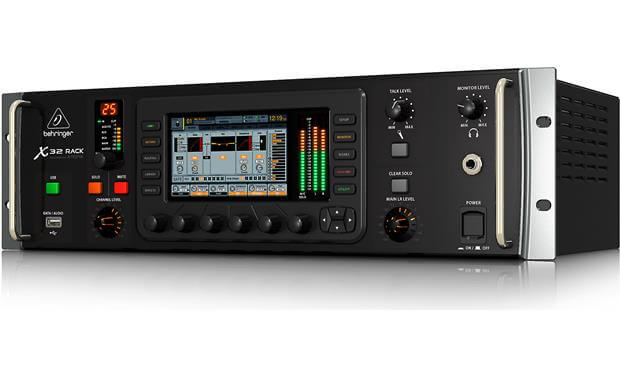
BEHRINGER X32 Rack

Behringer doesn’t have the best reputation in the music world. It’s often derided as the “store brand” making affordable but poorly built gear. Its mixers are a big exception, however, and the X32 is the best example. Behringer upended the entire industry by offering an extremely competent digital mixer at an analog mixer price point. While the competition has grown since, the X32 still remains one of the best digital mixers for most beginners and intermediate users.

In 2012, Behringer made a second foray into the digital console market. If Behringer’s competitors had already guessed what this competition would mean for their own products at this point, the product managers responsible would probably have had many sleepless nights.

The Behringer X32 has features on board that were previously unthinkable in this price range. The market leader in this price segment was Presonus with the StudioLive console.

And now Behringer was in the starting blocks and went one step further in every discipline. It offers motorized faders, storage of all parameters, more channels, more buses, matrix, large color display, USB-2 recording. It also made it compatible with Windows, macOS X, Linux, iOS, Android, and even the Raspberry Pi. All that would probably have left many Behringer haters cold!

It has always been easy to create recordings with the Behringer X32. A simple DAW, a USB cable, and a laptop with a USB 2.0 interface are sufficient to record (or play back) 32 channels simultaneously. It’s even easier (and safer) with the X-Live card.

The operation is no more difficult than that of a cassette recorder (who still knows it?) and can also be done using a tablet. It is important that the routing of the card is prepared accordingly.

The Behringer X32 platform is not an old hat, even years after its appearance. The recent price cuts have made the consoles more affordable than ever.

What I don’t like

When you compare the X32 Rack with the M32R from Midas, you’ll see that the former’s build quality pales to the latter. Also, the interface isn’t as Intuitive as the M32R. True audiophiles wouldn’t be impressed by the preamps either.

Recommended for: It’s recommended for anyone who has previously relied on analog mixing consoles. People who held back from the digital for reasons of cost or fear of the hurdle to switch can now finally dare to go digital without having to forego features for price reasons.

Best for Home Studios: Soundcraft Ui16

The Soundcraft Ui16 is a digital mixer in the form of a stage box. It featured all the connections required to be able to gather a small band on stage. However, the device itself has hardly any controls, it is completely controlled via a computer, tablet, or smartphone. To do this, the Soundcraft Ui16 is either connected to the PC/laptop via an Ethernet cable or you can use WLAN for tablets and smartphones. In both cases, the web browser serves as an “input mask”.

The connection sockets are all from Neutrik, so pretty much the best you can get. The device is also extremely light and extremely chic.

Soundcraft states that up to ten musicians can access the device simultaneously via WLAN. But I don’t necessarily see that as an upside when ten people fumble around in the mix! On the contrary, that would be a huge mess if the “person responsible” does not block everything beforehand in the Ui16 that is not supposed to be accessed. These blocks can be made in a separate menu.

The “More Me” function is an advantage here. When I turn the tablet/iPad 90 degrees, I see the mix previously defined “for me” in the proportion with the rest of the band. This proportion can then be unmistakably adjusted and there are no problems with “many people in the mix”.

Due to the low price and the good name, many small to medium-sized bands and lineups will consider buying it. But you have to deal intensively with the device in advance because something like an analog mixer with its dozen of buttons is not here. Despite the very successful implementation of the control software, you should definitely have set everything BEFORE the performance so that it then largely fits during the performance.

The overall sound is in the upper-middle class/budding upper class, which is already a good thing for such an inexpensive product. The background noise behavior bothers me a little. You always have a certain “clock pumping” on the stereo sum, albeit quite quietly.

For a sound engineer who has to mix different bands three times a week, I would rather advise against the Ui16. This is because the sole operation via tablet or computer does not allow very spontaneous operation.

What I don’t like

The background noise behavior could be better. But you should always evaluate this point in connection with the low price.

Recommended for: With the Soundcraft Ui16, small to medium-sized bands and line-ups can have an extremely powerful and good-sounding overall package for a relatively little price. It’s the best digital mixer for home studios and small live acts under a $500 price tag.

Best Mixing Console: Midas M32R

With the Midas M32R, at first glance, it reveals a relationship with the Behringer X32. This is hardly surprising since Midas has been taken over by the Music Group and the Behringer X32 is a joint development.

Since the Midas M32 and Behringer X32 are identical in terms of software, I will forego a description of the operation in this article. Instead, I’ll consider the differences between the two consoles and the compatibility with each other with accessories such as the S16, DL16, and the cards that are now available for Dante, Madi, or ADAT, which can be plugged into the console as an alternative to the factory-installed USB sound card. And I’m trying to answer the question of whether this is just a Behringer mixer with Midas label or whether the additional price is justified by added value.

When unpacking, the first thing you notice is the slightly higher weight. The controls are arranged very similarly to the X32. So, the experienced X32 user does not need time to relearn. The design of the desk is dead chic. Faders, switches, and encoders feel very high quality.

The incline makes the mixer very clear. Only the display and the LCD strips above the faders have remained unchanged from the X32. Whether the selectable colors match the rest of the design of the desk is a matter of debate. The legibility from a side perspective, unfortunately, has its limits. The lighting of the buttons is quite subtle. Only the change from white to blue light shows whether a channel has been selected.

The Midas M32 is an excellent console, both in terms of operation and sound quality. Anyone who knows a Behringer X32 will find their way around immediately. Others will need a few minutes.

The price difference compared to the X32 is absolutely justified by noticeably better mechanical workmanship. There’s also an increase in sound quality thanks to higher-quality preamplifiers and AD or DA converters from the Midas PRO series (PRO1/PRO2). In contrast to the X32, the built-in faders are original Midas faders.

What I don’t like

The sonic production offered by the Midas mixer is professional-grade. But at around 5 grand, this is not a cheap digital mixer.

Recommended for: Choose the M32R if you are looking for a reliable desk console that can also be rented out or dragged to live shows. It is made for live and studio performances. For serious producers, performers, and engineers, this is one of the best digital mixers on the market currently.

Best for Live Gigs: Presonus Studiolive 32SX

When marketing the Presonus flagship, the DAW mode is repeatedly referred to. Ideally, you start your DAW (Studio One, Logic X, Ableton Live, etc.), press the DAW button and the mixer acts as a control unit for the DAW.

The StudioLive 64S also has touch-sensitive motorized faders. This means that in the case of automation, you can manually grip the controller and influence it – the mixer will overwrite the automation with your intervention at this point. As soon as you let go of the fader, the set automation takes over again. A fine feature!

With the latest generation of Presonus Mixers, you also have adjustable user profiles with access control. You can only give User A access to Mix 1 and there, too, he can only use up to 80% master volume. Or you can personalize your profile and save it with a password. Two clicks in the display and the profiles are programmed. This makes a lot of sense, especially with a complex console like the Presonus StudioLive 64S that often has several people working on it.

The Presonus StudioLive 64S weighs just under 17 kg. It is comparatively compact with 82 x 58 x 16 cm (WxDxH) for a 64-channel mixer. The 64S can only process 64 channels internally (actually even more than 70). But its housing is similar to the 32-channel model. To use the full power of the multicore DSP console, you can, for example, connect two Presonus NSB 16.8 stage boxes and enjoy the full 64 channels. Then you can control up to 43 mix buses and 526 simultaneously-usable effects processors. A sound card is also on board. As with Allen & Heath, they limit themselves to sample rates of 44.1 or a maximum of 48 kHz. It’s a shame, in some environments, you would want higher resolutions.

Mixing is a matter of habit. A bit more level here and the compressor a bit thicker there. Define the appropriate free frequency range on the EQ and give the voice a little more reverb. You can do that in your sleep after some training period.

What I don’t like

The touchscreen is not very easy to use. You’ll have to press a menu item two or even three times before the desired function appears. Unfortunately, there is no calibration. There are certainly displays on the market that would work better here. But apart from these downsides, I can only give a very positive judgment on the hardware: Presonus really didn’t mess up.

Recommended for: Anyone who wants the best digital mixer for live gigs. It’s powerful, has plenty of I/O options, and as one of the best proper digital mixers on the market, has been refined endlessly for a smooth, error-free gigging experience.

Most Portable: Allen & Heath Qu-Pac

The market for digital consoles is attractive and increasingly offers connections to the world of tablets and smartphones. With the Qu-Pac, Allen & Heath have now made a faderless version of their Qu-32 mixer available. So they’ve gone with the hardware slimming trend and deliver a small, compact mixer without the user having to forego any features.

It has a cleverly balanced housing that offers enough space for the inputs and outputs as well as the front panel at a comfortable working angle.

The front panel impresses me with a touchscreen. There’s also a single digital rotary encoder (in addition to the two analog controls for the headphone amp and the alternative output) and various buttons. Some of these buttons have status LEDs, but otherwise, the control elements are not backlit. There is a standard 4-pin connection for a gooseneck light on the back of the device.

The hollow space under the angled front panel not only offers a relaxed place to rest your hands when operating. You also have a nifty, almost well-camouflaged hollow space that the live sound engineer should be happy about. Bunch of keys, cell phone, wallet, a roll of masking tape, black marker… everything fits underneath!

There is also an Ethernet connection to connect the desk to a WLAN router. This enables the iPad/iPhone operation via WLAN. A USB2 port allows the Qu-Pac to be connected to a Mac or PC. It also provides bidirectional streaming between the computer and the console. Thanks to the Class Compliant Standard, you don’t have to manually install a driver on an Apple computer. Unfortunately, for operation on the PC, it doesn’t work here without a driver installation.

The alternative output has its own rotary potentiometer for its output level on the front below the headphone connection. This can be used in live operation for side fills or for a separate pair of speakers at the mixing desk.

An AES/EBU digital output is used for connectivity to corresponding remote stations, such as digital recorders or PA processors with the corresponding input. In addition, Allen & Heath gave a Kensington lock to the Qu-Pac. The box is so small and compact that it is better to secure it somewhere with the help of a suitable anti-theft cable with a Kensington system. Well thought out, Allen & Heath!

What I don’t like

Thanks to the Class Compliant Standard, you don’t have to manually install a driver on an Apple computer. Unfortunately, for operation on the PC, it doesn’t work here without a driver installation.

Recommended for: The A&H mixer offers a remarkable range of services in the smallest of spaces. This should make the Qu-Pac a good option for tight stage setups or rehearsal rooms. It also seems to be a good solution for work beyond the borders of the stage because of the flexible remote control via WLAN. The small size and A&H’s proven sound quality makes this one of the best digital mixers right now.

Best Under $1,000: Behringer XR18

With dimensions of 333 x 149 x 140 mm, the Behringer model is just about the size of a shoebox and weighs 3.2 kg. It is the slightly larger version of the XR16.

The housing is made of sheet steel. The side parts are surrounded by rubber for edge and slip protection. Brackets are supplied for rack installation. Two bow handles make it easier to transport the tiny thing.

All connections are on the front, only the power switch with an IEC socket is located on the right front. On the front panel, there are 16 microphone inputs with combo sockets, 1 and 2 of which also function as Hi-Z instrument inputs. A stereo line input with jack sockets is also available.

On the output side, there are six auxes in addition to the main out, all as XLR sockets. A phones-out is also available, as well as the only control on the device, the volume potentiometer.

Four effect units are implemented, which are by default on the four FX sends. In addition to various reverbs and delays, there is also the whole range of modulation effects and some multi-effects. A number of emulations of hardware classics from the areas of EQ, Compressor, De-Esser, Pitch, Psycho-Acoustics, and Tube Sound are also offered. Even some Behringer classics were emulated.

With the XR18, Behringer has developed an ultra-handy 18-channel console at an affordable price. It leaves nothing to be desired in terms of equipment.

What I don’t like

The workmanship and sound quality are great. But the manufacturer could still improve the various versions of the control software.

Recommended for: The X18 is suitable for musicians who are always on the move. As one of the best digital mixers in the mid-price range, it is also suitable for home studios and intermediate producers.

Over to You

Digital mixers are becoming increasingly more popular and substantially better than their analog counterparts. Use this guide to zero-in on the best digital mixers you can buy right now.

For more suggestions and recommendations, email us using this contact form.

Check our other recommendations

References:

Changelog
  • October 21, 2020: Article first published

The Best Digital Mixers for Getting the Most Out of Your Studio 2026 Read More »

The Best DAW Controller for Ableton, FL, Logic and More 2026

Get more control over your production with the best DAW controller for Ableton, FL Studio, Logic, and Pro Tools among other DAWs

Our Top Picks

Best for Ableton: Ableton Push 2
“Easily the best way to control, produce, and perform with Ableton. Takes Ableton to a whole new level”

Best for FL Studio: Akai Fire
“The only built-for-FL controller on the market. Perfectly compatible and delightful to use”

Best universal control surface: PreSonus FaderPort 16
“Great compatibility with most DAWs make the FaderPort a great control surface”

Best for Pro Tools: Avid S1
“From Avid’s own stable, the S1 integrates easily into Pro Tools and gives you complete control over the DAW”

Most affordable: Korg nanoKONTROL2
“Tiny and affordable, this Korg is a great desktop accessory for controlling your DAW”

The Best DAW Controller for Ableton, FL, Logic and More 2026 Read More »

The Best Control Surfaces for Every DAW You Can Buy 2026

The best control surfaces can make the music production experience much more hands on. Find the right one for your needs in this guide.

Our Top Picks

Best for home studios: PreSonus FaderPort 8
“While the features and controls are nice enough, what makes the FaderPort stand out is the deep integration with most DAWs”

Best for pros: Zoom LiveTrak L-12
“If you can overcome the affordability factor, you’ll find that the LiveTrak is extremely competent”

Best budget: Akai Professional MIDImix
“Despite buid quality concerns, excellent DAW integration and tons of control options make this a winner”

Most portable: Korg nanoKONTROL2
“It’s tiny enough that you can take it anywhere. Also takes almost no space on the desk for small studios”

The Best Control Surfaces for Every DAW You Can Buy 2026 Read More »

The Best Control Surface for Logic Pro X in 2026

Being able to access your nearly all your DAW controls in a single tap is a massive game changer. The control and intuitiveness a dedicated controller adds to your studio is unparalleled. But buying the best control surface for Logic Pro X isn’t easy. So to help you out, we put together this detailed guide.

A control surface isn’t a must-have for a bedroom producer, but it’s a powerful tool to have when you’re ready to upgrade to a more serious setup. It brings all essential controls to your fingertips, freeing you up from the awkwardness of multiple screens. Hardware controls not only give you finer control over your DAW, but also give you greater creative freedom and flexibility.

Control surfaces are particularly important if you want to move from a producer/performer to a studio owner/engineer/producer role. You might not find the best use of a control surface if you’re the only one in your home studio. But the moment you’re recording others – a band, other artists – you’ll find that a dedicated controller is almost a necessity.

While most control surfaces work well with Logic Pro – it is one of the most popular DAWs in the world after all – there are some that perform better than others.

In this roundup of the best control surfaces for Logic Pro X, we’ll look at some of the top options you can buy right now. As with other guides, we’ve divided this into two parts. In Part I, we’ll look at the best Logic Pro X control surfaces for different needs.

In Part II, I’ll cover the essentials you should consider when buying a control surface, as well as how to get the most out of your current setup.

If you want a sneak peak, here are our top options:

  • Best overall: PreSonus FaderPort
  • Budget budget: Akai Pro MIDIMix
  • Best performance: Behringer XTouch
  • Most portable: Korg nanoKontrol Studio
  • Best outdoor: Zoom FRC-8
We use rigorous research, reviews, and real-world performance when recommending products. Our reviewers include producers, performers, and active musicians. You can read more about our review process here. Be advised that MIDINation might earn referral commissions on purchases made through this website. This does not affect your final purchase price.
Note: As an Amazon Associate, MIDINation earns commissions for qualifying purchases made through Amazon links on this page.

About your reviewer
Ryan Harrell is the founder of MIDINation and an experienced producer/DJ. His first experience with electronic music production dates back to Cubase 3.0 in the summer of 1997, and he’s been a fan ever since. He prefers Ableton as his primary DAW these days, though he is still partial to Cubase and Pro Tools. He lives in San Diego and freelances as a producer and part-time DJ.

Best Control Surface for Logic Pro X

In the first part of this guide, we’ll do a deep dive into the top Logic Pro X control surfaces you can buy right now. To be more specific, we’ll look at the top controllers based on different requirements (live performance, home studio, etc.).

Do keep in mind that like the rest of this website, these selections are aimed squarely at serious home producers who want to upgrade their skills and equipment. Hence, we’ve only considered commercially available gear, not the customizable, expensive hardware that lines $1M studios.

With that caveat out of the way, let’s start by looking at our top choice for the best control surface for Logic Pro X in 2020:

PreSonus Faderport - the best control surface under logic pro x

PreSonus FaderPort

PreSonus, which makes some of my favorite amateur-targeted studio monitors, also makes a fantastically flexible control surface, the FaderPort. Affordably priced yet feature-rich, this control surface gives you immediate access to key DAW features at your fingertips. A large volume control knob and a master fader let you control key parameters. And a small size means that it takes up little space on your desk.

Great compatibility and robust build quality make it our best control surface for Logic Pro X for producers on a budget.

The FaderPort is purposefully “dumb”. It doesn’t clutter the unit with a gazillion buttons and screens. It is specifically designed to be easy to use – and gets top marks for that.

At the heart of the FaderPort is an innovative and highly satisfying 360 degree encoder. Anything you need to move and select and draw and drag will be handled by this encoder. So it’s a good thing that the build quality on it is fantastic – it can take a beating, and then some more.

Complementing the encoder is a single mechanized fader. Mechanized faders are one of my “make or break” features on any control surface and I’m happy to say that this one has a smooth, satisfying motion, plus a heft that should help it last years of use.

The fader is also touch sensitive – a feature often found missing in more expensive Logic Pro X control surface. If you’ve ever felt dissatisfied by your fades and automations, you’ll love using this fader – external hardware make it much easier to get fine control over your automations. Moving a mouse around feels hardly as intuitive as dragging a touch sensitive fader – and this one works wonderfully well.

The rest of the controls are designed around a single goal: to complement your keyboard-mouse, not to replace them. I appreciate this approach, especially since most producers are already used to the keyboard-mouse combo. Far too many control surfaces try to do everything and the kitchen sink, forcing producers to retrain their habits. This unit recognizes that that is neither feasible nor desirable.

Build quality is solid throughout. I particularly like the dimensions. It’s small enough to take minimal space on your desk, yet not so small as to make the buttons and faders unusable. I prefer this smaller footprint over some of the larger control surfaces that take up too much desk space.

What’s left to consider is compatibility. Now the FaderPort works well with most popular DAWs, including Logic Pro X, but it is extremely well-wound with Studio One. Which is expected since they’re from the same brand. If you use Studio One, buying this control surface is an absolute no-brainer.

That said, you’ll find that the PreSonus FaderPort is also one of the best control surfaces for Logic Pro X, with tight integration out of the box.

What we don’t like

The buttons are a little hard to press. There are also reports of compatibility issues with the some  versions of macOS Catalina.

Recommended for: A powerful, capable, and most importantly, affordable control surface for home studios. Excellent compatibility with most DAWs, a touch-sensitive motorized fader, and an excellent encoder make it one of the best control surface for Logic Pro X in 2020.

Pros

  • Great build quality and ergonomic design
  • Touch-sensitive motorized fader is a joy to use

Cons

  • Buttons can be a little hard to press
  • Additional faders would have been welcome

Best MIDI Mixer for Logic Pro X: Akai Pro MIDImix

Akai pro midimix is a great option for budget users

Key features:

  • Cross DAW Compatible
  • 24 assignable knobs
  • USB-Powered
  • 8 line faders

Right out of the box, the sleek and compact design of the device is lovely to behold. The top panel comes in black matte while the rear has an orange hue. This nice contrast makes the Akai Pro MIDImix easy on the eye. The slim design makes it easy to move about with this surface control; it fits in a backpack easily and will be great for DJs that move around.

On the top right of the device, there is a Send All button. Right beside it is the Bank left/right button that offers you the ability to toggle the eight channels on the MIDIMix. South of this is the Solo button. Below the Mute button are the Record-Arm buttons. The overall layout of the Akai Pro MIDIMix device makes it super-easy to use – and pleasing to the eye.

As per Akai standard, this control surface is of solid build. It feels strong and reliable to touch. All the buttons, knobs, and controls feel premium and not “plasticky.” The faders have a long enough throw that you won’t feel cramped for room. The knobs are small but not so small that they’re hard to use.

The entire unit itself is small enough to fit comfortably on a desk. It’s also light enough that you can drop it into your gig bag and carry it around.

While Akai’s products, of late, have shown the best compatibility with Ableton, I’m happy to say that the MIDIMix works equally well with most popular DAWs right out of the box. The included software editor is powerful and intuitive enough that you can also customize the integration as per your needs.

(That said, Ableton Live users would particularly enjoy the deep integration with the MIDIMix).

Although it does not have as many features as some other surface controllers on the list, it offers great value for the price.

What we don’t like

It lacks Device control, which I found to be a surprising decision from Akai. The knobs might also feel a little small if you have large hands. Some users report issues with the lights not lighting up – even when the rest of the unit works fine.

A small quibble has to do with the quality of Akai’s gel buttons. These gel buttons can be found on all of Akai’s lower-tier devices, from MIDI controllers to control surfaces, and it’s never a good experience using them. They feel sticky and not tactile enough. Akai, if you’re reading this, please find better gel buttons on your devices!

Recommended for: If you want a good-looking, slim control surface for your live rig, Akai MIDIMix is highly recommended. It is affordably priced and works great out of the box. Perhaps it’s not the most full-featured controller around, but if you’re looking for the best control surface for Logic Pro X on a budget, you’ll love this unit.

Pros

  • Very portable; nice build quality overall
  • Great value for the price
  • Impressive integration with most DAWs

Cons

  • Knobs are a tad awkward to use
  • Gel buttons are a letdown
  • Some units report issues with lights lighting up

Best Control Surface for Professionals: Behringer XTOUCH

Behringer xtouch works great as a performance pick

Key features:

  • Touch-sensitive encoders
  • Logic Full support
  • USB Connectivity
  • Ethernet Port

With regards to their design, I found the Behringer X Touch to be a rather thick and clunky control surface. It is not as slim as many of the control surfaces I have tested. I’d even say that  when placed on a desktop, you might have to raise your chair height an inch or two (if you are sitting while operating it). The height and thickness make it a tad uncomfortable reaching for the faders and make it hard to see the display properly while sitting. Despite the less than ideal thickness, this control device performs rather superbly, especially for serious producers.

Aside from the physical dimensions, the device has connectivity options galore. The generosity of these options is seen from the fact that you have USB connection for DAW control, full-sized MIDI I/O ports, three ¼” footswitch inputs, even an  Ethernet Port, and a pair of USB ports.

While testing, I connected the device to Logic. It offers a really stunning functionality level with all the faders, knobs and buttons. The device supports the MCU protocol quite extensively. The transport buttons here feel really firm and sturdy and are very functional. For example, they have lights to show their current status. The jog wheel also enjoys this design feature. That said, it is not as firm as the transport buttons and feels rather cheap and tacky. The large, chunky size, however, makes up for this lapse.

One of my favorite features – something few control surfaces in this budget offer – is the small LCD scribble strips at the top of each channel fader. This instantly tells you which track or parameter you’re controlling.

The standout feature for me, however, has to be the motorized faders. It’s one of the rare control surfaces on the market with a whole array – nine – of motorized faders. While they’re not quite as sensitive as the one on the PreSonus FaderPort, they still add incredible control and intuitiveness to your mixing/master.

As mentioned earlier, the interaction with Logic is one of the best features of this device. It has full support with Logic as well as other DAWs.

What we don’t like

Despite the integration with Mac OS, the lack of a Mac editor is jarring. The build quality is a little disappointing considering the price. The motors on the faders is tacky and feels liable to break. The lack of customization options in the editor is also a letdown.

Recommended for: Gigging musicians that have a home studio will find the functionality of this device quite ideal. It’s also great if you want to move from a small home setup to something that’s more professional. For our money, this is the best control surface for Logic Pro X as far as performance is concerned.

Pros

  • 9x motorized faders are great
  • LCD scribble strips are a great idea
  • Large, chunky encoder is a joy to use

Cons

  • Clunky and thick design
  • Build quality is questionable
  • Limited customization options

Most Portable Control Surface: Korg nanoKONTROL Studio

korg nanokontrol studio is the best control surface for logic pro x if you value portability

Key features:

  • Bluetooth connection
  • MIDI control surface
  • USB and Battery-Powered

The Korg nanoKONTROL is like a throwback device – it’s purposefully free of frills and features. Even the design language follows that purpose. You won’t find unnecessary screens and tabs and buttons. Everything is limited.

Some might see this as a problem, but I see this as a perfect example of a tight, single-purpose device. The nanoKONTROL works because it leaves out non-essential features. You won’t have to spend hours studying the manual; everything is intuitive and easy to figure out on your own.

Throw in the fact that it also has wireless connectivity (though latency takes a hit) and a small footprint, I rank it as the best control surface for Logic Pro X if portability is a top priority.

Now let’s go back to the device itself.

The layout of the Korg nanoKONTROL Studio is very comfortable. At the bottom of the front panel, there are the long-throw faders. The top of the panel features the Mute, Solo, Record, and select buttons. This is a departure from the Kontrol 2 which had the aforementioned buttons cradled between the faders. Unlike the PreSonus FaderPort, the KONTROL Studio has 8 faders.

Aside from these buttons and the faders, the front panel has a single jog wheel and a scene button. I like the increased functionality this offers. It allows me to change through 5 controller assignment pages with ease whenever I use it in the MIDI mode. The keyboard layout on this device is also intriguing. There are an additional 8 knobs and trigger pads as well as an axis touch controller.

Given the focus on simplicity, all the buttons are clearly labeled (Mute, Solo, Record, Select). Another device might have taken the color-coded path, but I like that the nanoKONTROL is completely plain and unambiguous. This really improves the user experience, at least for beginners.

Additionally, the rear panel features a switch that toggles between the USB or Bluetooth mode. While testing, I found the connections easy to make and quite seamless. However, I encountered some connectivity problems when using the Bluetooth function on a low battery. Latency is also questionable over Bluetooth mode, but if you’re producing on Garageband, it’s more than acceptable.

The NanoKontrol Studio is compatible with a number of apps. When I connected the control surface to my MacBook, I discovered that there are plenty of modes available. The device functions just as a normal MIDI keyboard does when connected to the computer. Mapping had to be done manually as there is no Live remote script or Logic plug-in. However, the keys afford a lot of functionality. They offer the user a built-in Arpeggiator among other functions.

The touchpad has 3 different functions that are accessed by using the buttons just south of it. You can use it as pitch bend and mod wheels, you can use it as a controller, and it can be used to play notes.

What we don’t like

It has functional issues on iOS devices – though I don’t consider this a major issue since you’ll be using it with Logic Pro (i.e. macOS) anyway.

A major concern is build quality. The entire unit is housed in a lightweight plastic body. A couple of bad drops and this plastic can crack easily. Given its portable credentials, I would have preferred a tougher body.

Recommended for: If you want the best control surface for Logic Pro X with a wireless connection at a relatively cheap price, this is for you. It’s extremely easy to use and has none of the frills and features that might confuse a beginner.

Pros

  • Wireless connection
  • Works well with many DAWs
  • Small size

Cons

  • It has functional issues on iOS devices
  • No Ableton Live Remote Script
  • Bluetooth connection issues

Best for Recording: Zoom FRC-8 F-Control Mixing Surface

Zoom FRC-8 is a great outdoor option

Key features:

  • 3.5 mm headphone output
  • 12 Segment LED display
  • Metal build
  • 9 faders
  • Dedicated time code buttons

This unit from Zoom is designed specifically to work with Zoom’s F4 and F8 mixers. However, since it’s USB, it works equally well with other USB-capable mixers or when you plug it directly into the computer. And while it’s meant to be an “on location” recording tool, it’s great in the studio as well.

Speaking of the unit itself, the Zoom FRC-8 is a good-looking control surface that comes with impressive features for on-location/live recording and performance. The entire unit is housed in a metal casing that makes it look really good. The tough body also ensures that it can stand the rigors of live gigs. I don’t advice you to drop it, but it is reassuring to know that one or two falls won’t destroy the device.

The buttons and faders on this control surface look strong, firm, and of high quality. The interface and button overlay of the device makes it one of the easiest to use. Pair it with the Zoom F4 or F8 via USB and you get instant control over the entire recording/performance setup with a single cable. If you already use a Zoom mixer, that’s a massive win.

The faders are tight and have the right amount of give. The LED display is bright and looks good even in sunlight. The quality of the rubber gel buttons is at par with Akai (that is, not great, not bad). I would have preferred at least one motorized fader, however.

You can also power the FRC-8 via AA batteries. This is great if you’re recording a live gig.

On the whole, if you’re recording live or outdoors, this is one of the best control surfaces for Logic Pro X you can find on the market. It has its limitations, especially given its limited compatibility, but the solid build quality and feature-rich performance make it a top choice.

What we don’t like

It cannot be used alone. It has to be connected to a bigger rig.

Recommended for: If you are looking for a portable and highly durable control surface to take on the go with you to locations, this will suit your needs. If you already own a Zoom mixer, then you’ll find that this is easily one of the best control surfaces for Logic Pro X on the market right now.

Pros

  • Excellent value for money
  • Can attach a keyboard
  • Excellent build quality is great for outdoor or live use

Cons

  • Cannot be used as a standalone control surface

Best for Home Studios: Behringer X-TOUCH ONE

Behringer X Touch One is a cheap budget pick in the control surfaces category

Key features:

  • 100mm motorized fader
  • LED meter
  • Supports major DAW
  • Dedicated footswitch connector

While most of the options on this list would be a good fit in any home studio, I feel that the X-Touch One offers the best mix of features, affordability and portability home studios need.

To start with, it is similar to the X-Touch Mini in size, albeit a tad larger. One way to describe the design and appearance of the X-Touch One is comparing it to cutting off one end of the X-touch. It comes with the standard controls on the X-Touch; however, it has a single motorized fader, navigation functions, and transport functions. 

The single motorized fader is good enough for home studios (albeit limited in live settings). It’s also touch sensitive which gives you much better control over your fades and automations. Complementing it is a gigantic jog wheel that helps you move through tracks and settings on the fly. It’s not as smooth as the FaderPort but built well and does what it’s meant to do comfortably.

The overall layout is very tidy. All the buttons are neatly arranged and labeled. LED scribble strips tell you exactly what track and position you’re currently in. I would have liked a few encoders to balance out all the buttons, but you get a lot of mileage from this little unit.

I enjoyed using this device due to its portability, compact nature, and the great support for major DAWs, including Logic Pro. The performance is satisfactory, and while it is not as robust feature-wise like its big brother the X-Touch, it is great in its own little way.

What we don’t like

While the build quality is markedly improved, it still suffers from that trademark Behringer fragility. It won’t fall apart easily, but you better make sure not to drop it from a height. Strictly for home studios – dragging it to live gigs is living on the edge.

The transport buttons are also a tad smaller for my tastes. They tend to merge in with the rest of the buttons on the unit – I would have preferred if they stood out more since you’ll be using them extensively.

A small niggle is the lack of a power button. It’s not a dealbreaker, but plugging it into the computer to switch it on/off is a little annoying.

Recommended for: If you love the X-Touch but want a smaller control surface without compromising too many features, then you should get this unit. It’s the best control surface for Logic Pro X if you working in a home studio given its price tag.

Pros

  • Compact build and surprisingly decent build quality
  • Great compatibility with Logic and most popular DAWs
  • Touch sensitive motorized fader works great

Cons

  • Lacks a power switch
  • Small transport buttons are easy to “mis-press”
  • FaderPort is a compelling alternative

Over to You

That wraps up our roundup of the best control surface for Logic Prox X you can buy right now. Pick the option that fits your requirements from the list above.

For more recommendations and advice, don’t hesitate to reach out to me here.

Also read:

References:

Changelog
  • October 30, 2019: Article published with 6 reviewed control surfaces.
  • September 19, 2020: Article updated

The Best Control Surface for Logic Pro X in 2026 Read More »

The Best Condenser Microphone Under $200 in 2026

Building a home studio? Then you’ll need a good condenser microphone for recording vocals. Here’s our pick of the best condenser microphone under $200 to help you get started.

Walk into any studio and you’ll see the same thing: a condenser microphone planted in the middle of the recording booth.

Condenser microphones are what I consider an “essential” for every studio. You can get away with not buying a lot of studio gear professionals use, but if you want to record vocals, you absolutely need a condenser microphone in your gear library. A dynamic microphone might suffice for recording drums or guitar pieces, but they usually fail to capture the delicate dynamics needed for vocals.

The question is: what’s the best condenser microphone you can buy right now if you’re on a budget? What should you know before buying one?

I’ll answer these questions and more in this guide. But first, let’s take a quick look at our top picks for the best condenser microphone under $200:

  • Best overall: Audio Technica AT2020
  • Best budget: MXL 990
  • Best USB: Rode NT-USB
We use rigorous research, reviews, and real-world performance when recommending products. Our reviewers include producers, performers, and active musicians. You can read more about our review process here. Be advised that MIDINation might earn referral commissions on purchases made through this website. This does not affect your final purchase price.
Note: As an Amazon Associate, MIDINation earns commissions for qualifying purchases made through Amazon links on this page.

About your reviewer
Ryan Harrell is the founder of MIDINation and an experienced producer/DJ. His first experience with electronic music production dates back to Cubase 3.0 in the summer of 1997, and he’s been a fan ever since. He prefers Ableton as his primary DAW these days, though he is still partial to Cubase and Pro Tools. He lives in San Diego and freelances as a producer and part-time DJ.

3 Questions to Ask Before Buying a Condenser Microphone

Condenser or dynamic? USB or XLR? AKG or ATH? There are a lot of questions you need to consider before you buy a condenser microphone. Let’s look at a few of them below:

1. USB or XLR?

One of the first issues you’ll need to tackle is choosing between XLR and USB.

All of you are already familiar with USB. It’s the protocol we’ve all used and it’s available in virtually every computing device.

XLR, which stands for “External Line Run”, is a much older protocol. You can identify it by its signature three pin connector. It has historically been used for microphones though there are a range of instruments – mixers, amps, speakers.

The key thing to know about XLR is that:

  • It requires an XLR input – missing from 99.99% of consumer computers
  • It is shielded and analog (this is important – see below)
  • It offers a very tiny signal that must be amplified to be usable

In contrast, USB:

  • Is already present on every computer
  • Is digital and thus, requires no additional amplifiers or converters

Based on these specifications, you might think that USB > XLR.

Not.

The reason XLR trumps USB is that XLR is an analog protocol. It carries a raw audio signal (your voice) and carries it to a connecting device (such as an audio interface). This device converts it into a digital signal and sends it to your computer.

In contrast, since USB is a digital protocol, the entire conversion process – from analog to digital – happens within the microphone itself.

The conversion process is almost always better when its offloaded to an external device (i.e. an audio interface). This leaves the microphone to do just one job – capture an analog signal. In contrast, a USB mic has to capture and convert the signal from analog to digital.

The result? Poorer sound quality.

Of course, USB offers more convenience – you don’t need an interface or special connectors; just plug it in and start playing. But if you care about sound quality, you need to go the XLR microphone + audio interface route.

To sum it up:

  • Choose USB if you want plug-and-play convenience, don’t want to buy an audio interface, and are okay with reduced audio quality.
  • Choose XLR if you want the best possible audio quality and are willing to invest in an audio interface.

Given that most of you reading this are looking to build a home studio, you probably already own or plan to own an audio interface (here are our best picks). Virtually every interface has XLR inputs. This makes XLR mics the automatic choice for every home producer or studio owner.

On the other hand, if you’re just going to use it for streaming, podcasting, or light vocal work, I would suggest get a USB instead. It’s cheaper and offers about 60-70% of the audio quality for 1/3rd the budget (including the cost of the audio interface).


2. Do You Need Phantom Power?

This is the next question you need to ask.

And the answer is always the same: Yes, if it’s XLR. Noif it’s USB.

Condenser microphones essentially have tiny capacitors inside them. And if you remember your Electronics 101 classes, you would know that for a capacitor to work, it needs outside power.

This power is what we call “Phantom Power”.

Most condenser microphones require 48v of Phantom power. Any decent audio interface has one built-in. On the popular Focusrite Scarlett Solo, for instance, the little red button under the ‘Gain’ knob switches on Phantom power.

Phantom power is necessary for some condenser microphones

If your audio interface doesn’t have this power, you might want to upgrade. Or sacrifice on the audio quality and get a USB microphone instead.


3. Condenser or Dynamic Microphones?

If you know the least bit about microphones, you would know that they come in two flavors: dynamic and condenser (there are other varieties as well but that’s irrelevant for 99% of users).

Condenser mics have a small diaphragm suspended between two metal plates (i.e. the capacitor). When the a sound signal (i.e. your voice or an instrument) presses against this diaphragm, it causes it to move, sending electrical signals through the capacitor.

Because this diaphragm is light and sensitive, condenser mics are great for capturing soft, delicate sounds. Light vocals, soft acoustic instruments, etc. work great with it.

In contrast, dynamic mics have a wired coil inside them. This coil picks up the signal from the diaphragm and amplifies it. Since the coil setup is less sensitive than the two plate setup, it needs a strong input signal to register any sound.

This is why dynamic microphones are much better when the input signal is loud, such as heavy vocals, drums, or rhythm guitar. Dynamic mics also don’t usually need any Phantom power.

You might have read online that condenser microphones are better for vocals, but that’s not necessarily true. Shure SM57/58, one of the most popular dynamic mics around, was used by Quincy Jones to capture all of Michael Jackson’s vocals on Thriller. If that isn’t a testament to the vocal capabilities of dynamic mics, I don’t know what else is.

Of course, Michael Jackson had a powerful voice, and Thriller was generally a loud, poppy record. If the album had any soft ballads or spoken words, a condenser mic would have performed better.

To figure out what’s right for you, evaluate your needs. Ask:

  • What kind of sounds do you want to record? How loud or soft are they in general?
  • What is your target genre? Some genres – metal, rock, pop – have louder vocals than others.
  • What will you record apart from vocals? Dynamic mics work great for most instruments, while condenser mics are only good for soft instruments with a lot of tonal variations (such as a flute).
  • Will you record any spoken word – such as podcasts or streaming?
  • Will you be taking the mic outside the studio? Dynamic mics are much sturdier than condenser mics and thrive in touring.

To sum it up:

  • Choose condenser mics for podcasting, streaming, general purpose vocal work
  • Choose dynamic mics for loud vocals, drums, guitar, and other loud acoustic instruments. Also choose it if you’ll be touring.

That just about covers the basics. We can now answer the question you originally came here to ask:

What’s the best condenser microphone under $200 right now?

Best Overall

Audio Technica AT2020 is the best condenser microphone under $200 overall

Audio-Technica AT2020

The AT2020 doesn’t do everything perfectly, but it does a perfect number of things well enough. It is available in both XLR and USB flavors (though I recommend XLR). It has good enough sound quality. It is sturdy enough to last years or even decades. And it is priced low enough that nearly anyone can afford it.

For all these reasons, the AT2020 finds a spot at the top of our list. There are better microphones under $200. And there are cheaper mics as well. But few offer better all-around performance and value than the ever-popular AT2020.

The microphone does not come with any bells and whistles in the design. It is as plain a microphone as you will find. It is simply a normal, front-facing microphone.

When it comes to performance, the microphone works quite well. The sound quality is rich and great. It is a great vocal microphone. All voices are caught well and transmitted effectively.

Recordings also sound impressive, although you need to buy an audio interface to connect it (and don’t forget about the Phantom power).

What we don’t like: The low-end performance can be a little underwhelming. This mic mostly favors mid to high-end vocals.

Recommended for: Small home studios and beginners looking for an affordable condenser mic.

Pros

  • High quality, clean sound
  • Solid build and durable design
  • Easy to set up and use

Cons

  • Poor low-end performance

Best Budget: MXL 990

MXL 990 is the best condenser microphone under $200 for budget users

Key features:

  • FET preamp with balanced output
  • 30Hz-20 kHz frequency response
  • Shock-mount
  • 6-micron diaphragm

Right out of the box, you can see that this condenser microphone is a quality option. If we judged a book by its cover, then we expect great things from the microphone. It comes in a beautiful and attractive body. It has a vintage body style and a sleek champagne finish.

The gold-sputtered diaphragm is something found in more expensive condenser microphones, and we are pleasantly surprised to find it in here.

Performance

It delivers excellent performance. On vocals, it provides a certain depth that sounds great. By choosing the right sound source, you can have more than average results with this microphone.

When tested with instruments, we find the microphone to have a nice balance through the high and low ends of the spectrum. With drums, we enjoy the sound it gives. There is little to zero distortion. The unprocessed sound of the microphone sounds really impressive and silky smooth.

It handles the combination of vocals and instruments extremely well. However, it handles instrument sounds better than vocals.

It is very easy to set up on your PC. Furthermore, the manufacturer offers the opportunity to download a virtual preamp from their website.

What we don’t like

The vocal performance is a bit muddy.

Recommended for: If you want a cheap microphone to handle instrument sounds with acceptable levels of performance, then this microphone is for you.

Pros

  • Great for instrument sounds
  • Beautiful vintage design
  • Microphone feels durable

Cons

  • The included mount is feeble
  • Not ideal for vocal sounds

Best USB: Rode NT-USB

Rode NT-USB is the best condenser microphone under $200 in the USB Mics category

Key features:

  • Cardioid polar pattern microphone
  • USB connectivity
  • 20z – 20 kHz frequency response

The microphone comes in a sleek and solid body. It looks solidly built and classy. Although it doesn’t feature a suspension cradle, the microphone mount it comes with allows the microphone to be positioned at different angles.

It comes with a tripod too.

We also observe that unlike most of the microphones on this list, it comes with a pop filter. There is an LED indicator on the microphone to indicate when it is powered and when it is in use.

Performance

The Rode NT-USB delivers fantastic audio performance. The sound is very clear and sharp. The microphone is very easy to set up. You do not require any adjustments before getting a good sound.

As a cardioid pattern microphone, it catches sounds spoken into the microphone quite easily. As pointed out earlier, it comes with a pop filter. This eliminates any plosives and allows you to draw really close to the microphone without fear of distortion.

It also steers free of any self-noise and the low-level buzz that other microphones suffer from.

What we don’t like

Despite the great overall performance, the microphone catches stray noises like keyboard keys and so on quite easily.

Recommended for: If you are interested in voiceovers, streaming and similar stuff that require a great vocal microphone, we recommend that you pick this up.

Pros

  • Brilliant audio quality
  • Offers exceptional value for the price
  • Durable build

Cons

  • Overly sensitive; captures stray sounds

Best Mic for Studios: Shure PGA27-LC

Shure PGA27-LC is the best condenser microphone under $200 in the pro studio category

Key features:

  • Electret Condenser Microphone
  • 20 Hz to 20 kHz frequency response
  • 17.8 mV sensitivity
  • Shock Mount

The microphone boasts of an industrial design that is quite appealing. It comes in a glossy plastic casing that feels good to hold.

The tapered design ensures this microphone offers a strong grip. It really looks more expensive than its actual price.

This microphone is usually employed by vocalists because of how easy it is to “work” it. The side-address direction of the microphone is great for vocalists as well as for amplifying acoustic instruments.

What we don’t like

The microphone is quite sensitive to RF, which can be a bummer if you are using it to broadcast.

Recommended for: Except if you will be using it in an RF rich area, it is great for general use. It is a great vocal microphone for vocalists in studio settings.

Pros

  • Superb overall performance
  • Lightweight, yet sturdy build

Cons

  • Sensitive to RF; not ideal for broadcasting

Best Mic for Vocals: AKG Project Studio P220

AKG P220 is the best condenser microphone under $200 for vocals

Key features:

  • 20 mV/Pa sensitivity
  • Condenser microphone
  • 20Hz to 20 kHz frequency response

The P220 comes in a similar design with the metal grille taking up about half of its total length. It doesn’t come with a pop filter. It has a top address system as befits a cardioid microphone.

The overall look is similar to the sturdy and professional look common to AKG microphones. It is attractive in its serious, professional way. It is heavy and feels durable.

Performance

This microphone is proof that you do not have to spend a fortune before you can enjoy the benefits of a wonderful microphone.

It sounds very good, even as good as microphones that cost twice as much. There are no bells and whistles attached to the sound.

It produces a natural, crisp and clean sound. Running it through a preamp even increases the already impressive quality of this microphone. For this price, you will be hard-pressed to find a microphone that offers the same impressive quality.

Speaking right into the microphone while recording eliminates any errant background noises. It is primarily for home recording, but do not let this deter you from using it for other purposes.

What we don’t like

Some users found the top end boost of the microphone too much and unnatural on female vocals.

Recommended for: DJs who want to tune up their main controller and want to do so cheaply.

Pros

  • Incredible sound quality
  • Sturdy design
  • Durable build

Cons

  • Top end boost might be too much

Best Mic for Streaming/Podcasting: Blue Yeti Nano

Blue Yeti Nano is the best condenser microphone under $200 for podcasting

Key features:

  • Omnidirectional, Cardioid Polar Pattern microphone
  • 4.5 Mv/Pa sensitivity
  • SPL: 120 dB
  • 48 kHz sample rate

The original Yeti microphone was one hell of a big microphone. The Yeti Nano, as the name implies, is like the Yeti, but smaller. It is about half the size of the Yeti. It is relatively lightweight. It comes with a stand that feels strong and sturdy. It comes with an adapter that is likewise of sturdy build.

It has a metallic finish and comes in a variety of colors.

It has a volume dial right in front of the microphone which we find to be easy to use.

There is an LED indicator on the microphone that indicates when it is on or muted.

Performance

We find the Yeti Nano easy to set up. All you have to do is hook it up to your computer, and you are good to go.

It comes with the Sherpa app, which we honestly don’t see the point of but is easy to use nonetheless.

The microphone sounds great and does a great job capturing sounds. Even low-end tones are ably captured by the microphone.

It handles plosives quite decently, although using a pop filter is the best way to eliminate and popping sounds.

What we don’t like

While it does capture low-end tones, it doesn’t exactly do a wonderful job in this regard.

Recommended for: DJs who want to tune up their main controller and want to do so cheaply.

Pros

  • Great sounding microphone
  • Nice height when installed on a desk
  • Captures sounds well

Cons

  • It struggles with low-end tones.

Best Mic for Streaming (Budget): Blue Snowball iCE

Blue Snowball iCE is the best condenser microphone under $200 for podcasting on a budget

Key features:

  • USB Microphone
  • LED Indicator
  • 44.1 kHz/16-bit
  • Cardioid-only Microphone

The Blue Snowball ice microphone is an orb-shaped microphone that looks quite memorable. It comes in either white or black colored plastic. The only break in the plastic covering is a metallic grille into which you talk.

It has an LED indicator right in front of the microphone. It is not as high as the Yeti Nano and needs to be angled almost completely vertically to capture sounds well.

Nevertheless, as it has a back switch that can change the microphone to a cardioid or omni mode, so you can use it without having to angle it completely.

The desktop stand is included with the microphone; therefore, it is easy to set up almost immediately. Furthermore, it is small and very portable.

It is very easy to set up and use. It delivers impressive performance for applications like streaming or chatting.

What we don’t like

The mini USB connector is a type B connector. Therefore, it is not easy to replace if lost.

Recommended for: This microphone is recommended for anyone who wants a microphone that is sturdy, portable, and offers decent performance.

Pros

  • Portable microphone
  • It is cheap
  • Multiple patterns are appealing

Cons

  • Merely an entry-level microphone

Over to You

It used to be that buying a studio-quality condenser microphone would set you back by several hundred bucks, especially when you include the cost of the amplifier or audio interface.

But as you saw above, this has changed fast and how. The advent of quality USB microphones has reduced the entry barrier for professional-sounding audio.

Use this list to find the best condenser microphone under $200 For more recommendations and advice, don’t hesitate to reach out to me here.

Also read:

References:

Changelog
  • October 17, 2019: Article published with 7 reviewed condenser microphones
  • February 12, 2020: Article revised and updated

The Best Condenser Microphone Under $200 in 2026 Read More »

The Best Computer Speakers Under $100 2026

Get more out of your computer audio setup with the best computer speakers under $100 available on the market right now.

Our Top Picks

Best for most people: Logitech Z623
“While the price might be a tad higher – depending on the sale season – the Z623 remains the epitome of affordable but quality computer audio”

Most value for money: Creative Labs GigaWorks T20 Series II
“A mid-range price tag and fantastic audio quality makes the GigaWorks a great value for money pick”

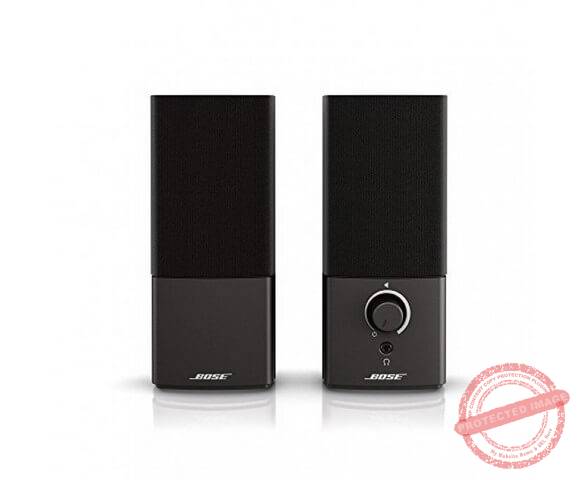
Best premium bookshelf speakers: BOSE Companion 2 Series III
“They need a powered amp to sound good but when they do turn on, they sound impeccable

Best budget pick: Logitech S120 2.0
“While fidelity goes for a toss, the ultra affordability of the S120 makes it a winner in our books”

Most portable: Creative Pebble 2.0
“This thing is adorably tiny! And the sound isn’t half bad either.”

Computer speakers get the short end of the stick as far as computing hardware goes.

Seriously – how many build videos have you seen where they’ll talk for hours about the specific cable ties they used but never even mention the speakers to go along with the setup?

The truth is that a good pair of computer speakers can make a world of difference to your computing experience.

Music sounds better, YouTube videos are crisper, and gaming feels way more real when the sound is freed from the tyranny of headphones. Throw in a good subwoofer and the low rumble in games – missing from most headphones and built-in speakers – becomes clear.

While headphones have their place, I always encourage people to invest in a good set of computer speakers.

Before we do a deep dive into the best computer speakers under $100, let me first clarify by what I mean by “computer speakers”.

The first and foremost requirement for any speakers to be “computer speakers” is that they should plug directly into a computer. This means you should be able to take an audio lead from the speakers and plug it straight into your computer’s built-in audio-out port. If you need a dedicated soundcard or audio interface, or an amp, to use them, they’re not really “computer” speakers.

Thus, two things characterize computer speakers:

  • They are powered, i.e. you don’t need an external amplifier to power them
  • They use standard computer I/O ports, instead of using ports like optical, RCA, etc.

Most speakers listed in this review share these two characteristics. For good measure, I’ve also shared non-computer speakers, such as studio monitors and unpowered bookshelf speakers, for the enthusiasts among you.

Keep in mind that I haven’t considered Bluetooth speakers. While you can certainly use them as computer speakers, a lot of older laptops and most desktops lack Bluetooth support. Which makes Bluetooth speakers less than ideal for use as computer speakers.

With that out of the way, let’s take a closer look at the best computer speakers under $100 you can buy right now.

We use rigorous research, reviews, and real-world performance when recommending products. Our reviewers include producers, performers, and active musicians. You can read more about our review process here. Be advised that MIDINation might earn referral commissions on purchases made through this website. This does not affect your final purchase price.
Note: As an Amazon Associate, MIDINation earns commissions for qualifying purchases made through Amazon links on this page.

The 7 Best Computer Speakers Under $100

Here are seven of my favorite speakers you can buy for under $100 right now:

Logitech Z623

The Z263 is one of the bestselling speaker systems of all time, and for good reason. It does everything you’d want from a set of computer speakers, and it does them well-enough. The bass is loud, the trebles sharp, and even the mids – the Achilles heel of so many speakers – are robust and clear. Depending on the sale, you can even get them for under $100.

The Logitech Z623 is our best 2.1 system. The excellent speaker comes from one of the most popular brands on the market. Logitech is known for making budget electronics that still manage to deliver impeccable performance. It is hands down one of the best computer speakers for the money as it offers impressive performance and good value for money.

The design is one of the things that makes it nice. It comes with three components – a pair of satellite speakers and a powerful subwoofer. The speakers are 7.8 x 5.6 x 5.4″. Therefore, they are very portable and can sit on your desk without taking up plenty of space.

The design of the speakers includes rubber feet to improve stability and reduce any vibration or shaking while playing music. The controls are on the right satellite speaker while the left speaker has just the driver. The controls include power, bass, and volume.

The subwoofer, on the other hand, is in an 11.9 x 11.1 x 10.4″ casing, while its exact size is around 7″. Nevertheless, it delivers some of the most powerful audio performances we have come across at this price level.

Performance is good across all levels. While Logitech is renowned for mice and keyboards, these speakers are a reminder that they are also excellent at other devices. The sound performance here is outstanding and produces clean notes and a road midrange. If you have a house party, the Logitech Z623 is loud enough to get the party going. One of the best features of these speakers is the magnetically shielded drivers behind the grills. These dissipate heat and focus the acoustic energy, thus making the performance more efficient.

The subwoofer is the best at this price range. It provides clear, powerful bass that will rattle your windows at the highest volumes. It is ideal for watching movies, listening to music, and all the things you’d use a subwoofer for. Due to the 200W RMS power, the subwoofer gives you the best sound with little or no distortion.

The audio quality is great and will serve you well if you are looking for a gaming speaker. You enjoy optimal listening as these speakers are omnidirectional.

What I don’t like

Well, if there is a downside of the Logitech Z623, it is that the extension cable is rather short. However, it is still okay if you are using it mainly as a computer speaker.

Recommended for: If you want an affordable, THX-certified speaker for your movies, music, gaming, or even house party, then we recommend the Logitech Z623. For the money, it’s easily one of the best computer speakers under $100.

Best Mid-Range Speakers: Creative Labs GigaWorks T20 Series II

While 2.1 speakers are the most common option for PC audio rigs, being popular doesn’t make it the best option. True, 2.1 speakers can give you excellent sound performance. But because of the poor cross over and subwoofer, you will have a scattered sound performance. That is why a set of 2.0 speakers will be a better option. And the Creative Labs GigaWorks T20 Series II are some of the best options in this category. These are arguably the best speakers from the company and will deliver some incredible performance considering the budget price.

Right out of the box, it is clear that these mean business. The design is very sleek and will stand out on your desk. The pair of speakers come with a low/mid-range driver each and a high range tweeter. Due to this design, they are slightly taller than you might be used to. Nevertheless, we found the metallic grey plastic appearance quite appealing.

The front of the right speaker has the bass, volume, treble controls. It also has ports like the headphone jack and the AUX. You can connect this speaker to a PC or other device. The package contains an adapter as well for you to connect the speakers to your gaming console or some other compatible device.

The BasXPort is a porthole that enhances the mid-range tones, which is one reason why we regard the Creative Labs GigaWorks T20 Series II as the best mid-range computer speakers on the market.

Sound performance is one of the best on this roundup. The sound is pretty clear, and there isn’t any distortion or muddy sound. You get a beautiful sound with impeccable mid-range, defined bass lines, and a warm sound that feels great. During our testing, we played different types of music with the speakers, and we are glad to say that performance was generally unbeatable. Aside from playing music, gaming with these speakers is also cool and gets the job done.

What I don’t like

There isn’t much to dislike about these speakers. While the Creative Labs GigaWorks T20 Series II sounds impressive at high volumes, it isn’t as great at normal or moderate levels. The bass is subdued.

Recommended for: These are superb 2-channel speakers that give excellent value for money. If you are on the lookout for speakers that look smart, are easy to install, and importantly, give great sound, then the Creative Labs GigaWorks T20 Series II is easily one of the best computer speakers under $100 as far as value for money is concerned..

Best Budget: Logitech S120 2.0

The third product on this roundup is the Logitech S120 2.0 model. While it has been around for some time now, it still delivers some nice performances and has features that make it the best budget option you can find.

It sports a 2.0 stereo system that gives every sound a nice, warm punch. It sounds pretty clear and crisp, and you would certainly be pleasantly surprised by the sound quality it gives. The design is nice and compact, which allows you to fit it almost anywhere in your home or studio.

With a nice frequency range of 50Hz–20KHz, these give excellent response bandwidth, especially when price and size are considered. Additionally, the 2.3Watts power is sufficient for your needs and will certainly prove to be an upgrade over your systems’ normal sound.

There are several useful inputs like the headphone jack.

Overall, these speakers give a rich, immersive sound that is way better than what you’d expect from them.

What I don’t like

There is very little bass from these speakers, which isn’t a big surprise when you consider the small size and budget range.

Recommended for: Anyone looking for an ultra-affordable speaker set that will just get the job done. If you want basic sound quality and don’t care much about finesse or fidelity, these are the speakers for you.

Best Bookshelf Speakers (Powered): Edifier R1280T

If you want an upgrade on your laptop and desktop speakers, then you will likely fall in love with the Edifier R1280T Powered Bookshelf Speakers. This product comes in a conventional bookshelf design and has plenty of power packed into the wooden body. It is affordable and represents a means of upgrading your computer audio without breaking the bank. The design here is a major selling point of the Edifier R1280T Powered Bookshelf Speakers. If you are a retro-style lover or a minimalist, chances are high that you would fall in love with the design. The speakers have a neutral appearance that makes them look premium and powerful.

This unit has a pair of 4″ primary woofers and a dedicated tweeter inside the pair. The speakers share 42Watts RMS. Connections are pretty straightforward with two active RCA audio jacks.

The right speaker has the knobs for volume, treble, and bass control. There aren’t a lot of connections or wires, unlike the Bose we reviewed above. It looks vintage and dated with a single concession to modernity being the included remote. Therefore, the setup is pretty easy. One of the things I loved about these speakers is that the active inputs mean that you don’t have to switch them with a monitor or have a complicated cable setup.

The audio power is excellent if you are looking at small applications. It comes with an excellent midrange, and the highs are very clear as well. Therefore, you would have an enjoyable time listening to music or playing games on the speaker. One problem many people have with budget speakers is the sound quality. Well, that isn’t a problem with these speakers. The bass performance is notably impressive, and the speakers do an excellent job. Sub-bass notes also sound great.

What I don’t like

While there is a lot to like about these speakers, they come with some drawbacks. One of the issues we have is that the power cable is fixed. Additionally, although the sound performance is generally great, we observed some distortion on low bass.

Recommended for: Due to the good sound quality, this is recommended for an office or bedroom setup. It also looks pretty great for any desk setup. If you’re in the market for bookshelf speakers and don’t care about the subwoofers, then these are easily among the best computer speakers under $100 on the market.

Most Portable Speakers: Creative Pebble 2.0

The Creative Pebble 2.0 is, according to the manufacturer, inspired by Japanese pebbles. Well, we want to believe so as these are the smallest options on this roundup. The Creative Pebble 2.0 offers a powerful, teeny solution to desktop audio. It has 16 Watts of power and is USB-powered.

The design of these speakers is obviously what you’ll first notice. It is shaped like a rock, with a rounded design. There are plenty of size advantages to this design because it doesn’t take up plenty of space on your desk. The speaker also has a simple, matte black, plastic finish that will blend in with your desk. The finish looks sleek and is pretty easy to clean too.

The pair of speakers have a 2″ driver on the front and a passive subwoofer at the rear. With the 45-degree driver, the sound is blasted straight at you and generally makes it more pleasant to listen to. As with most of the models we have reviewed, most of the action and controls lie on the right speaker. It has the USB and AUX ports, volume control, gain switch, and power LED. Both speakers have rubber feet to reduce vibration when playing music.

Sound quality is impressive on the Creative Pebble 2.0. It is easy to assume disappointing sound due to the small size, but we were pleasantly surprised by what we got out of this model. While the speakers sound bright, it is aided by the passive subwoofers that give it the bass boost it needs.

What I don’t like

First, the USB only gives power to the speakers. They don’t have the flexibility to work for the power and audio via the USB.

Recommended for: If you want a pair of budget speakers that will take up as little space as possible on your desk, then you should consider this model. Finding decent sound on speakers that cost so little is hard, but you get that with the Creative Pebble 2.0. If portability and low price are a top priority, then the Pebble 2.0 is arguably one of the best computer speakers under $100.

Best Bookshelf Speakers (Unpowered): BOSE Companion 2 Series III

The Bose brand makes some of the best headphones on the market, with models that rival the best from any other company. The company’s BOSE Companion 2 Series III is an impressive model of computer speakers that deliver premium performance across board. It is one of the highest-rated options in the market and is truly a good speaker system.

The design of the BOSE Companion 2 Series III is simple, and since it was released some years ago is a tad dated. It has a relatively clean design, but unfortunately, there are plenty of wires that can make your desktop look a bit cluttered. The speakers themselves look great and are more expensive looking than the actual cost. The right speaker has all the ports from the computer connection port, power port, left speaker port, and AUX port. In general, the design is quite simple and nice, although some things could be better.

Performance, on the other hand, makes up for any issues with the design. While the BOSE Companion 2 Series III comes in a small, lightweight, and compact design, it has some serious power. Bose is renowned for the volume of its speakers, and this model is certainly no exception. It is pretty loud and will be satisfactory for your listening party or movies and gaming.

Loudness and audio quality are not the same, so how do these loudspeakers fare in the audio quality department? Well, it does surprisingly well. It gives a broad sound space that makes for enjoyable listening. The bass response is great, and when watching movies, you can hear dialogue quite clearly.

What I don’t like

There are a couple of issues with these speakers. First, there are just too many wires that will leave your desk cluttered. We also did not like that the AUX cable is somewhat short. Sound-wise, the bass response is alright but lacks tightness due to the lack of a dedicated subwoofer.

Recommended for: If you have a way of powering these up (i.e. an amp), then you’ll love both the loudness and fidelity on these Bose speakers. There’s a reason Bose is such a venerable name in the casual-audiophile industry – you just have to hear these speakers once to believe it. For sheer sound quality, I rank the Bose as one of the best computer speakers under $100.

Best Studio Monitors: Mackie CR3

Lastly, we have studio monitors. For the uninitiated, studio monitors are designed to be used in a production environment to “monitor” sound. Thus, most monitors tend to be tuned flat, which means you get the most accurate sound possible.

The downside is that you can’t plug studio monitors directly into your computer. You need an audio interface that can handle their standard I/O option – RCA. This makes them inaccessible to most customers, but if you can spring for a cheap audio interface like the Focusrite Scarlett Solo, you will have a fantastic and accurate sound system.

Back to the Mackie CR3.

Finding good quality audio on the smaller side can be a challenge, but with the Mackie CR3, you have a nice, affordable solution to that challenge. The Mackie CR3 comes with features that promise to give you sweet, warm sound at a great price.

It comes in a compact, 3″ size that makes for an excellent addition to your small studio or an upgrade to your computer sound system. The build quality is great, although it isn’t as impressive as what you’d find on a more expensive model. It is rugged and will last. However, you should still use them responsibly and carefully; these are, after all, budget models. The design is punchy with the matte vinyl coating making it appear smart and premium. The green accents on the speakers are also a nice addition.

Sound quality is great on these speakers- especially the mids and the highs. They offer a flat sound which is certainly an upgrade over your computer speakers.

Inputs are one area that the Mackie CR3 excels. The front has a headphone and AUX input which makes it more flexible than many other models. You also get balanced and unbalanced connection options at the back of the speakers, with a left and right selection switch. Thus, you can select where you want the main speaker to be.

What I don’t like

The Mackie CR3 lacks in the bass department. Considering the size, this is not very surprising.

Recommended for: Musicians, producers, and anyone who either has access to an audio interface, or is willing to spend money on one. The CR3 is the most entry-level studio monitor you can buy, but even the most basic “entry-level” monitor blows most computer speakers out of the water its fidelity. For amateur audiophiles and aspiring musicians, the CR3 is one of the best computer speakers under $100.

Over to You

A good speaker setup can instantly upgrade your computing experience. Choose from our list of the best computer speakers under $100 to get fantastic audio for cheap.

For more recommendations and advice, don’t hesitate to reach out to me here.

Check our other recommendations

References:

Changelog
  • October 20, 2020: Article first published

The Best Computer Speakers Under $100 2026 Read More »

The Best Budget Electronic Drum Kits for Beginners 2026

Become a better drummer with our pick of the best budget electronic drum kits

Our Top Picks

Best entry level: Alesis Drums Nitro Mesh Kit
“Incredibly affordable yet surprisingly well-rounded – ideal as your first electronic drum kit”

Best practice kit: Roland TD-1K
“Acoustic-like performance and budget-friendly price make it perfect as a practice kit”

Most acoustic-like performance: Roland TD-17KL-S
“Incredibly detailed sounds and responsive drum pads make this the closest acousic-like kit in the budget category.”

Best for serious drummers: Alesis DM10 MKII Pro Kit
“It’s expensive for beginners but also well worth the price”

I get it – nothing beats the feel of real drums.

I’ve tried them all – drum machines, electronic kits, pads, even obsessively optimizing MIDI notes in Ableton to make my drums sound more natural.

But nothing quite feels the same way as real drums.

There are, however, some practical considerations. Practicing drums is how you ruin relationships and get kicked out of apartments. The last real drum kit I had was when I was still in school and could have my parents’ basement all to myself – with the nearest neighbor half a mile away.

Which is why I’ve turned exclusively to electronic drum kits.

Sure, you have to compromise a little. But in exchange, you get way more kit-per-kit (i.e. each kit can have multiple drum sounds) and, more importantly, you get complete privacy. You can practice all of Danny Carey’s drum solos and no one would even know about it.

That’s besides the fact that modern electronic drum kits are becoming fantastically good. Gone are clumsy, spongy pads. Modern kits now have pretty responsive mesh pads that offer accurate feedback and bounce. If you go higher up the price chart, you get some kits that can replace the real thing in 95% of cases.

In fact, as I’ll cover in this guide to the best budget electronic drum kits, you can get a lot of value from the cheapest segment of the market as well. If you’re new to electronic drums, or even drumming in general, I highly recommend this segment – you get great value for money and equipment that punches above its weight.

We use rigorous research, reviews, and real-world performance when recommending products. Our reviewers include producers, performers, and active musicians. You can read more about our review process here. Be advised that MIDINation might earn referral commissions on purchases made through this website. This does not affect your final purchase price.
Note: As an Amazon Associate, MIDINation earns commissions for qualifying purchases made through Amazon links on this page.

The 6 Best Budget Electronic Drum Kits

Let’s take a closer look at our six favorite electronic drum kits for different needs:

Alesis Drums Nitro Mesh Kit

To call the Alesis Nitro Mesh the “best” drum kit would be wrong – it doesn’t meed the performance criteria of most drummers (including yours truly). But it is clearly the best value drum kit in this category, delivering fantastically well-rounded performance and features at a nearly throwaway price. For beginners, I can’t recommend this drum kit enough.

With the ALESIS Nitro Mesh Kit, Alesis offers a total of nine different e-drum kits to drummers. Available on the market since July 2018, Alesis says the Nitro Mesh Kit is the ideal drum set for beginners and drummers who wish to “play like a pro.” For me, these are two worlds. I am therefore curious to see whether an e-drum kit has emerged for both levels of experience.

The box of the Nitro Mesh Kit is around one meter long, half a meter wide, and about an A4 page high. It is therefore very compact. Even from the outside, the kit shows what it can do: An 8-piece drum kit with “Next Generation” mesh drum pads, an 8″ dual-zone snare pad, three 8″ tom pads, three 10″ cymbal pads (one of them with a choke function). There are a hi-hat foot controller and a kick pad with kick pedal as well as tuning and Allen keys. A pair of sticks is also in the packaging. The Nitro Drum Module is the heart of the kit. It has 385 sounds, 40 kits, 60 songs, and much more on board.

Unpacking is easy – each part of the kit is packed in an open plastic bag and protected from the other components in a separate box. I call that simple and functional. Only a few spaces are filled with pieces of styrofoam.

The Alesis Nitro Mesh Kit is a “next-generation” drums kit only from the perspective of a set with fully rubberized pads. However, as initially assumed, it does not go beyond the scope.

With the Nitro Mesh Kit, Alesis offers an entry-level set with modern features at an affordable price. Here, beginners can actually “play like a pro.” But professionals can only play like beginners!

What I don’t like

The Alesis Drum Mesh Kit is designed for a beginner to play like a pro and not vice versa. I also feel the rack columns should be longer. Also, a dome sound is heard when the ride pool crashes.

Recommended for: The Nitro Mesh Kit is the ideal drum set for beginners and drummers who want to start learning and need a modern, competent drum kit. It’s one of the best budget electronic drum kits around, if not for the performance, then for the value for money.

Alternative to Alexis Nitro Mesh: BEHRINGER XD80-USB

For decades, Behringer’s name has stood for devices in the field of audio, recording, and live sound reinforcement. The Behringer XD80 USB is a set of e-drums for beginners.

The package of the Behringer XD80 USB comes “strictly incognito” wrapped in black foil. With a total weight of just under 20 kg, this fits into the ranks of entry-level sets.

The set includes the Behringer HDS240USB sound module with 175 sounds and 15 kits (divided into 10 preset and 5 user kits). It has 60 songs (48 of them as band arrangements for the entire drum set and 12 as pure pattern lines for the snare drum). There’s an 8-piece e-drum set with four 8-inch rubberized dual pads. You also have a kick pad with a pedal, a 12″ hi-hat cymbal with foot controller, and two 12″ dual-zone cymbals that act as a crash and ride.

Everything is fixed on a classic H-rack with brackets on both sides – the lengths and sizes are also sufficient for adults.

When you switch on the module and set the volume to 9 o’clock (this corresponds to an output level of 30%), the sounds blow dry into your ear quite violently. Holla holla!! Then what happens when you turn it up to 100%? However, it is possible to set the volume for each sound/voice.

I noticed that the volume of the headphone output cannot be controlled separately, because the volume control is decisive for both the headphone output and the stereo output. If you only practice individually through headphones, this will hardly bother you. When recording the audio samples, however, this may be an issue and requires a compromise.

The customer gets a solid quality and reliability with the Behringer XD80 USB, but with cuts in the sound quality and other features. The setting options per kit and voice are manageable – this is still okay with an entry-level set. At an under 500 price, this is of course an absolute killer price for an e-drum starter set.

What I don’t like

The rack parts are sometimes sharp-edged. There’s no separate volume control of the headphones.

Recommended for: The Behringer XD80 USB is suitable for beginners and kids who need a starter electronic drum set. It offers better performance than the Alesis Nitro above, but also comes at a higher price tag. Choose this one if you want a more “adult” drum kit but don’t want to pay $1k+ for it.

Most Acoustic-Like Performance: Roland TD-17KL-S

The Roland TD-17K-L is a relatively simple e-drum set compared to the other sets in the TD-17 series. It offers pads for a snare drum with mesh head (8″). There are rubber pads for the toms; a pad for the bass drum and another for the hi-hat with the associated foot controller.

The sound module works without the wireless Bluetooth connection of its larger sibling models. The package includes a rack (Roland MDS-4V) to mount all components in a way that is suitable for drums.

The Roland TD-17K-L impressed me with its high quality and diverse sounds, coupled with generous setting options. Thanks to the many effects onboard, the sounds can be extensively edited and changed. The navigation through the menu is self-explanatory and intuitive.

The fun is great thanks to the low latency and the high-quality pads. The closed hi-hat alone is difficult to achieve with the foot controller.

The Prismatic Sound Technology sound very convincing. The result is a very authentic picture of the individual drums. The modification options are almost endless. The navigation through the sound module is really very simple and self-explanatory. The buttons can be reached directly and thus preserve the flow of the set as much as possible.

I found “Quick Record” to be very useful. The simple way of recording and listening to yourself can help you spot mistakes faster and make greater progress. If the 310 sounds are not enough for you, you can add your own samples to them. This results in even greater customizability. There are minor weaknesses in terms of the dynamics of the crash cymbals, the song selection, and the hi-hat pedal. But the very good sound quality, the ease of use, and the variety of editing options clearly predominate.

What I don’t like

This set is a compromise of slightly stripped-down features, but which are balanced with high-quality sounds. The rubber pads of the toms and the size of only 8″ aren’t really great. The hi-hat pedal is strenuous to play in the closed position and stood in the way of a realistic feel.

Recommended for: Can you do without toms with mesh heads and feel that 8″ pads are a sufficient size and want to relieve your wallet? Then you should take the Roland TD-17K-L into your shortlist. It plays fantastically well and is the closest acoustic-like performer that’s still affordable. For the acoustic performance alone, I rank it as one of the best budget electronic drum kits around.

Best for Practicing: Roland TD-1K

Roland’s TD-1KV can be assembled from the contents of a single, small box. It is easy to set up and should also be quick for beginners. The rack consists of five individual parts that are connected to one another. You just have to make sure that everything is attached in such a way that all screws are facing upwards so that it is easier to access the key later without bending your hands. Otherwise, you can’t make big mistakes.

Once all the parts are in place, you just plug the multicore into the sound module. The cable ends are clearly-labeled and can be quickly assigned to the corresponding pad or pedal. Three large rubber feet give the three-legged structure good stability.
There are 15 play-along tracks stored in the module. The songs motivate you to practice and sound good. The metronome can also be deactivated in “Song mode”. To do this, keep the metronome button pressed, the selection appears in the display. This is useful to practice with the songs without a supporting ‘click’.

The flexible height adjustment of the pads is great, especially for young drummers. The snare can be fixed very far down so that even small drummers can easily reach everything.

The USB interface can be used to directly import any recording software, and the software-internal sounds can also be used. I consider the TD1-KV to be a real price breaker that is equipped with good features. It is quick to set up and takes up little space. The noises from the set are extremely quiet. Everything makes a high-quality impression. The fun is very high on the TD-1KV. The motivation to practice is supported by good sounds, play-alongs, and the coach.

What I don’t like

First, I think the pedals are a bit sluggish. Then there’s only a headphone connection. There’s no further output.

Recommended for: The Roland TD-1KV is especially recommended for beginners. This is thanks to the on-board recording and training functions, with which you can build your skills while checking how you’re progressing. It’s one of the best budget electronic drum kits around for new drummers as well as old hands looking for a second practice kit.

Best Drum Sounds: Yamaha DTX402K

The Yamaha DTX-402K is an upgrade to the previous DTX400 range. It’s an improved version that falls directly into the TOP of the best electronic drums for beginners if we talk about value for money.

Yamaha is playing it safe and the DTX402K is the best example. Compared to its previous version, the toms and pads are quieter and have a better feel when playing. The rack or structure is more stable and compact, perfect if you have limited space.

The Yamaha DTX-402K consists of four 7.5″ mono pads for snare and toms, one KU100 Silent Kick pedal, and 3x 10″ mono cymbal pads. There is a Hi-Hat Controller
Drum rack, cables, and a tuning key. There’s the USB and MIDI connection to synchronize it with the computer. These make the product a complete kit. You have infinite possibilities for editing and improvement thanks to the free software that you can install on your PC.

This connection with the PC is an important criterion which you must look for when buying an electronic drum kit. This synchronization ensures you’ll be able to get the most out of it even when you have more experience.

It also has an App that you can download for free (DTX402 Touch). This lets you modify the kits and settings directly from your mobile. It also allows you to record your tracks. At the same time, you can control the training functions of the module and access video tutorials and skills test challenges.

Another of its great advantages is its value for money. Yamaha is a trusted brand that guarantees an excellent product and the best warranties and technical service. The Yamaha DTX-402K Digital Drum Set is competitively priced for the quality it offers.

What I don’t like

It doesn’t come with a sound system or headset for playing and hearing the sound.

Recommended for: If you want a near-acoustic experience not just in the way the drums play, but in also the way they sound. This is one of the best budget electronic drum kits for performance-inclined drummers. Also works great if you want to record directly from the kit to your DAW.

Best for Serious Drummers: Alesis DM10 MKII Pro Kit

The Alesis DM10 MK2 Studio Mesh Kit is delivered in just one large box. Optimal use of the space in the box leaves hardly any gaps. The assembly is simple; the assembly instructions supplied are helpful if you are not yet particularly experienced. The chrome-plated rack can be set up in just a few simple steps.

The rack, which stands on rubber feet, has a comfortable weight and is very stable. All screws go very smoothly. The supplied Alesis clip-on label can be mounted, but you don’t have to. At least one is given the choice of whether to serve as an advertising medium for the company.

The delivery of the Alesis DM10 MK2 Studio Mesh Kit includes four pads with fabric heads (mesh heads). These are made of plastic, fitted with a regular metal clamping ring, which is covered with a rubber edge to minimize impact noises. With a diameter of 10 inches, the snare and the third tom are larger than Tom 1 and Tom 2. But with a diameter of 8 inches, they are also big enough. All pads can be assigned two sounds. Tom and snare pads also have a built-in sensitivity control, which is installed on the shell edge to the right of the jack connection. The influence of this regulator is not particularly great. The drums can be adjusted a bit to your own needs.

The hi-hat pedal does its job reasonably well. However, if you play the hi-hat in a stepped manner, for example to a ride-cymbal groove, double triggers can easily arise.

The sound module doesn’t sound professional at all. The sound generation comes from the beginners’ league at best. The sounds sound flat, synthetic and the dynamics leave a lot to be desired. Sometimes there are differences; some snare sounds are quite usable, but even these do not come close to the quality of other manufacturers. Unfortunately, I couldn’t find anything satisfactory with the tom sounds.

The Alesis DM10 MK2 Studio Meshkit is operated via sensibly arranged buttons and potentiometers. The surface looks high-quality and chic. I think the recording function is very useful; the practitioner can find this useful. Of course, a metronome is also on board and can be started and stopped with a separate button on the module. The click sound can be selected, as can the time signature.

Unfortunately, the robust hardware of the Alesis DM10 MK2 set cannot make up for the weak sound generation. However, instruments such as electronic multipads are mostly used to expand the sound of acoustic drums and the synthetic sounds are particularly appealing. So, weak acoustic samples can surely take a back seat. These inexpensive pads cost just under 400.

What I don’t like

I feel the quality of the generated sound could be better. A significantly higher sample quality (e.g. with multilayer technology) and dynamics would have been better.

Recommended for: The Alesis DM10 MK2, for me, is a robust “grown-up” entry drum kit. It can withstand the brutal blows from a teenager playing punk. It’s also refined enough for soft jazz percussion. While the price might be high compared to some of the others on this list, for serious drummers, this remains of the most affordable, and one of the best budget electronic drum kits around.

Over to You

If you want to be a drummer today, an electronic drum kits is far more practical than a real acoustic kit. Hopefully, this guide will help you zero-in on the best budget electronic drum kits on the market.

For more suggestions and recommendations, email us using this contact form.

Check our other recommendations

References:

Changelog
  • October 22, 2020: Article first published

The Best Budget Electronic Drum Kits for Beginners 2026 Read More »

The Best Audio Interface Under $500 for Home Studios 2026

To find the best audio interface under $500, you have to search pretty hard. This key component of any studio setup has tremendous competition in the low end of the market, and there is little to separate most offerings. To help you out, we out together this list of the best audio interface under $500 you can buy right now.

If you’ve been a regular to this website, you know that I consider many so-called “recommended” purchases frivolous for a home studio. Fancy control surfaces, bulky DAW controllers, monitors that cost $1000+ – these are all nice to have, but you don’t really need them to produce music.

An audio interface, however, remains a must-have. While you technically can make music without it, the poor latency on virtually every onboard soundcard will kill the performance, and along with it, your enthusiasm.

An audio interface offers a way for analog devices to communicate with your computer. From input devices – mics and MIDI instruments – to output devices (headphones and monitors), it acts as an interface for your DAW. And along the way, it offers better latency, faster performance, and better audio quality than anything a computer ships with (doesn’t matter whether it is mac or PC).

So before you buying any other studio gear, consider an audio interface to be a must-have. It is usually the biggest performance bottleneck on most home studio setups. Get this part right and your studio can compete with professional-grade studios in terms of performance.

The question remains: what’s the best audio interface under $500 you can buy right now?

I’ll share some answers below. But if you want quick answers, here are is our list of the best audio interface under $500:

Our Top Picks

Best overall for beginners: Focusrite Scarlett 2i2
“Affordable price and acceptable performance help Scarlett retain its budget-king crown”

Best rackmounted: Focusrite Scarlett 18i20
“While the Clarett preamp is arguably better, Scarlett 18i20’s price & performance are peerless”

Best performance on a budget: Audient iD14
“A tiny audio interface with surprisingly clear and warm audio”

Best for small studios: PreSonus Studio 68
“More I/O options and ease of use make the Studio 68 a winner”

Best audio quality: RME Digiface USB
“Digiface’s crystal clear audio instantly elevates any home studio”

We use rigorous research, reviews, and real-world performance when recommending products. Our reviewers include producers, performers, and active musicians. You can read more about our review process here. Be advised that MIDINation might earn referral commissions on purchases made through this website. This does not affect your final purchase price.
Note: As an Amazon Associate, MIDINation earns commissions for qualifying purchases made through Amazon links on this page.

About your reviewer
Ryan Harrell is the founder of MIDINation and an experienced producer/DJ. His first experience with electronic music production dates back to Cubase 3.0 in the summer of 1997, and he’s been a fan ever since. He prefers Ableton as his primary DAW these days, though he is still partial to Cubase and Pro Tools. He lives in San Diego and freelances as a producer and part-time DJ.

Best Audio Interface Under $500

Focusrite Scarlett 2i2 remains our pick for the best audio interface under $500

Focusrite Scarlett 2i2 (3rd Gen)

Thousands of producers around the world – yours truly included – cut their teeth on Focusrite’s Scarlett range of audio interfaces. These friendly red boxes can be found in virtually every second home studio, and for good reason. With a fantastic mix of performance and price, they offer a great way for home producers to get seriously low latency performance for cheap.

The latest 3rd gen of the ever-popular Scarlett 2i2 improves the performance even further with USB-C compatibility and upgraded drivers. It is a truly plug-and-play device that has just the right number of I/O options to keep every home producer happy. A top pick for anyone looking to build their studio on the cheap.

Focusrite has updated the Scarlett range of audio interfaces, and for less than $500, the Focusrite Scarlett 2i2 is our top pick for the best audio interface under $500.

The Focusrite 2i2 provides more ins and outs than its predecessors with a 2 x 2 interface. The design is quite sturdy and promises to last for quite some time. It is a rectangular shaped powerhouse made of metal and other durable material to ensure it lasts. The Focusrite Scarlett 2i2 has properly labeled controllers.

On the front panel of the audio interface, you have 2 Hybrid XLR ¼” TRS jack inputs. The rear panel has two balanced monitor outputs. Overall, the design of the audio interface looks more expensive than it actually is. Classy, modern, and eye-catching design I am sure many folks will appreciate.

One problem I faced when testing different audio interfaces is the issue of latency. I am pleased to inform you that while testing this audio interface, I did not experience any latency issues. The Phantom Power that the device uses is a welcome addition.

The performance of the 2i2 is quite stunning. It easily rivals that on more expensive models. The onboard preamps are just great. Where other audio interfaces sound drab and bad, the 2i2 produces rich, warm, and impressive sounds.

The 2i2 features gain control that allows you to set your gain levels. The AI on this audio interface notifies you whenever the gain is too high. If you are learning how to use audio interfaces and even if you are a long-time user, this feature comes in really useful.

The audio interface is Windows and MAC OS compatible. However, when pairing with a windows device, you will have to install drivers before using it. With MAC OS, however, it is touch and go since the 2i2 already uses Apple class-compliant drivers.

It is also very compatible with quite a number of DAWs. Logic is especially great with this audio interface. There are no popping sounds or dropouts.

What we don’t like

Although the device is great in most aspects, I had issues with the lack of MIDI I/O. And the 3rd generation Focusrite Scarlett lacks the ability to record from multiple audio sources simultaneously.

Recommended for: This is arguably the best audio interface you can get for less than $500. If you want an audio interface that delivers great performance, has low latency, and is relatively cheap, look no further than this bad boy.

Pros

  • The build is sleek, classy, durable, and appealing
  • The amps are very impressive
  • Relatively cheap and deliver excellent value

Cons

  • It is impossible to record more than 2 audio sources simultaneously
  • Has a reputation of failing after 2-3 years of use

Best Rack Mounted Audio Interface: Focusrite Scarlett 18i20 (3rd Gen)

For the best rackmounted audio interface under $500, look no further than the Focusrite Scarlett 18i20

Key features:

  • 8 analog inputs
  • 10 ¼” line output channels
  • MIDI I/O routing
  • 8 ADAT digital I/O channels

Focusrite nails the budget audio interface space once again with the Focusrite Scarlett 18i20. The 2i2 above might be a bestseller audio interface for certain reasons, but it seems the Focusrite Scarlett 18i20 flew under the radar considering that not many people know the amazing performance it delivers.

It is the top-range of the new 3rd generation audio interfaces from Focusrite. While the Focusrite 2i2 has a 2 x 2 I/O USB interface, this bad boy comes with 18 inputs and 20 outputs! Impressive! And you know what is even crazier? It comes at less than $500. When I saw this audio interface with the number of I/Os I felt it was simply too good to be true.

It comes with 8 Scarlett microphone outputs and 10 channels of digital input. It also adds AIR circuitry and USB type C connections.

On the front panel of the audio interface, there are 2 microphone preamps, XLR/jack. These preamps are all with pad and AIR. They are also switchable to instrument outputs.

The controls on the front panel are easy to use.

I love this audio interface for a couple of reasons. For one, it is very easy to use. It is compatible with almost every digital audio workstation.

During testing, I connected the 18i20 to a Windows PC. I installed the PreSonus Studio One 3 on the laptop. Well, the audio interface smoothly connected with the device. My laptop almost immediately recognized the audio interface and in a short period was ready to use.

If you use the Focusrite Control app, you receive even more support and functionality. Setting up the audio device in the DAW software was very easy, and if you do not find it as easy as I did, there is plenty of help online.

The sound produced from this audio interface was pleasing. I tested it with synths, effects, and microphones. The quality all round was very good. There were no popping sounds, and generally, noise levels were extremely low.

This audio interface can be used as a standalone mixer.

What we don’t like

There is no 80 Hz or even 75 Hz high pass filter. I also did not like that I couldn’t preset the Dim level.

Recommended for: If you are into surround sound mixing, you will find the audio interface ideal. The 20 channel of outputs provides near-limitless possibilities.

Pros

  • Excellent sound quality
  • Preamps are impressive
  • Tons of I/O options

Cons

  • Dim level cannot be preset
  • Build quality is a tad scruffy for the price tag

Best Budget Performance: Audient iD14

Audient iD14 is one of the best budget performance audio interfaces

Key features:

  • 8-channel ADAT Input
  • Burr-Brown Converters
  • All-metal design
  • Discrete JFET DI input

Just because you are buying an entry-level product, it doesn’t mean that you must compromise audio quality. Audient is a manufacturer that keeps this close to heart. Known for the high quality of their products, they leave me wowed once again with the ID14. Although it is not as feature-heavy as more expensive audio interfaces or controllers on the market, it boasts of the same ASP8024 Class A mic preamp circuit used in high-quality Audient products.

It has a compact size that might fool you into thinking it cannot accomplish much. The all-metal casing of the audio interface comes with a microphone preamp, a DI, and double headphone outputs.

The noticeable physical feature on the body is the rotary encoder. This rather large knob serves as a primary monitor volume and as a software controller amidst a host of other functions.

The performance of the Audient is very impressive. At under $500, you will be hard-pressed to find another audio interface that delivers performance as good as that of this device.

It is a USB-powered device as it is also compatible with MAC OS. It has a 48V Phantom Power option, although it doesn’t have as many features as other more expensive options. For example, it lacks polarity inversion, high-pass filter, and other features.

Despite the absence of these other features, by using software, I was able to replicate most of them.

The audio interface has a range of 112 dB.

As for your recordings and vocals, they sound crisp and clear on this audio interface. There are no muddled sounds here. One feature I found really nifty is the iD button. This button activates the ScrollControl function. The rotary encoder controls this function. You can use it to make your work easier. Furthermore, the rotary encoder can serve other functions depending on the type of software you’re using. I used the scroll to control faders, compressor thresholds, and equalizer.

What we don’t like

It has just 1 microphone preamp. I did not like this at all and found it very disappointing. It also lacks a built-in talkback microphone.

Recommended for: As a budget option, it comes with features that are quite surprisingly good. Hence, if you are in the market for a budget audio interface, this will serve your needs.

Pros

  • The preamps sound excellent
  • The build is durable
  • iD Button offers many functions

Cons

  • 1 microphone preamp
  • No built-in talkback microphone

Best for Home Studios: PreSonus Studio 68

PreSonus Studio 68 tops our chart for the best home studio audio interface

Key features:

  • 2 microphone/instruments/line inputs
  • A pair of ¼” TRS main outputs
  • 6 I/O at 192 kHz

The PreSonus Studio 6/8 or 68 is an audio interface that comes at a relatively friendly budget price and contains features that make it impressive.

On the front panel of the audio interface, you will find a pair of XLR ¼” combo inputs. These versatile inputs can be used for mic/line/instruments level sources. On the right side of the front panel, you will also see the responsive gain level knobs and the main level knob.

The level meters are located smack in the middle of the front panel. The rear panel has the pair of XLR ¼” inputs, the headphone output, outputs 3 + 4, the power button, MIDI and SPDIF connections, and the power input.

The audio quality on this interface is satisfactory. It didn’t exactly blow me out of the water, and frankly, it doesn’t sound much better than other audio interfaces that go at half the price.

What we don’t like

Sound quality is not as impressive as some other options within this range.

Recommended for: If you are looking for an attractive audio interface that allows you carry out audio monitoring more effectively, then this is ideal.

Pros

  • It comes with Studio One Artist
  • Beautiful design and build

Cons

  • Mediocre sound quality

Best Sound Quality: RME Digiface USB

In terms of audio quality, you can't beat RME digiface

Key features:

  • 4 optical I/Os
  • 6.3 mm TRS jack
  • Plug and Play technology
  • TotalMix FX mixer

The RME Digiface USB is very easy to use audio interface with nice features.

It comes in a pretty small size and is USB powered. It comes with 1 USB cable, 4 I/O, and a headphone output.

During testing, the low latency I observed was good for my needs, and it was very easy to set up and use.

What we don’t like

I know it is quite small, but it would have been nice to have a headphone control knob on the audio interface.

Recommended for: If you are looking to merge the outputs from more than 2 devices together, then this will be a good choice.

Pros

  • Simple to set up and easy to use
  • Small, compact design
  • Nice overall performance

Cons

  • Lacks a headphone control knob

Over to You

That wraps up our roundup of the best audio interface under $500 you can buy right now. While there are plenty of other options on the market – the audio interface category is a crowded one – these options should be enough for nearly every use case.

For more recommendations and advice, don’t hesitate to reach out to me here.

Also read:

References:

Changelog
  • October 30, 2019: Article published with 5 reviewed audio interfaces.
  • February 12, 2020: Article revised and updated
  • September 17, 2020: Article structure revised and updated.

The Best Audio Interface Under $500 for Home Studios 2026 Read More »

The Best Audio Interface for Logic Pro X 2026

This week, we answer your queries on the best audio interface for Logic Pro X. Although most audio interfaces integrate easily with Logic, some perform better than others. This is both because of hardware (especially better Thunderbolt implementation) and because of software (better Mac compatibility). To help you choose the right gear, here’s our list of the best audio interfaces for Logic Pro X.

Best Overall

Focusrite Clarett 2Pre

  • Great Clarett preamps
  • Affordable price
  • Good integration with Logic Pro
Best Value

Focusrite Scarlett 2i2

  • Affordable USB interfaace
  • Decent performance
  • Solid DAW integration
Best Performance

UA Apollo Twin MKII

  • Top-notch audio quality
  • Low latency, high-fidelity
  • Rock solid build quality

Your audio interface has a massive impact on your production. This is the first piece of gear I recommend to anyone starting on their production journey – before they even get a pair of studio headphones. After all, the audio interface is the hub that connects your hardware (mics, headphones, instruments) with your software (DAW).

As a Logic user, you are spoiled for choice when it comes to choosing audio interfaces. Logic has a massive chunk of the DAW market and is still one of the top choices for serious and hobbyists alike.

Logic users also benefit from Mac’s dominance in the creative fields. Most brands give Mac compatibility a top priority, which means that outside of a few cases, any audio interface you choose will run smoothly on Logic.

With so many options to choose from, how do you select the best audio interface for Logic Pro X?

To help you out, we put together this list of the interfaces available right now, and the features you should consider when buying.

We use rigorous research, reviews, and real-world performance when recommending products. Our reviewers include producers, performers, and active musicians. You can read more about our review process here. Be advised that MIDINation might earn referral commissions on purchases made through this website. This does not affect your final purchase price.
Note: As an Amazon Associate, MIDINation earns commissions for qualifying purchases made through Amazon links on this page.

About your reviewer
Ryan Harrell is the founder of MIDINation and an experienced producer/DJ. His first experience with electronic music production dates back to Cubase 3.0 in the summer of 1997, and he’s been a fan ever since. He prefers Ableton as his primary DAW these days, though he is still partial to Cubase and Pro Tools. He lives in San Diego and freelances as a producer and part-time DJ.

The Best Audio Interface for Logic Pro X

If you’re a Logic user, these are some of the best audio interfaces you can buy right now:

Focusrite Clarett is the best audio interface for Logic Pro X overall

Focusrite Clarett 2Pre

Readers of this blog know that we’ve highly recommended Focusrite’s Scarlett range in the past (it topped our best audio interfaces list). But as good as the Scarletts are, the Clarett range is even better. They feature Focusrite’s top-of-the-line Clarett mic preamps and boast better latency than the Scarletts. This one – Clarett  2Pre – has two mic/line inputs, an innovative ‘Air’ mode, ADAT compatibility, and a competitive price tag.

Everything you’d want in the best audio interface for Logic Pro X.

Focusrite Clarett 2Pre is my best audio interface for logic pro x in this list because its USB range is uniquely designed to offer more exceptional performance, low-noise on mic pres and low distortion. This audio interface features an ultra-linear design which enhances the production of open, clean, and transparent sound, thus giving a more accurate depiction of the original act.

It also features a specially designed new software that makes configuration of the monitor and routing setups easy. Besides, this device is not only simple and easy to use; it also offers a conventional mixer workflow; while allowing for instantaneous access to the internal hardware.

When detached from the source of power, you have no reason to worry. Provided it’s connected to a USB-C port of 15W on the host computer it can still run on the bus power. Therefore, the Clarett 2Pre USB is very portable because the user has one less power supply problem to handle.

What we don’t like:

It comes with only one headphone out port and has latency issues with specific computers. Regardless of where you set the latency, it keeps clicking and popping all through the recording process.

Recommended for: Any serious musician looking for a high-fidelity, low-latency, easy to use USB audio interface for Logic Pro X.

Pros

  • Easy to use – plug and play operation
  • Great USB-C interface
  • Amazing, clear sound

Cons

  • Latency issues
  • Only one headphone out port
Best Budget

Focusrite Scarlett 2i2 3rd Gen

Focusrite Scarlett 2i2 is the best audio interface for Logic Pro X for budget users

Key features:

  • Quickstart tool
  • Focusrite plug-in collective software
  • Two balanced line inputs
  • High-performance converters
  • Includes pro tools in a Focusrite creative pack

This device is not only the best audio interface for Logic Pro X but also the most popular for artists throughout the audio interface genre. The 3rd Gen Focusrite Scarlett 2i2 is designed with two microphones, lines, and instruments input features, thus enabling concurrent playback as well as recording with up to two channels both with self-controllable monitor and headphone outputs.

Focusrite Scarlett 2i2 3rd Gen audio interface comes with two advanced Scarlett mic preamps both with an optional air setting to replicate the air effect and give your acoustic and vocal recordings a cheerful and more open sound.

It is one of the simplest USB audio interfaces made by Scarlett. Provided you have a voice and want to create a quality recording using the guitar; then this 3rd Generation Scarlett Solo is the best choice for you.

What we don’t like

Its audio interface has switched to a USB C connector which requires a separate driver. The new driver drops the connection after an extended period. The bundled software is not ready to use and requires many signups and registration during setup.

Recommended for: Perfect entry-level budget interface for any producer. Works great with nearly every DAW and costs less than most of its competitors.

Pros

  • Sound quality
  • Records without any distortion
  • Compatible with PC and Mac

Cons

  • Software is not ready to use (requires downloads and signups)
Best Performance

Universal Audio Apollo Twin MKII

Universal Audio Apollo Twin is the best audio interface for Logic Pro X for performance users

Key features:

  • Mix with UAD plug-ins
  • Desktop 2×6 Thunderbolt audio interface
  • Near-zero latency
  • Professional quality recording with Apollo A/D and D/A conversion
  • Compatible with Mac and Windows

As with the best audio interface for Logic Pro X, the Universal Audio Apollo Twin MKII is excellent in its way. It offers the best desktop audio interface for conversion and production of typical analog sound. This device comes with a class-leading resolution, real-time UAD processing, and unison preamps.

Apollo Twin MKII takes your desktop music production experience to the next level following the advancement of technology in the present day. Featuring the 10×6 Thunderbolt interface, it is well-suited and compatible with both Windows and Mac devices and allows for recording with near-zero latency, thanks to the full range of UAD powered plug-ins that inventively merges the original features with classic analog tones.

This audio interface records with the first-class Apollo A/D and D/A conversion which is commonly used in most hit records mix with UAD plug-ins. Also, it has new monitor options such as talkback and alt monitor switching that enables remote control of the monitor through Thunderbolt.

What we don’t like

Nothing major – except for the price. We would have liked it more if it came with its own USB cable.

Recommended for: Ideal for anyone recording professional or studio-quality sound.

Pros

  • Easy to configure
  • Professional and quality sound

Cons

  • You need to learn how to use
  • Plugins are expensive
Best Premium Audio Quality

Apogee ELEMENT 24

Apogee ELEMENT 24

Key features:

  • Excellent Logic Pro X integration
  • Microphone preamps
  • Element control
  • Thunderbolt connectivity
  • Apogee control remote

One reason why I consider Apogee ELEMENT 24 as the best audio interface for Logic Pro X is that it can convert a recording from analog to digital and vice-versa. This, as well as ELEMENT 46 and 88, are a thunderbolt audio input and output boxes for Mac. This audio interface comes with modernized, efficient hardware features, and radical software control.

This device features microphone preamps which are essential for recording dynamic vocals, powerful drums, or delicate strings that may require a quality mic preamp to enable it to capture the best details of the act. The Element series also comes with Thunderbolt connectivity functionality that offers rock-solid stability and unbelievably low-latency performance.

Apogee ELEMENT 24 is part of a series designed and intended to deliver the best possible recording quality and performance. The series also takes the most excellent Apogee apparatus such as ensemble Thunderbolt, Symphony I/O MK II and groove and places them into modest form factors.

What we don’t like

The Apogee ELEMENT 24 comes with only one port for the headphone, which limits its performance .

Recommended for: Easily one of the best interfaces when it comes to sheer audio quality. Perfect for anyone who needs serious, studio-grade sound.

Pros

  • Easy to use
  • Works excellently and produces quality sound
  • Incredible price point

Cons

  • Really expensive
  • Only one headphone-out por
Best Rackmounted

PreSonus Quantum 26×32 Thunderbolt

PreSonus Quantum 26x32 Thunderbolt

Key features:

  • Tight integration with Logic
  • Superior sound quality
  • Expandable when you need more I/O – up to 96 in and out
  • n excellent choice for any production environment
  • Fastest audio interface

If you want to record in varied backgrounds, the Presonus Quantum 26×32 Thunderbolt is the fastest audio/MIDI interface and a must-have in my list of the best audio interface for logic pro x review. This system takes advantage of the high-speed Thunderbolt 2 bus with a no-frills, and direct-to-DAW or no DSP added signal path to realize very low latency.

Furthermore, it brings together 192 kHz converters, innovative 24-bit, the dynamic range of 120 dB and Presonus’ recallable XMAX microphone preamps to produce high-quality audio. For additional input and output channels, stack up to 4 Quantum interfaces through the Thunderbolt to introduce a monster 96×96 system.

What we don’t like

If you are using mac devices, it may fail to recognize it because the mac machine blocks it. However, this can be changed in the privacy settings of the device.

Recommended for: Ideal rackmounted alternative to desktop audio interfaces.

Pros

  • Great quality
  • Perfect size
  • Easy to use

Cons

  • Requires permission in Mac devices
Best Mid-Range

PreSonus Studio 68c 6×6

PreSonus Studio 68c 6x6

Key features:

  • Professional quality for small and mid-sized studios
  • World-class recording software
  • Superior sound
  • Designed for the studio and built for the road.
  • Versatile, ultra-high-definition USB-C audio interface

The PreSonus Studio 68c 6×6 is a perfect choice when it comes to producers, small bands, and studios. This audio interface USB-C audio interface can record at a maximum of 192 kHz. It comes with two front-panel combo microphone, line and instrument inputs along with two rear-panel microphone and line inputs, all featuring max preamps.

Other than the primary outputs on the left and right, the PreSonus Studio 68c 6×6 has two balanced line outputs; one for monitor mixing plus MIDI and the other for s/PDIF I/O. It also features a cue mix a/B function that allows for toggling between the two combinations while monitoring via the headphones, and this is suitable to listen in using the performer monitor mix.

What we don’t like

Middle-tier performance and features make it a poor alternative to some of the better alternatives in the same range – such as the Focusrite Clarett – with better preamps.

Recommended for: A good mid-range option for anyone who wants more than 2 input options and is ready to compromise on preamps.

Pros

  • Decent number of ports
  • Decent quality sound; preamps

Cons

  • Slightly overpriced for what it offers

Over to You

Choosing the best audio interface for Logic Pro X isn’t easy, especially considering the sheer number of options in the market. Good integration with Logic is a must, but you also need good quality preamps, decent I/O options, and of course, a robust price.

Pick from these options to find the best interface for Logic available right now.

For more recommendations and advice, don’t hesitate to reach out to me here.

Also read:

References:

Changelog
  • March 6, 2020: Article first published
  • September 18, 2020: Minor article updates

The Best Audio Interface for Logic Pro X 2026 Read More »

The Best Audio Interface for Live Performance in 2026

If you’re performing live, you have very specific requirements from your setup. While you might prioritize pristine sound quality in your home studio audio interface, live performance demands low latency. To help you find the right interface for live gigs, we put together this guide to the best audio interface for live performance.

Performing live isn’t easy.

Stage fright and hostile audiences aside, you need very different gear for performing live than you would in a studio setting. You have the luxury of plugging in/out instruments and recording them over multiple tracks at home. You would also prioritize sound quality above all else in a home studio.

But in a live performance, removing instruments or tolerating high latency isn’t an option. If your audio interface doesn’t have latency below 14ms, your performance will suffer.

You also need an audio interface that can accommodate all your instruments. This will vary greatly depending on the kind of music you want to play.

I haven’t even talked about the great debate between audio interfaces and mixers for live performance.

So to answer all your questions and help you find the best equipment for your gigs, here’s our detailed guide to buying the best audio interface for live performance.

We use rigorous research, reviews, and real-world performance when recommending products. Our reviewers include producers, performers, and active musicians. You can read more about our review process here. Be advised that MIDINation might earn referral commissions on purchases made through this website. This does not affect your final purchase price.
Note: As an Amazon Associate, MIDINation earns commissions for qualifying purchases made through Amazon links on this page.

About your reviewer
Ryan Harrell is the founder of MIDINation and an experienced producer/DJ. His first experience with electronic music production dates back to Cubase 3.0 in the summer of 1997, and he’s been a fan ever since. He prefers Ableton as his primary DAW these days, though he is still partial to Cubase and Pro Tools. He lives in San Diego and freelances as a producer and part-time DJ.

Read This Before Buying

The first thing I would ask you is:

Why do you want to buy an audio interface for live performance?

This isn’t a rhetorical question – using an audio interface isn’t necessarily the right path for many situations. You’re generally better served by a mixer that you can plug all your gear into.

So let’s backtrack.

When you’re performing live, your setup will most likely look like this:

A mixer best setup
With a traditional setup, instruments and mic inputs are processed separately and sent to a mixer, which then sends the output to a PA system

This is the traditional live performance I/O map. This has three components:

  • Sound production/capturing equipment, such as microphones, guitar, synths, etc. that plug into a mixer
  • Sound mixer that captures all these signals, “mixes” them, and sends them to a desired output
  • Speakers and monitors that plug into the mixer and produce sound. Usually one channel is for the audience (the PA system) and one for the musicians (in-ear monitors)

With this traditional system, the mixer does the heavy duty job of mixing all the signals together. You plug in your guitar into an effects unit, which goes into a mixer. The mixer takes another signal from a microphone, mixes the two together, and sends them to a pair of speakers.

Mixers work great in live settings since they have low latency and tons of I/O ports. You can often plug 16+ inputs into a single mixer, which is enough for most live bands.

But a traditional setup isn’t right in every situation, especially if you already plan on using your computer as an effects box.

In this case, you can use the computer as a mixer and use it to capture and reproduce audio signals.

And to capture audio signals, you’ll obviously need an audio interface.

With an audio interface system, your live performance setup might look like this:

An audio interface-laptop based setup
With an audio interface based setup, instrument and mic inputs are sent to a laptop via an audio interface. The laptop also doubles up as a mixer and sends the signal back to the audio interface, which then outputs it to the PA system

In this case, your guitar and microphone would plug straight into the audio interface (you can also plug the guitar into an effects box before). The audio interface would plug into your DAW which can act as an effects box as well as a digital mixer. Once the signal is processed, the DAW would send it back to the audio interface from where you can output it to a pair of speakers and in-ear monitors.

If you’re a home producer, you are likely much more familiar with this setup. Which is why it has become much more popular recently.


Why Choose an Audio Interface (Instead of a Mixer)?

This brings up the obvious question – why would you want to buy an audio interface and not an audio mixer?

Three reasons why:

  • An audio interface can do double duty in a home studio as well as be useful in a live gig – a major positive for cash-strapped artists
  • Audio interfaces usually have better analog-to-digital (A/D) converters and hence, offer better audio quality
  • Using the audio interface + DAW system makes it possible to use a huge array of effects and plugins
  • New audio interfaces have a large number of I/O options
  • Needs less equipment since the DAW can act as an effects box

Recently, I performed live at a bar and needed a guitar + mic. I brought my trust RME Babyface to the stage, plugged my guitar and microphone into it, and plugged the Babyface into my computer. I used Guitar Rig Pro to create effects for my guitar, and turned my laptop into a digital mixer. Altogether, I needed no new equipment and could essentially reboot my home studio setup on stage.

Of course, it’s not all roses and rainbows – there are some situations where you might not want to use an audio interface:

  • Most audio interfaces don’t have enough I/O ports for a large live band
  • Since audio interfaces focus on signal quality, their latency is typically higher
  • Good quality audio interfaces with lots of I/O ports are more expensive than equivalent mixers

This is a horses for courses situation. I can’t say that a mixer is definitely better than an audio interface, or vice versa. You’ll have to factor in your own requirements, how you play, and what kind of I/O options you need.

On that note, here are a few things to keep in mind when buying the best audio interface for live performance:

1. Keep a close eye on the latency

Poor latency can break your entire live performance setup. While most audio interfaces do a good enough job of managing latency in a home studio setting, you’ll likely have multiple instruments connected to it at the same time. Moreover, if you’re using the DAW as a digital mixer, you’ll have several effects on it as well.

Does the audio interface perform as well in such constraints? Does it give you “instant” latency (usually under 25ms though 10-14ms is ideal)?

Also note that in some situations, you might plug the audio signal from an audio interface into a mixer again, especially if you have multiple audio interfaces to accommodate multiple computers or instruments. In such settings, the latency will drop even further.


2. Audio quality can take a backseat

Noise and interference can destroy your studio recordings.

But in a live setting, these matter far less. Your audience is unlikely to hear the minor interference that can otherwise tarnish a great recording.

So prioritize – latency > audio quality.


3. Number of input.output options is crucial

Lastly, the number of I/O options at your disposal when buying the best audio interface for live performance.

Most audio interfaces really struggle in this regard, especially if you have mic’ed up all your drums (which alone can take 5-6 channels). Even the most common rackmounted audio interfaces such as Scarlett 18i20 have only 8 inputs. This means that if you want to plug in more than 8 instruments at a time, you’ll have to find some workarounds.


4. Consider studio performance as well

I’ve almost never met a musician who bought an audio interface just for live performance. In most cases, they buy the interface for their home studios, then bring it over to a live gig.

Thus, an audio interface that performs great in live gigs but fails miserably in studio settings isn’t an interface I can recommend. Even if you perform live a lot, studio performance should still be the first yardstick to evaluate any audio interface.

Keep this in mind when you make your shortlist. Live performance is fine and all, but an audio interface that doesn’t pass muster in the studio is an automatic reject.


5. Reliability trumps everything

Live setups are inherently more complicated than studio runs. You know exactly what equipment you’ll work with in a home studio. But in a live setting, you can never be sure what equipment that particular gig will have.

Maybe their PA system uses a different type of port. Or maybe you have to borrow a laptop. Or maybe you forgot to pack in your chosen cable.

In all these instances, you want reliable performance. Standard ports, inter-operability, reliable latency across devices and platforms is key for choosing the best audio interface for live performance


6. Build quality is important

Touring is never good on your gear. Airlines mishandle instruments, roadies keep them where they shouldn’t be kept, and the normal day-to-day of live performance takes a toll on hardware.

Make sure that whatever audio interface you buy has the build quality to endure the harshness of touring. You don’t want to arrive at a stage show just to find that the volume control knob is broken or a key port doesn’t work anymore.


On the whole, buying the best audio interface for live performance should be an option only if you:

  • Don’t have an audio mixer and preamp
  • Want to use your computer as an effects box or digital mixer
  • Want to record a limited number of instruments

On that note, let’s look at the best audio interfaces for live performance you can buy right now.

Best Audio Interface for Live Performance

Low latency, plenty of I/O options, good studio performance – these are some of our top criterion for picking the best audio interfaces for live gigs.

Based on these factors, here are our top picks in this category:

RME Babyface is the best audio interface for live performance that you can buy right now

RME Babyface Pro

I’ve recommended the RME Babyface Pro (compare price Sweetwater, Amazon) to most serious musicians I’ve met. And most of my music producer buddies agree – the RME Babyface is a fantastic audio interface, in and out of the studio.

Of course, it doesn’t have enough ports. And of course, it’s expensive. But if you want the confidence of low latency in and out of the studio, you can’t go wrong with the RME Babyface.

The best audio interface for live performance helps you get sound in and out of the computer. If you are a musician, then you need an audio interface so that you can record your guitar, keyboard, drum or any other sound. You can do all that from a computer alone. However, with an audio interface such as RME Babyface Pro, you will make professional-quality recording. This audio interface will help you mix and then master your recording for presentation.

Performance

If you are a sound nerd, the first thing that you will love about this RME baby is the versatility that it comes with. They have included 4 analog inputs from the previous model’s two. The clarity of the preamp will convince you that you did the right thing to get this audio interface. With the room to connect up to 12 inputs, this interface gives you more versatility. Remember, there is the mic preamp that is compatible with ADAT.

Away from the technical jargon, the sound quality that you will get from this audio interface is stunning, whether you are recording through the mic preamps or listening to the playback. The TotalMIX FX software is provided free of charge. It has a learning curve but once you figure out how to use it, you will become a sound master yourself.

The drivers are quite good and whether you use this audio interface on Windows or Mac, they do not affect how your computer operates.

What we don’t like:

There is not a lot to dislike in the RME Babyface Pro except perhaps the complicated software. We feel that the learning curve should be shorter especially for beginners.

Recommended for: This audio interface is best for both home and office sound production enthusiasts. Beginners as well as advanced users can use this interface although the learning curves will be different depending on experience.

Pros

  • Brings versatility to your home or studio production work
  • Pristine sound whether from playback or recording via mic preamps
  • Stable drivers and minimal to zero latency
  • Built to last, with strong aluminum casing

Cons

  • It does not power your iPad

Best Budget Pick: M-Audio M-Track 8X4M

The M-Audio M-Track is the best audio interface for live performance if you're on a budget

Key features:

  • 24-bit 192kHz resolution
  • 4 crystal preamps
  • MIDI input-outboard gear
  • A/D converters
  • Bass and guitar direct 1/4 –inch input
  • USB-C port is quite fast, also compatible with USB 2.0
  • Compatible with Mac 10.11 and later and Windows 7 and later
  • Comprehensive software suite with Ableton live, ProTools and others

If you are looking for a small audio interface that is both externally powered and USB powered, you can get this M-Audio M-Track 8X4M. It comes with a comprehensive software suite with Ableton Live Lite, Strike, Expand!2, Pro Tools and Mini Grand. With so many versatile features, this audio interface will turn you from amateur to a pro.

Performance

For studio-grade recording, the M-Audio M-Track 8X4M is going to exceed your expectations. The 24-bit/192kHz resolution, combined with the four XLR and ¼ TRS inputs, two ¼-inch line inputs, two ¼-inch instrument inputs and two ¼-inch headphone outputs enables you to capture any sound. You can connect anything that you need to mix your sounds.

You should also not forget the large metal knob that is located at the middle of this audio interface. Its work is to dial in the volume of the studio monitor. For flexibility, the headphone outputs have their own volume controls.

What I don’t like

I wish they would supply this unit with a longer USB cable. Honestly, that is the only complaint that I can find about this audio interface.

Recommended for: For its incredible low latency, the clear preamps and the large dial knob for studio monitor volume, this is the best audio interface for live performance for home or studio if you’re on a budget and need a jack-of-all trades interface.

Pros

  • No latency in sound capture
  • Comes with complete software suite
  • Captures sounds as they are, with high clarity
  • Robust build

Cons

  • Included USB cable is short

Best I/O: PreSonus Studio 1810c 18×8

The PreSonus Studio 1810c is the best audio interface for live performance if you want a lot of input and output options

Key features:

  • Audio quality is 24-bit/192kHz
  • 4 microphone preamps
  • 4 ¼-inch jacks
  • 8 TRS balanced ¼-inch outputs
  • Compatible with Mac and Windows
  • Headphone control
  • 6 ladder LED for monitoring

The PreSonus Studio 1810c 18×8 (compare price Sweetwater, Amazon, Guitar Center) is a sound producer’s dream come true. The sound output is incredibly warm and clear. One other thing that you will love about the 1810c is that it is easy to set up

Performance

This audio interface comes with one of the best music production software – PreSonus Studio One Artist. This versatile software is designed to work with almost all Windows and Mac operating systems. This interface can record a maximum of 18 inputs simultaneously and this includes S/PDIF and ADAT.

With the line output/DC-coupled, PreSonus XMAX microphone preamps and the MIDI input/output, you can see this is a comprehensive home or studio music-recording outfit. The sound is indeed supreme with the excellent converters that in combination with the XMAX preamp mics, will give you incredible lows and silk-smooth highs all the time.

What I don’t like

This is an awesome audio interface but the only thing that I do not like about is the position of the microphone jack, which is at the back. This is not very accessible especially as we have to plug and unplug the mic all the time.

Recommended for: The PreSonus Studio 1810c 18×8 audio interface is a good investment for professional as well as amateur music producers. It is simple enough for beginners and packs enough features to excite an old hand in music production.

Pros

  • Simple to use – you can be up and running in minutes
  • Really high quality sound especially for the lows
  • Solid build – can survive abuse that comes with traveling often

Cons

  • • Getting support online can be a hassle


(compare price Sweetwater, Amazon, Guitar Center)

Best I/O (Budget): Tascam US-16×08

The Tascam 16x08 is the best audio interface for live gigs if you want a lot of I/O options on a budget

Key features:

  • Has 16 mic inputs
  • 8 mic preamps with ultra-HDDA quality
  • Direct guitar and bass recording through two of the 8 line inputs
  • Low latency built-in DSP mixer
  • Stable drivers for Mac and Windows
  • Headphones and line outputs have their own volume controls
  • Sleek style for easy transport and storage

The Tascam US-16×08 is one of the most powerful, best audio interface for live performance that you can buy. It is sleek in style and design and is therefore quite appealing, both in performance and aesthetically. The all-metal case ensures durability and protection in case it drops, or something falls on it. For all of your home of studio recording needs, the 8 microphones, 8 line inputs and outputs should be enough for you.

Performance

The mark of quality for any audio interface is the sound quality and it does not come any better than this one. It is crystal clear and quiet. The highs may sound a bit overstated, but they are really good. In overdrive, there will be some distortion so it is best that you do not go there.

Latency is low, but when you need to raise the ASIO buffer size, the latency may increase. Generally, at 24-bit/96kHz, this is considered great because latency is almost non-existent. If you would like to record your electric or acoustic guitar or bass, just use the Amp Simulator Software to switch up the first two channels. There are no guitar plug-ins, so you will have to buy them separately.

To enhance the performance of the Tascam US-16×08, you get the High Definition Discrete Architecture – Ultra-HDDA, a high quality preamp mic design that has a high sound to noise ratio of 100 dB. With this kind of ratio, you can be sure that noise will practically be non-existent.

What I don’t like

You cannot use this audio interface with more than 8 microphones because the mic preamps are only 8, with the other 8 being line inputs. Thus, if you need to mix sound with more than 8 mics, you will miss out or you may even find the need to get a bigger mixer.

Recommended for: We would recommend the Tascam US-16×08 for people looking for a light-duty to medium-duty sound mixer for their home and studio needs.

Pros

  • Overrides the sound card in your computer thus you can record straightaway
  • Loud because it uses external power
  • Works with many music production software

Cons

  • Low power USB ports on computer might not work with this interface

Best for Latency: Roland OctaCapture USB 2.0

Roland Octa-Capture is the best audio interface for live performance if you want low latency performance

Key features:

  • Low latency thanks to the stable STREAMING VS driver
  • Four direct mixers that are controlled differently from the software
  • 8 XLR ¼ -inch mic preamps
  • Compatible with all of the DAW platforms on Mac and Windows
  • The AUTO-SENS can set up the right input levels for every preamp
  • Bundled software for music production

If you are looking for a programmable audio interface that can stick with you through the thick and thin of your music production journey, this is it for you. You will get low latency audio input and output thanks to the 24-bit/192kHz resolution. But that is nothing new since it is what we get with most audio interfaces today. So what is it that really puts the Roland OctaCapture USB 2.0 in a class of its own? Find out in the performance section coming up below.

Performance

To test your Roland OctaCapture, just plug in your mic and start to track sound from different sources and soon after, you will start to feel the tonal quality that OctaCapture brings. Layered compositions especially perform excellently on this audio interface, something that saves you from having to plug and unplug microphones all the time.

Because of the premium components in the analog circuitry, you will find that the OctaCapture does not require all those switches and knobs as you may have seen in other interfaces. Thanks to the AUTO-SENS feature, you can just select the channels that you need and then the DSP is going to automatically find the optimal input level that is suitable for every channel.

What I don’t like

It is a bit hard to create a multi-channel recording from a single place because of the lack of input level meters on the AUTO-SENS software interface.

Recommended for: This audio interface is the best audio interface for live performance, recommended for both home and studio music production enthusiasts. With the 7th and 8th channels made for the extreme signals such as you would get from kick drums, this is a pretty pro-quality audio interface.

Pros

  • Monitor mix is excellent as it allows you to make up to 4 mixes for the mic preamps
  • Even when tracking maximum tracks, latency is quite low
  • Refined playback with good balance even when playing at high volume

Cons

  • No LED to show where phantom power is turned on

Best for Studio + Live Use: Focusrite Clarett 4Pre

The Focusrite Clarette is the best Thunderbolt audio interface for mixed use in studio as well as live gigs

Key features:

  • Supports Mac OS 10.11 and later and Windows 7 and later
  • Air feature for modeling the sound of the Clarett 4Pre
  • 4 ¼-inch line outputs, S/PDIF output/digital
  • MIDI output-5 pin
  • 2 outputs for stereo headphones
  • 4 ¼ -inch line inputs, 5 pin MIDI input
  • ADAT to expand by 8 extra inputs
  • FocusRite Control Software

With MIDI inputs and outputs, 4 microphone preamps, desktop microphone stand, Rockville PRO M50 headphones, and so many other features make the FocusRite Clarett 4Pre a professional-grade audio interface.

Performance

The software is one of the outstanding features of this audio interface. Once you learn how to work with it, you will enjoy low latency all the time. One of the ways to do this is by routing the inputs direct to the outputs. This eliminates the need for the input signal to go via your computer so that it can get to the output.

You will also find this interface very versatile. It is compatible with USB type 2.0, 3.0, 3.1 ports and Thunderbolt 3 port. Thus, you do not have to upgrade your computer just so you can use it with this interface. The Air effect is an awesome addition as it is going to boost the mids and the highs giving high quality sounds especially for the guitars and the vocals.

What I don’t like

There is no onboard processing, something that makes it hard to execute some functions such as making a high pass since it must need the DAW intervention. Also, even with the inclusion of Ableton Lite Live, Softube, XLN Audio and others, the price is still a bit high.

Recommended for: The FocusRite Clarett 4Pre is best for professionals especially as it requires you to make the full use of the FocusRite Control software. It has advanced features that a beginner may find intimidating. For advanced users, this is the best audio interface for live performance.

Pros

  • Full software suite for music production
  • Compatible with latest Mac and Windows systems
  • Clear and smooth sound even at mids and highs

Cons

  • FocusRite Control is a bit complex to navigate especially if you are a beginner.

Over to You

Picking the best audio interface for live performance can be tough. You have to balance the durability and reliability of touring gear with the audio quality of a studio performer. Something that can do double duty in the studio as well as the stage can be incredibly challenging.

Hopefully, this article would have helped you choose the perfect audio interface for live gigs.

For more recommendations and advice, don’t hesitate to reach out to me here.

Also read:

References:

Changelog
  • March 1, 2020: Article first published
  • September 18, 2020: Minor article structure changes

The Best Audio Interface for Live Performance in 2026 Read More »