Ryan is a part-time DJ and full-time producer with over 15 years of experience. His interests span genres and includes everything from Classic Rock to EDM and Bollywood. He primarily works in Ableton, though he is also well-versed in Logic.
Make your parties come to life with the best microphones for karaoke.
Best Microphones for Karaoke
Best overall: GTD Audio U-35H “Two mics and wireless receivers make the GTD ideal for small parties”
Best handheld system: BONAOK Karaoke Microphone
“Easy to use portable system that punches way above its weight”
Best multipurpose mic: Shure SM58
“A world-class standalone mic that’s as good for karaoke as it is for studio recording & live shows”
Best karaoke machine: EARISE T26
“This speaker and mic combo is all you need to start a karaoke party”
Did you know that karaoke is over 50 years old?
It was way back in 1967 that Japanese engineer Shigeichi Negishi developed the first karoke machine prototype. Japanese musician Daisuke Inoue, a drummer, later modified this prototype to create the first commercial karaoke machine in the early 1970s.
That’s over 50 years of being a party mainstay across the world – quite an accomplishment!
If you want to host a karaoke party of your own, you, of course, need a good karaoke microphone.
You can broadly divide karaoke mics into three categories:
Independent karaoke machines: These are usually complete karaoke setups that include mics, speakers, and some sort of processing unit for song selection, pitch control, etc. Some will even include dedicated screens for displaying lyrics.
Microphone systems: These are usually wireless microphone setups designed for karaoke performances. The setup consists of one or more microphones and a receiver unit. The receiver unit connects to the microphones via radio waves or Bluetooth. The unit can also be plugged into a speaker system and screen for showing lyrics.
Recording microphones: These are just standalone microphones. You can hook them up to a receiver unit, a karaoke system, or even build your own DIY karaoke setup with a computer + audio interface. The microphone can range from cheap $20 throwaway units to expensive studio-tier equipment that will offer the best vocal performance.
Depending on your technical experience, needs, budget, and existing equipment, I’d recommend the following:
For casual karaoke sessions: Choose an independent karaoke machine. Though the sound quality isn’t as good, you get an easy to use, no-frills karaoke experience for relatively cheap. Perfect if you don’t want to deal with all the technical hassles.
For serious karaoke enthusiasts/events: If you host a lot of karaoke nights, want to host an event, or run a venue with karaoke nights (such as a restaurant), invest in microphone systems. These can have anywhere from 1 to 16 (or even more) microphones hooked up to a receiver unit. Duets, entire choral arrangements – everything is possible when you have multiple mics to work with.
For recording/podcasting/studios: If you want to record/produce music/podcasts/audio and want to host karaoke on the side, just get a good studio mic. You likely already have the equipment for hooking up the mic to your computer (such as an audio interface). The sound quality will be top notch, though you will need gear and more technical know-how to set up the entire system.
Based on these requirements, I’ll share my pick of the best microphones for karaoke in 2020 below.
We use rigorous research, reviews, and real-world performance when recommending products. Our reviewers include producers, performers, and active musicians. You can read more about our review process here. Be advised that MIDINation might earn referral commissions on purchases made through this website. This does not affect your final purchase price.
Note: As an Amazon Associate, MIDINation earns commissions for qualifying purchases made through Amazon links on this page.
About your reviewer
Ryan Harrell is the founder of MIDINation and an experienced producer/DJ. His first experience with electronic music production dates back to Cubase 3.0 in the summer of 1997, and he’s been a fan ever since. He prefers Ableton as his primary DAW these days, though he is still partial to Cubase and Pro Tools. He lives in San Diego and freelances as a producer and part-time DJ.
The 7 Best Microphones for Karaoke
For the three categories I discussed above, here are my picks for the best karaoke microphones you can buy right now:
EARISE T26
A complete karaoke machine that includes both a speaker and a wireless (Bluetooth) microphone. Think of it as a wireless speaker that also includes karaoke-friendly features such as echo/reverb and track selection. The price tag is super-affordable and the performance good enough for most small parties. A great no-frills, easy-to-use karaoke microphone.
The EARISE T26 is a compact, complete, karaoke machine set with multiple connections. It is available for a medium price and has good audio performance. It is easy to connect to any type of terminals such as a smartphone, tablet, or even a computer. Bluetooth 5.0, TF/USB input, and the classic AUX allow us to have it in operation for about 4 hours with the volume at maximum.
Its power and sound give little to envy about other devices. The Earise T26 has an output power of 6W x 2, a frequency of 20 to 90 HZ, and supports up to 60Db. It is small and portable. The set is ideal for use outside the home as it works with a rechargeable battery that takes 6 hours to be ready to use. It can be operated from the various controls or by using the remote control.
The outdoor speaker with Bluetooth connectivity can deliver hard bass and very high-quality audio. Thanks for the AUX and the Bluetooth input, you can stream music from just any type of device you have. This can be a laptop, mobile phone, iPad, or iPhone.
What I don’t like
The speaker is mediocre at best, and the microphone included with the setup is clearly not top of the line. If you really want to showcase your singing, this isn’t the setup you’d want. But it does what it’s meant to do: offer affordable, easy to use entertainment for small parties.
Recommended for: The microphone is ideal for use outside the home. This is because it works with a rechargeable battery that takes 6 hours to be ready to use. While the sound quality is not top of the line, the ease of use and karaoke-friendly features make it one of the best microphones for karaoke on the market.
Delivered in attractive, quality packaging, the BONAOK Wireless Bluetooth Karaoke Microphone was easy to use. And its weight makes me believe it is well made. It comes with the micro-USB cable for charging and a jack cable. Your purchase also includes a beautiful case. When you are not using the device, you can store it there: it ensures the mic stays clean, and you will have no difficulty finding it.
Like most of the manufacturer’s karaoke mics, the Bonaok Q78 is well finished and very functional. Bluetooth connectivity allows it to be compatible with many karaoke software and applications on tablets, computers, and smartphones.
There are four colors to choose from: Cosmos Gray, Black, Gold, and Silver. If you want it for a child, gold is often appreciated.
The microphone handling is nice and quick: you can independently manage the volume for music, echo, and voice. The buttons are well in the center. They are easily accessible even for small hands.
What I don’t like
The reason I don’t put the Bonaok Q78 higher in the ranking is the speaker’s power. However, the limited volume can also be a plus for children or sensitive people. But you have to sing loudly to take full advantage of the microphone.
Recommended for: The Bonaok Q78 is a balanced microphone: it is the model that we recommend to people who are afraid of microphones. Children naturally like this a lot, and adults too: it’s a great way to set the mood.
The U-35H Karaoke Microphone System is a very good quality wireless system that comes with a two-channel receiver and two handheld microphones. It is made by GTD Audio Inc., a company that specializes in audio equipment such as VHF wireless microphones, UHF wireless microphones, power amplifiers, amplifiers/mixers, accessories, and parts. Although it produces from China, GTD Audio Inc. is based in the United States. Its U-35H system highlights the reliability of all its products.
It’s a very good system at an affordable price. The sound quality it projects is one of the best. In this aspect, it competes with higher-end equipment like the TONOR Wireless Microphone. Individual controls for each channel allow you to work with the two microphones at different volume settings. This gives you some versatility and freedom when performing duets or using both microphones at the same time.
This pair of microphones is excellent for this amount of money. It is a low-cost plug-and-play system with very good performance. The overall response is pretty normal for a wireless mic in this price range. It’s not stellar and requires more equalization than better mics to dial in a good, flat response. However, considering you get two and one receiver for this price, it still has good value for money. Also, the included cable is of good quality and adequate length.
This microphone system is one of the best options if you are looking for equipment for karaoke at an event. Its quality and reliability allow you to use it in more planned activities such as presentations, religious activities, etc.
What I don’t like
There are restrictions placed on wireless microphones such as this. These restrictions thus place some limitations of use on it.
Recommended for: Looking for a simple and balanced microphone system for a duet? The GTD Audio system is a good candidate. It is suitable for both casual singers and aspiring stars of all ages. The wireless system is seamlessly easy to use and ranks as one of the best microphones for karaoke for most customers.
The single karaoke is fine, but taking your friends with you is even better. With the GTD Audio unit, you will have 4 wireless microphones that can be used for karaokeing. The GTD G-380H is a VHF wireless audio system with four wireless microphones.
This system comes at a low price, especially because you get four microphones. The microphones are self-supporting on the receiver, giving you a convenient place to put them when you’re not using them.
It could even compete or exceed the quality of some of the most expensive systems out there. One thing you need to be aware of with this system is that you will need batteries on hand, as they are not rechargeable.
The GTD Audio microphone set is a reliable and high-quality VHF handheld system. It has 4 channels and can be wirelessly connected to the receiver. This unit makes use of the surface-mount technology (SMT). The GTD Audio microphones are made of high quality components that guarantee reliability.
It is perfect for professional uses, for home karaokeing, and for church uses. Meanwhile, despite its quality and reliability, I feel that the battery should be stronger at this price. It uses AAA batteries. I recommend that you remove the batteries when the microphones are not in use. Asides this, the GTD Audio G-380H is one of the best in the market.
What I don’t like
The microphone set is not rechargeable. However, for general and recreational karaoke use, this shouldn’t be too inconvenient.
Recommended for: This is a good microphone system for small groups and music bands who need more than one mic for singing and practicing. It’s ideal for venues, events, or large parties who want the best microphone for karaoke for multiple users.
Tonor specializes in all types of microphones. One of the company’s primary goals is to offer equipment with the clearest possible sound. Founded by a singer-musician, all Tonor products are designed in California and made in China. But, their rigorous testing and extensive research ensure that each microphone meets their high standards.
This Professional UHF handheld unit illustrates the quality that comes from its product line. Tonor specifically made this product for karaokeing. Therefore, the sound is lovely, the material is of high quality, and it is very easy to operate. Coming at an under 30 price, it has the lowest price in this ranking.
What I like about it is that it has a range of up to 60 meters. Also, its crystal oscillator technology guarantees a strong and stable signal. The batteries can last up to twelve continuous hours of use. Its robust design, both in the microphones and in the receiver unit, guarantees a lot of reliability and durability.
Its sturdy design, long-range, and excellent sound make it one of the best microphones in karaoke systems. However, it could not be connected to a mixer with a real XLR cable when delivered. Wireless, it can be used anywhere and is very portable, with dimensions of 29cm x 21.9cm x 13.6cm and 1.6 Kg weight.
What I don’t like
The karaoke microphone system doesn’t come with a receiver. But when you know that you can buy 5 of the Tonor microphone for the price of the Shure SM58Ss, that’s compensation!
Recommended for: This good quality Tonor system can be an excellent purchase for just any profile of users. Apart from using it as a karaoke, you can also use it in other activities, even in outdoor environments. If you’re looking for the best microphone for karaoke on a budget, this should be the first choice for you.
On stages around the world, music legends such as Tina Turner, Charles Aznavour, Dolly Parton, Paul Anka, Dionne Warwick, Mick Jagger, Roger Daltrey, and many more rely on Shure microphones in live use or in the studio to express their voices. The American brand Shure, therefore, rightly carries its slogan: “The most trusted audio brand worldwide.” The undisputed star and downright an icon of vocal microphones, is the dynamic Shure SM58 microphone.
The Shure SM58 is a dynamic cardioid microphone for vocals and speech amplification. It first saw the light of day in the American world in 1966 as the direct successor to the SM57. The “Studio Microphone” or SM series was created at Shure in 1965. The first product in this series, the dynamic SM57, was a success right from the start. And it is still used today as the official microphone of every US president.
The second microphone in the young SM series, called the SM58, follows a year later. And this microphone will soon break every record and start a triumphal march around the globe.
Roger Daltrey, singer of the rock band The Who, has long been known for his extreme stage shows, in which he twirled microphones on the cables in the air and made other jokes with them. A Shure SM58 is always included in Daltrey’s show performances. Thanks to its unmistakable appearance with the spherical wire basket and its proverbial robustness, the Shure transducer will soon be seen everywhere.
The Shure SM58 vocal microphone picks up sound most strongly from the front due to its cardioid polar pattern. On the other hand, ambient noise coming in from the side and behind is significantly attenuated. The cardioid polar pattern reduces the risk of feedback even on noisy stages, an excellent advantage for live use. The pneumatic shock absorber also minimizes the handling noise, which makes the microphone very well suited for the performance of singers and speakers.
Like any directional microphone, the SM58 also has a pronounced proximity effect. The frequency response is dependent on the distance to the sound source. The closer the microphone or the capsule is to the sound source, the more the low frequencies are raised. This effect can be used consciously and give volume to thin voices.
With the SM58, you have a classic cult status in your hands. You simply can’t be wrong with Shure!
What I don’t like
There’s nothing I don’t like about this microphone. I can recommend it without any reservations. There’s a reason it has been a mainstay for nearly half a century.
Recommended for: To this day, the SM58 is regarded as the reference in the “all-purpose vocal microphone” category and is still the first choice for many artists. The SM58 is very popular with sound engineers all over the world because of its sound characteristics. While you’ll need other gear to set up a karaoke system, as a standalone mic, you can’t get better than this.
The 2006 MXL Microphones are a worthy successor to the legendary MLX-2001. The microphone set is characterized by a warm sound and is suitable for studio and live recordings.
Its maker, MXL, the manufacturer of audio and video equipment from the United States, has already delivered several microphones that are very popular among amateur musicians. And the MXL 2006 is of good quality and are affordable. The microphone is the successor to the legendary MLX-2001.
The transmission range is between 30 Hertz and 20 Kilohertz. When connecting the microphone, you should make sure that it is operated with a phantom power of 48 volts plus/minus 4 volts. The device comes in a stylish silver finish, has a shock mount, and a sturdy transport case is included. With a size of 50 by 190 millimeters and a weight of almost 600 grams, it is easy to transport.
If you look around for customer opinions about the microphone, you will only find good reviews. This is because the device has convinced the users in practice. The microphone was most convincing when it came to recording voice, i.e., singing or recording rap. Guitar recordings also work well with the microphone. According to users, the price-performance ratio is right here.
Are you looking for a decent microphone for rap or vocal recordings and don’t want to spend a lot of money? Then the MXL 2006 could be an option.
What I don’t like
The only point of criticism mentioned a few times was the shock mount. It is a little too weak for the relatively heavy microphone.
Recommended for: According to the manufacturer, the microphone is suitable for vocals, guitar, and even percussion recordings. It can be used in studios as well as for live performances. It is therefore recommended for many different styles of music such as rock, pop, R&B, or hip hop. If you’re a serious singer, this is one of the best microphones for karaoke – or anything else – you can buy right now.
If you want to setup a karaoke system of your own, you’ll need a great mic. Hopefully, this guide will help you zero-in on the best microphone for karaoke you can buy right now.
Amplify your vocals and recordings with our pick of the best mic preamps.
Our Top Picks
For home studios: Grace Design m101 “Rich, warm sound and a comfortable price tag make this a great pick for home producers”
For pro studios: Manley MVBX VoxBox
“Heavy duty price but also heavy duty results for heavy duty studio workloads”
Best for most people: Warm Audio WA12 MkII
“If you’re confused about which mic preamp to buy, choose this one – you won’t be disappointed”
Best vintage preamp: Golden Age Project PRE-73
“Dial back the years with the warm, rich sound of this vintage-style preamp”
When people ask me if they should buy a preamp, I usually tell them the same thing: no.
This might be surprising since this article is literally titled “Best mic preamp”, but for most people, a mic preamp should be far down the priority list. You might think you need one, but if you’re suffering from sound quality issues, you should try the following (in order):
Get a better vocalist
Switch to a better microphone
Improve your mixing and mastering
Switch to a better audio interface
Add a good mic preamp
A better mic or mixing will have a decidedly bigger impact on your tracks than a new mic preamp.
But what if you’ve done all the above – changed mics, vocalists, and audio interfaces? Or what if you’re running a serious studio setup and want all the power, warmth, and richness you can get raw? What’s the best mic preamp in this case?
In this guide, I’ll try to answer all these questions. You’ll see my top picks for the best mic preamps and how to pick the right one for your needs.
We use rigorous research, reviews, and real-world performance when recommending products. Our reviewers include producers, performers, and active musicians. You can read more about our review process here. Be advised that MIDINation might earn referral commissions on purchases made through this website. This does not affect your final purchase price.
Note: As an Amazon Associate, MIDINation earns commissions for qualifying purchases made through Amazon links on this page.
The 7 Best Mic Preamps
Here are our six favorite preamps, divided by category:
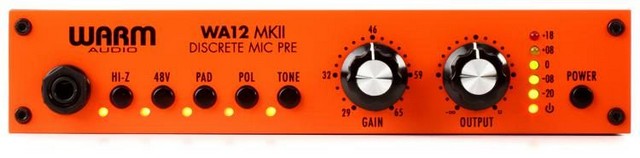
Warm Audio WA12 MkII
There are warmer preamps on the market. And there are louder ones too. There are even plenty of more affordable preamps. But what makes the WA12 one of my favorites is that it bundles everything – amplification, clarity, durability, and (relative) affordability in a single package. For most casual users and intermediate producers, this is one of the best mic preamps around.
Warm Audio isn’t as popular as some of the other manufacturers on this list, However, while it isn’t as common, it’s Warm Audio WA12 MkII model is the best preamp that we have tested and is the best pure preamp model on this list. Warm Audio has combined all the good features found in the best preamps and offered them to users at a fraction of the price.
At first glance, it is clear that this isn’t any ordinary preamp. It has a bright orange color and gives off a vintage vibe that reminds one of the legendary preamps of old. The overall design is pretty simple and makes it easy to set up. For example, the front panel has the HiZ input, which means that you can easily plug in your mic or guitar without having to contend with the bunch of cables behind your set up. Additionally, XLR and ¼” are connected and can be used at the same time.
The front panel has all the controls easy to use. One of the most useful functions is the tone button that drops the impedance. Thus, it is an excellent preamp for your ribbon mics. It also makes it a good option for a guitar preamp. Furthermore, the 20 dB pad is very useful when connected to drums and guitars. You can use it with loud and quiet instruments without many problems.
What I don’t like
This is a pretty special preamp that comes with almost no outright fllaws whatsoever. If we were to nit-pick, we’d say that the only thing we didn’t like is the absence of a high-pass filter.
Recommended for: This is recommended for most causal users. It is a near-perfect option that has all you need in a preamp while remaining affordable. If you can’t figure out what to buy, choose this one.
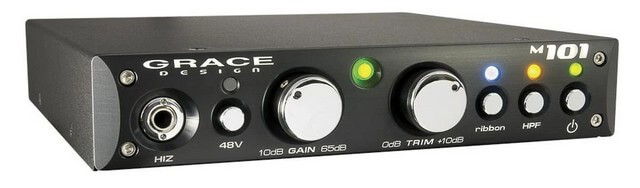
If you want the best home studio preamp, then you must closely consider the Grace Design m101.
While it does not come for cheap, its features and overall performance make it certainly worth the relatively high cost. Getting hold of the right mic for your needs is a challenge, and it gets even harder when you have to buy a mic preamp.
First of all, unlike the multichannel unit we reviewed earlier, the Grace Design m101 is a single-channel option. Nevertheless, you can use it for your mics and instruments. Either way, it still gives you impressive performance.
Grace Design m101 has a simple design that won’t have you confused. For example, the front panel has the normal knobs and controls like the standard ¼” input for mics and instruments. Also, the model has a gain switch with 12 positions which gives up to 65 dB of boost to your microphone or instrument. Aside from that switch, there is a fine-tube knob that is highly responsive and easy to use.
Apart from the straightforward design, another benefit of the Grace Design m101 is the ribbon mode that gives you a gain boost. There is also a mode that will switch off the phantom power. Therefore, if you use the unit with a ribbon, there isn’t a risk of harm.
In terms of design, the Grace Design m101 is up there with some of the most durable options on the market.
The front panel gives similar functionality to what you’d find in a DI box, with the exception being the integration into a preamp. The rear of the model has a standard XLR input for mics and a pair of balanced outputs that are marked. The rear also has an unbalanced output. All of these results in one of the most versatile models you can buy.
With the Grace Design m101, you will enjoy a professional sound performance, and it sounds like an actual amp.
What I don’t like
Well, it is mainly for mics. Although you can pair it with instruments, it will not work well with all of them. It gives an unusually flat response.
Recommended for: Most home studios. While you can use it in a serious studio setting, the relative inflexibility and limited I/O options makes this best for smaller settings. Choose this one if you run a small studio and want to spice up your vocals.
Sometimes, your equipment needs a boost, and this is ever common, especially with microphones. These boosts come in the form of preamps, and they make your microphone even better than you might have imagined. There are several types of preamps on the market, and they come with different styles and designs.
This unit comes as a 2-channel mic preamp. Thus, it will help you get rich, warm sounds from the microphone and gives the natural warmth that the older tube preamps are known for. It is a new model and comes as an upgrade to the previous models from amps.
First, ART ProMPA II uses 12AX7 tubes. These tubes are fairly popular and are some of the most effective types of tubes in the industry. The 12AX7 tubes come with the ability to widen the normal frequency of the mic and to provide sufficient gain, especially when you are using ribbon microphones.
The design is one of the more appealing features of the model. It is made in a rack mount design and has an interface that is similar to what is found in old iterations. Among the design feature is the backlit analog VU output meters.
The sound performance of the ART ProMPA II left us quite impressed. While the ART ProMPA II is excellent for vocal recording, it is also one of the most versatile options and can be used in recording other types of instruments.
The ART ProMPA II has a 60dB gain knob and other controls. From our testing, all the controls are easy to use and understand. Therefore, you can use it to amp stereo tracks and other recordings without any problem.
What I don’t like
Well, there is almost nothing to complain about. However, during use, we observed that there is some coloration.
Recommended for: For anyone on a tight budget who wants the genuine warmth and richness of tubes. I recommend this as a secondary preamp if you want to mix up your recordings. For the price, it’s certainly one of the best mic preamps right now.
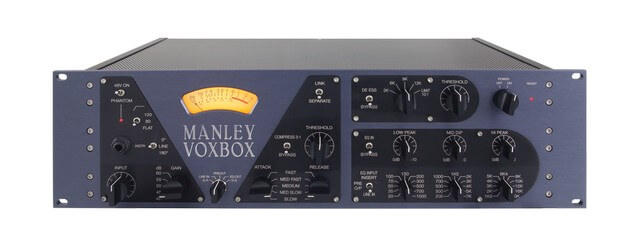
The Manley MVBX VoxBox looks and feels like something that would give you incredible sound. And it certainly does not disappoint. The Manley MVBX VoxBox comes as an excellent imitation of top-grade hardware and has many features and applications that make the relatively hefty price worth it.
This model combines a classic valve and transformer with the impressive build quality and analog circuitry to give the best preamp for professional studios.
It is a very versatile unit that you can hook up with different mics and systems. It has four main sections. These are the optical limiter, passive equalizer, valve preamp, and an optical compressor. Additionally, you get several input stage options like line switching, low cut filter, polarity invert, and more. As for the VU meter, it comes with the ability to show you up to five different positions.
With the latest update, this model has even more functionalities and plug-ins compatible with several systems.
Performance is great as you get pristine sounds. The Preamp function here is excellent and doesn’t cause any extreme colorations during use.
What I don’t like
The Manley MVBX VoxBox suffers from a fixed signal flow which affects the versatility.
Recommended for: If you want a model with impressive flexibility in compression and an easy to understand metering, then the Manley MVBX VoxBox is for you. It’s perfect for studios who want the best mic preamps without spending thousands on vintage gear.
If you are very familiar with amps and preamps, chances are high that you know about the Neve 1073. For most people, no other preamp comes close. Well, the Golden Age Project PRE-73 was designed by Golden Age to imitate the sound of 1073, albeit doing it at a fraction of the price. While it doesn’t perfectly imitate the sound of the legendary 1073, it does come close, which is a huge compliment.
The Golden Age Project PRE-73 comes as a relatively basic unit with limited controls and features. However, those features it has are excellent and make it the best classic preamp you can find at this price.
As we earlier said, the Golden Age Project PRE-73 comes as a basic unit. Therefore, there aren’t plenty of features. It has just one combo input at the back. The front panel has one instrument input as well. Additionally, there are a pair of knobs that control input gain and output volume. You also get a pair of LED indicators, one for phantom power and the other for the signal. There is a good gain control range as well. Golden Age Project PRE-73 also has an insert jack to allow you to couple an equalizer or another effect unit.
As simplicity is the watchword of this model, it comes as a single-channel amp.
The sound performance is great. The Golden Age Project PRE-73 aims to mimic the sound from the legendary 1073, and for the most part, it does an excellent job. The Golden Age Project PRE-73 has Class A electronics without any integrated circuits. Therefore, the sound is what you’d expect to come from a completely analog preamp. The overall sound is rich, clear, and warm.
What I don’t like
The sound was excellent on this model; however, we bemoan the lack of neutrality in the tone. Additionally, some users might find it too simple because of the limited number of controls that it offers.
Recommended for: The Golden Age Project PRE-73 will boost your mic tone and give better warmth and punch without making any blurred sounds. If you want the best mic preamps to use for your microphone and instruments like acoustic guitars, then this is for you.
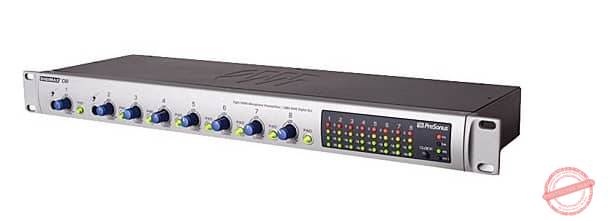
Looking for an affordable, high quality, and reliable preamp? Then look no further than the best multichannel preamp on the market right now – PreSonus DigiMax D8. PreSonus is arguably the most popular manufacturer of preamps and similar products on the market. The company is known for making good gear that comes at a cheap price.
While it is one of the cheapest options on this list, the features that it has made for a very useful unit. While many preamps on the market come with inputs scattered all around the unit, the PreSonus DigiMax D8 has the mic inputs at the rear. The result is a rig that looks clean and organized.
Additionally, this model sports an ADAT out, which is one of the best features you might not even know that you needed. This feature ensures that you can have every channel to the interface in just one cable! No wonder that this is the best multichannel preamp on the market.
The PreSonus DigiMax D8 is an eight-track beast that will help you to keep your home studio setup in check. While it doesn’t come with a plethora of revolutionary features, the PreSonus DigiMax D8 has every feature in place to serve your every whim. It is a dependable option that does all it should with near-perfection.
Most of the products that have come from this manufacturer are no-nonsense, straight to the point options that will get the job done without bells and whistles, and the PreSonus DigiMax D8 lives up to that billing. Apart from the multiple channels that it offers, another thing that sets it apart is the ultra-wide dynamic range.
Overall, we love this model because of its versatility and power. It is also quite affordable and will do exactly what it claims to help you do.
What I don’t like
Well, one of the problems that we had with this model is that the power controls lie at the back. Since this is usually mounted on a rack, the placement makes it cumbersome to reach.
Recommended for: This is one of the best mic preamps that shines when used in large setups, and we recommend it for anyone looking for a dependable preamp to add to their setup at a value-for-money price tag.
Well, if you aren’t satisfied with just a preamp and want something more, the RME Audio Interface is certainly the solution to your dilemma. This model is more interface than preamp but carries out both functions impeccably. The RME Audio Interface is undoubtedly one of the most expensive pieces of gear on this roundup, but from our testing and reviews from users, if you can afford it, it offers the best performance.
First of all, this is a beast of an interface. Where are the single-channel models on this list, the RME Audio Interface blows them out of the water as it can handle up to 188 channels of inputs and outputs. Just that is alone to make you lick your lips in anticipation.
It comes with a handy number of inputs on both the front and back panels. For example, there are four line inputs with switchable phantom power and eight line inputs at the rear. Output-wise, it sports a pair of stereo headphone connections, eight line outputs, 16 ADAT, two AES, and more. It is undoubtedly an impressive piece of work.
Now that you’ve seen the sheer number of connections, the question is ‘ How do they work out?”. Well, we are pleased to say it all comes together pretty well, and you’ll be hard-pressed to find any faults with the sound produced.
What I don’t like
This is pretty hard because the RME Audio Interface is a near-perfect option. If there is a downside, it has to be that there are just too many connections and you might end up paying a hefty price for connections that you might never use.
Recommended for: If you want the best preamp and interface in a single box, and the price is no problem, then you should certainly go for the RME. It has some of the best mic preamps in any audio interface, and for most people, will completely negate the need to buy a dedicated preamp at all.
If there is one essential in any home studio, it’s a good low latency audio interface. The interface acts as a medium between your hardware and software. Buying the best low latency audio interface is crucial for getting the most out of your studio. We’ll look at the best audio interfaces in 2020 available right now. We’ll also share some critical tips for buying the right interface for your needs.
You want to connect multiple instruments to your computer. You want multiple output options. And you want quick access to volume, gain, and basic EQ settings.
But the biggest reason to buy an audio interface is latency.
Latency is the music producer’s kryptonite. Anyone who has ever tried producing a track on their computer’s built-in sound drivers knows how even the smallest of lags can make production impossible. Press a key and if the sound isn’t produced immediately (or what feels like ‘immediately’) and you’ll have a bad time.
Which is where audio interfaces come into the picture.
The best low latency audio interfaces provide a faster, higher bandwidth I/O channel to your computer. They also use better drivers (usually ASIO) which radically improves latency compared to most computers’ built-in sound cards (Macs fare better than Windows in this regard).
While we’ve talked about audio interfaces for Ableton and USB audio interfaces in the past, but in this guide, we’ll look only at the fastest and the best low latency audio interface across categories.
But first, let’s define what qualifies as “low latency”.
We use rigorous research, reviews, and real-world performance when recommending products. Our reviewers include producers, performers, and active musicians. You can read more about our review process here. Be advised that MIDINation might earn referral commissions on purchases made through this website. This does not affect your final purchase price.
Note: As an Amazon Associate, MIDINation earns commissions for qualifying purchases made through Amazon links on this page.
About your reviewer Ryan Harrell is the founder of MIDINation and an experienced producer/DJ. His first experience with electronic music production dates back to Cubase 3.0 in the summer of 1997, and he’s been a fan ever since. He prefers Ableton as his primary DAW these days, though he is still partial to Cubase and Pro Tools. He lives in San Diego and freelances as a producer and part-time DJ.
Understanding Latency and “Low Latency”
There are few terms more misused in the audio world than “low latency”. Manufacturer after manufacturer plasters this term in their advertising with complete disregard for their actual latency.
First, let’s understand what “latency” is.
In computing, latency is defined as:
“Latency is the delay before the transfer of data begins following an instruction of its transfer”.
In other words, latency is the gap between pressing a key and hearing a sound.
We tend to think of computers as instantaneous, but they’re not. When you press a key, an instruction must physically transfer to the computer (via wires), have it processed, and have it sent back to you via a different channel (such as a studio monitor). All of this takes time, which contributes to the latency.
Essentially, latency is a combination of three things:
Your computer’s hardware specs, i.e. its processing power, RAM, etc.
The current software state, i.e. your hardware drivers, how many applications are currently running, etc.
Your input/output (I/O) channels, i.e. whether you’re using USB 2.0 or Thunderbolt or MIDI input/output, etc.
Because these conditions can change from computer to computer and time to time (you might have 21 different Chrome tabs open simultaneously while using Ableton), your latency can also vary.
What is “Low Latency”?
When we talk about “low latency”, we essentially mean “latency that is perceived to be instantaneous”.
This is a function of our biological limits. Just like a computer, there is a gap between the time we see or hear something and the time it takes for our brains to process it.
When this gap is more than the gap between a computer’s I/O, we feel that the action is “instantaneous” or “low latency”.
Physically, human beings have an average reaction time of 250ms. That is, most of us take 250ms to react to an action (such as a ball thrown at our face).
Our other senses, especially sight and hearing, are much faster. The fastest we can process visual or auditory information is 13ms. Some highly trained or genetically gifted people might be able to process it faster, but in general, 13ms is the amount of time taken to process an input.
As you guessed it, 13ms is also the limited for what usually qualifies as “low latency”. Any system – video or audio – that processes an input and produces an output within 13 seconds will feel lag-free to human beings.
If you go beyond this limit, performance issues start to creep in. At 21ms, the trained among you will start feeling that something is off. At 35ms, it will feel definitely off. At 50ms, the gap between input and output will be so large that you won’t be able to work.
Make 13ms your latency limit. Any audio interface you buy should, given the ideal conditions, offer a 13ms latency. This can go up, especially if your computer is under heavy load, but in perfect production conditions, it should not go beyond 13ms.
Thus, when we talk about “low latency”, we essentially mean a latency of 13ms.
All the audio interfaces we’ve mentioned below fit into this criteria.
On that note, let’s look at the best low latency audio interfaces available in the market right now.
The UA Apolllo MK2 usually finds a spot at the top of most “best audio interface” lists, and for good reason. What it lacks in I/O options it more than makes up for with its fidelity and latency. Its small size and relatively affordable price point (in the context of high-end audio production at least) make it a favorite for serious home studios.
If you have the budget, don’t really care about 20 different I/O options, and want the best-in-class latency and fidelity, you can’t go wrong with anything from the Universal Audio Apollo line. The APLTWSII is the cheapest of the lot and offers nearly the same performance as its most expensive counterparts. It’s also one of the smallest audio interfaces on the market. Which is why we’ve placed it at the top of our list of the best low latency audio interfaces.
Universal Audio’s range of audio interfaces aren’t cheap. In fact, they sit at the very top end of the home studio interface market. While you might not find one in a pro studio (mostly due to a lack of I/O options), any serious home producer will likely have a UA audio interface sitting on his/her desk.
The Apollo MKII Solo has all the hallmarks of UA’s high end audio interfaces, including:
Best-in-class build quality – this thing will last you for decades, not years
Excellent Thunderbolt support
Dual Unison-enabled mic preamps
A/D and D/A conversion borrowed from Apollo’s flagship $2k Apollo 8 interface
Near-zero latency performance
Think of this as a condensed version of the Apollo 8. You don’t get as many I/O options, but you get the same A/D conversion and preamps. If you’re looking for a zero latency audio interface, this one comes close under the $1k mark.
Performance
UA’s Duo and Solo interfaces are industry favorites and it’s easy to see why. Besides the impeccable build quality, what truly sets this unit apart is the pristine “roominess” of the stock preamps. It’s tough to describe it if you’ve only used cheap audio interfaces like Focusrite’s entry-level offerings. But plug in the Apollo Solo and you suddenly find that you have a lot more fidelity in your recordings.
Muddy audio sounds clearer. The dynamic range is wider. Even entry-level mics sound like $400 Rode heavyweights.
But what sets the Solo truly apart is the plugin support. UA has its own software for controling the interface that’s separate from your DAW. You can load up a bunch of plugins into this software to emulate some of the world’s favorite compressors, preamps, and channel strips. Currently, the UAD library has over 100 plugins. Some are free, some are paid.
Universal Audio’s software system gives you a massive range of preamp and compressor emulators to choose from
If you hope to emulate true professionals, this software ecosystem is a must-have. It will completely transform how you record. It will also open up whole new avenues for experimentation. Want the signature crunch of a 1955 Fender Tweed amp? Just load up the right plugin and you’re all set. Want a 1176LN compressor? UA’s library got you covered.
Since this Console 2.0 software exists independently of your DAW, you can use it by itself – great if you’re using the Apollo Solo for a live performance. Emulation is also resource intensive, so taking it outside your DAW can free up some CPU cores.
Of course, this also ticks all the other boxes – you get excellent Thunderbolt connectivity, making it one of the best audio interfaces for Mac. There is a giant knob on the front of the interface to control gain. And there is a built-in talk back function for studio recording.
You also get a bunch of plugins for free, including the LA-2A and 1176LN compressors, 610-B Tube Preamp, among others.
What we don’t like: The Console 2.0 application is hard to master, especially for novices. Installing new plugins isn’t intuitive, nor is it easy to get the software itself to work seamlessly without understanding some basic technical details. If you’ve never fiddled around with any modeling or emulation, you might find this slightly tough to get started with.
Recommended for: Serious home studios and producers who want best-in-class audio quality and an exceptional range of classic preamps and compressors.
Pros
Great range of finely modeled classic preamps and compressors
Unison preamps offer pristine audio quality
The new talkback option is a great addition
Cons
The Console 2.0 software can be tough to master for beginners
The Audient iD4 is a step up from the popular Focusrite 2i2 (one of our favorite audio interfaces) and offers just about everything a serious beginner would need without burning a big hole in your pocket. It is one of the smallest audio interfaces on the market and sits comfortably on the tiniest of desks. But despite the small size, it packs in a punch, featuring the same Class-A mic pre found in all of Audient’s high-end audio interfaces.
It also has two inputs and two outs – great for a solo musician looking to record an instrument and mic simultaneously.
Let’s look at the performance in more detail.
Performance
The Audient is a portable powerhouse. If you are looking for an audio interface at a cheap price and want great performance, this is one of the best low latency audio interfaces around, especially considering the price.
Although it is a USB-powered device, it is also compatible with Mac OS devices. In fact, in our experience, the iD4 performs substantially better on Mac than it does on Windows (more on this below).
The Class-A mic pre is smooth and roomy. There is little to no hiss even when the gain is pumped all the way up. In our tests with the Shure SM57 and Rode NT1 mics, we found minimal distortion and a low noise floor.
A great addition (which the Focusrite Scarletts don’t have) is the JFET D.I. input. This line input mimics the input stage of a valve amplifier. The result is a richer, warmer sound right out of the box.
The iD4 does not have the sheer amount of features that more expensive audio interfaces have. For instance, it does not have the polarity inversion, high-pass filter and pad features of some of the high-end audio interfaces on our list. But you at least get 48V phantom power.
The specs list the range as 115dB but we did detect some distortion at the very top end of this range. However, I expect few, if any of you will push the iD4 to this limit.
A nifty feature is the iD button on the front of the device. This button activates the ScrollControl function which allows you to use the rotary knob to scroll through settings, parameters, and even iTunes playlists. Think of it as a large physical scroll button that sits on your desk and frees you from the mouse or trackpad. We found ScrollControl to be particularly useful for controlling faders, compressor thresholds, and EQ.
What we don’t like
Besides the lack of I/O options – we would have liked more than 1 mic preamp – our biggest gripes were with the software. The bundled ASIO drivers are wonky, especially on Windows. The bundled software is also quirky and cumbersome. Minor nags such as right-clicking on the app icon to access settings (clicking the icon does nothing) make it annoying to use.
Recommended for: If you are looking for a cheap audio interface, this is easily one of the best low latency audio interfaces in 2020 you can buy. Great DI input, nifty ScrollControl feature, and a great Class-A preamp make it a top choice for serious beginners.
If you’ve ever been around a pro studio – or even a serious home studio, you couldn’t have missed the ubiquitous “BIG KNOB”. This was one of Mackie’s biggest hits – a large passive volume control knob.
The BIG KNOB STUDIO PLUS combines the same large knobby ease of use with an audio interface.
While the STUDIO PLUS won’t blow out any of the others on this list in either performance or fidelity, it offers tank-like build quality, ease of use, and most importantly, a ton of I/O options at a relatively affordable price tag.
Let’s take a closer look at its performance.
Performance
The Mackie STUDIO PLUS features two Onyx preamps with switchable 48v phantom power. These sound good enough for most home studios with robust clarity and definition. There is an audible hiss once you crank up the gain, however, making it unsuitable for recording particularly sharp instruments like snares.
The I/O options are fantastic – you can hook up three pairs of monitors and four input sources at the back, including the aforementioned Onyx preamps. The front features two 1/4″ headphone outs and a very useful 1/8″ out for hooking up your earphones (which any self-respecting producer would test his mixes on). You also get a dedicated talk back footswitch port.
The big feature is, of course, the big knob. This knobby goodness gets you complete control over the entire unit, letting you select inputs and control gain right from the front of the device.
With an interface that has sampling rates of 192 kHz and a depth of 24-bit, you can rest assured your recordings will turn out great.
What we don’t like
During use, the temperature rises, and it feels almost hot to touch. The knob can also feel a bit loose to some users and makes fine control difficult. There is a faint but audible hiss when you crank up the gain past the halfway mark.
Recommended for: Amateur producers looking for the best low latency audio interface for their home studio. Great if you want multiple input/output options but don’t want to spend a small fortune on a high-end interface.
Pros
Great I/O support
Fantastic value for money
Onyx mic preamps are rock solid performers
Cons
Feels almost hot to the touch over extended use
It is slightly susceptible to distortion at high volumes
One of the first things people notice about the Apogee Duet is how tiny it is. Even though it packs in studio-quality preamps, it is barely larger than a large smartphone.
The second thing people notice is how good it looks. With its brushed silver aluminum housing and glass panel, it looks likes something Apple would design.
But the Apogee Duet isn’t just the best portable audio interface around – it also packs in punchy performance.
Performance
It helps prevent digital clipping by rounding off transient peaks before they hit the analog-to-digital converter. The result is an analog-like warmth without the harsh peaks so common in lower-end digital recordings.
The Apogee Duet also features the ESS Sabre32 DAC. This is a step up from the 24-bit DACs found in most low and mid-range interfaces. The result is clearer audio that preserves the soundstage of the original recording.
A standout feature for me is native iOS compatibility. Simply plug this into your iPhone/iPad with a 30-pin to lightning cable (sold separately) and you have a powerful audio interface for recording on the go. This might not be for everyone, but if you’ve ever been on the road and wanted to record something on Garageband, you’ll love this feature.
Integration with Mac OS is excetionally smooth otherwise as well. It also integrates seamlessly with Logic Pro X. In fact, you can plug it in and start controling hardware parameters right from the Logic Pro mixer – even starting/stopping phantom power.
On the whole, we feel this is not only the best portable audio interface, but also the best audio interface for Mac OS.
What we don’t like
Macs with external GPUs don’t seem to like the Duet. If you have one, you might experience choppy sound. Integration with Reaper and Cubase is also shoddy (though Ableton works fine). We also wouldn’t recommend this for Windows users – the drivers are too wonky.
Recommended for: The Apogee Duet is the best low latency audio interface for Mac users. It is also one of the most portable audio interfaces around. If you use Logic Pro or Garageband, or like recording on the go, this should be your first choice.
Antelope Audio calls the Zen Tour a “king among audio interfaces”. Whether its performance fits the moniker can be debated (though not much), it is certainly priced at a king’s ransom. This is no hobbyist audio interface – if you’re buying it, you are a serious producer looking for pro studio-grade performance at home.
Let’s see whether it truly holds the crown.
Performance
Without getting into technicalities (which, honestly only computer scientists truly understand), the Zen Tour uses an FPGA (Field Programmable Gate Array) architecture. This is different from the DSP (Digital Signal Processor) architecture found in most audio interface.
FPGA essentially acts as a series of “logic gates”. This allows the FPGA to emulate any digital circuit you can think of – incluing a DSP. This flexibility makes it possible for the Zen Tour to emulate countless vintage amps and FX units.
FPGA is usually only found in ultra high-end audio interfaces, but the Zen Tour makes it available in this (relatively) affordable unit. The result is that you get access to a whole range of vintage hardware emulators, all based on the FPGA architecture.
FPGA architecture also makes it possible to record music at virtually zero latency (since true zero latency is physically impossible). The performance is something to behold – instantaneous playback, even with multiple instruments connected. As long as your hardware can support it, the Zen Tour’s performance is truly unmatched.
Speaking of hardware, the Zen Tour has plenty of I/O options to record entire bands. You get 4 mic pres, 5 line/hi-z ins, 8 analog outs, and 2 headphone outs. This isn’t even counting the digital I/O capabilities. The I/O options alone make it a notch above the others on this list.
What we don’t like
Windows 10 integration is poor. The drivers are unstable and not as seamless as on the Mac. The performance on older Macs is also dodgy – on a test 2011 Macbook Air, the device couldn’t be connected via Thunderbolt at all. The software routing also has a learning curve – if you’re new to recording music, you’ll have a hard time.
Recommended for: Professional and semi-professional producers looking for a pro studio quality, zero latency audio interface. The bundled software is incredible and saves you a ton in plugins and preamps.
Pros
FPGA architecture makes a whole range of software plugins available
Focusrite absolutely dominates the low-end of the audio interface market. It’s nearly impossible to walk into any beginner studio and not find that familiar red box – Focusrite Scarlett – sitting somewhere on the desk.
But Focusrite also make extremely competent higher-tier audio interfaces with its Clarett lineup. These are more expensive but also feature the significantly better Clarett mic preamps.
While we’ll dive into the performance in more detail soon, the Clarett doesn’t disappoint at first glance either. It’s rectangular powerhouse is made of strong and sturdy materials that give it an air of permanence. The controls are responsive and well labeled. The large knobs feel good to touch and the wine-colored front face is unmistakable on any studio desk. There are two mic preamps on the front face and two line outs, plus MIDI I/O ports on the back..
Performance
Like most Focusrite devices, the Clarett, too, is supremely easy to use. Plug it in and you can start using it instantly on Macs as well as Windows. In fact, of all the audio interfaces we’ve tested, Focusrite’s range performs the best on Windows.
Connection is via a USB-C port, so if you’re still using an older computer with USB-A ports, you will need an adapter.
The standout feature is the Clarett preamp. The Clarett is substantially roomier when compared to the Scarlett and has a class-leading 119dB of range. A new “Air” model allows the unit to emulate the transformer-based mic pre on Focusrite’s ISA ONE analog range. This adds a whole lot of warmth and analog color to your recordings.
The noise on this unit is negligible, even when the gain is set above 75%. Another nifty feature is ADAT compatibility which allows you to hook it up to a rackmounted interface (like the Focusrite OctoPre) to connect multiple devices and route the signal to the Clarett.
What we don’t like
The Clarett suffers from some hardware reliability issues. Several users report issues with one or more ports not working intermittently. On the software end, you might encounter some issues on very old Mac devices as well as the latest Mac OS Catalina release. In general, the Clarett seems to perform better on Windows than on Mac – a rare first in this category.
Recommended for: One of the best low latency audio interfaces for Windows users. The performance is clean, reliable, and roomy, while the price is low enough to make it your first serious audio interface.
Pros
The sound is pristine and crisp
Easy to set up and use
Air mode adds instant color to the mix
Cons
The Mix software is wonky on Mac
Some hardware reliability issues over long-term use
The RME audio interface is a beautiful device that sports a metallic design (the housing of the device is actually plastic – not metal, but it feels firm and sturdy).
Like the Audient iD4, this device is quite portable while retaining important functions. The large knob is smooth to touch and offers great “clickability”
There is a nifty little screen with onboard metering, which is great for keeping track of key metrics on the fly.
Performance
The sound quality produced by the RME is great. Higher frequencies on this device sound very great and crisp. Even the lower frequencies contribute to an overall great sound.
You get tons of I/O options – 2 XLR/Mic lines, 2 phones output, 1 ADAT I/O, 1 MIDI I/O, and 4 Analog I/Os. This is good enough to record a small band at the same time.
A new improvement in the Babyface Pro FS is the implementation of SteadyClock FS. Without being technical, the clock frequency in digital audio creates the correlation between audio bits and time references. The more accurate this correlation, the more “pristine” a digital audio clip sounds.
The Babyface Pro FS features a new SteadyClock FS circuit that has better, more accurate tracking with lower jitter. This helps reducing noise and minimizes digital degradation so common in cheaper audio interfaces.
Another nifty feature is the TotalMix FX digital mixer bundled with the hardware. Using this software, you can easily route and mix input/playback channels to different physical outputs without resorting to any external plugins or fiddling with DAW settings.
What we don’t like
As with most great hardware companies, the software on the Babyface Pro is complicated and clunky. While we didn’t experience any reliability issues, figuring out how everything works has a learning curve. It’s not a dealbreaker but it is something that isn’t you’d appreciate at this price range.
We’re also not huge fans of the I/O options located on the side of the devices. You end up with a weird situation where you have wires jutting out from all four edges of the unit.
A minor annoyance is the hard to press buttons.
Recommended for: The RME Babyface Pro FS improves a fan favorite with new features, better AD/DA converters and a great preamp. It’s easily one of the best low latency audio interfaces on the market right now.
Pros
Excellent sound quality
Top notch AD/DA conversion
Tons of I/O options
Cons
Buttons are hard to press
The bundled software is hard to use
I/O options on the side of the unit are a wiring nightmare
Low latency is a must-have in any audio interface. For truly instantaneous, real-time performance, choose from any of the interfaces I’ve listed above.
Learning to play drums comes at a great cost – to your pocket and to your neighbors ears. But what if you could practice your drummingwithout keeping the neighbors up at night and without spending thousands of dollars on expensive snares and cymbals? That’s what you get with our pick of the best electronic drum set for beginners.
Anyone who has ever played the drums will admit to two things:
Drums are loud – annoyingly so
Getting the right drum sound is tough, especially if you’re a beginner
Electronic drum sets give you a solution to both these problems. Since the sound produced by electronic drums is, well, electronic, you can plug in your headphones and play the drums without waking up everyone in a 3 mile radius.
And since the sound is essentially produced via samples, you get pitch-perfect tune, no matter where you are.
That’s not the only plus: the best electronic drum set costs a fraction of the cost of a real drum set. They’re also lighter and more portable.
All these benefits make electronic drum sets the perfect solution for beginners. If you’re just learning how to play, getting an electronic set will make it much easier, quieter, and cheaper to get started. They’re also great for slightly experienced drummers looking for something to practice on without the loudness of real drums. And since they look and feel like real drums, not drum machines, you get a more authentic playing experience.
The question remains: what’s the best electronic drum set for beginners? We’ll help you out with our roundup of the six best electronic drum sets on the market right now.
We use rigorous research, reviews, and real-world performance when recommending products. Our reviewers include producers, performers, and active musicians. You can read more about our review process here. Be advised that MIDINation might earn referral commissions on purchases made through this website. This does not affect your final purchase price.
Note: As an Amazon Associate, MIDINation earns commissions for qualifying purchases made through Amazon links on this page.
About your reviewer Ryan Harrell is the founder of MIDINation and an experienced producer/DJ. His first experience with electronic music production dates back to Cubase 3.0 in the summer of 1997, and he’s been a fan ever since. He prefers Ableton as his primary DAW these days, though he is still partial to Cubase and Pro Tools. He lives in San Diego and freelances as a producer and part-time DJ.
Our 6 Best Electronic Drum Set for Beginners
Here are our top picks for the top electronic drum sets you can buy right now:
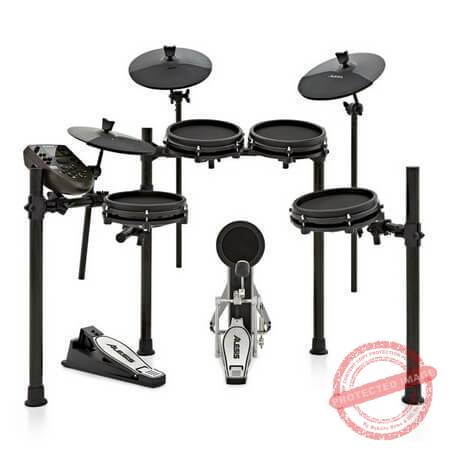
The Alesis Drums Nitro Mesh is the first drum set on this list of the best electronic drum set for beginners. Alesis Studio Electronics is one of the first manufacturers to wade into the budget category instruments. As a result, they have years of experience making budget home studio instruments while retaining excellent performance. The Alesis Drums Nitro Mesh Kit is one such instrument.
The kit looks nothing like the price. It looks durable and far more expensive than it actually is. It comes with an 8” dual-zone mesh snare pad, a 10” dual-zone crash, and 2 cymbal pads. A complete four-post drum rack, three 8″ single-zone mesh tom pads, and a hi-hat controller pedal. As you can see, it is very rich in parts.
The material feels more like acoustic snare than rubber pads. This same feel goes for the 8” mesh tom pads.
Aside from the parts listed above, this kit comes with a steel housing that makes it look and feel durable, a single-zone pad and a kick pedal. Part of the package includes the assembly key, spare sticks, and instruction guides.
The sounds from the drums are satisfactory, albeit a bit artificial sounding. I enjoyed the kits’ acoustic properties. When I tried the rim-shots and cross-stick, I was left impressed.
As the kit comes with 385 pre-installed sounds and 60 songs, it is great for beginners. Voice editing is enabled by the layout of the drum.
What we don’t like: Although the overall sounds are nice, I felt they are a tad artificial for my tastes.
Recommended for: The Alesis Nitro Mesh has features that make it an ideal starter drum kit. Hence, beginners will enjoy playing on this drum kit.
The Alesis Compact Kit 4 is the second product from Alesis on this list. It continues the tradition of offering good performance at an affordable price. When presented with the price, many people dismiss out-of-hand the performance of the drum kit. However, despite the cheap price, the quality of the build is magnificent. In fact, it is more durable than many more expensive drum kits.
It comes with 4 velocity-sensitive drum pads that feel great. I found them highly responsive, and I loved the feel under my fingers. Although many people feel four pads are too limited for a great experience, I was satisfied with what I got. The sound from these pads sounds very realistic. When compared with other drum kits at this price range, there is no competing with this drum kit. I am sure that after your purchase, you will use this kit for years.
This drum kit is a tabletop electronic drum; thus, it doesn’t have the stands and setup of traditional drum sets. This makes setup very easy and is ideal for newbies who are focused on learning and improving. The tabletop drum kit is almost ready-to-use straight out of the box. It is very user-friendly. It comes with a screen that shows the rhythm.
The portable design is aided by the fact that aside from powering it through an AC adapter, you can also use it with batteries.
The drum kit comes with in-built sounds. Although the number of sounds is not as much as some other drum kits on this list, I still found them quite diverse. The 70 percussion voices, 50 play-along songs, and 10 effect voices offer quite a diverse selection. It is large enough to provide versatility.
Whatever you play is recordable. Thus beginners will find it useful in replaying sessions, identifying mistakes, and working on them.
What we don’t like
There are a couple of things I didn’t like. Some of these are because I am a ”proper’ player. First, there is no foot pedal. This can affect the way the drum is controlled. Furthermore, although the drum pads are responsive, the lack of more than 4 drum pads is a bummer.
Recommended for: This budget tabletop drum kit is ideal for beginners and children.
Pros
It is easy to use
The construction is durable and of high-quality
It comes with a diverse selection of in-built sounds
The Roland TD- 1DMK is an ideal drum kit for anyone looking for a cheap drum kit without sacrificing loads of functions and features found in more expensive drum kits.
The electronic drum set comes with an 8” dual-zone snare pad. There are 3” top pads along with three 10” dual-zone cymbal pads. I found the crash cymbal pad great. It comes with a hi-hat pedal controller which provides impressive value for money.
The cymbal pads and the arms of the drum kit are painted in black, which makes it have a beautiful aesthetic feel. The cymbal pads are small in size and have a rubber layer to improve the sound they produce.
A design feature I liked is the ability to attach horizontal bars to the H-shaped central section. The drum set feels durable and very stable. It doesn’t wobble. The H-shaped central section that allows you to add horizontal bars is a nifty feature. With this feature, you can easily attach the rubber bass drum trigger pad to the pole of the frame.
Most of the other drum sets do not grant you the amazing versatility this drum kit offers. The rack toms can be positioned on the top rather than on horizontal bars.
The sound features on this kit make it so highly rated by many users. The interface is very easy to use. There are 4 menus that you can control with the press of a button.
Furthermore, the kit comes with 15 presets in the drums menu.
Overall, it is an excellent choice for drummers, and especially for beginners. It comes with practice aids and coaching functions that help you get better. The coaching modes help beginners control their tempo, time, velocity, and so on.
What we don’t like
As this kit is geared primarily towards beginners, I found it too simple to use.
Recommended for: This drum kit is great for everyone, whether professional or amateur. However, because of such features as the onboard coaching functions, I recommend this kit to anyone who desires to practice more.
The Yamaha DTX402 is an offering that is mainly built for beginners. The DTX402 is an offering that delivers satisfactory performance on a tight budget.
To be fair, the initial appearance of the drum kit isn’t inspiring. It looks shabby and cheap. However, the appearance is offset by the compact nature. It comes with 10 drum kits, 31 cymbals, 36 tom pads and, 42 percussion parts. It features a unit that reduces any vibrations and noise.
Unlike many of the best electronic drum kits on this list, the drum doesn’t come with a mesh snare. However, it replaces this with gum rubber pads and a soft kick pedal.
Some other noteworthy features include:
It comes with 27 drum and percussion sound, and 128 keyboard sounds.
The play-along songs help to train beginners.
Despite the admittedly poor appearance, it is the performance that shines with this drum kit.
The drum kit is very easy to use. It comes loaded with educational features that make it the drum kit of choice for any young beginner.
The drum kit has an app that exponentially increases the ease of use. It is compatible with Android and iOS devices. The DTX402 Touch app has an advanced user interface that is super-friendly. Aside from the DTX402 Touch app, there is also the “Rec’n’Share” app, which as the name implies, allows you record yourself while you play.
What we don’t like
The drum kit is quite rigid. As a result, I could not adjust the toms as I wanted.
Recommended for: If you are on a tight budget and are a beginner, this electronic drum kit is ideal for you.
The Vault ED-10M isn’t as popular as many other brands, but I found the build and the performance surprisingly good.
It comes with 4 sensitive pads and a full set of cymbals. Despite being a budget option, the pads on this drum set come with mesh heads instead of rubber heads.
The performance is really impressive, considering the price. It can even rival other drum kits above it on the price ladder.
With over 600 in-built sounds, it is a very versatile drum kit. I enjoyed the functional EQ it comes equipped with.
Altogether, the Vault ED-10M offers a quality sound performance despite a limited budget.
What we don’t like
During use, the output jack was a tad unreliable. It didn’t connect very well.
Recommended for: This drum kit is primarily focused towards those that want a budget option but still want mid-level performance.
The Yamaha DD75 is a very portable, high-end, electronic drum kit that offers impressive overall performance.
It comes with 8 velocity-sensitive drum pads that is designed just like an acoustic drum kit. These drum pads are very responsive, and there is no lagging. It is very easy to set up this drum kit due to the portable design. Coupled with the option to run the drum kit on batteries, it is great for the traveling musician.
I like the incorporated drum kit sounds from Yamaha’s bestseller, the DTX- Multi 12 Electronic Percussion Pad. It provides excellent sound and can even be paired with an acoustic drum set to produce a magnificent sound.
It has a headphone jack which allows you practice in private. With the robust sound system, bass port, and more, the drum kit is a pleasure to use.
It is fitted with a pair of foot pedals. One of the pedals is for hi-hat, while the other one is for kick.
With the different modes available on this drum kit, I was able to enjoy different sounds. From jazz to rock, to funk and other genres, the drum kit provides them all. In fact, with the percussion mode, I was able to enjoy Indian, Chinese, and other ethnic sounds.
The drum kit comes with an aux-in jack that allows you plug in your phone or mp3 player and play along to the music.
What we don’t like: The build isn’t as sturdy as I’d have liked. The pair of pedals are also too small for my liking.
Recommended for: If you are in the market for a compact drum set because you don’t have a lot of space, then I recommend the Yamaha DD75.
Beginner or pro, we’ve got the best electronic drum pad for you in this guide.
Our Top Picks
Best for beginners: Alesis Sample Pad Pro “Compact size and a relatively affordable price tag make this Alesis kit ideal for beginners”
Best performance: Roland SPD-SX
“Roland is a market leader in this space and with the SPD-SX, it’s easy to see why”
Most affordable: Alesis Compact Kit 4
“The features and responsiveness fail to impress but the price is tantalizingly low”
Most responsive pads: Yamaha DTX Multipad
“If you want fast, responsive pads, pick the Yamaha DTX”
Why drum pads?
If you’re reading this article, you likely already know what drum pads are and why they’re effective.
But for the uninitiated, a drum pad is essentially a MIDI controller with massive pads. Think of it as a gigantic drum machine, but with two key differences:
Electronic drum pads are usually played with drumsticks, not fingers
The pads are usually more velocity/pressure sensitive
Because you play them with sticks, you can get a lot more dynamism from drum pads than with a simple drum machine. So while producers might prefer drum machines, percussionists and drummers usually stick to drum pads.
Drum pads are rarely the only percussion instrument in a live/studio drummer’s kit. Instead, percussionists often use it alongside a full-fledged acoustic or electronic drum kit. In this “hybrid” drumming setup, the percussionist might use the drum kit to play acoustic drum sounds. But he/she will switch to the drum pads when playing electronic sounds or fine percussion instruments.
Essentially, a drum pad helps expand your setup. Instead of buying separate bongos, congas, tambourines, and djembes, you can buy a single drum pad and load it up with any sounds you like.
Plus, since nearly every electronic drum pad uses MIDI, you can plug it into your computer and use it as a MIDI controller for jamming out complex beats and drum patterns.
If you’re a drummer/percussionist, I seriously recommend investing in one of these.
To help you decide what gear to buy, I’ll share the best electronic drum pad for different budgets and needs below.
We use rigorous research, reviews, and real-world performance when recommending products. Our reviewers include producers, performers, and active musicians. You can read more about our review process here. Be advised that MIDINation might earn referral commissions on purchases made through this website. This does not affect your final purchase price.
Note: As an Amazon Associate, MIDINation earns commissions for qualifying purchases made through Amazon links on this page.
The 7 Best Electronic Drum Pads
Let’s take a closer look at our favorite electronic drum pads you can buy right now:
Alesis Sample Pad Pro
To think that this Alesis is the best drum pad would be a mistake – there are better sounding and more responsive pads on the market (as you’ll see below). But what this Alesis gets right are a) affordable price tag, and b) all-around performance. It doesn’t do anything exceptionally well, but it does everything well enough. Combine with the compact size and entry-level pricing, this is easily the best electronic drum pad for beginners.
The Samplepad Pro cuts a fine figure. It looks extremely robust and of high quality. All components seem to have been chosen and installed to be absolutely roadworthy.
I also think the format and the arrangement of the pads are well chosen. You’ll quickly get used to the gap in the top center. Whether it is necessary to sacrifice a playing surface for the company logo remains to be seen. But eight pads are sufficient for common applications such as single sounds, loops, or other sounds.
The controls work very well; all buttons and potentiometers also make a high-quality impression. I think it is very good that the main volume controller and the headphone potentiometer were installed directly on the front. So you always have quick and direct access.
The self-made samples can be loaded into the pad on a regular SD card. The card is supported up to a maximum of 32 gigabits and thus offers space for 512 sounds and 89 kits. 200 sounds are pre-installed at the factory.
The Alesis Samplepad Pro implements its own dynamic way of playing well. All game nuances are reproduced in great detail. The polyphony (playing several sounds at the same time) does not cause any problems. It’s nice that such inconveniences are a thing of the past.
The rubber striking surfaces are pleasant to play; the rebound is pleasant, not too strong, not too weak. The playing noises can of course always be heard, but that shouldn’t be too noticeable on any stage.
What I don’t like
I only have a bit of a problem with the display. Unfortunately, the Samplepad Pro cannot always be operated intuitively. The often confusing menu navigation could, in my opinion, be more simply structured.
Recommended for: The drum is robust enough for use on stage in a live performance. It does its job reliably and still looks chic. It’s also great as a MIDI controller. But given the price tag and small size, I would recommend it particularly to beginners and casual percussionists.
Roland has been one of the largest manufacturers of electronic drums since the introduction of the V-Drums and has often been a pioneer of new developments.
As always with Roland, a perfect packaging concept welcomes you first. The device looks solid; the pads are pleasantly soft – but not too soft! As before, there are nine playing areas, six rectangular in the middle and three flat on top, for strokes with the shaft of the stick.
The connections of the jack sockets on the back snap in very solid – such details actually make the device suitable for the stage and also leave good impressions.
The controls at the front look tidy and feel good. The knobs run smoothly and precisely and are easier to grip. Four rubber feet on the underside enable it to be used on a table, and of course, there are also the connection holes for Roland’s APC-33 holding system.
More trigger inputs allow you to put together a small stand-alone electric drum set. A now usable and controllable metronome and the possibility of synchronizing via MIDI clock make the device really interesting and usable even in more complex set-ups.
What I don’t like
The model’s sampling pad is designed mainly for live performances, and not primarily designed for production. It’s a little expensive but worth the price.
Recommended for: The Roland SPD-SX is recommended for live performances and stage use. If you’re a serious drummer, this should be the best electronic drum pad for you.
The Roland TD-17K-L is a relatively simple e-drum set compared to the other sets in the TD-17 series. It offers pads for a snare drum with mesh head (8″). There are rubber pads for the toms; a pad for the bass drum and another for the hi-hat with the associated foot controller.
The Alesis CompactKit 4 is a portable drum kit with 4 programmable pads. It is ideal for beginners who want to learn the rhythm without having to play with a group. No need to invest in music lessons anymore. With a little willpower and a few hours, you can acquire enough technique to be able to start playing with others.
The 4 pads are of remarkably good quality, considering the price. The touch is realistic and responsive: the strike force, as well as the speed, are admirably well-reflected. The surface that covers the pads has a lot to do with the feel. They are rubber and not plastic like in many entry-level models.
The training mode is the main strength of the Alesis CompactKit 4. The 50 pre-recorded rhythms will allow you to acquire the subtleties of the rhythm. The notes are displayed on the LCD screen located in the center of the 4 pads.
Musical games are even available for those who want to cut lessons. The principle is simple. You will see bars descend from 4 different columns. Once one of them reaches the bottom of the column, hit the corresponding pad. This mode allows you to learn rhythms differently. The coach mode is similar, but the rhythms worked are more basic.
The device is very light and can be taken anywhere. It works both on batteries and on mains. To avoid disturbing your neighbors, you can plug headphones into the jack and play for yourself. The Alesis CompactKit 4 has a small speaker, but thanks to the Aux Out socket, you can connect the machine to a bigger amp.
What I don’t like
If you already know the basics and the main rhythms of the drums, you will feel cramped. You can’t remix anything, and you can’t import new sounds either. There is no kick pedal, which is disabling to simulate the opening/closing of the hi-hat.
Recommended for: The electronic drum pad is for those who need to have fun and learn to play without having to pay a teacher. Flexible, easily transportable, and with a large range of sounds, it can be used as an auxiliary instrument for budding musicians. This unit is not for experienced drummers, but if you’re just starting out, this is one of the best electronic drum pad for the money.
The Yamaha device itself appears handy, compact, and pleasant. The rather small display is hopefully not needed for complex inputs – it should be enough to read status displays.
The buttons on the front give a solid feel; the volume control is wobbly and turns too easily.
I am in love with the “Tap” button with a metronome symbol on it – a metronome seems to be on board. A “Sound-OFF” panic button is also included, as well as a “Panel Lock” function to prevent unwanted inputs. Not bad!
The sockets clicked cleanly, but not very tightly. A trip over a cable on stage would certainly trigger them. But that’s a good thing because all the jack sockets in the device are only connected to the circuit board and not additionally fixed in the housing.
The Yamaha DTX Multi 12 is an interesting device and a lot of fun. Once you have familiarized yourself with the menu, you can use the relatively small display. However, I consider software for computer-controlled configuration to be up-to-date and desirable.
The versatile options for connecting additional pads and even a hi-hat controller make the Multi potentially a complete drum set.
What I don’t like
I have a problem with the “Gain” of the aux input. Here, I think a slightly larger and a more handy rotary control would have been nice – and there would be enough space for it.
Recommended for: The built-in metronome and the ability to synchronize via MIDI make it suitable for more complex studio and live set-ups. For the exceptional responsiveness of the pads alone, I have to rank it as one of the best electronic drum pads on the market.
No joke, colors play a crucial role in the Alesis Strike Multipad. It is very attractive, and also super chic, as the black and dark pad shines in front of itself.
The whole thing has some light-based, well-thought-out functions to offer. For example, instruments in certain colors can be grouped together or click or metronome functions can be displayed using an “optical click”. I also think the function of using the LED running from left to right as a “time line” for running loops is very helpful.
The individual pads are separated from one another by indentations. The buttons are made of rubber and respond very well. The 4.3″ display is sufficiently large and clearly designed despite the many functions. The processing is really impeccable; there is nothing to complain about.
Of course, it is not an easy task to develop a product that competes with such established products as the Roland SPD SX or the Yamaha Multipad. With the Strike Multipad, Alesis relies on a fresh design with intelligent ideas such as the assignment of LEDs to sound groups or the display of sample or loop lengths.
There are definitely many good ideas in it. If you make use of these possibilities that the Strike Multipad brings, these functions can really be used to improve your own workflow. 7,000 sounds “on board”, that’s not a bad number. The sound quality is definitely very good. The amount of noise is very low, and everything sounds clear and powerful. I really like the included dubstep or percussion loops. The functions are very inspiring.
The price is not cheap, but realistic for the many possibilities that the Strike Multipad offers. Alesis surprises with a well-designed professional instrument, which looks very playful at first, but shows its strengths. As a bonus, the Strike Multipad comes with Pro Tools Lite and Ableton Lite for free.
What I don’t like
The price is not cheap, but realistic for the many possibilities that the Strike Multipad offers. Kits or sets selected via potentiometer are loaded directly without confirmation.
Recommended for: It is for drummers who want maximum playing convenience and customizability. It also comes pre-loaded with arguably the best samples in this category.
After the trend in machine hardware was in the direction of “higher, faster, further” (in the form of ever-larger displays), the Berlin-based company is taking a step back with the Native Instruments Maschine Mikro MK3 by concentrating on the (supposedly) essentials – the pads. Whether this will be a big hit or not – in any case, the concentration of the Mikro MK3 makes it the cheapest machine that has ever existed. It is in the nature of things that some compromises had to be made for this.
In the case of the Mikro MK3, the cutbacks are in the area of the sound card and displays, because these are simply omitted. However, there is a 24 x 6 mm “large” black and white display in addition to the single rotary control. This shows the most important parameters, which can then be changed either with the rotary control or the arrow keys on the right.
It was easy to see that it was not worth it to somehow accommodate the large displays of the (actual) machine hardware. Instead, I prefer the reduction to the pads and the integration of the smart strip. Do you have to look at the computer more often because of this? Yes, in any case.
This, of course, loses a bit of the charm of the very integrative machine environment.
What I don’t like
It doesn’t support Windows 7 and lower. It only supports Windows 10. You can’t change octaves. A few users even reported problems with Windows 10.
Recommended for: The Native Instruments Maschine Mikro Mk3 is the best electronic drum pad for finger drumming. You can use it to play melodies, build tracks, or make beats in your studio or while on the go.
In case you want a drum machine and not a drum pad, this unit is for you.
When Akai’s first MPC was created in collaboration with Roger Linn in 1988, it is a legend. The Akai MPC60 was the optimized Linn 9000, which Roger Linn later described as a failure. But the Linn 9000 already brought everything you love about the MPC. The pads, the ability to load samples. The MPC set standards and helped to give birth to hip-hop. Sampling unleashed an undreamt-of creative potential that made it possible for musicians without any previous musical training to create music.
You’re no longer dependent on the incredibly expensive Synclaviers, E-MUs and Fairlights. These tools were only available in very luxurious studios or were toys for rich pop stars. Akai has seen a lot of changes in its history, but MPC has always accompanied them. That is really admirable!
Since AKAI returned to the virtue of MPCs, the MPC series has been on the up. The Akai MPC One allows the user to produce music independently of the computer. It is a workstation with synthesis and sampling functions. Effects and extensive synchronization and control options via CV and MIDI are also integrated. This workstation is one of the newest and currently the cheapest MPC on the market.
The Akai MPC One makes me feel ambivalent; a few upsides here, and a few downsides there. But when you have gained enough familiarization, the MPC One turns out to be a true groove monster. The MPC can then be used to create tracks quickly and accurately. But there is definitely a learning curve, and it isn’t always fun.
What I don’t like
Familiarization for an inexperienced user will certainly not be easy, as the manual does not always provide reliable answers to all questions. Also, bugs sometimes appear out of nowhere. This is particularly irritating if a function was still working normally a second before. Unfortunately, it’s a shame that the only thing that helps here is restarting.
Recommended for: Music producers who want an all-in-one drum machine. It’s not a drum pad – it’s a standalone drum machine. Percussionists and drummers might find it limited in expressiveness, but for producers and performers, the Akai is an invaluable and powerful tool.
A drum pad is a valuable addition to your drumming setup. Besides acting as a competent MIDI controller, the best electronic drum pad also opens up entirely new performance possibilities. You can mix acoustic and electronic sounds and add a dynamism that’s often missing from finger-tapped beats.
Hopefully, this article will help you zero-in on the ideal electronic drum pad for your needs.
Whether you’re making beats in your bedroom or performing live on a stage, a drum machine can add a whole new dimension to your production and performance. But buying the best drum machine for your needs isn’t always easy. So we put together this guide to help you figure out the best offerings on the market and find the perfect drum machine for your production style.
Drum machines aren’t essential for production anymore, what with the easy availability of top-notch samples and powerful plugins (including stock ones) built into nearly every DAW.
But there’s something to be said about the intuitiveness of using a piece of hardware to tap out your beats. The ability to create, manipulate, and tap out drum patterns with your fingers instead of the mouse makes beat making so much more natural.
Then there’s that all important angle: fun. Making beats in a MIDI editor in Ableton (or your choice of DAW) isn’t nearly as much fun as making them on a dedicated drum machine. Changing the tone of a kick with one hand while you tap a pattern with another, adding delay/echo to a snare mid-session – all these are just so much more fun than anything you can do in a DAW.
That said, drum machines are still something of a niche category. Most options on the market show this as well – replications of retro machines and classic 808 sounds dominate.
Picking the best drum machine from this category can be tough. What should you prioritize – drum sounds, sound processing capabilities, or pads/buttons? Should you go for classic sounds, or would a more modern sound palette fit your needs better?
We’ll answer all these questions below while sharing our list of the 5 best drum machines you can buy right now.
We use rigorous research, reviews, and real-world performance when recommending products. Our reviewers include producers, performers, and active musicians. You can read more about our review process here. Be advised that MIDINation might earn referral commissions on purchases made through this website. This does not affect your final purchase price.
Note: As an Amazon Associate, MIDINation earns commissions for qualifying purchases made through Amazon links on this page.
About your reviewer Ryan Harrell is the founder of MIDINation and an experienced producer/DJ. His first experience with electronic music production dates back to Cubase 3.0 in the summer of 1997, and he’s been a fan ever since. He prefers Ableton as his primary DAW these days, though he is still partial to Cubase and Pro Tools. He lives in San Diego and freelances as a producer and part-time DJ.
The Best Drum Machine in 2020: In-Depth Analysis
You saw our picks for the best drum machines at a glance above.
In this section, we’ll do a deep dive into our top picks, why we chose them, and what’s the right option for you.
But before we start, you should know that all drum machines broadly fall into two camps:
Analog drum machines: These drum machines produce sounds by manipulating sound waves generated by an electric current. That is, the machine physically produces a sound wave, which is then modulated to produce a drum sound.
Digital drum machines: These machines produce sound by manipulating a digital signal. That is, instead of a wave, the machine generates sound via binary code.
The key difference in analog and digital drum machines is how rich or organic they sound. Analog machines, because they’re physically generating sound waves, tend to sound more organic (since physical waves are never 100% the same).
Digital drum machines, on the other hand, sound very uniform. A piece of binary code, after all, will always be the same.
All retro or classic drum machines are analog. Digital drum machines weren’t a thing until the ’90s. Some modern machines combine both analog and digital sounds in the same package.
There is no right or wrong option between analog and digital drum machines. Some prefer the rich warmth of analog, while other prefer the predictability and uniformity of digital. If you like producing lo-fi beats, stick to analog. If you like making beats that sound brighter and more modern, get a digital machine.
With this note out of the way, let’s look at our picks for the best drum machines you can buy right now:
Additional compressor, gain, tune, and pan controls
Programmable step/tap write modes
Ten separate outputs (via USB)
Can be operated on battery
If you’re a beat-maker, producer, or even a general music enthusiast, you’ve likely heard of the legendary 808 sounds.
The deep thump of 808 kicks is one of the most common sounds in all of music. From ‘80s electronica to current EDM and hip-hop artists, everyone has used 808 samples for kicks, snares, and bass tracks.
The source of these legendary 808 sounds? Roland TR-808.
And this drum machine – Roland TR-08 – is an accurate replication of the TR-808. It recreates the same sounds, the same tone, and the same performance, but with a few modern twists.
To understand the TR-08, you have to first understand the TR-808 and what made it so legendary. The TR-808 was released at a time when drum machines were defined by two characteristics:
You could only use built-in preset drum patterns
Sounds were reproduced via sampling, not synthesis
The TR-808 changed the game completely. Not only did it allow people to program their own patterns, it also used analog synthesis to produce sounds.
While these synthesized sounds weren’t realistic, they had a very characteristic electronic sound – the 808 sound. I can’t stress the impact of this machine on music enough.
The TR-08 takes all the good parts from the TR-808 and updates them. It looks and feels like the older machine, and even has controls in exactly the same location. Sure, you can get 808 samples and load them on any drum machine, but playing loops on a machine that was used by Quincy Jones and Run DMC is an experience that’s hard to match.
As for the updates, you get USB connectivity, up to 10 MIDI outputs, a LED display, and most importantly, a 16-step sequencer. The sequencer is particularly useful for playing complex patterns that were not possible with the older TR-808.
All in all, this is a fantastic, retro sounding machine, one that conjures up memories of the ‘80s hip-hop scene with its authentic 808 sounds. Ideal for anyone who loves his/her 808s and wants an authentic experience while using them.
What we don’t like
Not everything is perfect of course. There are some connectivity issues when using the TR-08 on Windows (which Roland promises have been fixed up). It can also be powered only via USB or batteries; you can’t plug it into a wall outlet.
Additionally, we would have also preferred if it used larger 1/4” ports instead of the smaller and decidedly not studio grade 1/8” ports.
Recommended for: Producers who love their 808s and want to reproduce them on an updated rendition of the original 808 machine. Also great if you like lo-fi sounds or produce a lot of hip-hop.
Pros
Small footprint and battery power makes it highly portable
Sync in-out to clock sync multiple instruments (only Volca series)
Add delay/glitch effects with Stutter
Supports MIDI for note entry
Can be controlled via DAW
Built-in speakers and battery power to play anywhere
Although the Korg Volcabeats is nominally an analog drum machine, it also has digital sound synthesis capabilities. The machine has 6 analog and four PCM (i.e. digital) based drum parts.
Essentially, this drum machine gives you the best of both worlds: analog sounds + digital synthesis capabilities. The analog sounds offer a sense of richness that’s often missing from digital drum machines. While the digital PCM based sounds can be controlled easily through pitch correction (something you can’t do easily with analog sounds).
The heart of this machine, however, is the step sequencer. This sequencer makes it dead easy to add/remove parts from a loop. The sequencer has built-in lights to give you a visual understanding of how different notes stack up in a loop. This makes it easy for a moderately experienced producer to create complex drum patterns and fills.
The built-in sounds on the Volcabeats are high quality with a decidedly retro flavor. The kicks, in particular, sound like acoustic drums, not something lifted from the recent EDM chart topper. This might not be for everyone, but for fans of classic drum machines and lo-fi sounds, the experience is fantastic.
Rounding up the list is a capable digital PCM-based sound engine. This is great for sounds that aren’t rendered faithfully in analog machines, or sounds that can benefit from digital manipulation such as claps and crashes. Again, the digital sounds have a lo-fi vibe – great if you’re going for that ‘80s tone.
Other features we like are the build quality and Korg’s proven brand, optional battery power, and built-in speakers for making music on the go.
What we don’t like
What we don’t like are the limited sound library. You can add your own samples, but you have to use a third party app like Voysr which makes for an awfully unintuitive experience.
A glaring flaw is the lack of built-in stereo panning, i.e. you can’t divert a sound to either left or right speakers; it’s all mono. While not a dealbreaker, it limits your creativity.
Recommended for: People who like classic sounds and want a lo-fi drum machine with proven build quality, an affordable price tag, and a strong brand behind it.
Pros
Analog sounds + built-in digital sound engine for the best of both worlds
Touch log-in functionality and pressure-sensitive touchpad
As we noted earlier, drum machines either reproduce sounds through samples. Or they synthesize sounds through a digital (or in older machines, analog) sound engine.
If you’re looking for the latter, i.e. digital drum machines, you can’t really go wrong with Alesis SR16.
The Alesis SR16 is about as no-nonsense drum machines as you can get. It even looks the part. There are no fancy colors and glittering LEDs anywhere on the facade; all you get is an all-black unit with neatly arranged buttons, a large dial, and a LCD screen. It’s easy to mistake this for a VHS player circa 1990.
But beneath the simple exterior, Alesis SR16 packs quite a powerful punch. The unit comes pre-loaded with 233 drum sounds, though you can also upload your own samples. It supports up to 50 presets or drum kits, making it easy to switch from one sound to another on the fly.
The quality of the build-in samples is good if not outstanding. They’re not studio quality but great for playing around, jamming, or even lo-fi production. Though since Alesis makes it easy to upload your own studio-grade samples, we can’t find too much fault with the built-in samples.
The standout feature is Alesis’ Dynamic Articulation. This turns the Alesis SR16 into a drum pad. That is, the loudness of a sound depends on how hard you trigger the corresponding button. This adds a sense of dynamism to any performance that’s often missing from many of the best drum machines.
I should add that SR16 gives you options galore when it comes to I/O choices. There are 2x Footswitch jacks, MIDI I/O, Stereo I/O, headphone jack, and an external power supply (not USB) included.
What we don’t like
One of our biggest pet peeves is the lack of a backlight. You can barely read the screen or make out the buttons in the dark thanks to the all-black facade. If you’re performing live, you might very well have to use to flashlight to use the unit.
In addition, while Alesis’ Dynamic Articulation is nice, the buttons are still not responsive enough for intuitive finger drumming.
Apart from these, there are also some technical glitches such as the tempo randomly going up mid-performance. With self-loaded samples, some sounds can also cut out without reason. Plus, the cable it comes with is flimsy and will break if you use it too often or too aggressively.
Recommended for: This is a great entry level drum machine that’s affordable, easy to use, and boasts a clean, simple design. While nothing about it is extraordinary, nothing is offending either, making it the best drum machine for first-time and budget buyers.
Recommended for: This is a great entry level drum machine that’s affordable, easy to use, and boasts a clean, simple design. While nothing about it is extraordinary, nothing is offending either, making it the best drum machine for first-time and budget buyers.
Pros
Clean, easy to use design
Sturdy build quality that can take the rigors of touring
The Arturia DrumBrute sits perfectly in the mid-range of the analog drum machine segment. You can go higher than this with some expensive [insert brand name], but for 95% of producers, the DrumBrute will be more than enough.
As an analog drum machine, the DrumBrute has a rich, warm sound. This is particularly evident in the fantastic snare and hi-hats. The hi-hats, in particular, have a metallic richness that can usually only be found in acoustic drums. There are two staple kicks that sound like 808s and 909s.
The texture of the 17 drum voices loaded on the DrumBrute is decidedly retro. A lot of lo-fi and classic sounds that fit in perfectly in any modern producer’s arsenal.
The design complements the retro sounds as well. The unit is enclosed in textured wood which adds a touch of warmth. The pads are velocity sensitive and the rotary knobs have a satisfying heft when moved.
The biggest feature is the powerful 64-step sequencer. This is substantially more complex than the 16-step sequencer commonly found on lower-tier drum machines. While I doubt you’ll ever be able to use all the 64-steps, it can help you create some awfully complex rhythmic patterns. Throw in the ability to change swing time for individual instruments and you have the makings of a powerful drum machine.
Another plus is the highly capable Steiner-Parker analog output filter. You can switch between high pass or low pass and change the resonance/cutoff on the fly. This opens up the room for a lot of experimentation with the stock sounds.
One of my favorite features is the “randomness” effect. This essentially works like swing, but instead of timing, it affects the velocity of each note randomly. The end result is much more authentic and realistic patterns.
Lastly, you get a ton of connectivity options. Hook it up to your computer, download Arturia’s MIDI Control Center, and an entirely new world of control opens up to you.
What we don’t like
MORE COWBELL!
Jokes aside, this is a real complaint from the DrumBrute: it has no cowbell sounds!
This glaring omission aside, you will have some complaints about the inconsistent performance of the tuning knobs. Sometimes, they change the character of the sound completely after being moved a centimeter. And sometimes, they change nothing even if you turn the knob all the way around.
Additionally, the kick sound can be a bit disappointing, especially if you’re used to the deep, bass-heavy kicks common in modern EDM. Both the kicks on the Arturia DrumBrute are lighter and thinner – think more Depeche Mode than Tiesto.
Also, this unit uses 1/8” connections. 1/4” connections would have made it a lot better in a studio setting.
Recommended for: People who want a retro analog drum machine that’s not a TR-808 clone. The sounds on the DrumBrute are retro yet unique, and the performance and build quality are both very satisfying.
Pros
Great build quality
Rich, classic sounds with lots of modulation options
I was reluctant to include any Akai MPC in this list, but when it comes to sheer performance, it’s hard to ignore the quality and heritage of this legendary line of instruments.
Why was I reluctant to include the Akai MPC here?
Primarily because it’s not a drum machine. Sure, it looks like one and is usually used like one, but it is primarily a sampler. That is, it samples sounds – your own or built-in – and allows you to play them as percussion.
In fact, when the first Akai MPC was developed (the legendary Akai MPK60), the primary motivation was to give producers something that combined two instruments – a sampler and a traditional drum machine.
That said, since the MPC can (and is) used as a percussion device (even if the “kick” is a vocal sample and the “snare” a guitar riff part), I felt it was appropriate to include it in this lineup of drum machines.
About the Akai MPC Renaissance: The Akai MPC line has changed drastically from the MPC60 days (which still remains a sought after classic in the aftermarket). Modern MPC machines, like the MPC Studio, act more like pad controllers than pure MPC-style samplers.
The closest product in the MPC line that replicates the MPC60 experience is the Akai MPC Renaissance. Which is precisely why we’ve picked it as our choice of the best drum machine for performance.
The MPC Renaissance combines the legendary usability and capabilities of the traditional MPC with the modern workflow of a DAW-focused production environment. You get a massive variety of built-in classic sounds, including the venerable MPC3000 and MPC60. And you can add more via the included MPC software.
Besides the top-notch classic sounds, the other standout feature of the MPC Renaissance is the quality of the pads. Boasting classif MPC pads lifted from the MPC60, these feel perfect for tapping out rhythms.
Adding to the list of features is a set of 16 touch-sensitive Q-Link controls that allow you to change the character of any sound. There’s also the ability to add Swing to your patterns for more authentic, organic beats.
What makes the MPC Renaissance a truly modern sampler, however, is its software. Old school MPCs, fantastic as they were, were standalone devices. But the Renaissance connects straight to your computer and adds a ton of new capabilities. Use it as a MIDI controller or manage samples wit the included MPC Software.
It’s an all-in-one device – use it as an instrument, a sampler, or a sequencer. It’s not a full-fledged DAW, but a skilled musician can very well make entire tracks on this little machine.
What we don’t like
The biggest complaint we have with the MPC Renaissance is its durability. Old school MPCs were legendary for their build quality, but that can’t be said for modern Akais. The buttons feel a little tacky and there have been reports of devices just giving up after a couple of years of regular use.
There are also some software bugs, especially when used with Windows. It’s difficult to pinpoint these bugs (much depends on your PC configuration and Windows version), so if you do buy this, we recommend using it extensively initially so you can spot the bugs before the 30-day return period.
Recommended for: Producers who want a powerful drum machine + sampler to create entire tracks, not just beats, have a strong budget, and are willing to pay a premium for a truly classic machine.
Pros
Powerful and feature rich; essentially a mini DAW
Boasts sounds from classic MPCs – MPC3000 and MPC60
Stellar pad quality and tons of customization options via the included software
Unlike a lot of our other guides, we’ve kept this roundup of the best drum machines intentionally limited to 5 choices. We’ve found from reader suggestions and experience that most of you prefer fewer but better targeted options. While there are certainly other great drum machines on the market, you can pick any one of the above five options and not be disappointed.
Just to recap, here is our list of the 9 best drum machines, sorted by category:
We’ve always been big fans of minimalist production and DJ setups. But there are a few things you can’t do without, and a DJ mixer is one of them. For any aspiring or practicing DJ, a DJ mixer is about as close as it gets to an “essential”. In this guide, we’ll look at the best DJ mixer and what to consider when buying one.
Our Best DJ Mixers
Best overall: Pioneer DJM-S9 “Beginners, intermediates, pros – the DJM-S9 works for everyone”
Best fro beginners: Pioneer DJM-250MK2 “Affordable and effective choice for your first “grown up” mixer”
Best for professionals: Allen & Heath XONE:92 “Finesse, precision, and excellent build quality for pros”
They say that the first love affair of any DJ is with his mixer.
Well, almost.
Hyperbole aside, DJ mixers are key items in any DJ’s toolkit. They’re not just a fancy, gimmicky add-on; they’re downright essential to your performance and profession. You’ll need them to mix your beat-matched tracks. And good ones will even let you add some creative flair to your mixes with the help of built-in effects.
But buying DJ mixers can be tricky, especially if you’re new to the field. There is a whole range of mixers to choose from at varying price points. Some of the best DJ mixers for beginners can be bought for under $150, while professional DJ mixers can go up to $1,000 and beyond.
Which is the best DJ mixer for you? What should you consider when you buy a DJ mixer today? We’ll share answers to both these questions below. We’ll start by reviewing the best DJ mixers on the market right now. We’ll then share a short buying guide to help you make the right decision.
We use rigorous research, reviews, and real-world performance when recommending products. Our reviewers include producers, performers, and active musicians. You can read more about our review process here. Be advised that MIDINation might earn referral commissions on purchases made through this website. This does not affect your final purchase price.
Note: As an Amazon Associate, MIDINation earns commissions for qualifying purchases made through Amazon links on this page.
About your reviewer Ryan Harrell is the founder of MIDINation and an experienced producer/DJ. His first experience with electronic music production dates back to Cubase 3.0 in the summer of 1997, and he’s been a fan ever since. He prefers Ableton as his primary DAW these days, though he is still partial to Cubase and Pro Tools. He lives in San Diego and freelances as a producer and part-time DJ.
For a beginner, this is a big source of confusion – how does a DJ controller differ from a DJ mixer? And what should you buy?
So before we begin looking at the best DJ mixers in 2020, I feel we need to clarify this category-confusion.
Let’s go back to the beginning: how do you DJ?
In very simple terms, DJing is the process of lining up two tracks and mixing them in a manner that is pleasant and consistent with the “mood” you’re trying to create.
This is accomplished with the use of a “crossfader”. A crossfader is nothing but a fader that shifts output from one track to another. If you have one track on the left, another on the right, moving the crossfader will shift sound output from the left to the right track. If you do this well enough, the transition will feel seamless and the tracks will “blend” with each other.
A crossfader is the definitive element of a DJ mixer and is used to “fade” from one source to another
To DJ, thus, you essentially need two things:
Two tracks – or two instruments that can play two tracks simultaneously
A way to “fade” sound output between them, that is, a crossfader
In old-school DJ setups (especially among scratch or hip-hop DJs), you would have two turntables with a mixer connecting them. The crossfader on the mixer would be used to mix the two tracks together.
In a traditional setup, two audio sources feed into a DJ mixer, which feeds into a PA system
A DJ controller essentially combines this entire setup – two audio sources (turntables) and a mixer – into a single unit. It’s virtually the same setup as above, except it’s housed in a single unit. This means that if you have a DJ controller, you don’t have to carry separate mixers and turntables.
A DJ controller combines two audio sources and a mixer into a single unit
Thus, a DJ mixer is a part of a DJ controller, but not vice versa.
If you have a DJ controller, you don’t need a DJ mixer.
This is the basic difference between a DJ controller and a DJ mixer. The latter is one part of the former. If you get a DJ mixer, you will have to get your sound sources (usually turntables). But if you have a DJ controller, you don’t need a separate DJ mixer.
We’ll cover this in more detail later. For now, let’s look at our selection of the best DJ mixers in 2020.
The Best DJ Mixers in 2020
We’ve segregated our list into different categories below. We’ll look at the best DJ mixer for beginners, professionals, budget buyers, and so on. Pick the category that best describes your requirements to get the right recommendation.
Pioneer DJM-S9 DJ Battle Mixer
Pop under the hood of any professional DJ setup and you’ll likely find this beast running the show. Pioneer has a rightful place at the top of the DJ gear hierarchy and the DJM-S9 – one of Pioneer’s top offerings – shows why. The magnetic crossfader is magically fun to use, gliding in and out of tracks smoothly. Great built-in FX, performance pads, and impeccable sound quality round up the offerings.
For these reasons, the DJM-S9 is our pick for the best DJ mixer in 2020.
While there are countless factors at play, the single most important feature in any DJ mixer is the crossfader.
This single piece of hardware often determines your DJing experience. A good crossfader will give you fine control over your mix. It will help you shift output smoothly, and when needed, jog from one output to another rapidly.
Building a good crossfader is far tougher than it appears. You need smooth, tight control. But you also need enough “give” to allow rapid shifting – as you would as a scratch or battle DJ. And of course, it needs to be reliable enough to not break over extended use (a crossfader not responding in the middle of a gig is every DJ’s nightmare).
The crossfader is the reason why we’ve placed the Pioneer DJM-S9 at the top of our list of the best DJ mixers in 2020. The DJM-S9 uses a Magvel Fader Pro crossfader – a magnetic crossfader that offers both smoothness and flexibility. It’s a delightful experience that’s not surpassed by any other mixers on this list.
But the crossfader isn’t the only thing working in the DJM-S9’s favor. You also get a ton of features and controls, including:
16 performance pads
Built-in effects
12 customizable FX buttons
High-pass, low-pass filters
2 style levers to turn effects on/off
Built-in USB soundcards (x2)
Clip display
While the DJM-S9 is built for Serato, it is also compatible with rekordbox. Traktor uses, however, are out of luck – the S9 is not compatible with Traktor out of the box. You’ll have to do some tinkering (details here) to get it to work.
What we don’t like
The price, for one. This isn’t cheap and it’s not recommended for beginner DJs. Buy it if you’re a professional and know how to make the best of it.
As mentioned, the lack of Traktor compatibility is also a negative – though there are equally good Traktor-compatible DJ mixers (see below).
Another negative is the build quality on the crossfader. While it is tight and seamless in performance, the build quality is slightly underwhelming.
Recommended for: The Pioneer DJ DJM-S9 Battle Mixer is the best DJ mixer for professionals and serious performers who can put its features to full use.
Pros
Professional build quality makes it ideal for professional use
Four input channels with gain, three-band EQ, and LED metering
Switchable phono/line input for superior compatibility and outputs
Straight-forward functionality with few superfluous features
USB connectivity
Classifying a specific DJ mixer as being the best for beginners can be a challenge. It’s difficult to do this because most models don’t come with training features, and you have to self-educate. So what makes the M6 different?
It’s the little things. More professional and advanced models come with many built-in features and complicated layouts that can be intimidating to a newbie—or outright incomprehensible.
The Numark M6, meanwhile, keeps things simple. If you’re looking for a mixer that has many features, this won’t be the pick for you. But if you want to focus on the basics of DJing, it’ll provide you the perfect platform for just that.
The M6 has dedicated EQ and gain controls which lets you pair with microphone use easily. The board itself has excellent build quality and is “gig-ready”. It should survive the rigors of touring and a lot of moving around without risk to the hardware, which can be a sensitive consideration for someone just starting out. After all, you don’t want to spend a lot of money on something and then have it fall apart. I thought the mixer was sturdy and resilient.
What we don’t like
Unfortunately, the mixer does have a couple drawbacks. From a hardware perspective, the crossfader has some erratic behavior. You’ll need to figure out its quirks and then compensate for them, which means you’ll have issue switching boards in the future.
The lack of features can be seen as a detriment for some people. You’re limited in what you can do. So once you’ve mastered the basics you’ll need to upgrade if you hope to continue advancing.
Recommended for: Perfect for someone who doesn’t need much and instead wants to focus on learning the basics of mixing without worrying over build quality.
Pros
Great build quality ensures longevity
Lots of input options and dedicated gain control
USB connectivity lets you pair the mixer with your computer
Four channels
Cons
Crossfader isn’t consistent and requires compensating
5-channel mixer with BPM counters, crossfader, and 8 signal sources
Built-in sampler with loop functionality, pitch control, and FX
Mixer setting memory allows you to save and re-use specific settings
Behringer is a trusted provider in the industry. Comparatively speaking, you get a lot of bang for your buck with the 5-Channel DDM4000. You get a bunch of features for a relatively low cost, and this can be great for someone who wants a little more oomph in their DJing without paying for a professional setup.
The issue here is that costs have to be cut somewhere. The build quality of the board and the quality of its screen leave a bit to be desired. They aren’t bad, but they could be better—especially if you plan on lugging the mixer around to different venues. Some reviews suggest that the screen can go dark, which can be a huge issue if it happens in the middle of an event.
But remember that the mixer comes with a lot of features. You’ll get a beat-synchronized sampler that lets you operate the mixer without a dedicated DJ controller. There are dedicated EQ and gain channels for the microphone, and the built-in FX engine lets you add effects to your voice or the beat live.
A fair warning to the newbies: the board can be a little confusing in its layout, and the lack of customization means you might be hitting the wrong buttons when the intensity ramps up at a gig. Get your muscle memory going before being put in the spotlight.
What we don't like
As I noted above, the build quality is a little questionable. Some of these issues are minor (such as paint chipping), but some others can be gig-destroying, like the screen going dark.
The board layout is also poorly thought out. There is no intuitive separation of channels and buttons. Rather, the buttons/controls are crowded together at the bottom half of the unit, which means that you can trigger the wrong control at times.
But then, if you want a 5-channel mixer, you will have to put up with such design issues.
Recommended for: The Behringer 5-Channel DDM4000 packs a lot of power for its cost, and is ideal for someone who isn’t a beginner but not quite at the level of an expert. One of the best DJ mixers for mid-range or intermediate DJs.
Pros
Lots of features packed into a lower-priced mixer
Many input/output options alongside a sampler and built-in FX engine
Great for those who aren’t new but aren’t full-time pros
Cons
Build quality is neglected due to cost
Confusing board layout is counterintuitive for beginners and for events
Extremely low weight and small size for easy transport
All-metal chassis for increased durability
2-channel mixer with rotary EQ and gain control
Sometimes you just don’t need a lot to work with.
The Gemini MM1 understands this, and is clear on what it offers: basic mixing at a rock-bottom price. It is great for tiny budgets, beginners, or people who aren’t looking for a large unit with a plethora of features.
So let’s get the drawbacks out of the way first. The mixer only has 2-band EQ on each channel and no automated crossfader, meaning your mixing options are limited. The lack of controls and features also mean you can’t use the MM1 in professional settings—you’re limited to using it for small casual events or in your own home.
But it does well at what it offers. The crossfader is manual, but it’s also large and easy to use. The build quality is also excellent; you can make the mixer go through a total beating and it’ll come out the other end just as spiffy.
It sounds hard to believe, but I confirmed it myself: the mixer is less than 2 pounds. You’ll barely notice it when packing, and it’s small enough that you don’t need special storage. It really is wonderful at doing the bare minimum.
What I don't like
Outside of the crossfader and 3-band EQ controls, this budget DJ mixer offers little in terms of features or controls. While that's not something to complain about, one wonders if it might be better to spend a little extra and get more features.
Recommended for: This DJ mixer gets the job done at a bargain price – easily the best budget DJ mixer for those who just want to DJ at home or at small venues.
Pros
Low cost with superior build quality
Crossfader is large and easy to operate
Does what it advertises in a no-nonsense way
Cons
Can’t be used in professional settings
The crossfader isn’t automated and requires constant manual operation
Built-in Macro FX controls for live track alterations
2 dedicated remix channels
Backlit buttons for dark environments
After dedicating an entry to a DJ mixer that’s built for Serato DJ software, it’s only fair that I give a fair shake to the Traktor family.
Let’s have a look at the Native Instruments Traktor Kontrol Z2.
Right off the bat, it needs to be said that the board comes with premium Traktor software. It is built to be used with the brand’s family of products, and it takes the extra step by providing you a free license. It’s a small thing, but it’s a nice touch.
The Traktor Kontrol Z2 has exceptional build quality with a robust aluminum chassis but only weighs a hair above 11 pounds. Built-in FX controls let you make full use of the Traktor Scratch Pro 2 software suite, giving you access to remix decks and controllers, advanced features that transform your beat, and a “flux mode” that tracks time so you can activate drops and switches when it counts most.
Compatibility with Traktor, of course, is top notch. Plug it in and you can start using it immediately. Great if you don't like the extensive setup and tinkering required with non-NI DJ mixers.
What we don't like
From a feature viewpoint, it’s not easy to complain about the Traktor Kontrol Z2. Where it does lag behind, however, is inconsistency in build quality.
While in our own review, we experienced no build quality issues, plenty of other customers and reviewers have noticed inconsistent build quality. Some units have paint chipping issues, while in some cases, the unit itself fails (which, to NI's credit, they fix quickly).
Additionally, the crossfader can also start to “bleed” after a while, making it necessary for you to recalibrate it frequently
Recommended for:Any DJ who finds their comfort zone in Traktor software will enjoy the Native Instruments Traktor Kontrol Z2 – our pick for the best DJ mixer for Traktor.
Pros
Its specialized design gives you maximum usability in Traktor software suites
Powerful FX engine provides you greater variety in beat manipulation
Dedicated remix channels and controllers let you create remixes in the moment
Cons
Manufacturer has inconsistent build quality
Not very useful if you use software that isn’t from Traktor
XONE filter with resonance control, VCA faders, and crossfader curve selector
Dedicated stereo send and return channels for external unit integration
Pioneer and NI might make some great DJ gear, but if you ever peeped into a big club performer's rig, you'll likely see an Allen & Heath.
Allen & Heath might be unknown to average folks, but when it comes to top-tier DJ equipment, they're the brand to beat. The Cornwall, England-based company has been making high-end audio gear since the 1970s. Most of their offerings are expensive but always boast impeccably tuned internals and best-in-class build quality.
The Allen & Heath XONE:23 is the mixer for you if you’re already working in professional clubs. You’re offered a wide range of input options that will feel like home to a professional who’s experienced in the craft. With 6 channels, your mixing choices are far superior to that of a more casual mixer.
You’ll run into problems if you’re looking for a one-stop shop mixer, however. The XONE:23 is great at what it does, but it requires external units if you want to expand on features. There is no built-in FX engine, for example, so you’ll need an external FX engine. The board does come with dedicated connections for this purpose.
The board is also complicated. Beginners, intermediate DJs, and those who aren’t used to the club scene might end up overwhelmed when trying to operate this mixer.
Low-pass and high-pass filters, frequency sweeping, and resonance control arm you with incredibly precise control over your tracks and beats. You have up to 4 stereo sources for simultaneous routing which doesn’t include the sources you gain from the external FX system.
And, of course, the mixer comes with backlit features, soft-touch buttons and knobs, and high-quality meters.
Recommended for: Meant for professional club settings, the Allen & Heath XONE:23 is the best DJ mixer for professionals.
Pros
Tons of I/O options
Crossfader is high quality, and support is available for external faders
Fantastic sound quality and build quality
Cons
Expensive and not ideal for casual DJs
No built-in FX engine necessitates the use of an external unit
Very complicated to use – not meant for beginners or intermediates
Dedicated Sound Color FX filter, inherited from a more advanced mixer
3-band isolators and built-in channel faders
If you are a DJ who performs frequently but not at the level of huge clubs and venues, you’re probably not looking for the best of the best.
Pioneer is a leading and trusted brand in the DJ industry and has the solution. It combines casual playing with professional features (from mixers like the DJM-S9 mentioned at the beginning of this guide) in the DJM-250MK2. This lets you avoid learning the kit of a pro while still providing a pumped up and intense experience for your listeners.
In particular, I really liked how this mixer has the Magvel crossfader and its built-in FX engine. You see these features in a more costly, and more advanced, mixer. Having those “inherited” by a mixer that costs less is nice to see. Keep in mind, though, that lower cost means some things are sacrificed. The crossfader on the DJM-250MK2 isn’t as durable as the crossfader on the DJM-S9.
The DJM-250MK2 supports Traktor Scratch Pro 2 natively but tends to lean towards better compatibility with the rekordbox software suite. It ships with included license keys for rekordbox dj and rekordbox dvs.
Its built-in hi/low pass filter makes it a breeze to manipulate the texture of tracks and build switches and drops while performing. For the price tag, you get a great product with decent sound quality.
Recommended for: DJs who don’t have overly rigorous tour schedules and who prefer some software assistance will likely view the Pioneer DJ DJM-250MK2 as an ideal mixer.
Pros
Inherits features from more advanced mixers
Software support can make your life easier
Built-in filters can emulate some professional tricks and performance standards
Cons
Inherited hardware features are less durable than their originals
No dedicated booth and monitor outputs
Not quite to a professional standard, making it non-ideal for large events
If you're an experienced DJ, you already know how important the mixer is for a good performance.
If you're new to DJing, however, you might have a few questions about DJ mixers. Namely, how do they differ from audio mixers, what do different features mean, and what you should consider when buying the best DJ mixer for your needs.
We'll look at some answers below.
Understanding DJ Mixers
The first few questions any beginner always asks is: What is a DJ mixer, why do I need one, and how do they differ from audio mixers?
Feel free to skip this section if you're an experienced pro and just need some general pointers for buying DJ mixers. But if you're a beginner, I urge you to stick around and read through this section.
Let's start with the first and obvious question:
What is a DJ mixer?
A DJ mixer is often called the "backbone" of any DJ setup.
Essentially, this piece of equipment does the following:
Take input signals from your deck, i.e. your turntables
Combine these input signals into one, i.e. mix them
Enable you to transition from one signal to another (i.e. one deck to another) seamlessly
This makes the DJ mixer essential for any DJ setup that doesn't use a DJ controller.
The DJ mixer enables this smooth transition through a crossfader. Swing the crossfader to the left and you'll hear input from channel 1 (i.e. track 1). Swing it to the right and you'll hear channel 2. Keep it in the middle and you'll hear a mix of both the tracks. Move it slowly from channel 1 to 2 and you'll have a smooth transition between tracks.
Of course, that's not all. Depending on the make and model, a DJ mixer can also help you add special effects to tracks, filter out frequencies, and assist in beat-matching.
Do I need a DJ mixer?
Now you might be wondering if a DJ mixer really is necessary. After all, doesn't most DJing now happen via software?
While it's true that DJ mixers aren't as essential as they used to be, thanks to DJing software. But my experience shows that having a physical interface to control your mixes is still a powerful capability. You might be able to get away with a software-only setup in a home gig, but as you move more and more towards serious, pro-level performances, you'll want a hardware interface to control your software.
This is where DJ mixers become necessary. They add much-needed intuitiveness and "physicality" to your performance (and keep in mind: DJing is a performance). They let you get hands on with your mix and change things on the fly. Not only does this make you a more spontaneous performer, it also gives you a greater sense of presence in any performance. Moving a crossfader by hand feels far better - and looks far better - than being glued to your Mac in the middle of a club.
If you're just starting out, you might want to begin with a basic DJing software. But if you're even remotely serious, get at least a beginner-level DJ mixer such as Numark M6.
How is a DJ mixer different from an audio mixer?
The next question I always get asked is: how does a DJ mixer compare to an audio mixer? Can you use one in place of the other?
Audio mixers are meant to give you control over a wide range of tracks and frequencies. The most basic audio mixers have at least 8 tracks. Pro-level mixers found in studios will have dozens, even hundreds of tracks.
The purpose behind an audio mixer is to give an audio engineer hands on control over different tracks.
For instance, a live band might have 8 input channels - two drum mics, two vocal mics, two guitars, one synth, and one bass. All of these would be connected to the audio mixer. If the vocals are too strong, the audio engineer can reduce its volume via the audio mixer. If a track needs the lead guitar to cut off at some point, the audio engineer can do it instantly.
This audio mixer can mix 16 tracks simultaneously - far more than a DJ mixer (Credit: Flipkart)
Thus, an audio mixer serves a very different purpose than a DJ mixer. Most DJ mixers connect just two tracks and help you transition between them. They're meant for performers, not audio engineers. While in theory you can hook up your turntables to an audio mixer as well, it's far more intuitive to use a DJ mixer instead.
What Should You Look for in the best DJ Mixer?
There are a ton of things you need to consider when buying a DJ mixer. Below, we'll look at some of the most common questions and how they fit into your buying decision.
What type of DJ are you?
As with most things, the first part of buying a DJ mixer begins with you.
If you're a casual DJ, performing at your niece's birthday and home parties, a powerful Allen & Heath mixer will just leave you confused and broke. On the other hand, if you want to become the next Tiesto, playing on a tiny Gemini MM-1 will leave you massively underwhelmed.
The first things you must consider, therefore, are:
How experienced are you with DJing? Would you classify yourself as a beginner, intermediate, or pro-level DJ?
What are your future plans as far as DJing goes? Do you want to become a pro? A semi-pro? Or are you happy playing for friends?
What equipment do you currently own? What other DJ equipment do you intend to buy in the near future?
What is your DJing style - if you have any? Do you prefer the hands-on intuitiveness of a hardware controller? Or are you happy sticking to software?
Be honest with yourself. Lots of people make the mistake of buying a DJ mixer (and other equipment) that is beyond both their needs and ambitions. Don't call yourself a pro-level DJ if you've never performed in a club and been paid for it (if you're still reading this, by the way, you're likely not a pro in the first place).
Align your buying decision with your experience, ambition, and skill level and you'll never be disappointed with your purchase.
What type of music do you play?
The next question you must consider is the kind of music you like to play.
Believe it or not, but not every DJ mixer is equally good for every kind of music. Some mixers perform better for certain genres than others.
Namely:
For hip-hop music, choose DJ mixers with short crossfades that help you make fast and easy cuts between tracks.
For house and EDM music, choose mixers with long crossfades and built-in filtering options since this will be a big part of your genre performance.
For Drum & Bass music, choose mixers with more than two audio channels so you have an easier time mixing different drum/bass sounds.
All things aside, keep this heuristic in mind:
Short crossfaders are good for genres that require quick cuts between tracks, such as hip-hop or even pop
Long crossfaders are good for genres that require smooth transitions between tracks, such as trance, house, and EDM.
Choose a DJ mixer accordingly.
What are the different types of DJ mixers?
Although they might look similar, not all DJ mixers are built the same way.
Broadly speaking, you can divide DJ mixers into the following categories:
Scratch mixers: Sometimes also called "battle mixers", these mixers typically have short crossfaders. They're meant primarily for hip-hop music and allow you to weave in and out of tracks quickly while you're scratching. This is a niche product and isn't particularly applicable for most DJs. However, if you like scratching and play hip-hop exclusively, it might be worth it to consider this category.
Regular mixers: These are your standard mixers with two or more audio tracks. These can be small and portable, or large and bulky. Most mixers fall into this category and will fit the needs of everyone from home DJs to professional performers.
You can divide regular mixers further based on the kind of input they use:
Analog DJ mixers: These are old school mixers that take input from an analog machine (such as a vinyl turntable). You can also hook them up to a digital signal (such as a computer) with the right cable/input. Analog DJ mixers are usually not particularly feature rich, but their ease of use, low latency, low-weight, and portability makes them a great choice, especially if you use a lot of analog sources.
Digital DJ mixers are, as the name implies, digital. That is, they take input from digital sources such as a digital turntable or computer. Because they work with digital signals, these mixers have a lot more features and capabilities such as filters and effects. On the flip side, digital DJ mixers can be expensive and cheap ones often suffer from sound quality and feature-bloat issues.
There are also an increasing number of integrated DJ mixers on the market. These combine a traditional DJ mixer and a traditional deck into a single unit. Thus, you don't have to carry around your turntable everywhere; you can get it integrated into your DJ mixer.
This can be a space saving, affordable option for new DJs, although they do sacrifice some features and flexibility. Moreover, you are stuck with the same deck and mixer combo, whereas with separate decks and mixers, you can upgrade/downgrade as necessary.
Factors to consider when buying DJ mixers
The above section should give you a quick understanding of different types of DJ mixers and how to decide the right one for your needs. But there are also a lot of specific features you need to consider before you decide which is the best DJ mixer for you.
Let's look at these factors below:
Number of decks
For most users, two decks is more than enough. The usual workflow with two decks is as follows:
Deck 1 is playing the track live to the crowd
Deck 2 is the next track, which you're previewing through your headphones, beat-matching, and mixing.
As you swing the crossfader, you can smoothly transition from Deck 1 to Deck 2. This is the core of any DJ performance.
However, you can also choose from four deck DJ mixers. These mixers, as the name implies, have four decks, i.e. they can take input from four sources.
While this is overkill for 99% of DJs, there are certain scenarios where four decks can be useful. For example, you might have a situation where:
Deck 1 is playing live to the crowd
Deck 2 has a looping drum sample
Deck 3 has a vocal sample that can be played intermittently
Deck 4 has the next track that you're previewing through your headphones
Now obviously, Deck 2 and 3 in the above scenario aren't crucial to your performance. You can easily mix in the looping drum sample into your existing master track. And you can trigger the sample in Deck 3 via a sample button as well.
Numark NS7III is a great example of a 4 deck mixer (Image credit)
What four deck DJ mixers do, however, is give you more power and flexibility. You can cue up multiple tracks on different decks. Should you realize the mood of the crowd changing (or should you want to change the mood of the crowd), you can switch to a different deck.
That said, the more decks you have, the more complexity you add to your set. I wouldn't recommend four deck DJ mixers for all but the most experienced of DJs. Majority of you reading this will be more than happy with two deck mixers.
Microphone features
Although DJing is all about your mixes, there is a performative aspect to it as well. There will be times when you'll want to switch to the mic and speak directly to the crowd (the cliche "ARE YOU REAAADY!").
For this reason, it's important to consider the microphone input features supported by the DJ mixer.
Look for the following:
Input type: Most modern mics use either the XLR or line (TS) input. Make sure that the DJ mixer you choose supports the same input as your microphone cable. Else you'll have to use cumbersome adapters.
Talk-over feature: This is a common feature in most modern DJ mixers. Essentially, it cuts down the volume of the mix instantly, letting you speak through the microphone. Of course, you can do this manually as well, but considering how often modern DJs need to speak, it's a good idea to buy a mixer with an integrated talk-over feature.
Crossfader
The crossfader is arguably the single most important part of any DJ mixer. It's the single most used part of the unit and has a huge impact on how you use the mixer.
The crossfader is the single most important part of any DJ mixer
There are three things to consider when selecting the right crossfader for your DJ mixer:
Build quality: Crossfaders get used - and abused - a lot, often in hostile, dark club environments. You'll move it to the left, to the right, and wiggle it around in between. This is why it's vital to pick a crossfader that is sturdy enough to take the rigors of live performance.
Feel: "Feel" is hard to capture in words, but when a crossfader "feels" right, you instantly know it. Good crossfaders offer a good mix of resistance and fluidity. Moving them to the left or right feels good. Of course, this is also a matter of individual preference. Some DJs like a crossfader that glides smoothly, while others prefer something with more resistance.
Length: The length of the crossfader has a big impact on how you use your DJ mixer unit. A short crossfader makes it easy to transition between tracks. However, it can also make long, smooth transitions between tracks of similar tempo (as in house music) difficult. Choose a crossfader that's long enough to support your playing style and preferred genre.
FX and filters
Most of the best DJ mixers on the market today have at least a few built-in effects. Most will also have filters to help you cut out the sound above/below certain frequencies.
How important these features are is up for debate. Some DJs prefer to offload the heavy work of adding effects to their DJ software. Others like the intuitive, "on the fly" effects afforded by their DJ mixers.
Whether you prioritize built-in effects or not will depend on your playing style. If you're mostly a laptop DJ, you'll find that the built-in effects in most DJ mixers are too inflexible for live performances. Moreover, the effects quality in most cheap units is often too poor for professional performances.
That said, it doesn't hurt to have these features in your unit. It adds a touch of intuitiveness that's often missing from FX-less DJ mixers. All things being equal, choose a mixer that has built-in effects and filters than one that does not.
Other factors
Apart from the above, also consider the following:
Software compatibility: While most DJ mixers will work with any popular DJ software, some mixers work better with some software. Numark's DJ mixers, for instance, work exceptionally well with Traktor. This is easy to understand since Numark also makes Traktor. Similarly, Serato has a list of several DJ mixers and turntables that it officially supports. While you can happily use other mixers with Serato as well, your experience will be far smoother if you use one of these recommended units.
Budget: It goes without saying that budget is important. DJ mixers have a huge price range, from cheap $100 units to professional $2,000 mixers. A good rule of the thumb is to set aside $100-300 for a beginner unit, $300-$700 for a mid-range mixer, $700-$1000 for an expert-tier mixer, and $1000+ for something truly professional.
Brands: Unlike turntables, which are mostly dominated by a handful of manufacturers (Pioneer, Denon, Numark), the DJ mixer category has a more eclectic spread of brands. Particularly when you go to the top of the budget range. However, unless you like taking risks, we'd still recommend sticking to the tried and trusted brands - Pioneer, Numark, etc.
What’s the best DJ laptop to buy right now? This has always been a tough question to answer – unlike music gear, laptops have countless variants and even more manufacturers. So we tried to make some sense of the market in this detailed guide to the best laptop for DJs.
I remember a time when DJs would depend entirely on their beat-matching skills and a beat up turntable to mix tracks.
Today, however, any – and every – DJ relies on a laptop. It doesn’t matter whether you’re performing at an Ibiza nightclub for 1,000 people, or your niece’s birthday party, you’ll need a laptop to do much of the heavy lifting of DJing. Sure, you might have a DJ mixer and a turntable, but the laptop is increasingly the home base for any DJ.
Laptops – and the software you use on them – make DJing drastically easier. Moreover, DJing software makes new capabilities available to you for substantially lower cost than similarly capable hardware. A powerful turntable and effects processors can cost you thousands of dollars. A DJing tool with similar features? Hundreds or even less.
Given the primacy of software in modern DJing, it is crucial that you get the right laptop.
But you can’t just get any powerful laptop. From the processors to the RAM and audio ports, DJs have special needs. What qualifies as a powerful laptop for a gamer might be completely unfit for a DJ.
It doesn’t help that the selection of laptops that are fast, have good screens, and are thin and lightweight is remarkably small. The market is mostly divided into either gaming laptops, business laptops, or light (and slow) consumer laptops.
This makes buying a laptop for DJing especially complicated. So to make things easier, I put together this guide to the best laptop for DJs. You’ll learn what features to look for, what to ignore, and our list of the best laptops for DJing and music production right now.
We’ll start with 8 of our favorite laptops and then share a brief DJ laptop buying guide.
We use rigorous research, reviews, and real-world performance when recommending products. Our reviewers include producers, performers, and active musicians. You can read more about our review process here. Be advised that MIDINation might earn referral commissions on purchases made through this website. This does not affect your final purchase price.
Note: As an Amazon Associate, MIDINation earns commissions for qualifying purchases made through Amazon links on this page.
About your reviewer Ryan Harrell is the founder of MIDINation and an experienced producer/DJ. His first experience with electronic music production dates back to Cubase 3.0 in the summer of 1997, and he’s been a fan ever since. He prefers Ableton as his primary DAW these days, though he is still partial to Cubase and Pro Tools. He lives in San Diego and freelances as a producer and part-time DJ.
The 9 Best DJ Laptops in 2020
Screen? Processor? RAM?
What should you look for in any good laptop for DJs?
We’ll share some answers – and our favorite picks – in this section:
There’s no question about it – the Macbook absolutely dominates the music production and DJing landscape.
While this can be attributed to many reasons, the biggest one is software and hardware compatibility. Some of the most popular tools – including Logic Pro X – work only with Macs.
Of course, there’s also the design and build quality, the (arguably) easier OS X, and Apple’s direct access to the soundcard (you can technically produce on a Macbook without a soundcard).
All these make the Macbook the default choice for DJs.
And if we’re talking about Macbooks, we have to go with the best Macbook Apple has in its stable: the 16″ 2020 Macbook Pro.
This thing is seriously loaded in terms of specs. You get:
9th Gen Intel i7 or i9 processors
Up to 8TB of SSD storage
Up to 64GB of RAM
There’s also an optional upgrade to an AMD Radeon graphics card, but as a DJ, you don’t really need one.
The build quality is as good as it’s always been. Despite competition from Windows, nothing truly comes close to the sleekness and robustness of a Mac.
Further, Macbooks also easily have the best trackpads on any laptops. I’ve tried using dozens of Windows laptops and none come anywhere close to the sensitivity and ease of use of Macbooks trackpads. I’m a mouse guy, but with Macbooks, I don’t feel the need for one.
I was a little hesitant about recommending the 2019 model because of the faulty keyboard, but I’m happy to say that Apple has fixed that in the 2020 edition.
In addition, there are some noticeable but important changes in the 2020 Macbook Pro:
16″ screen – a first for Apple – can be large but gives you tons of screen real estate
The retina resolution is simply gorgeous, especially when you have 16″ of it
The keyboard has been redesigned and now uses the traditional scissors switches – better reliability!
There is now a physical escape key on the keyboard – yay!
You also get the touchbar. This is a “love it or hate it” feature (I hate it) but it does offer some utility in a well-integrated DAW like Logic.
Despite its size, I recommend the 16″ model over the 13″ one. The 13″ variant only has i5 which, while enough for casual DJing and production, can be a performance bottleneck when you have a lot of plugins.
What I don’t like
The price, for one.
A loaded 16″ Macbook Pro is seriously expensive hardware. A similarly specced Windows laptop will run several hundred dollars cheaper.
The 16″ is also large – maybe too large – for DJs. While it’s not heavy (a little over 4 pounds), it’s dimensions are pretty large.
Another negative point is the keyboard. Apple has replaced the much-maligned butterfly switches in the previous generation, but the reliability of these newer keyboard switches is still up in the air. There simply aren’t enough long-term usage reports to see if these will fall apart in a couple of years.
Another negative is Mac OS Catalina. The latest update to OS X has been notoriously buggy. I’ve received countless emails from exasperated users who can’t get their controllers to work with Pro Tools or Logic Pro after the update.
Recommended for: DJs who have the budget to get the best product available and use Mac-exclusive DJ software. The better integration, better onboard audio, and overall better software experience makes it worth the premium price tag.
Pros
Hardware guarantees you can handle any DJ software suite
Build quality significantly increases year-over-year return on investment
Several DAWs and plugins are Mac-only
Newer 16″ screen offers great real estate
2020 model replaces faulty keyboard switches
Cons
The status symbol of owning a Mac drives up the cost
Lack of connectivity options can be a cable nightmare
Not necessarily suited for being jostled around while touring
The best alternative to the 2020 Apple MacBook Pro is… the 2015 MacBook Pro!
You can expect much the same approach to hardware as you see in the more recent model. Except with a few positive twists:
The 2015 model has USB and HDMI connectivity instead of the Thunderbolt-only 2019 model. You won’t have to invest in that many adapters
The 2015 model doesn’t have a Touchbar, which most DJs find an unnecessary (and expensive) add-on
The 2015 model uses an old school keyboard. While the 2020 variant has switched back to traditional scissors switches, these have been modified. It remains to be seen how these newer switches hold up in the long run. Meanwhile the 2015 model keyboard has been battle tested.
The key difference between the two, of course, is in the speed of that hardware. The 2015 MacBook Pro has a weaker graphics card, weaker processor, and a lower quality screen. Amount of RAM and storage size, however, is mostly identical.
You should be able to run most, if not all, applications with an older MacBook model. Things won’t be as smooth and you may not be able to multi-task with the more intensive programs, but it’ll get the job done.
Keep in mind here that the older MacBook model is no longer being manufactured. Finding a new laptop will be difficult, and you’ll likely need to get a refurbished device. This means you won’t have access to Apple Care, and the laptop you’re using has already been used for a decent chunk of time by someone else.
That sounds unappealing, but remember that a refurbished 2015 MacBook Pro will be over a thousand dollars cheaper than a new 2020 model, and the older model will still be compatible with all those Mac-exclusive DJ software suites. Great if you’re on a budget, want Apple’s build quality, and don’t mind the slightly compromised performance.
What I don’t like
Obviously, the specs are a big concern. The 2015 model has hardware from, well, 2015. While that’s still fast enough, it might not be so in 3 more years. If you’re looking at a laptop as a long term investment, getting a 2015 model might not be the best strategy.
The screen, while great for 2015 standards, is subpar when compared to modern retina displays on the newer Macs.
Recommended for: DJs who use Mac-exclusive DJ software, want quality, but want to be a little more frugally minded. Also the right option if you don’t like Apple’s new keyboard, USB-C only ports, and Touchbar.
Pros
Cheaper price tag makes the MacBook far more affordable
Similar quality in hardware ensures decent performance
The 2015 model still has USB and HDMI ports
Cons
Refurbished laptops have reduced longevity
No Apple Care unless you buy a refurbished model through Apple (which is more expensive)
Despite cheaper price tag, could be seen as too expensive for what you get
Touch log-in functionality and pressure-sensitive touchpad
Update: The new 2020 Macbook Air retains all the features from the older generation, but adds a stable of much faster processors (crucial for music production). This includes a quad core i5 as well as an (expensive) i7 option. It also removes the older butterfly switches for Apple’s newer and more reliable scissors keyboard switches. This makes it a much better option than the outgoing model.
One of the greatest advantages of the Apple line of laptops is that you receive an identical experience across the spectrum. While the MacBook Pro is better than the MacBook Air, they’re both quintessentially Apple.
So if you want a laptop running Mac but don’t want to purchase a refurbished Pro, you can instead look at the new MacBook Air. You still get the guaranteed compatibility with all the DJ software packages, you still get the Apple brand and quality, and you still have the same comfortable experience with any customer service needs.
Moreover, the 2020 model has multiple processor options – something not available in earlier versions. You get a quad core i5 processor and can even configure it with an i7 processor (though at that point you should just get a Mac). There is an upgrade option for RAM as well – you can get up to 16GB now.
Storage has also been bumped up – the base model now has 256GB of storage vs 128GB on the earlier version.
All in all, the new Macbook Air is a seriously better deal than the 2019 model with much faster performance, storage and keyboard.
What I don’t like
All Macbook Air models use the mobile variant of Intel’s chips (though Intel itself has stopped using the traditional ‘Y’, ‘U’ nomenclature for its 10th generation). These tend to consume less power than their full-fledged laptop counterparts. This lower power consumption also means lower speeds (though better battery life).
So essentially, an i5 equipped Macbook Air will be slower than a similarly specced i5 Macbook Pro.
This is my chief complaint against the Macbook Air – it’s just not fast enough. While most basic production is more than possible on it, if you plan on using 10 Serum instances, you’ll have CPU overload and overheating.
Recommended for: DJs who need an Apple laptop for their work but don’t have the budget for a top-of-the-line model. Also DJs who don’t intend to use heavy duty production software or multitask extensively.
Pros
Compatible with all DJ software suites
Incredibly lightweight and slim, making it easy to travel with
New MacBook Air has great audio drivers
Faster processors available on the 2020 Macbook Air
Cons
Upgrading RAM and storage size drives up price
Keyboard is often seen as being low quality
Processor can’t keep up with heavy-duty DJ software
At first glance, you might mistake the Matebook X Pro for a Macbook.
To say that it has been “inspired” by the Macbook would be an understand – it’s a near-identical copy.
This also makes the Huawei Matebook X Pro the best alternative to Macbook for DJs. It has great specs, great 3k resolution , no bezels, durable build quality, and the screen comes with touchscreen capability.
For the price, you likely can’t find much better.
So what are its weaknesses? From a hardware perspective, the i7-8550U processor has a low clock speed of 1.8 GHz. Without going into the science, a higher GHz figure is better, and 1.8 isn’t very impressive on the spectrum of CPU clock speeds.
On the positive side, I’m currently using a Lenovo laptop with an i7-8550U processor (clocked at 2.4Ghz) and can confirm that I can easily produce complex songs with 50+ tracks and 8-10 Serum instances easily without any CPU drops.
So if you want a near Macbook alternative, the Huawei Matebook would be perfect for you.
What I don’t like
The biggest weakness is likely the political strife surrounding the Huawei brand. The landscape changes from one day to the next, but it has happened in the past that Huawei products were banned from being sold in the United States. There are concerns that Huawei provides user information to the Chinese government.
In other words: there are privacy concerns, and there is some potential risk if you decide to purchase a Huawei. I won’t tell you what’s true and what isn’t—we simply don’t know—but it’s something to keep in mind if that’s important to you.
Recommended for: The Huawei MateBook X Pro is ideal for DJs who don’t need an Apple and want to maximize performance while working.
Pros
Screen resolution allows you to multi-task more effectively
Slim profile and 13.9” screen makes it discreet and easy to travel with
Hardware specs guarantee it can handle any DJ-related software suite with ease
Cons
Privacy concerns and limitations of Windows operating system
The Lenovo X1 Carbon has long been the favorite laptop for anyone who wants a premium ultrabook but doesn’t want to go the Apple route.
The 7th gen of the laptop improves on everything, adding seriously powerful 10th Gen i7 chips, tons of fast storage, and even a great UHD touchscreen.
Along with it, it also has all the trademark Thinkpad features – military-grade build quality, tons of customization options, and possibly the best keyboard on any laptop ever.
This model is known to last for a long time, can stand a beating, and has powerful technical specifications that let it handle any application you throw its way with ease. Since the laptop is a little larger at 14 inches, it has plenty of ports and connectivity options.
While the all black military-style aesthetic might not be to everyone’s tastes, it does stand out and is instantly recognizable as a “Thinkpad”.
There’s an upcoming 8th gen variant of the X1 Carbon as well that even has a 4K display option – something even Macbooks don’t offer yet.
What I don’t like
For starters, the X1 Carbon, like every Windows laptop, suffers from the same problem: poor built-in soundcards. Windows does not allow direct access to the sound on the motherboard so any built-in soundcard is subpar for music production or performance – more on this in our buying guide below.
Second, the X1 Carbon is primarily designed to be a business laptop. So it has tons of features that business users would love but creatives don’t care about – the 8th gen has a dedicated Skype button on the function key, for instance.
Lower variants of the X1 Carbon also have bad screens (at 1080p resolution) for 2020. Plus, being a Windows laptop, you get tons of variants – it can be difficult to figure out what’s good and what’s not unless you are technically literate.
Recommended for: Get the Lenovo X1 Carbon if you’re looking for a premium laptop that can handle the heaviest software suites without paying for a gaming laptop or a brand name.
Sometimes, you just don’t want to spend very much on a laptop. That’s totally fair, but you still want to get the best value.
That’s where the Acer Swift 3 steps in. This laptop won’t turn heads, but it’ll get the job done.
Hardware-wise, it is not significantly different from more premium models. It has a rock solid 8th gen Intel i5 processor (with variants offering i7 as well). Where it differs most is in screen quality, storage space, RAM, graphics, and durability. There is no dedicated graphics card, it only has 8 GB of RAM, and there’s only a 256 GB SSD inside it.
Build quality is also suspect. Acer has an unfortunate reputation of not making products that last very long. There is some risk here that you’ll save a few hundred dollars on a laptop but end up needing to buy a new one years earlier than if you had invested in a more expensive model. I won’t do the cost-benefit analysis for you on that – it depends on what you can afford right now.
Keep in mind that this segment of the market is filled with hundreds, even thousands of laptops. Most of these are largely similar with slightly different specs (an i5 instead of an i7, 16GB of RAM instead of 8GB, etc.). While I’m recommending Acer Swift 3 here, you can practically choose nearly any laptop that fits your budget, has at least an i5 processor, 8 to 16 GB of RAM, and is from a brand you personally trust.
It might not be the best DJ laptop, but it’s good enough to get the job done 95% of the time.
Recommended for: DJs who want an affordable option for casual DJing. It’s also suitable for anyone who is getting started with DJing and music production and wants an affordable starter laptop.
Pros
Decent all-around hardware that should handle most applications
Low price is a big plus
Fingerprint reader works just as well as it does in more expensive laptops
Cons
Build quality isn’t the best
Will likely need to be replaced much sooner than with other models
Battery life is weak and screen quality is average
DJs concerned with the potential security issues that exist in Huawei products need not be worried. An alternative is the ASUS ZenBook 13, comparable both in performance and substantially cheaper in price.
What you get is a powerful processor (i7 8565U) that can wrestle any application confidently, 512 GB of SSD storage, and plenty of RAM.
While there are plenty of similarly specced laptops, we recommend the ZenBook for three reasons:
Nano edge display gives it a tiny bezel. You get a 13″ display in a much smaller size than other laptops
Innovative ErgoLift hinge lifts the laptop up by about 3/4th of an inch when you open it. This improves air circulation and offers a much more natural typing position
The trackpad can double up as a number pad
Of course, the ZenBook, like most Windows laptops, has tons of variants – some with faster processors, larger screens, or more RAM. Choose whatever fits your budget.
What I don’t like
The screen, at 1080p, is a big let down. While it might look fine now, in two years when everyone is rocking 4k displays, a 1080p screen will look pretty disappointing.
And while it’s faster than a Macbook Air, it’s very close in price. For most DJs on a budget, the Macbook Air might be the best DJ laptop around.
Recommended for: DJs who aren’t confident in purchasing a Huawei laptop but still want maximum performance will want to take a serious look at the ASUS ZenBook 13. It has great features and a substantially lower price tag.
Pros
Natural typing position helps keep your wrists healthy
Hardware specs are powerful enough for most DJs
Innovative built-in number pad
Cons
Questionable build quality despite the durability rating
Ultra-narrow screen bezel gives wider range of view
128 GB SSD with 1 TB HDD storage
Backlit keyboard for low-light settings
Less than an inch (0.7”) in width
The VivoBook laptop series is a little less known to the layman, but are still an excellent choice if you’re looking for a mid-range model that can handle most DJ applications. With a powerful i7-8550U processor, you get significant bang for your buck.
Don’t be discouraged by the 15.6” screen size. Despite its width, the laptop is extremely slim, and you’ll have no issues fitting it in with the rest of your gear while on the move. There’s a fingerprint sensor for an easier time logging in, and the laptop comes with connectivity for the full USB suite.
The downside here is that the base model will hobble you with only 8 GB of RAM and is limited to integrated graphics. This will hinder your performance, especially if you work with visual products.
Thankfully, you can upgrade the RAM to 16 GB and also get the laptop with a dedicated graphics card; just pay attention to the price tag when you’re making these changes.
Recommended for: DJs who need decent performance for a reasonable price tag will find that the ASUS VivoBook S fits the bill just right.
Pros
Excellent processor for the price
Fingerprint sensor for more efficient security
Upgrade options allow better performance if needed
Cons
Upgrade options can push laptop cost above competitors
The Microsoft Surface Pro 6 is one of the most powerful small-form laptops you can buy on the market. It’s tough to put power in a small package but the Surface Pro 6 does a fine job. Clocking in at only 12.3 inches, the keyboard can detach from the screen and the back comes with a useful kickstand that lets you go almost entirely hands-free.
Its limited size does come with some drawbacks. The hard drive is only a 128 GB SSD, and a decent percentage of that will be taken up by the bundled Windows 10 operating system and your can’t-live-without applications. The small screen can also make it difficult to use those applications, especially if you need to switch between windows quickly and efficiently. Lastly, there’s only one USB port; If you need more, you’ll need to get a USB hub—and that will really cramp any small-form approach you’re gunning for.
That all being said, it’s still the best for what it’s trying to be. The Surface Pro 6 is incredibly lightweight, has great battery life, and its keyboard/screen/kickstand/cover combination lets you come up with pretty creative ways to improve workflow while dealing with limited space or constant movement.
Recommended for: The Surface Pro 6 is ideal for the DJ who can’t carry a lot of gear with them and needs to use their laptop while on the move, and who prefers Windows over Mac.
Pros
Lightweight and portable
Can pair with other Microsoft products, like the Surface Pen
Quiet hardware with good screen
Cons
Cost is prohibitive
Limited storage space
Windows can be seen as a malus for some professionals
So that covers the best laptops for DJs on the market right now.
While most of you reading this are already familiar with the technical specs to consider when buying a DJ laptop, there are a few things you should keep in mind before a purchase decision.
We’ll look at some of these issues in the section below.
Mac or Windows? Graphics card or no graphics card? i5 or i7?
There are a lot of things that go into buying the best DJ laptop.
While there are no right answers – everything depends on your needs and budget – there are a few things you should keep in mind when buying a DJ laptop:
1. Choose Mac over Windows
I’ll be the first one to tell you that I’m no Apple fanboy. I’ve used Windows laptops all my life. In fact, this article was also written on a Lenovo Windows laptop.
That said, when it comes to music production or DJing, I prefer Mac over Windows any day.
A few reasons why:
Some software – such as Logic Pro – works only on Mac
Mac laptops have better battery life across the board
The onboard sound in Macbooks is uniformly better than most Windows laptops
The closed, integrated software environment of Mac makes for a smoother experience
Macbooks integrate better with iPads and iPhones for mobile DJing
Macbooks have better build quality and longevity that most Windows laptops
You don’t have to worry about drivers with Macbooks
You don’t have to deal with as many updates on a Mac as with Windows (especially Windows 10).
By default, Macbooks give you direct access to the onboard sound. This mitigates the need for an external soundcard (though you’ll want one) – the built-in latency is low enough for production. But with Windows, the sound has to be routed through drivers so your default latency is going to always be in excess of 30ms.
Because of Apple’s dominance in the creative industry, most hardware manufacturers also release their software first on Mac than on Windows. I’ve heard countless reports of musicians struggling to get their latest keyboard working on Windows, but that rarely happens with Apple.
Of course, there are exceptions to these rules. A top of the line Thinkpad can match any Apple Macbook for build quality. And there are certainly several ultrabooks – such as the Huawei Matebook – that can hold their own against Apple in terms of battery life and thinness.
Moreover, Windows has a wider ecosystem of software tools (including games). If you DJ as a hobby, a Windows laptop might serve your needs better.
But if you are serious about DJing or music production, you have to switch to a Mac. The superior performance, better integration, and better build quality will make DJing easier and a lot more fun.
Not dealing with Windows’ incredibly annoying almost weekly updates is a huge plus as well.
2. Avoid gaming laptops
If there is one thing you should avoid like the plague, it’s gaming laptops.
Why?
Because gaming laptops are designed primarily around graphics cards. This creates two huge issues:
Graphics card produce a lot of heat and thus, have to be cooled constantly. This heat not only creates a lot of wear and tear, but also produces a lot of noise courtesy of multiple fans.
Graphics card drivers almost uniformly cause issues on Windows, especially Windows 10.
Moreover, as a DJ/producer, you don’t really use any graphically intensive applications. Your standard DAW depends entirely on your RAM and processor for performance, not your graphics card.
Even if you are a gamer, I would recommend avoiding gaming laptop. They suffer from upgradability issues and most tend to go kaput in a couple of years because of all the heat. If you want to play games, invest in a gaming PC instead.
3. Prioritize RAM and processor speed
Performance, in the context of audio production/manipulation, depends largely on the speed of your processor and how much RAM you have. The latter is particularly important, especially if you deal with a lot of tracks and samples.
How much RAM should you get? 8 GB should be the minimum. 16 GB is ideal. 32 GB is overkill but makes your DJ laptop future proof for at 5-8 years.
Processor speed is a little more complicated. The general progression is that an i7 is better than an i5, which is better than an i3.
However, within these processors, there are a lot of differences in performance. A top of the line i5 performs better than a low-end i7. You will have to read benchmark reports (such as this one) to know what performs better. Or just pick one of our best DJ laptops above.
Do avoid i3 processors – even the top of the line ones don’t perform nearly well enough for DJ applications.
4. Multitasking and multiple cores
If we’re talking about processors, the inevitable question usually pops up: how many cores should you get?
Understand that more cores doesn’t always mean better performance. Rather, more cores mean that work can get spread across different processor cores.
This is very useful when you’re multitasking. Say, you have Chrome open in one Window, Ableton in another, and Serato in a third window. In these cases, the entire work can be spread across different cores, giving you better performance.
But what if you’re focused only on a single task – say, a DJ tool?
In such cases, multiple cores don’t have as much of an impact on performance.
Given that production and DJing are both intensive, single-purpose tasks (you’re unlikely to be browsing Reddit in the middle of a club), investing in multiple cores can be a waste.
If two laptops are similarly priced and one has more cores than the other, buy that. But if there is a big difference in price between multi-core and single/dual core processors, stick to the single/dual core option.
5. Get SSD + external storage
As a DJ/producer, you will inevitably deal with a lot of large audio files. You will need enough space to store them all. At the same time, you also want a SSD (Solid State Drive) for those performance gains.
This creates a problem:
Large SSD storage drives are expensive
Large HDD drives are cheap, but slow
Making SSD your primary storage device will be prohibitively expensive. The solution is to keep all your installation files and most frequently accessed files on SSD, then connect an external HDD to access all audio files and data.
Look for a minimum of 256GB SSD storage + 2TB of external HDD storage. Also look for laptops that will allow you to swap SSD drives so you can upgrade space later (sadly, not possible with Apple laptops).
6. Better screens are good, but only if they are affordable
A high resolution display always looks and feels nice.
But if the display comes at a huge markup, it’s better to get a cheaper lower resolution screen instead.
Understand that besides looking good, high resolution displays don’t really offer any substantial performance benefits. Sure, you can crowd more apps on the screen, but as a DJ, you’re likely going to be uni-tasking anyway.
Moreover, high resolution UHD/4k displays tend to be substantially more expensive than their HD counterparts. The price premium isn’t worth it given the meager performance benefits.
In other words, get a higher resolution screen only if it is affordable.
7. Good onboard sound is nice, but overrated
A solid onboard sound card is always a welcome addition. In fact, plenty of laptops will charge a hefty premium for the quality of their onboard sound drivers.
But as a DJ, you have to ask, is it really worth the inflated price tag?
Honestly, the answer is ‘no’. As a DJ, you’ll inevitably connect your laptop to an external audio interface (such as one of these). Whatever benefits the onboard sound drivers might offer are essentially nullified when you connect an external audio interface.
Choose onboard sound drivers only if you’re 100% sure you won’t hook up an external audio interface (which is a bad idea, especially if you care about latency). Otherwise, ignore this feature.
8. Keep an eye on connectivity options
One of the most unfortunate developments in recent years has been the deprecation of the USB standard in favor of USB-C and Thunderbolt 3. All new Apple laptops have only Thunderbolt 3 ports.
While I understand Apple’s argument that Thunderbolt/USB-C are faster, smaller and more versatile, the fact is that most DJs, including yours truly, have a ton of equipment that is USB only. To plug these into your laptop, you will have to invest in a range of adapters and connectors.
This will add to your costs, so be prepared to shell out a little extra.
If you’re on a budget, I would suggest buying laptops that still have standard USB 2.0/3.0 ports.
9. Mind the battery life
Battery life doesn’t seem that important as a DJ until you get the dreaded “battery low” sign in the middle of a gig. Try keeping the crowd amped up while you’re running around to find your charging cable – it’s not nearly as fun as it sounds.
The solution, of course, is to get a laptop with strong battery life.
The problem is that most laptops will claim absurd battery life figures – 8 hours, 10 hours, even 16 hours – but that’s rarely borne out in real life situations.
This is why we recommend Apple laptops. Apple’s laptops almost almost meet their stated battery life targets – 8 to 10 hours. That’s more than enough for any DJ gig.
With Windows laptops, you always have to take battery life claims with a grain of salt. The stated 8 hours might turn out to be with a ton of caveats (lower processor speed, no GPU, etc.). Thus, to be safe, stick to Apple.
10. Beware of mobile processors
A friend recently purchased a 2019 Macbook Air with an i5 processor.
When I asked him why he choose the Air instead of the more powerful Macbook Pro, he reasoned that the Air and Pro both have i5 processors, but the Pro is more expensive.
But here’s the reality – something that Apple doesn’t tell you clearly – the Macbook Air uses the ‘Y’ series of Intel’s chips, while the Pro uses the ‘U’ series.
The ‘Y’ series is Intel’s mobile chip line. These are designed to run at a lower temperature and consume less power to enhance battery life. A mobile ‘Y’ series processor typically uses 15W of power.
In contrast, the ‘U’ series is meant for full-fledged laptops, not ultrabooks. Thus, it consumes more power, offers lower battery life, but more importantly, substantially better performance. Most Intel U series processors consume 30-45W of power – 2-3x more then Y series.
Typically, a U series i5 processor will outperform a Y series i5 processor by 1.5-2 times. So while you think you’re getting an i5 on a Macbook Air, it is the significantly downgraded version of the processor.
Unless you’re DJing very casually, I’d really avoid the Y series processors.
11. Avoid AMD processors – for now
I love AMD and they’ve been absolutely knocking it out of the park in processor performance. In terms of benchmarks, they’re running circles on Intel on both laptops and desktops.
Moreover, AMD’s chips are regularly 30-50% cheaper than their Intel counterparts.
This makes getting an AMD over an Intel almost a nobrainer, right?
Maybe not right now.
You see AMD’s laptop chips are quite “raw”. AMD hasn’t been a player in the laptop space for years now and very few manufacturers offer AMD laptops. This means that not every hardware manufacturer or software developer has had the incentive to optimize their offerings for AMD’s processors.
Buying AMD laptop right now essentially means that you’re a late beta tester.
So avoid AMD until the platform has matured a bit. In a year or two, you’ll have some seriously powerful AMD laptops eating Intel’s lunch (and priced $100-$200 cheaper). But until then, let AMD – and manufacturers – iron out the kinks.
I get a ton of email about buying DJ laptops. So while I’ve covered the core issues in the guide above, I’ll answer the most frequent questions below:
Do you need a laptop to DJ?
Absolutely not!
All old school DJs relied on just turntables and mixers to DJ, and they absolutely killed it.
That said, DJing without a laptop is hard and expensive. You have to beatmatch by ear – something no beginner DJ would be good at. Also be prepared to carry a huge selection of CDs and records everywhere if you’re going truly old school. Not to mention that old school DJ gear is really expensive.
Software offers an easy and affordable solution. It can beatmatch for you, make warping easy, and offers a handy interface to select and sort tracks. And since almost everyone already has a laptop these days, it’s not an additional investment you have to make.
Can you DJ with just a laptop?
The obverse of the above question is this – can you DJ with just your laptop?
And the answer is: absolutely yes!
Hardware makes DJing much more intuitive and easy, but it isn’t necessary to be a DJ. For basic DJ sessions, a DJing software like Virtual DJ will be enough to get started. Load it up, add your tracks, and you can use the built-in beatmatcher to find tracks that fit each other. Simply move the crossfader, add effects, and you can start DJing in minutes.
What laptops do professional DJs use?
Macbook Pros.
Sure, you might have spotted some sets on Coachella featuring Microsoft Surface or Lenovo products, but in many instances, these are paid placements. Within the DJing community, the Macbook Pro is the default laptop almost everywhere – at least for anyone serious about his/her craft.
I’ve shared the reasons why above, but namely, Macbooks have better hardware and software compatibility and better onboard sound. The build quality and better design are just added bonuses.
Of course this doesn’t mean that you need a Macbook to be a DJ – any laptop will do.
Can you use any laptop for DJing?
Of course!
As long as the laptop meets the minimum requirements for your DJing software of choice, you’re good to go.
A close look at Virtual DJ’s website shows that it’s recommended requirements are as follows:
Intel i5 processor or higher
Windows 7 or Windows 10
Multi-channel soundcard
4GB RAM
200MB free space
Any laptop made in the last 5 years should fit these requirements.
How much RAM does a DJ need?
According to Virtual DJ, you need just 4GB of RAM to run the software. That’s also the bare minimum I would recommend when choosing the best DJ laptop.
But understand that audio processing is computationally hard. The more tracks and effects you have, the greater the burden on your processor and RAM. The more RAM you have, the better.
If you’re buying a laptop for DJing in 2020, I would recommend getting at least 8GB of RAM. For best results, get 16GB. If you can spring for 32GB, even better.
Why do DJs prefer Macbooks?
DJs prefer Macbooks because:
Some industry-leading production tools, such as Logic Pro, are Mac-only (Logic is owned by Apple)
Until recently, Windows was notoriously less user-friendly than macOS
Macbooks generally have better build quality and design than their Windows counterparts
Macbook allow direct access to the onboard sound which removes the need for third-party drivers. With most Windows laptops, you have to install ASIO drivers to reduce latency – no such thing needed with Mac.
Because of the popularity of Macbooks, most hardware and software makers prioritize support for the OS
This is just a partial list, of course. But the biggest reason for Macbooks popularity is tied to the popularity of Logic as a DAW and the better onboard sound. This led many DJs and producers to choose Macbook way before they were popular in the mainstream. This further forced hardware companies to prioritize Mac support, cementing the popularity of Macbooks.
What are the best laptop specs for DJing?
The “best specs” are always debatable, but if you’re buying the best DJ laptop in 2020, I would recommend the following as a minimum requirement:
At least 8GB of RAM, 16GB preferred
At least 8th gen (or up) i5 processor, i7 preferred
At least 128GB of SSD storage (not HDD). Get as much SSD storage as you can afford
At least 1080p (1920×1080) screen. The brighter and bigger, the better.
Graphics cards are unnecessary for DJing, as are built-in soundcards – you’ll use a mixer or console with its own soundcard anyway.
Is Macbook Air good for DJing?
Yes, but only for beginner to intermediate DJs.
The Macbook Air uses mobile ‘Y’ series of processors from Intel. These have lower power consumption and thus, lower performance than their ‘U’ series laptop counterparts (see above).
Thus, between a Macbook Air and a Macbook Pro, both with i5 chips, the latter will always outperform the former by a significant margin.
So while you can DJ with Macbook Air, if you want truly good performance, I would choose a Macbook Pro – or one of the several Windows alternatives I shared above.
With that, we come to a close in this extended guide to buying the best DJ laptop We’ve covered everything from the factors that should impact your purchase decision to a comprehensive list of the best laptops for DJs on the market right now.
Becoming a DJ doesn’t have to be expensive. As our pick of the best DJ controller under $300 shows, you can have perfectly capable, highly powerful DJ gear without burning a hole in your pocket. Read on to discover our top options for all budgets and uses.
The first time I considered becoming a DJ, I almost gave up. Everything about this hobby (or profession- depending on your experience and expertise) was so expensive. The most basic of DJ controllers would cost hundreds of dollars. Through in all the software, DJ mixers, cables, and headphones you need to become remotely competent and you’re looking at an initial expense of thousands of dollars.
It doesn’t have to be that way though. As an increasingly wider range of offerings in the market show, you can have a perfectly capable DJ controller for under $300 (or sometimes, even $100). These controllers might not have all the bells and whistles of their more pro counterparts, but for beginners and even intermediate DJs on a budget, they offer a great mix of features and affordability.
In the section below, we’ll share our list of the best DJ controllers under $300, what’s good about each pick, and the right option if you want performance, affordability, or portability.
At a glance, these are our top picks for the best DJ controllers under $300:
Best overall: Pioneer DDJ-SB3
Best entry-level: Hercules Impulse 200
Most portable: Numark DJ2GO2
We use rigorous research, reviews, and real-world performance when recommending products. Our reviewers include producers, performers, and active musicians. You can read more about our review process here. Be advised that MIDINation might earn referral commissions on purchases made through this website. This does not affect your final purchase price.
Note: As an Amazon Associate, MIDINation earns commissions for qualifying purchases made through Amazon links on this page.
About your reviewer Ryan Harrell is the founder of MIDINation and an experienced producer/DJ. His first experience with electronic music production dates back to Cubase 3.0 in the summer of 1997, and he’s been a fan ever since. He prefers Ableton as his primary DAW these days, though he is still partial to Cubase and Pro Tools. He lives in San Diego and freelances as a producer and part-time DJ.
Our 7 Best DJ Controllers Under $300
The under $300 category has tons of options. It doesn’t matter whether you want portability, value for money, performance, Serato/Traktor/VirtualDJ compatibility, there’s a DJ controller that can fit in your budget.
Let’s look at our top picks for each category below:
This entry-level controller looks quite impressive. Although it is not directed at professional DJs or meant for use in the professional market, they look like professional controllers.
It is a great-looking beginner DJ controller that looks and performs as one of the best budget controllers on the market. One design feature that has been a bone of contention is the introduction of a specific button that scratches. We found it a great and impressive addition to an already good product.
The design is professional with the muted colors, 8 performance pads, individual channel filters, and a host of buttons and functions found in professional controllers.
Performance
The performance is outstanding considering the price it comes at.
It comes with the Serato DJ Lite, which as the name implies, is a toned-down version of the Serato Pro. The software is a good fit with this controller, and it assists beginners to grasp the basics of mixing fully. It is easy to setup.
Aside from the software, the responsiveness and performance of the knobs and buttons on the controller are great. The jog wheels are of solid build and respond quickly and reliably.
The transport buttons are similarly decent, while tempo controls are very responsive. We found that they are very accurate for manual beat mixing and related functions.
The controller comes with 2 effects engines that house 3 effects.
In all, this controller exudes quality at an affordable price.
What we don’t like: The jog wheels and the tempo controls are a tad smaller than we like. Nevertheless, they work well.
Recommended for: Starting DJs and beginners looking for a mature controller.
Pros
Solid build
Professional design
Responsive buttons
Impressive performance
Cons
Tempo controls and jog wheels are small and take some getting used to
This deck comes with a dual-deck layout. The 2 decks have jog wheels that give you a professional feel because of the vinyl-style cueing and overall functions. The 2 decks provide gain control, feature a 2-band equalizer and a level fader.
It features 8 pads, with each pad coming in different colors. The pads can be used for four different modes: hot cueing, rolling, FX, and sampling.
Smack in the middle of the controller is a 2-channel mixer that is accompanied by a dedicated crossfader.
The overall design is aesthetically pleasing and will please every DJ with an eye for style.
Performance
It should be noted that this DJ controller is primarily directed at folks who are learning the trade. As a result, it does not offer all the functionalities expected of a professional controller. That said, the performance is quite impressive.
It comes with the DJUCED software, which helps the beginner learn how to mix and perform. The controller also has a variety of features, for example, light guides that help students learn the correct moves, a Music Assistant that even suggests to the user the best type of music to play, and the impressive video tutorials from the DJ Academy.
It offers all this at a cheap price. Furthermore, it has a 24-bit/ 96 kHz soundcard that has outputs for connecting both to headphones and a Public Address system.
The jog wheels are nice to the touch, although we must add that they felt cheap. The vinyl style cueing and scratch mode are pleasant additions considering the price of the controller.
We found the overall experience with this controller to be very positive especially considering the throwaway price.
What we don’t like
The fact that the USB cord is permanently attached to the controller is a bummer. It also does not have 3mm audio output jack.
Recommended for: If you are looking for an advanced deck, then this one isn’t for you. It is recommended for beginners and someone looking to test the waters of mixing and production.
Pros
Very compact
Easy to use and affordable
The controller comes with tutorials to help beginners
Cons
The controller has the USB cord permanently attached
The controller is serious looking compared to the previous versions from Numark. It has a sleek, professional design and a layout that gets down to business. Gone are the shiny bells and whistles. Nevertheless, it still looks like an entry-level controller despite the changed appearance.
It is a 2 channel controller. On either side of the controller is a small jog wheel, cue, play/pause buttons, a pitch fader, 4 pads with options for 4 modes (Sampler, Manual Loop, Auto Loop, and Cue).
In the centre of the controller, there is a crossfader, master volume knob, cue volume knob, deck load buttons, and a browse knob.
At the sides of the board, there are output ports ( headphone jack, mini-USB jack), and a 1/8″ master output jack.
Altogether, the controller looks compact and stylish. It is very portable and can even sit on your laptop.
Performance
The controller delivers efficient performance. Although it is not a professional controller, the output is respectable for the price.
It comes loaded with the Serato DJ Intro and works perfectly with Virtual DJ 8.
When in use, the jog wheels and other knobs and button work acceptably. We are not thrilled with the lack of a “scratch” or “vinyl” option on the jog wheels, but aside from that, the overall performance is quite satisfactory.
The 4 performance pads with the 4 modes (Sampler, Auto Loop, Manual Loop, and hot cueing) are decent, and you should not expect any mind-blowing performances.
The controller comes with short-throw pitch faders that allow you to beat mix manually. This is a great feature, especially for beginners who are just learning the ropes.
What we don’t like
The inability to use “vinyl” or “scratch” mode on the jog wheels is sad and something we did not like.
Recommended for: Beginner DJs who want something portable and DJs that need a backup controller at a dirt-cheap price.
The Pioneer DJ DDJ-WeGO4 is a good-looking controller that has an all-plastic body. On each side of the controller are a jog wheel flanked by 4 switchable buttons each. North of each jog wheel is the loop control buttons and 3 Pad FX buttons.
At the sides of the controller, there are RCA jacks for Master output, a USB jack, a power receptacle for power, and jacks for headphones.
Performance
The controller is compatible with a variety of apps which enhance the overall performance. In use, the jog wheels perform well. This is in spite of their small size. They are responsive and have a certain tightness in them that feels great when scratching.
The hot cue sampler buttons at the top of the jog wheels work well and switching their function is very easy. It is compatible with IOS and Android devices via the djay and the djay apps, respectively.
What we don’t like
The all-plastic build is not as durable as other rivals. The plastic hot cue buttons feel uncomfortable.
Recommended for: Anyone DJing on a tablet or even a smartphone. Great for beginners and even professionals who want a portable backup DJ controller under $300.
This controller is hands-down one of the best looking and feature-rich controllers under $300, if not the best. It is sleek, shallow, and wide while coming with a plethora of knobs, buttons and controls that offer sweet, efficient performance.
Coming in at a width of 21.6″, it is a bit wider than many other budget controllers, but it still remains firm in the portable category. It looks much more expensive than it is. It does not look cheap, unlike other budget controllers we tested.
It comes in a plastic casing. This does not mean it is easy to break. Rather, the plastic casing is quite durable and resistant to shocks and knocks.
The pitch sliders on this baby are bigger than usual. They offer DJs an impressive 100mm of travel.
The jog wheels on this controller are also big and offer 128mm of touch-sensitive magic. Right next to the jog wheels, you have performance pads on each deck, and to the right of either pads, there are the generic cue, sync, play/pause, and shift controls.
The middle of the controller houses the crossfader, 3-band EQ, library browse knob, and the cue mix, master gain, and cue gain buttons.
Performance
While in use, we absolutely loved the performance of this controller.
The jog wheels are very responsive and are great to use with the Serato DJ Intro software that comes with the controller.
The long-throw pitch faders of the controllers deserve special mention because we found them simply terrific to use. Beginners will appreciate the simplicity of the 3 single effects per side that the effects section offers.
Although the performance pads aren’t as great as those found in more expensive and professional DJ controllers, they work quite well.
What we don’t like
During testing, we observed that the FX section is a tad under-featured. Furthermore, we do not like the difficult auto-looping.
Recommended for: Beginner DJs and DJs looking for a cheap controller with basic features.
The controller feels light and hollow, which is not surprising considering the plastic make. Nevertheless, it does not feel cheap. It has a solid build.
The knobs and buttons, including the jog wheels, feel weighted and great.
Unlike the Numark Mixtrack Pro 3, the controller has ultra-short-throw pitch faders. These faders are a dent on an otherwise excellent controller; they feel plastic and cheap.
Performance
The controller offers satisfactory performance. All the buttons and knobs are very responsive. It has built-in sounds that sound great and ensure that you don’t need to install any software to hear them or use them.
However, it is quite frustrating that we can’t change the controls to edit, save and playback these sounds. The controller doesn’t have dedicated controls for the sequencer.
As it is not a professional controller, it is not easy to create sequences on the controller. Nevertheless, if all you want to do is make simple drum patterns, the controller is manageable.
It comes with vocal FX which we find interesting. Although you have to use a different mode (system settings), to do this, it is worth it. You should just be careful that you do not enter this mode while in the middle of a set or else you lose all your work as the controller is basically restarting by entering this mode.
What we don’t like
The vocal FX and the advanced features are not as refined on these controllers as they are on professional controllers.
Recommended for: It is great for DJs that want a controller with sequencing abilities but comes at a cheap price
The controller is made of steel and painted all over in grey. It is slightly bigger than most of the other controllers on this list.
The pads are made of rubber, and the jog wheels are large sized.
We observe that the feet at the bottom of the controller are glued. This is a potential issue as sooner, or later, the feet will come off.
Performance
We enjoyed our experience during use. It is quite easy to use, and it feels good. The jog wheels offer ample space, and the buttons are solid.
The Virtual DJ LE software is great, especially for beginners. Furthermore, with the master and per-channel VU meters on the controller, pro-gain staging is feasible.
What we don’t like
There are no mixer-routed external inputs. This means the external inputs only control the volume and nothing aside from that.
Recommended for: If you are in the market for a compact drum set because you don’t have a lot of space, then I recommend the Yamaha DD75.
Scratching is a tough art, and it is increasingly harder to practice it in the world of digital DJ controllers. While nothing can beat the scratching capabilities of vinyl, some digital controllers can give you a good taste of scratching. In this guide, we’ll look at a few such options and share our pick of the best DJ controller for scratching.
Scratching. That’s how OG DJs used to do it back in the analog world of vinyl when you had to beatmatch by feel, not algorithms.
Of course, that’s drastically changed now. Most DJs today don’t even own any vinyl, forget about using analog controllers. They beatmatch through their software’s algorithms. And all their tracks are digital.
In the digital world, scratching is physically not possible. You can’t, after all, physically scratch a digital track. The best you can do is create an approximation through software models and hardware implementation.
This is why few digital DJ controllers are good for scratching. Some, however, do a better job than most. While they still can’t beat the scratching performance of vinyl, they can give you a good starting point. Coupled with all the features DJ controllers pack in, these are great options for anyone who wants to add some scratching to his/her DJ repertoire.
On that note, let’s look at the best DJ controllers for scratching available in the market right now.
We use rigorous research, reviews, and real-world performance when recommending products. Our reviewers include producers, performers, and active musicians. You can read more about our review process here. Be advised that MIDINation might earn referral commissions on purchases made through this website. This does not affect your final purchase price.
Note: As an Amazon Associate, MIDINation earns commissions for qualifying purchases made through Amazon links on this page.
About your reviewer Ryan Harrell is the founder of MIDINation and an experienced producer/DJ. His first experience with electronic music production dates back to Cubase 3.0 in the summer of 1997, and he’s been a fan ever since. He prefers Ableton as his primary DAW these days, though he is still partial to Cubase and Pro Tools. He lives in San Diego and freelances as a producer and part-time DJ.
The Best DJ Controller for Scratching
Scratching-friendly DJ controllers are rare and tend to cluster around a handful of manufacturers – Numark, Pioneer, and Rane. Most are expensive – scratching is simply not worth implementing on DJ controllers under $500. You’ll likely have to fork out for a pro DJ controller with large motorized jog wheels.
Based on this criteria, here’s our pick for the best DJ controller for scratching:
Numark NS7III
The Numark NS7III does the best scratching implementation this side of analog controllers. Sure, it’s not as smooth and intuitive as vinyl on a record player, but it comes pretty close. The large turntables offer a natural simulation of scratching. And it has a ton of other great features to make it an excellent all-around controller for any serious DJ.
My first pick and my top choice on the market is this excellent product from Numark. Numark is a popular company in the DJ equipment industry, producing some high quality equipment. I was therefore pleased that the Numark NS7III lives up to the manufacturers’ reputation.
This awesome set is built like a tank, with a durable construction that will last you for a long time. It comes with real vinyl on its spinning platters and comes with several features that make it better than a large chunk of what you will find on the market right now.
At first glance, it looks similar to previous models of DJ controllers from the manufacturer. However, unlike previous iterations, this model comes with screens. The screens are clipped to the rear of the device and feel really sturdy. They are made of plastic; however, during use, they feel really premium.
Setting up the device is quite straightforward. During my testing, I was able to do it without plenty of hassle. First, you need to lip on the screens to the console and wire them to the console. It is the console that gives it power. It also comes with a USB socket at the rear of the screens.
Using it is a breeze. The controls on the set make it easy to use. The screens allow you to DJ without using your laptop screen. The Akai Pro pads offer arguably the best implantation of Serato DJ software that I’ve come across. The knobs are highly responsive and deliver unique features that are only found on this model.
The highlights are the turntables. These 7” turntables feel great, and they should! They are made of genuine slip mats and vinyl. Hence, if you are looking for a DJ controller for scratching, you will love using this product.
To begin, you have to set up Serato DJ, which is pretty straightforward and easy.
What I don’t like:
While this is my top choice, it isn’t a perfect product. It feels heavy and bulky. Thus it isn’t exactly for DJs on the road. I also observed that the pass filters are only compatible with MIDI Virtual Decks.
Recommended for: I highly recommend this option for any Digital DJ that wants a vinyl and spinning splatter feel. It is an excellent device that is very compatible with the impressive Serato DJ software. Hence, it deservedly is one of the best Best DJ controllers for scratching.
Pros
Very durable and sturdy
The spinning platters come with genuine vinyl and slip mats
Has a trio of screens
Cons
Big and somewhat bulky
The pass filters are only compatible with MIDI Virtual Decks
Up next is a relatively expensive option that proves its worth by coming with several impressive features that make it a top option on the market. This excellent model is an upgrade on older models from Pioneer DJ. It comes with all the features that made the other models great, and combines these with even more impressive features. Even though it is more expensive than expected, the features make the price worth it.
Pioneer makes some truly excellent rigs for DJs, and this model is arguably their best yet. It is the best Serato DJ controller, coming with mirrored CDJ-style installation, two USB ports that allow for seamless changeovers, and even an impressive Magvel crossfader.
I observed that Pioneer, in creating this model, upgraded its capabilities to ensure that Serato Software is still supported. Although Pioneer has Rekordbox DJ, the company still chose to make their latest model compatible with the more popular Serato software.
The controller is compatible with a variety of apps which enhance the overall performance. In use, the jog wheels perform well. This is in spite of their small size. They are responsive and have a certain tightness in them that feels great when scratching.
The hot cue sampler buttons at the top of the jog wheels work well and switching their function is very easy. It is compatible with IOS and Android devices via the Vjay and the Djay apps, respectively.
Overall, the performance offered is very satisfactory. The buttons on this model, as well as the knobs, feel super responsive.
It is as close to a professional controller that you will find, which means that it is easy to create sequences on it. With vocal FX, it is an excellent tool for every DJ.
Recommended for: If you are not on a budget, then I highly recommend this option. For the high price, a serious DJ will get excellent value for money. While it is big, it comes with enough estate to accommodate features that translate into a powerful rig.
There are so many things to like about this model from Pioneer. Earlier, we reviewed the DDJ-SZ2, and the DJ DDJ-SR2 comes with similar features that make it one of the best DJ controllers for scratching.
The controls on this model are some of the most comprehensive that I have come across on a dual channel controller. One of the features I love in this aspect is the dedicated Pitch n Time controls that make DJing even more fun. Another button I love to find is the Key Lock. It is excellent when it is time to scratch.
There is a Panel button which allows the user to use different panels like FX, Flip, and more. It is easy to use and allows you to find the Beats per Minute or Artist of your choice with ease. I love how the pads feel too, even though they aren’t velocity sensitive. The knobs and buttons overall feel great and sturdy.
Aside from the controls, the outputs found on this model are good to have. I noticed that the model comes with major output cables. While several other options on the market come with just RCA output, this model comes with balanced booth outputs.
I love the dual channel controller that acts as an analog mixer and a Serato mixer. I observed that the DVS plugin is not required.
Overall it is an excellent choice for the low price it comes at.
What I don’t like
Although it can be used for scratching, I noticed that the rig isn’t wide enough for unhindered scratching. The sound quality is also quite underwhelming if you’re used to higher-grade controllers.
Recommended for: If you are on a budget, the low price of this model makes it an excellent alternative to more expensive counterparts.
Sometimes, the best option is to simply have different controllers to handle your scratching – like the DJs of old. The Rane 12 combined with the Rane 72 mixer is the perfect dual setup for anyone who is serious about scratching, combining the mixing capabilities of Rane 72 with the excellent scratch-friendliness of Rane 12.
The Rane brand has been around for several years. The models from this manufacturer come with high build quality, functionality, and impressive crossfaders nearly unmatched on the market
First of all, the design of the Rane 72 makes it stand out from the crowd. It is constructed like an armour tank, with an all steel casing and very durable parts. Considering how much it costs, this isn’t a big surprise. It is one of the most solid controllers that I have laid my hand on. All the parts feel great (although the knobs are somewhat disappointing, more on that later).
It features Akai MPC pads, which are the best on the market. These not only look and feel great, but they are very responsive. They do not feel like plastic, rather, they actually ‘sink’ when pressed, and this gives them a premium feel.
From my testing, I can say that this controller is the nearest model to a complete controller layout that you will find in a DJ mixer. It comes with several features including the ability to change pad functions on either side.
The controls are expansive, with controls for typical functions like rolls, sampler, cues, and more. For missing functions, I found the user-mapped controls to come in very handy.
Sound quality is impressive on this bad boy. It delivers a crisp, warm, rich sound; much better than what is mostly found on the market. Bass sounds great, and it feels so well rounded.
One unique feature here are the faders. The magnetic faders on this model feel light and smooth. If you love scratching, I strongly believe that you will love the performance of the Rane.
I/O is impressive as well, with this model featuring several ports. With its USB Hub, you can easily connect your laptop.
What I don’t like
One issue I had with this otherwise excellent model is that the USB Hub does not give enough power to run a hard drive. I also found the touch and waveforms on the display to be somewhat jerky. It is also big and heavy. Lastly, the knob position is hard to discern.
Recommended for: I recommend this controller for any DJ looking to purchase a high-end mixer compatible with Serato DJ. It can survive heavy use with barely any glitches and continues to churn out truly impressive performances for the serious DJ. If price isn’t an objection, then you should rest assured that this model will give you wonderful and durable performance.
This unit is one of the best options on the market right now if you want to scratch on the side and need an otherwise excellent controller for gigs. Pioneer is a premier manufacturer of DJ equipment and continue to lead the way with high quality products. Although it is relatively cheap, the DDJ-1000 offers some really decent performance.
It features a style mixer in the middle and can be used to control four channels simultaneously. While there are more expensive options on the market, and even on this list, few can compete with this model in terms of balancing cost and performance.
I love the 16 multi-coloured performance pads found on this model. During testing, I observed that it let me to almost instantly, trigger loops, cue points, and samples. I love the high definition LCD screen that shows waveforms per jog wheel.
It comes with a 24bit, 44.1 kHz sound card, and it can be easily connected to any sound system.
Setup is easy. Once out of the box, you should download the required software from the manufacturer’s website. This takes about 25 minutes from downloading to registration. Once the software is downloaded and installed, the controller can be used. Connect it to the laptop USB port and configure your audio output and sound card. I found this easy to do as well since it comes with easy to follow instructions.
One of the first things I observed on the deck is that tracks can be chosen using the knob. The knobs themselves are sturdy and feel very responsive.
For scratching, the Magvel crossfade found on the device is truly impressive. It feels so good as movement is smooth. It allows you to quickly change the fader; which invariably makes scratching easier to do. Additionally, the large jog wheels offer enough ‘real estate’ to make scratching very comfortable.
Performance is more than decent with this option, and it is one of the most versatile mixers you will find on the market.
What we don’t like
It does not support Serato DJ, which is my default software. However, I was able to map my controller. Another issue I had is that it lacks stand-alone functionality.
Recommended for: If you are looking to take your DJing up a notch, this model will serve you. It comes with customizable, full-sized platters that are great for scratching.
Should the Numark MixTrack Pro be used to scratching?
Not really. But if you’re willing to make some compromises, it can be one of the cheapest introductions to scratching.
From first glance, this model strongly reminds me of older versions of the product. It comes with an interesting form factor that I liked. Numark did not choose to cram buttons and knobs on the small space it has. Instead, they made it with a shallow design, allowing plenty of space around the controls. This makes it easier to use.
Considering the low price, the build quality is decent. It features a plastic body, and although this might cause reservations, I found it to be rather sturdy. The controls, buttons and knobs all feel sturdy. Overall, it looks more expensive than its price.
The mixer section features 2 channels with 3-band EQ and a hi/low pass filter. The faders are stiff, which is good for mixing.
It comes with several features that are found in professional rigs like touch-sensitive jog wheels, volume level display, 16 trigger pads and more.
I rather enjoyed using the jog wheel. It is quite touch sensitive and is good for scratching. With the built-in sound card, you can connect it to your laptop and pair it with microphones, speakers, and other devices.
What we don’t like
It is rather cheap; hence compromises are made in some aspects. For example, there is no visual feedback on the console itself. Furthermore, I don’t think that using a touch strip is the way to go for controlling effects. It feels awkward and affects smoothness of transitions.
Recommended for: I recommend this option for folks that are learning the ropes of DJing.
If you’re truly serious about scratching and want it to be your mainstay as a DJ, I would still recommend going with vinyl and turntables (see our best beginner turntables here).
However, if you want to scratch on the side and would rather get all the features and creature comforts of modern DJ controllers, the options above should give you a good start. Pick any one and while it might not hold up to vinyl, it will be among the best DJ controllers for scratching in 2020.